Health Hue Hub · Mobile Apps
Run the whole clinic from your phone.
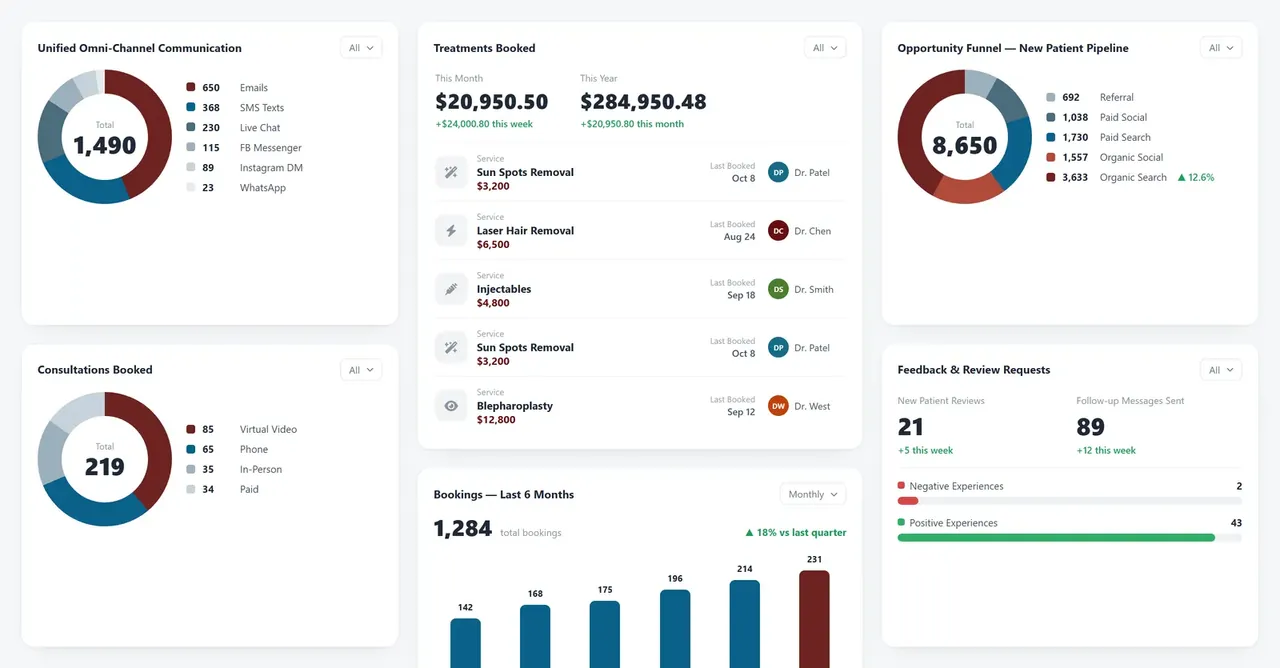
The calendar, patient records, the inbox, checkout, and your reports all live in one mobile app. Whether you are between rooms or out of the building, the Health Hue Hub gives you the full clinic in your pocket. Nothing waits for you to get back to the front desk.
01 · Calendar On The Go
Manage the schedule from anywhere.
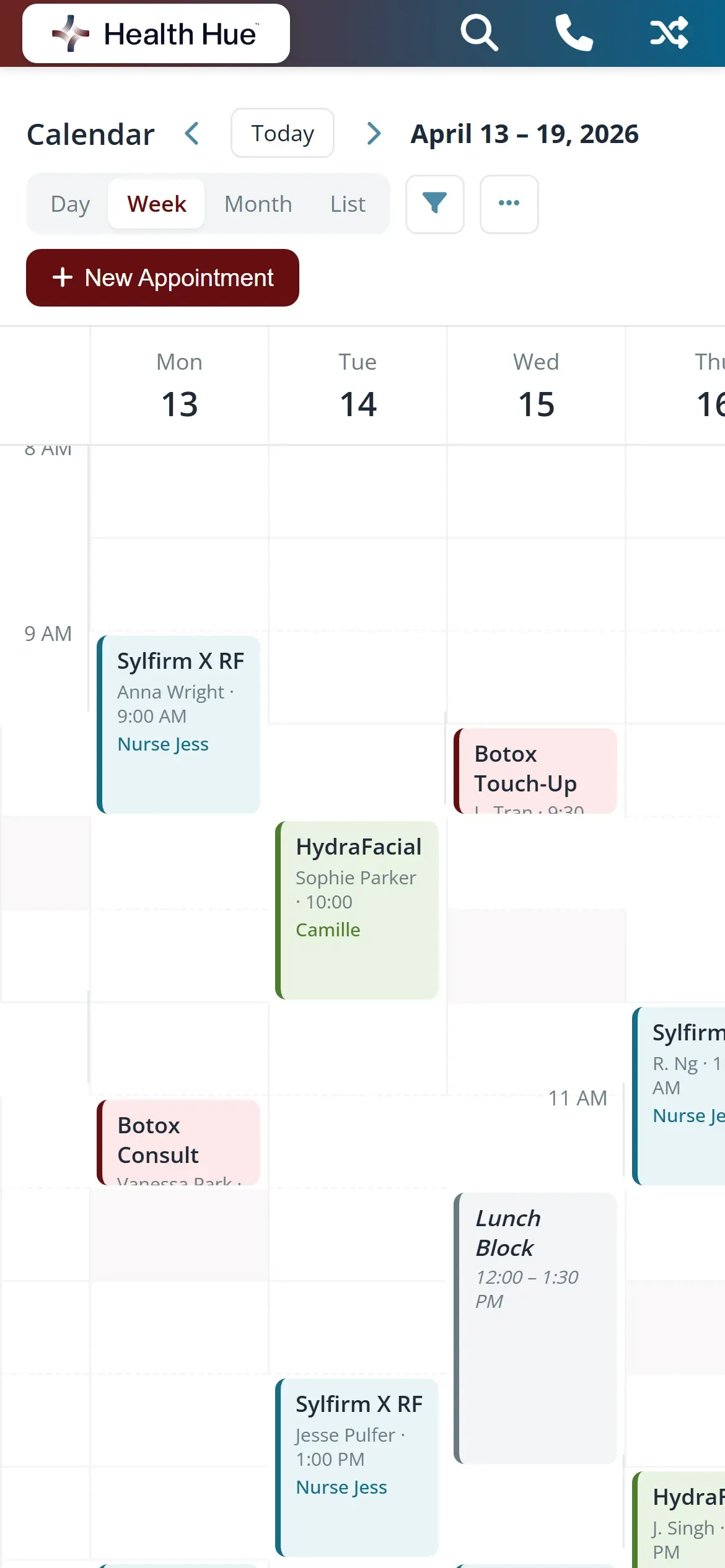
Open the app and the day’s calendar is right there, every room, every provider, colour-coded by status. Book a new appointment, move an existing one, or block time off without walking back to the front desk. The change syncs instantly, so the team sees the same schedule the moment you tap save.
Create, reschedule, or cancel appointments from your phone.
See the full team’s day in one tap, not one calendar at a time.
Every change updates the desk and the patient’s confirmation instantly.
02 · Unified Inbox
Reply to patients from anywhere.
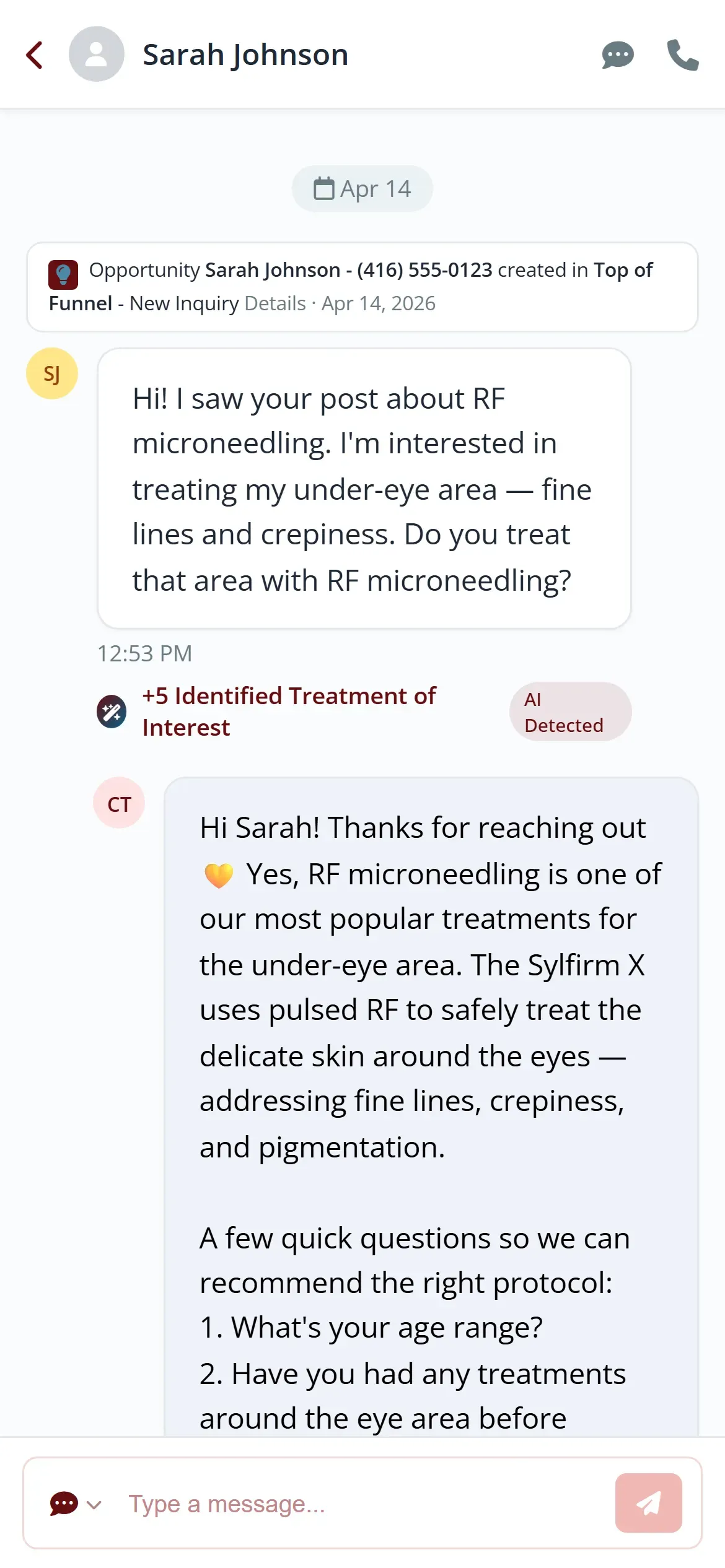
Texts, emails, and call logs land in one mobile inbox, so a rescheduling request never sits unanswered while you are away from the desk. Send a reply, share a photo, or return a call right from the conversation. Every message stays attached to the patient’s record for the next person who picks it up.
Text, email, and call history together in a single thread.
Answer a rescheduling request from the hallway or the car.
Every reply is logged to the patient record automatically.
03 · Mobile Checkout
Take payment from the phone in your hand.
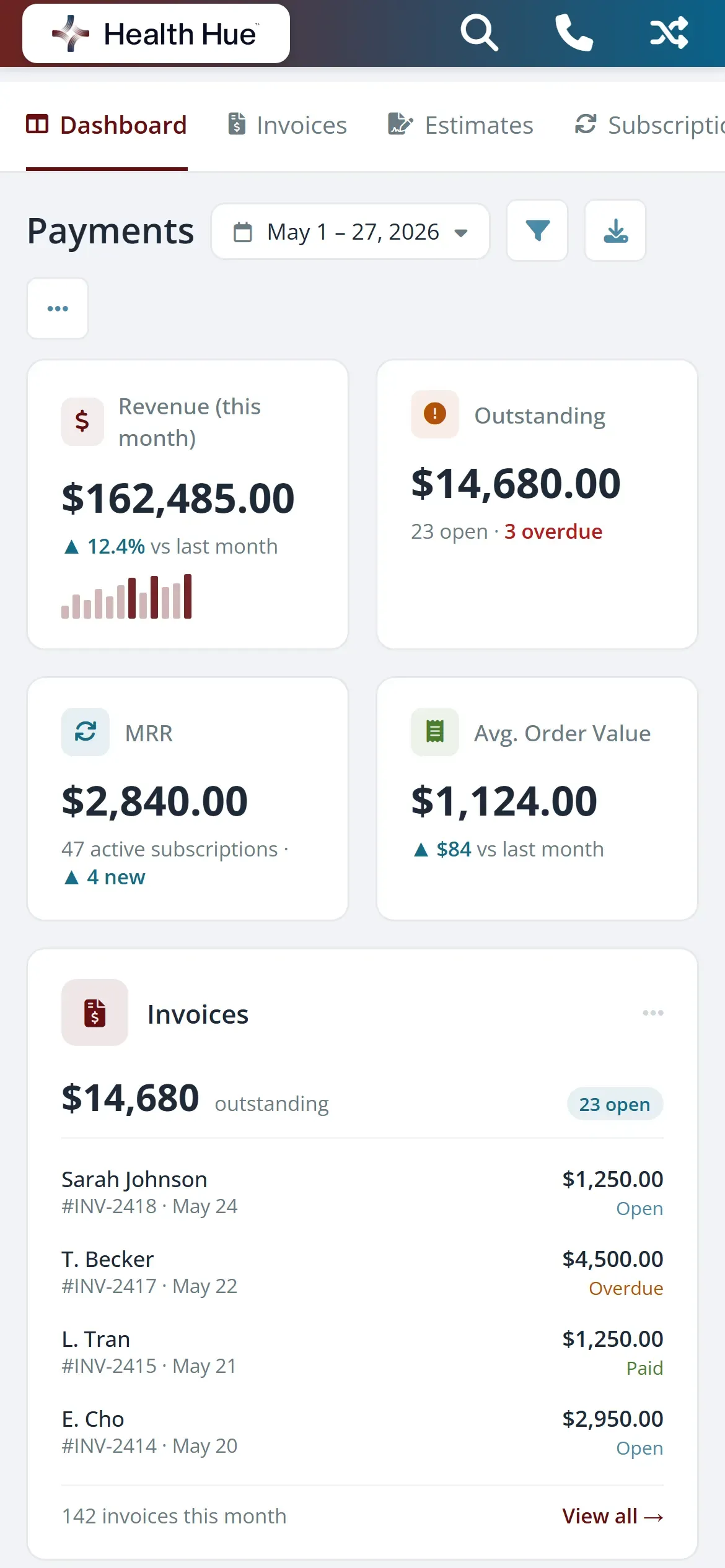
Finish the appointment and check the patient out without sending them back to the front desk. Add the treatment, apply a package or membership credit, and collect payment right from the room. The sale posts to the patient record and to your numbers the moment it clears.
Close the sale in the treatment room, not at the counter.
Apply memberships and prepaid packages at checkout.
Each payment lands on the record and the daily total right away.
04 · Patient Records
Carry the full record in your pocket.
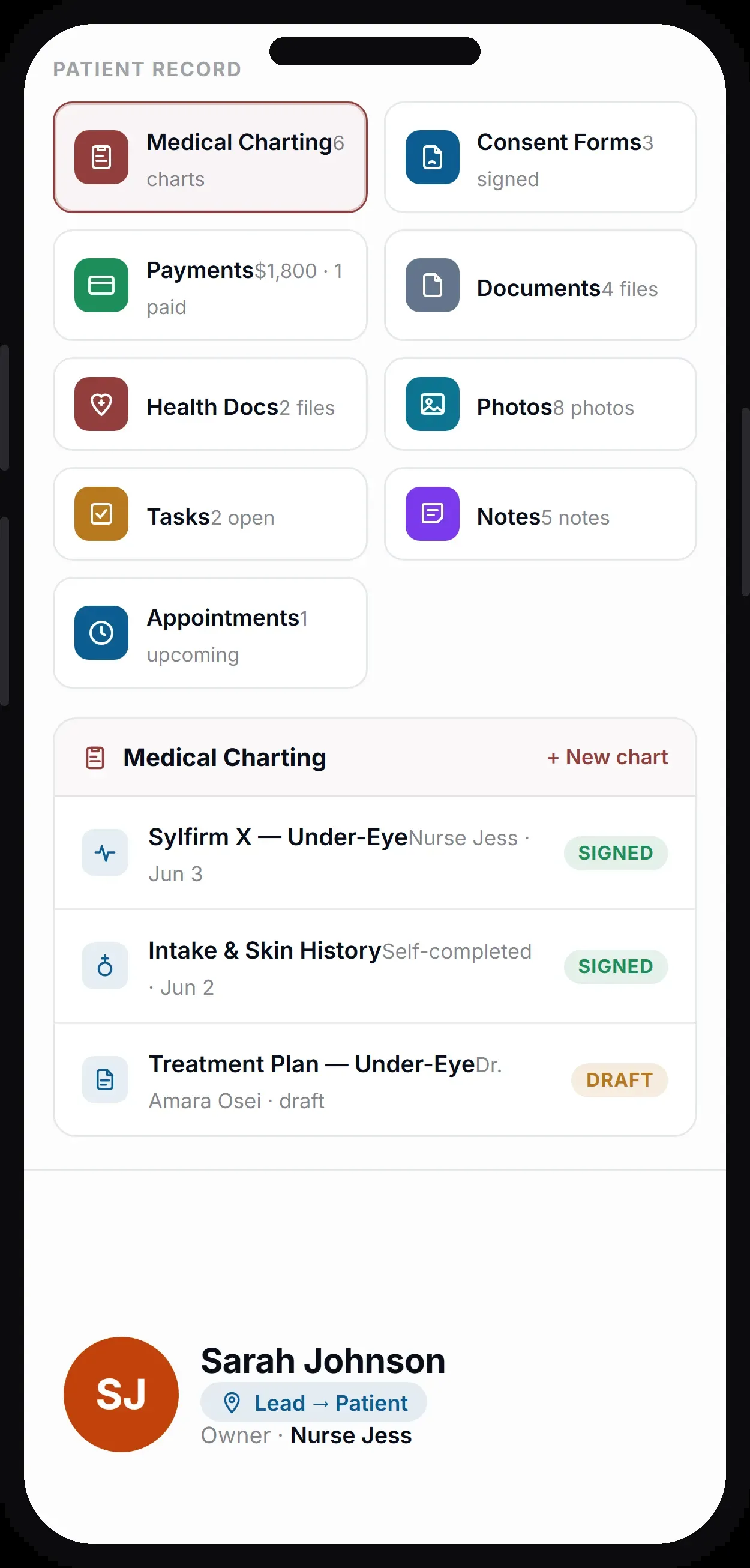
Pull up any patient and their history, notes, treatment plan, and photos are right there before you walk into the room. Add a note or update details from the app and the record stays current for the whole team. It is PHIPA-compliant and HIPAA-compliant, so sensitive information stays protected on every device.
Notes, treatment plans, and visit history on one screen.
Add a note or edit details without going back to the desk.
PHIPA-compliant and HIPAA-compliant access on every phone.
05 · Reporting On Mobile
See the numbers wherever you are.
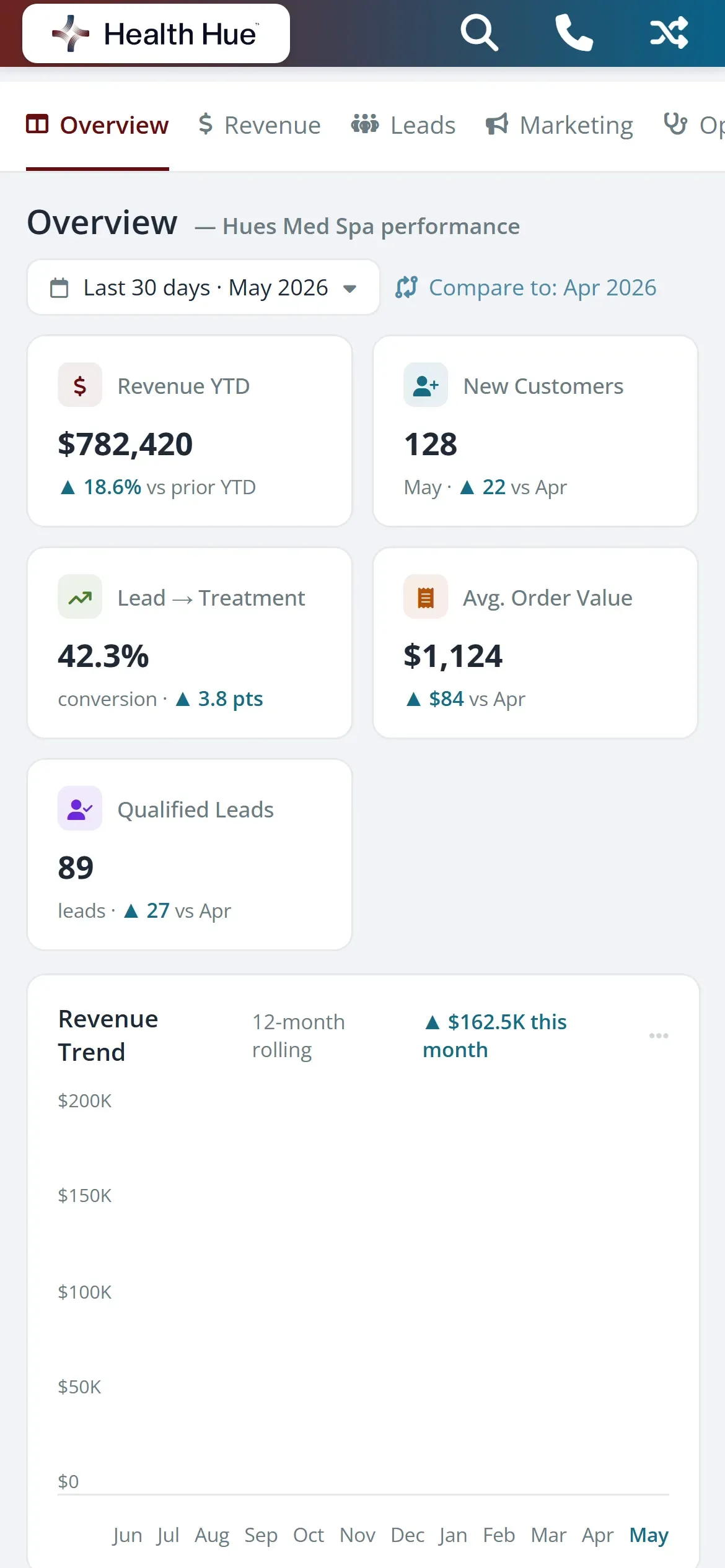
Revenue, bookings, and the day’s totals are a tap away, so you never have to be in the building to know how the clinic is doing. Check today against last week, or open a provider’s figures before a one-on-one. The same live data on your desktop dashboard travels with you.
Today’s revenue and bookings on the home screen.
Switch between today, this week, and this month on mobile.
The phone shows the exact live numbers your desktop does.
06 · Notifications
Get alerted the moment it happens.
A new online booking, an inbound text, or a cancellation pushes straight to your phone, so you respond while it still matters. Choose what you want to be alerted on and who on the team gets which alert. Nothing important waits in a queue for someone to notice it.
New bookings, messages, and cancellations push instantly.
Pick which events alert you and which stay quiet.
Route alerts to the team member who should act on them.
Secure, compliant, and clinic-ready
Every feature lives in a platform built for clinics from the ground up, with charting, consent, and payments native to the patient record.
PHIPA & HIPAA-aware
Patient data is encrypted and handled to Canadian health-privacy standards.
Consent & audit
Consents, signatures, and changes log to the record automatically.
Role-based access
Granular permissions keep charts and contact details on a need-to-know basis.
One source of truth
Scheduling, payments, messages, and records in one place. Nothing siloed.
Explore more of the Hub
Mobile Apps is one part of the Health Hue Hub, your AI-powered clinic operating system.
Conversations
One inbox for SMS, calls, web chat, and DMs.
Patient Records
Every patient in one complete profile.
Calendar & Scheduling
AI booking, reminders, and provider sync.
Payments & POS
Text-to-pay, deposits, and fast checkout.
Memberships
Recurring revenue, packages, and perks.
Automated Flows
Triggers and multi-channel follow-up.
FAQ