Health Hue Hub · Clinical
Clinical software for medical spas, from consent to locked chart.
Charting on the patient's own photographs, consent forms signed before they arrive, inventory held by lot, and one record per patient. It all sits in the same Hub as booking, messaging and payments, so a locked chart updates stock and the patient's balance without anyone typing it in twice.
already written
ready to use
patient


01 · Medical Charting
Chart on the face, with the units that went in.
Health Hue Charting works on the patient's own photographs, the same five angles every visit, with an anatomy drawing for anyone who prefers not to be photographed. Pin the site, choose the product, set the units and record the lot, then set this visit against the last one on a slider. See Medical Charting →
Zone, product and units at every site.
Slide across two visits at the same angle.
Real photographs, or the anatomy drawing.


02 · Consent Forms
One link for every form that is still due.
Patients get a single link with every form outstanding for their visit, and the reminder names the form they have not finished. Fifty-six forms come written by treatment, and by the time the patient arrives the chart already shows what is signed. See Consent Forms →
Only the forms this visit still needs.
Every due form behind one link.
Signed and valid-to dates, before treatment.


03 · Inventory
Stock that moves when the chart is locked.
Injectables, consumables and retail skincare sit on one shelf, held by lot with their use-by dates. A locked chart takes the units off against the lot it recorded, low stock shows up before it runs out, and expected against actual gives the size of any gap. See Inventory →
Every product, with what is left.
A product across its lots and use-by dates.
The size of the gap, measured from locked charts.


04 · Patient Records
One record, everything about the patient.
Contact details, tags, activity, notes, payments, documents and appointments sit on one profile, with the patient's packages, chart usage and memberships linked to it and their chart a click away, so the front desk and the injector are looking at the same patient. See Patient Records →
Details, tags and activity on a single profile.
Packages, chart usage and memberships.
Clinical notes, dated and kept on the record.


05 · Memberships & Packages
Plans and packages that bill themselves.
Monthly memberships and prepaid packages charge on schedule, follow up on failed payments, and draw down as treatments are used, so everyone can see what a patient has left. See Memberships & Packages →
A plan that bills every month.
A package, counted down.
Used treatments come off the balance.


06 · AI Scribe
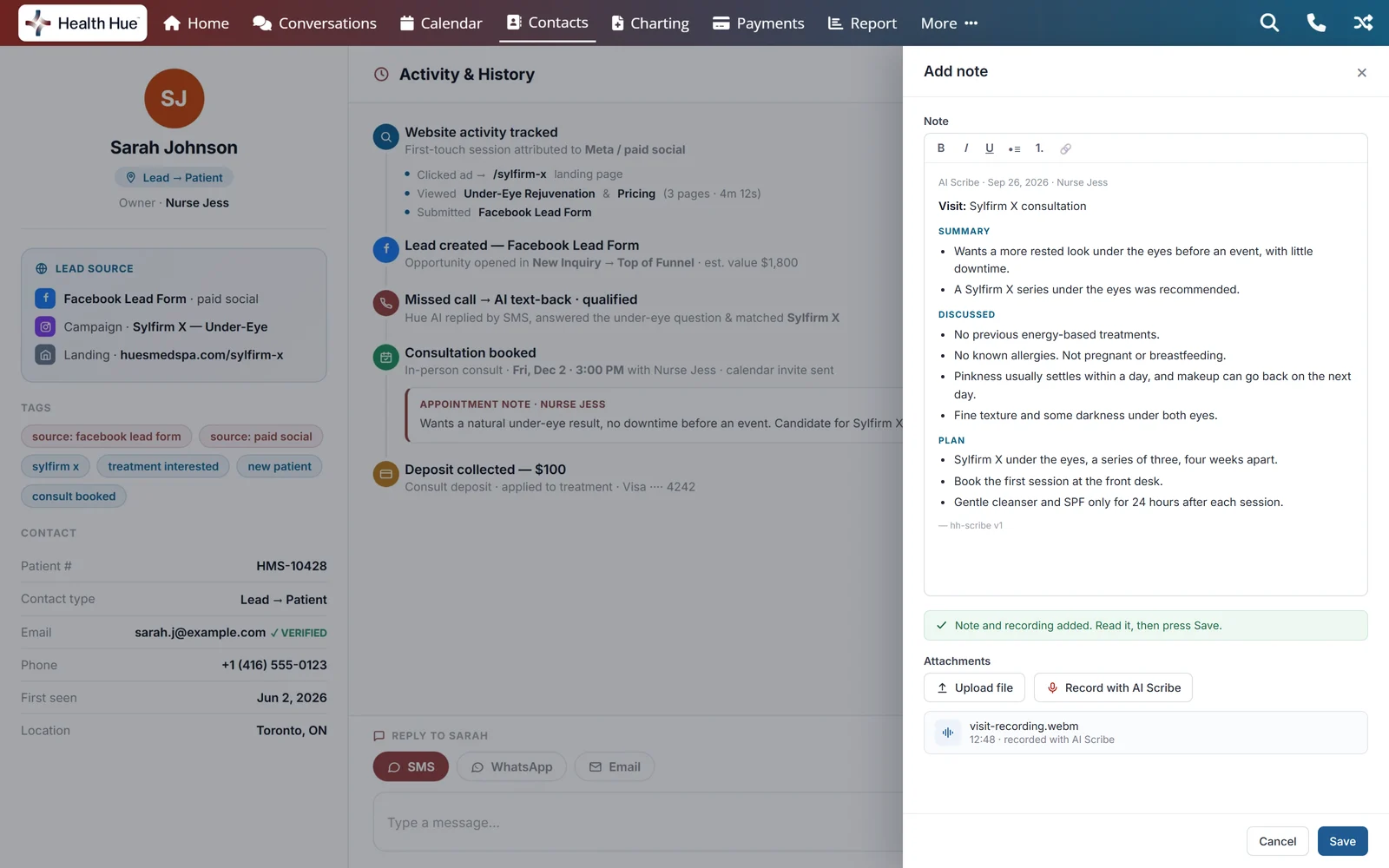
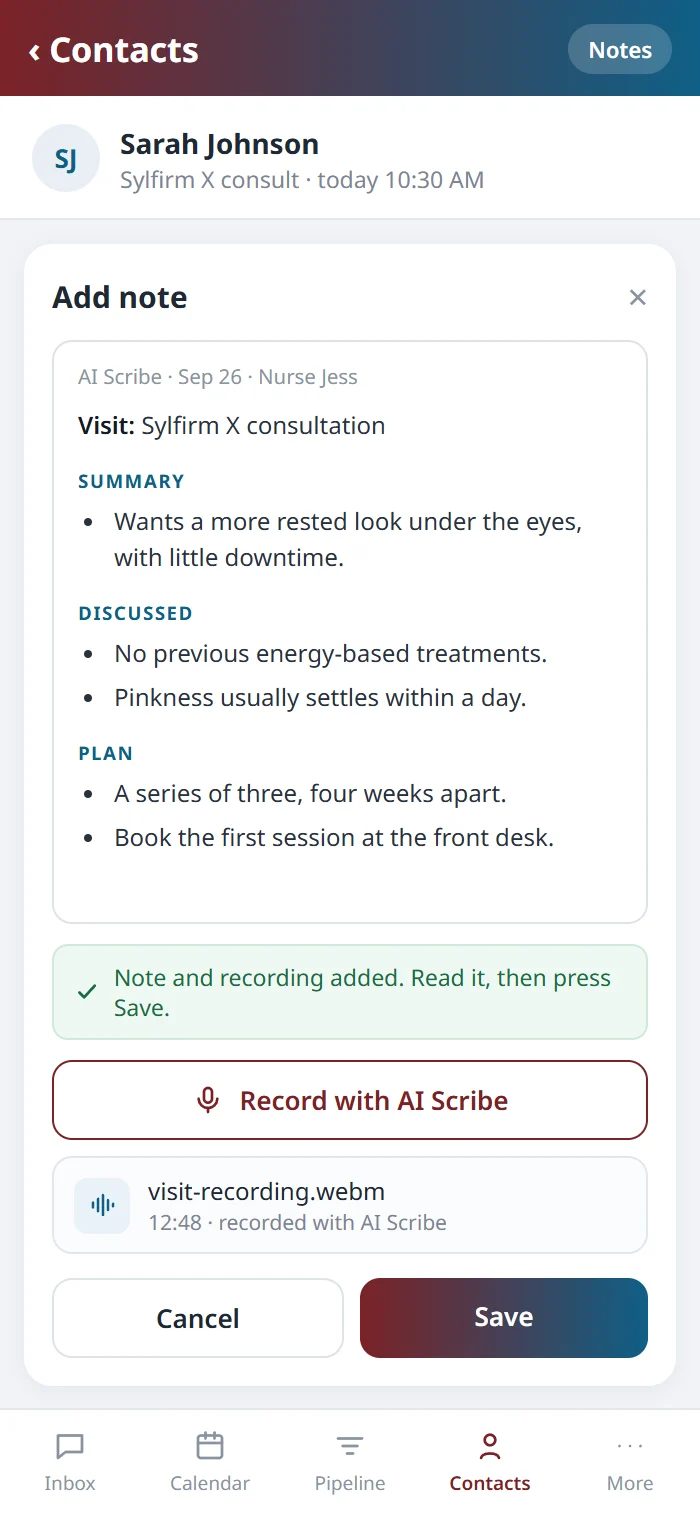
The visit note, drafted while you talk.
Record the visit from the patient’s note. The AI Scribe transcribes it, drafts the clinical note and hands it back with the audio attached, ready to edit and save. See the AI Scribe →
07 · Telehealth
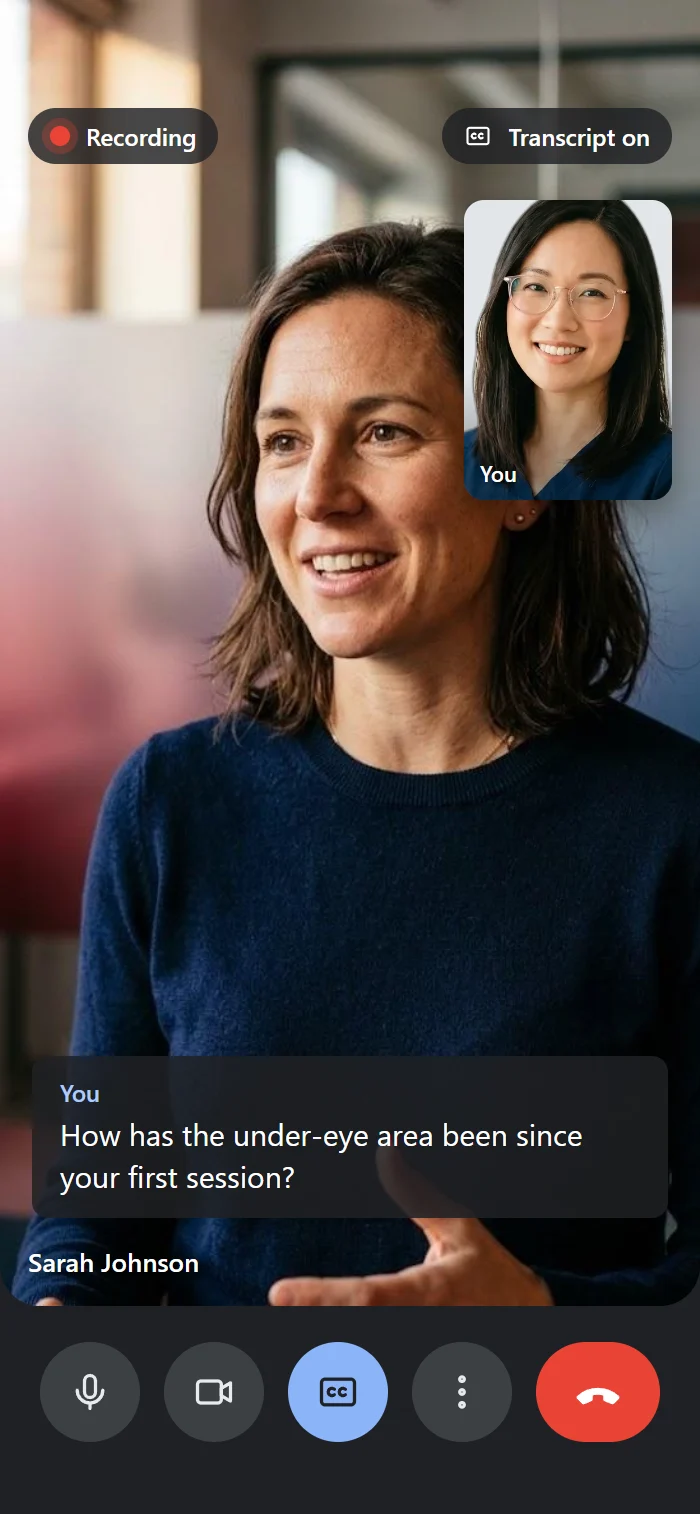
Video consults, on the patient’s record.
Book a consult on the calendar, and the patient joins by link on Google Meet, Microsoft Teams, Zoom or another telehealth platform. The call is recorded and transcribed on HIPAA-covered accounts, and the transcript is filed to the patient once your team confirms the match. See Telehealth →

08 · Labs & Prescriptions
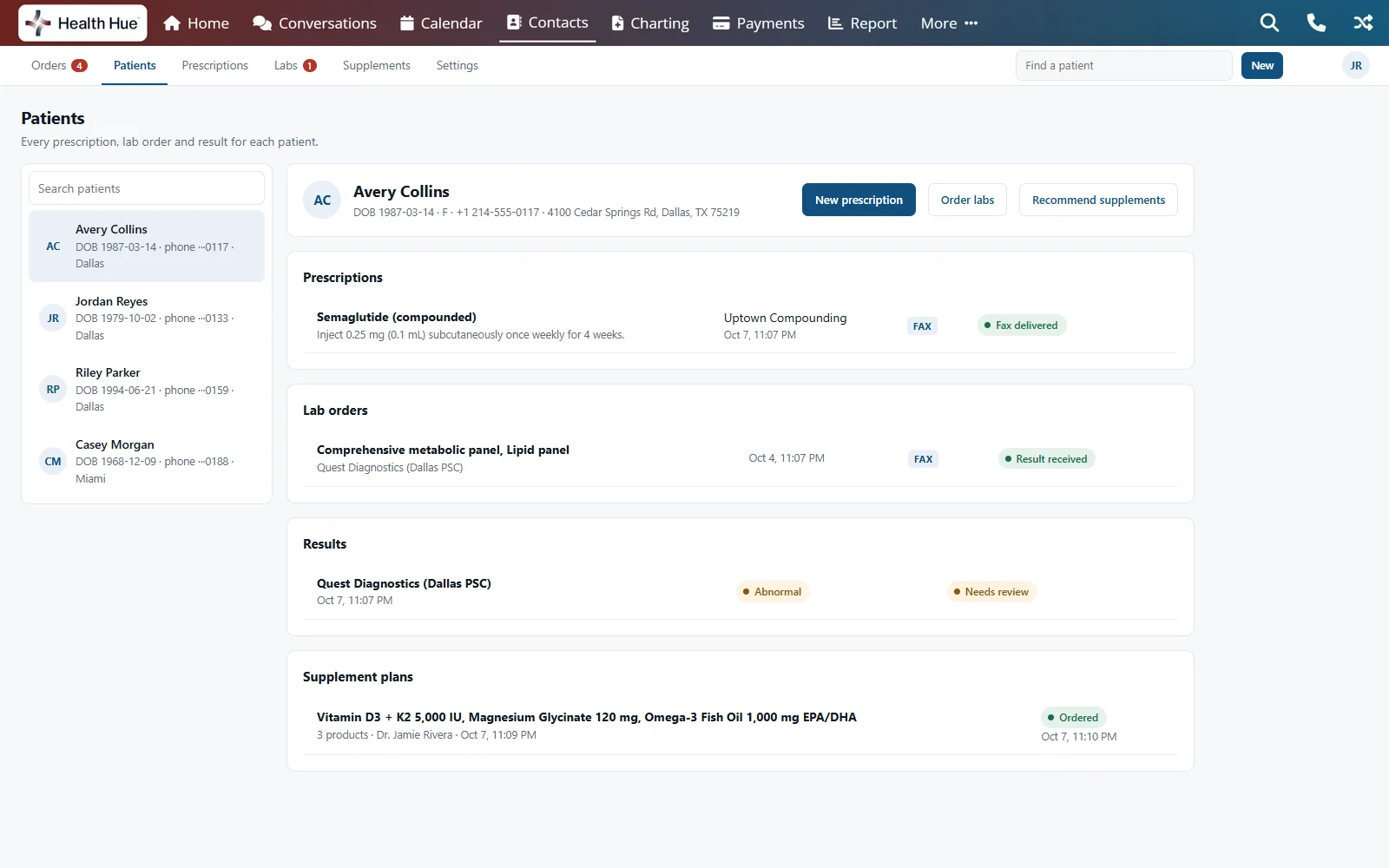
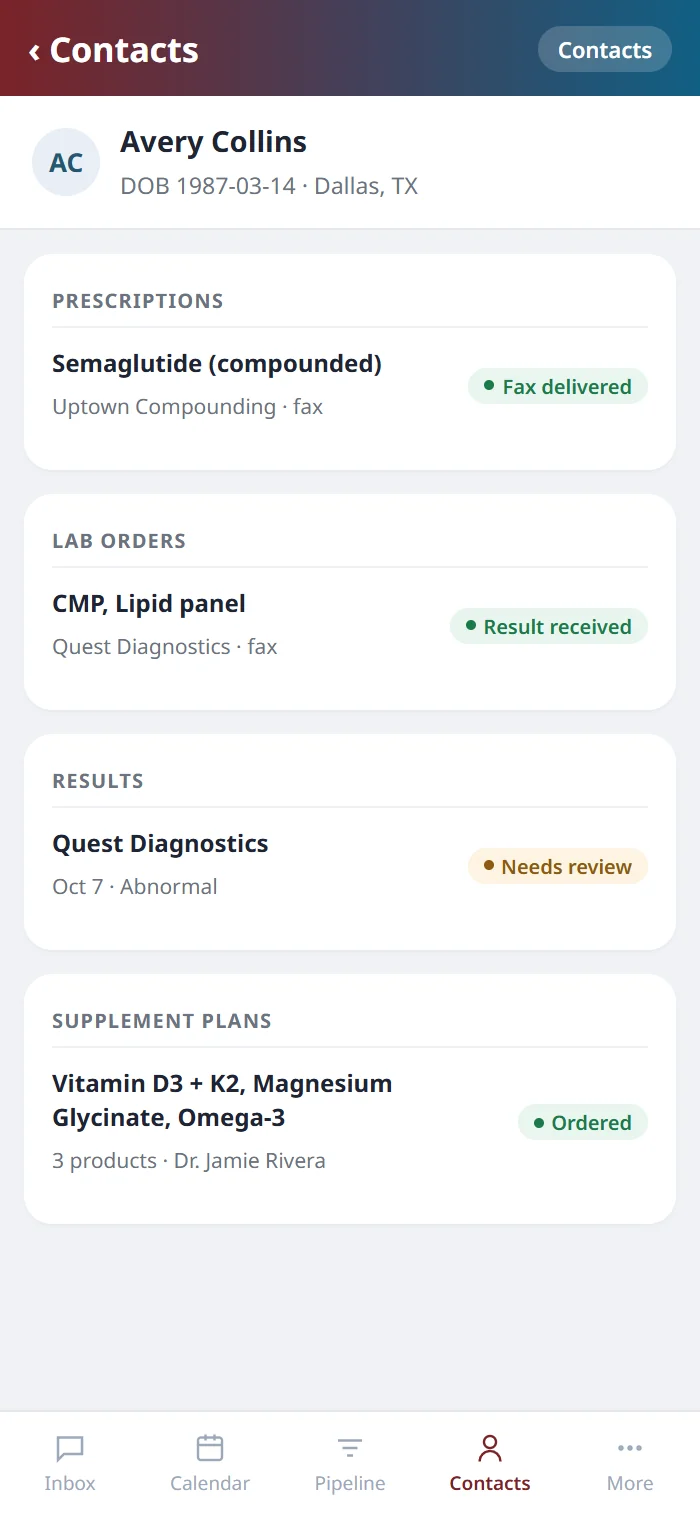
Labs, prescriptions and supplements, from the same record.
Order labs from Quest, Labcorp or your own local lab and the results come back to the order. Prescriptions go electronically, by fax from your clinic’s own number or printed in the clinic, with Schedule III to V sent as EPCS, and refills are flagged before they run out. Fullscript emails the patient their supplement plan and ships it to their door. Lab Orders → · Prescriptions → · Supplements →
09 · How it connects
One locked chart updates the rest.
A patient arrives with forty units banked and you chart forty-five. When the chart is locked, the forty are drawn down, the five are left to charge, and forty-five come off stock against the lot you recorded. The clinical record, the balance, the bill and the shelf all move from that one chart.
What you charted against what they had banked.
Calculated for the front desk.
Stock moves when the chart is locked.


Secure, compliant, and clinic-ready
Every feature lives in a platform built for clinics from the ground up, with charting, consent, and payments native to the patient record.
PHIPA & HIPAA-aware
Patient data is encrypted and handled to Canadian health-privacy standards.
Consent & audit
Consents, signatures, and changes log to the record automatically.
Role-based access
Granular permissions keep charts and contact details on a need-to-know basis.
One source of truth
Scheduling, payments, messages, and records in one place. Nothing siloed.
Explore more of the Hub
Clinical is one part of the Health Hue Hub, your AI-powered clinic operating system.
Conversations
One inbox for SMS, calls, web chat, and DMs.
Patient Records
Every patient in one complete profile.
Calendar & Scheduling
AI booking, reminders, and provider sync.
Payments & POS
Text-to-pay, deposits, and fast checkout.
Automated Flows
Triggers and multi-channel follow-up.
Campaigns
Email and SMS that fill the calendar.
FAQ
Questions about Clinical.
What does Health Hue Clinical include?
Medical charting, consent forms, inventory, patient records, memberships and packages, AI Scribe, telehealth, and lab orders, prescriptions and supplements. They share one patient record inside the Health Hue Hub, alongside booking, messaging and payments.
Is the charting a separate system?
Health Hue Charting is a purpose-built charting application that opens inside the Hub, on the patient's record. It has its own annotation canvas, checklists, note templates, lot tracking and before and after comparison.
Do consent forms connect to the chart?
Yes. The chart opens on the consents already on file, with the date each was signed and the date it lapses, and consent is ticked on the pre-procedure checklist from the signed form.
When does inventory change?
When a chart is locked. The units charted come off against the lot recorded on the chart, so a draft never moves your stock.
Can a signed chart be changed?
Signing locks the chart. A correction is then added as an addendum attached to the original, so the record shows what changed and when.
Where do memberships and packages fit?
On the same record. A treatment charted against a package or membership draws down what the patient has left, and anything beyond it is left to charge.