Health Hue Hub · Clinical · Care Cadence
Patient recall software that brings patients back on time.
Every treatment has a natural time to come back. Care Cadence counts from each patient’s last visit and, when their next one is due, sends them a text or email from your clinic with a link straight back to the calendar they booked on. It’s set up from the treatments you already offer, every message and timing is yours to edit, and it stops the moment they book.
suggested starting points
channel, per treatment
email, call task, portal
01 · Set up
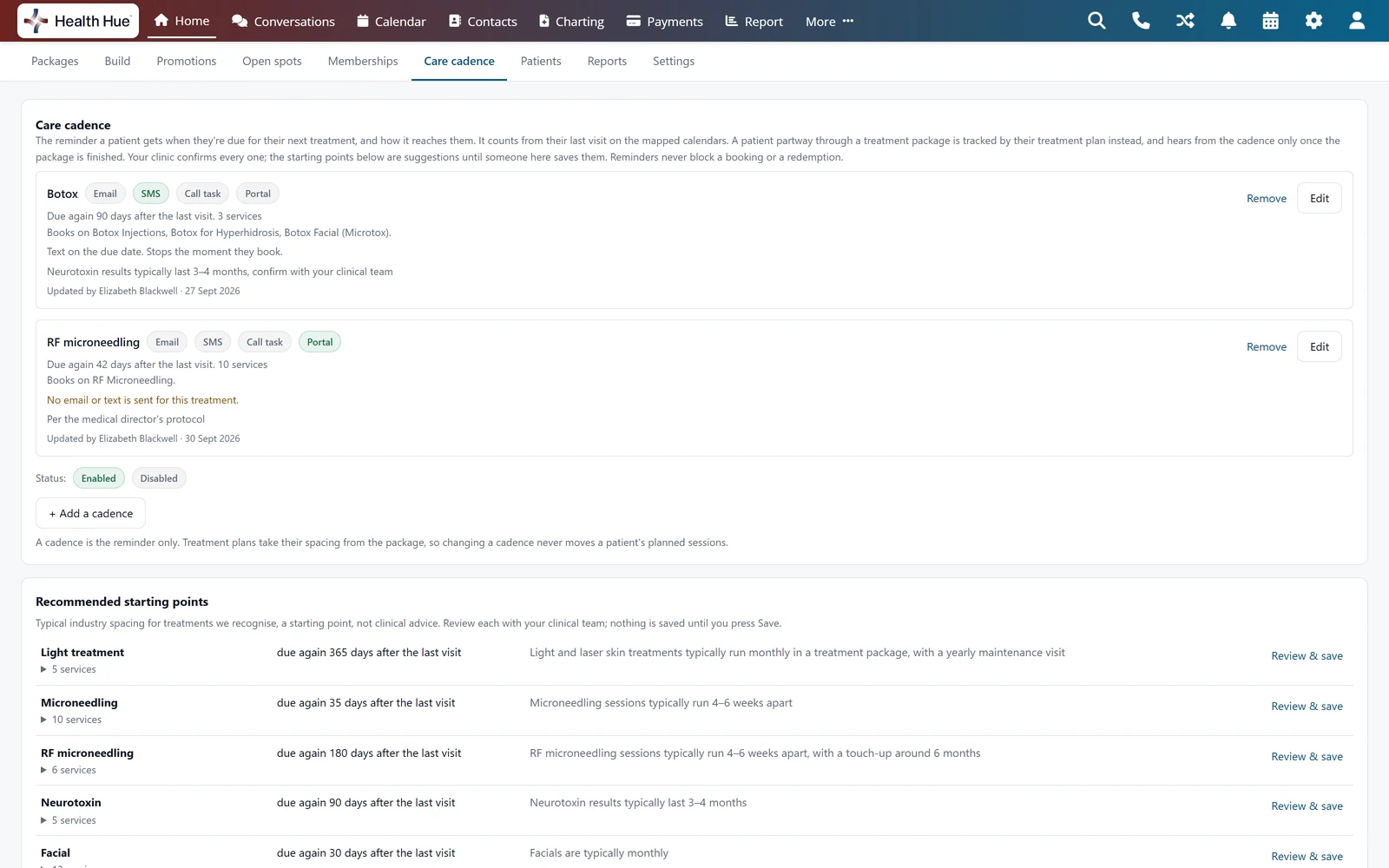
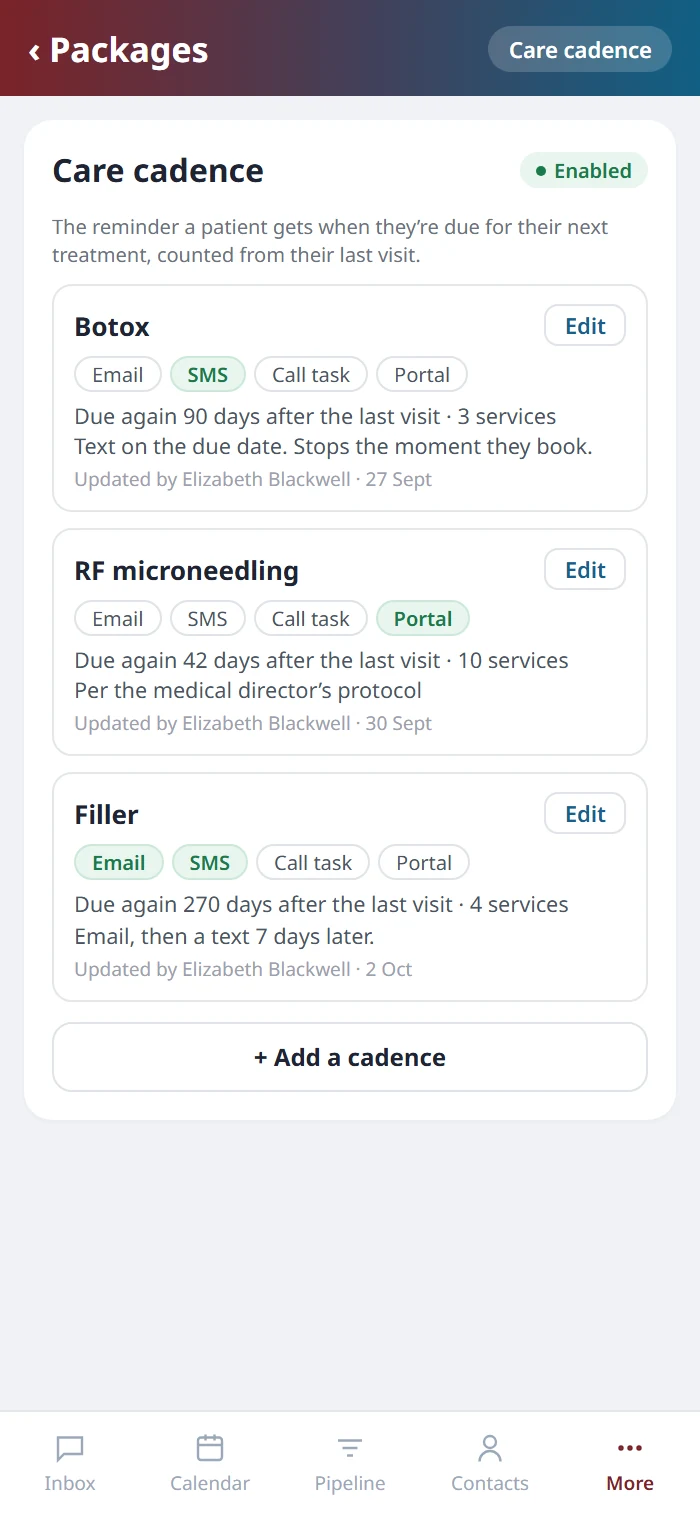
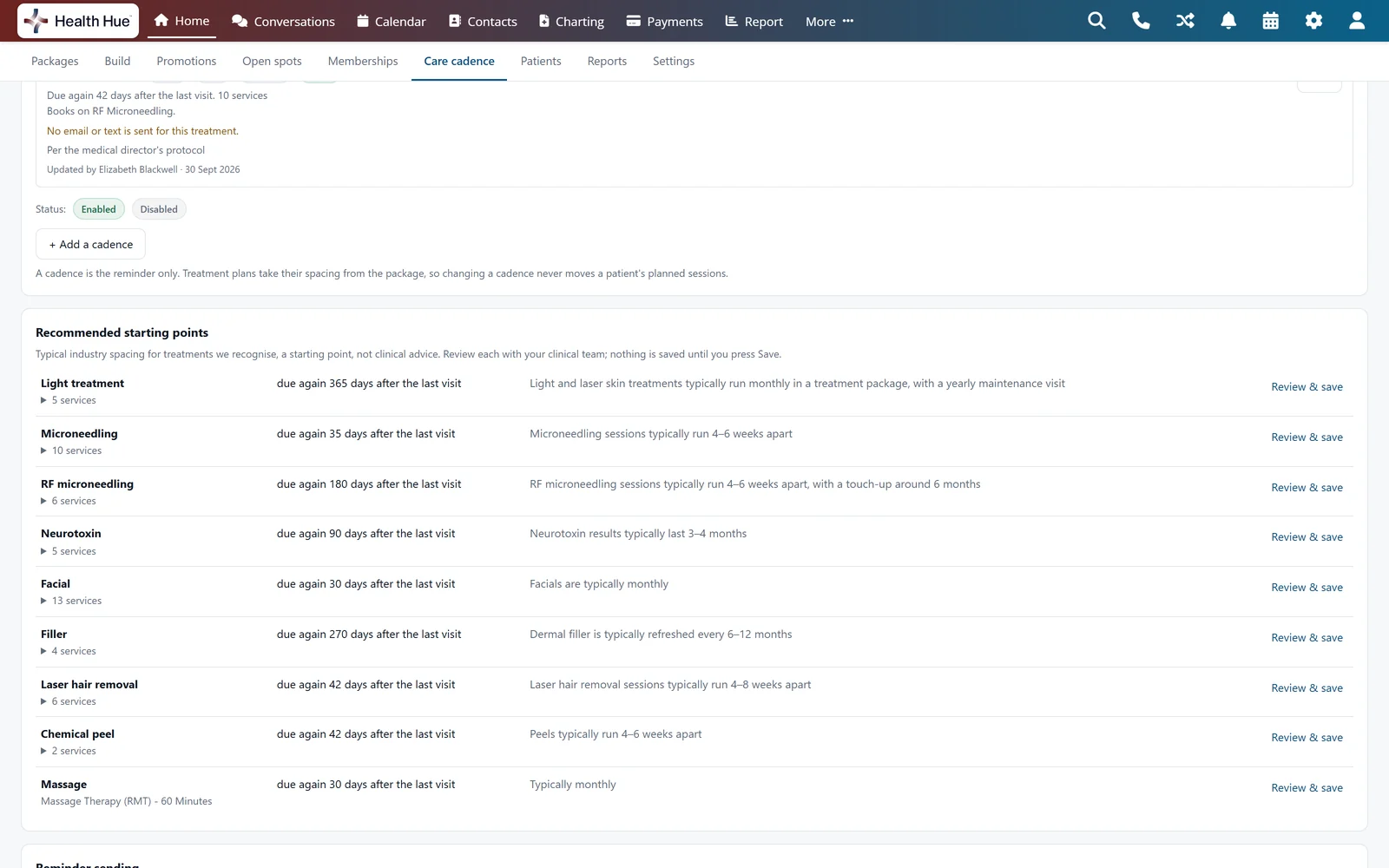
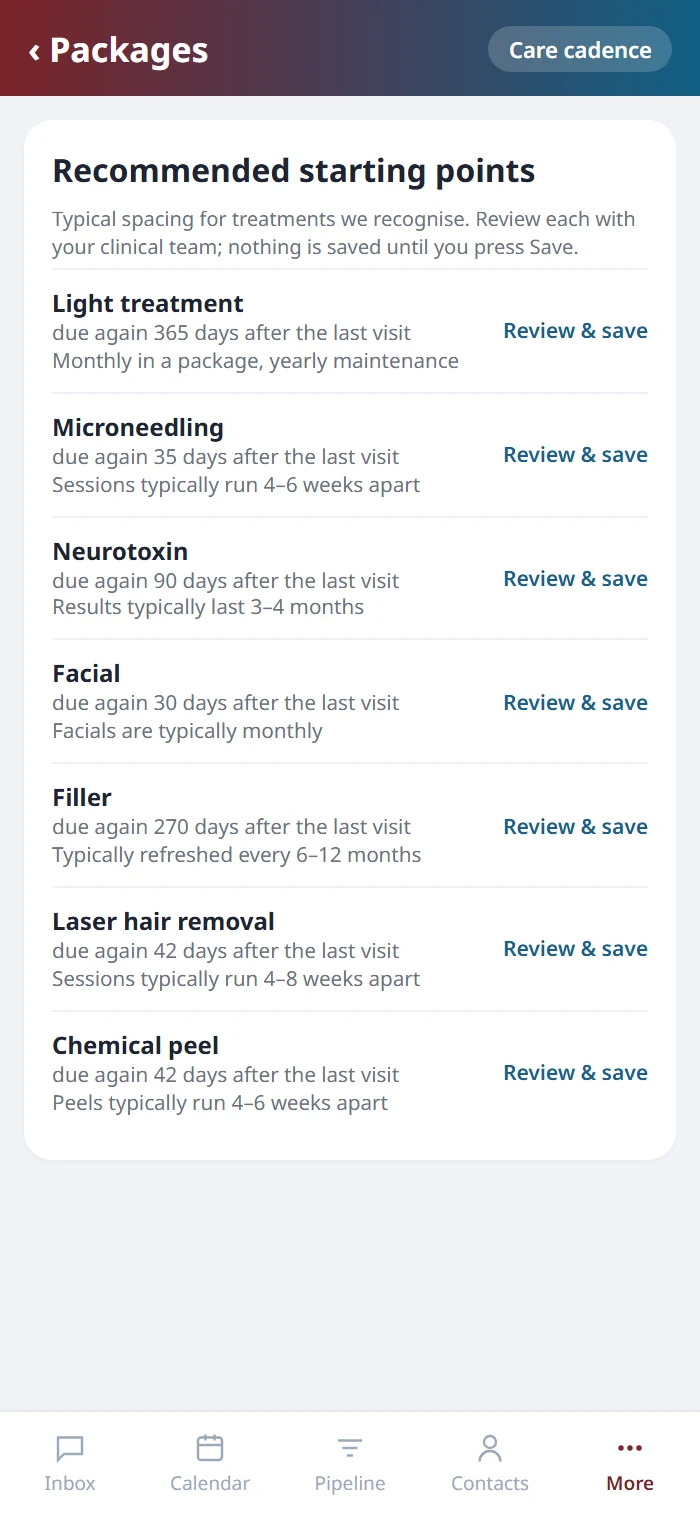
Set up from the treatments you already offer.
Care Cadence reads the services on your calendars and groups them into the treatment families it recognises, from neurotoxin and filler to microneedling, peels, facials and laser hair removal, each with a typical starting point for when the patient is due back. They are suggestions, not clinical advice. Your clinical team reviews each one, changes the spacing to match your own protocol and saves it, and nothing reaches a patient until someone at your clinic has. You confirm the defaults with us during onboarding.
02 · The messages
Your words, timed to the day.
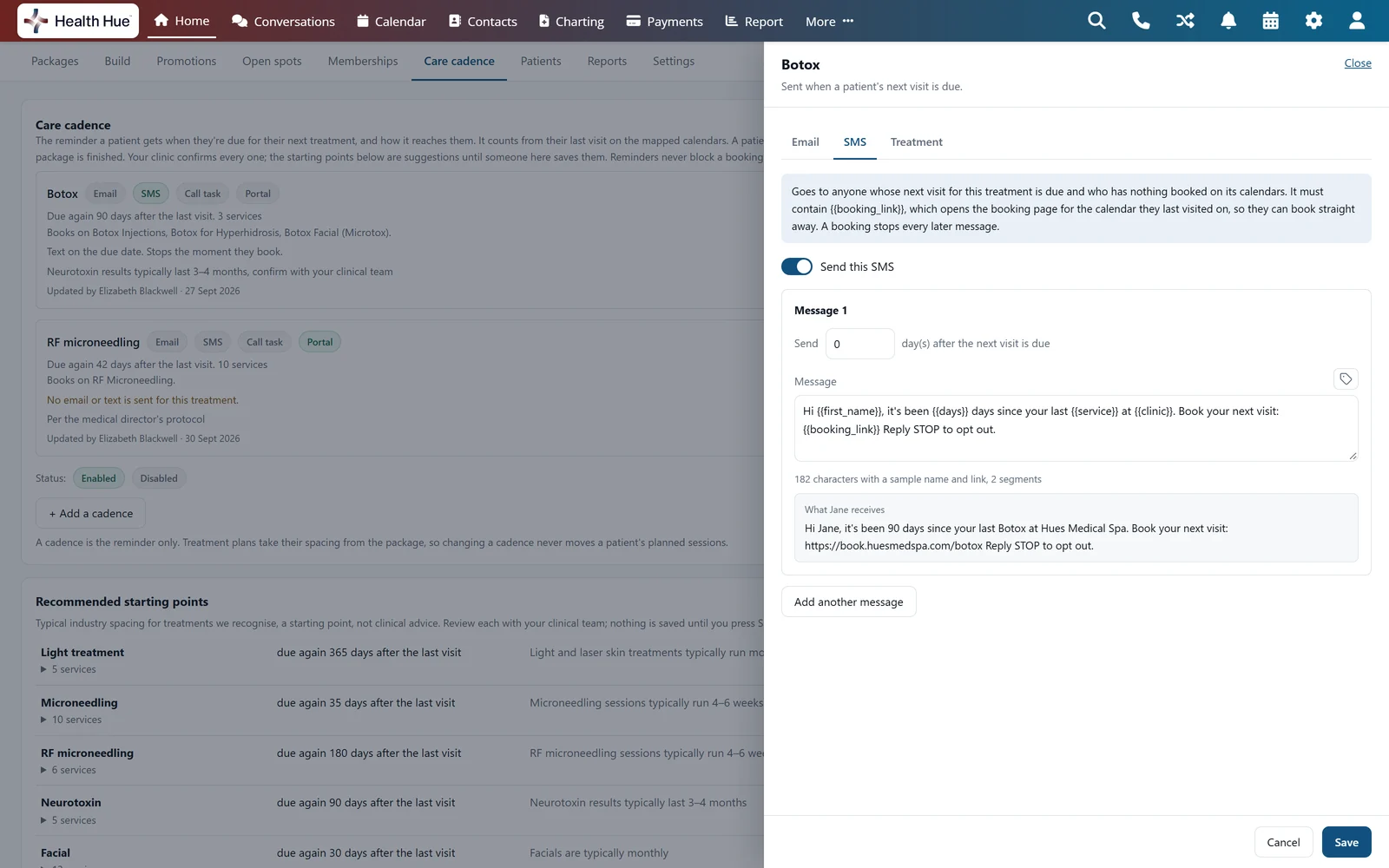
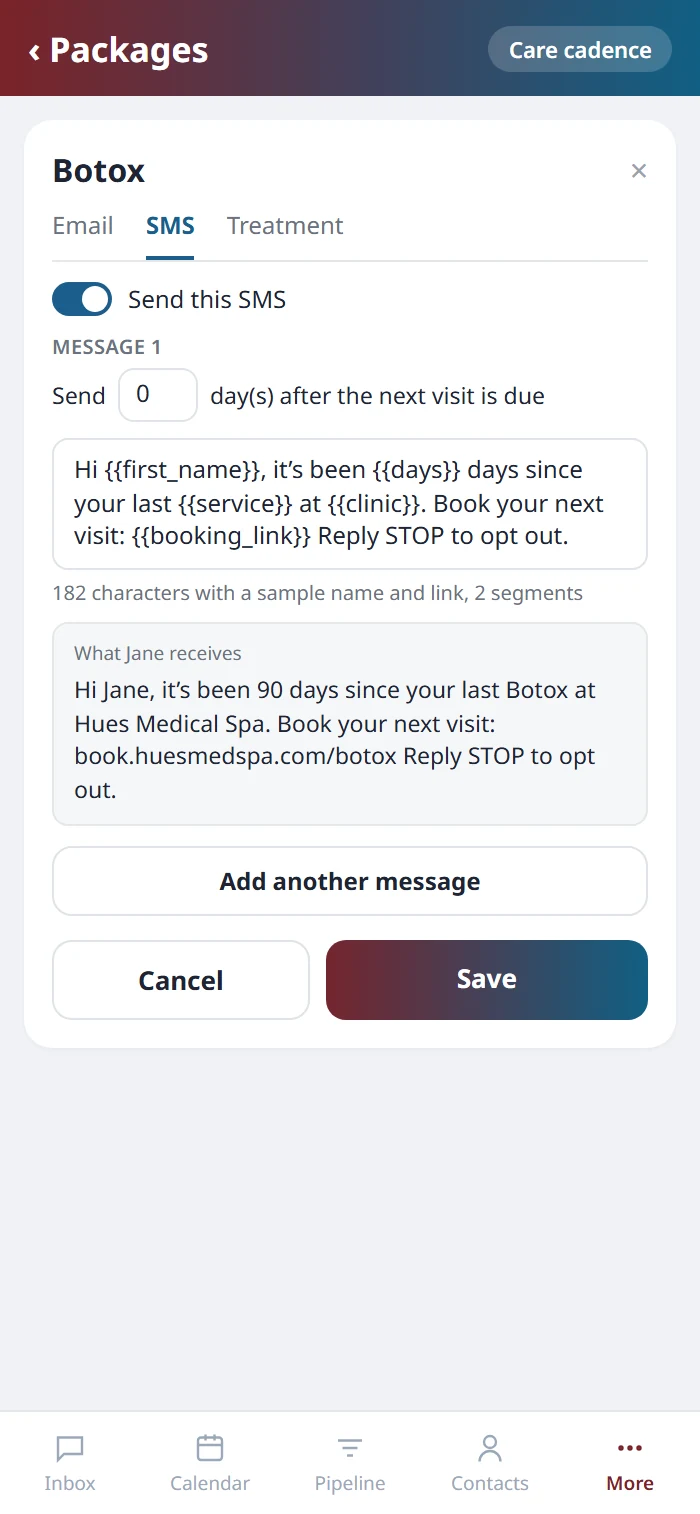
Each treatment gets its own text and email, with up to three messages on each, and you choose how many days after the due date each one goes. Write them in your clinic’s voice with the patient’s first name, the treatment, the days since their last visit and your clinic’s name filled in for you, and a preview shows exactly what the patient will receive, down to the character count of a text.
03 · Back on the calendar
One link back to the calendar, and silence once they book.
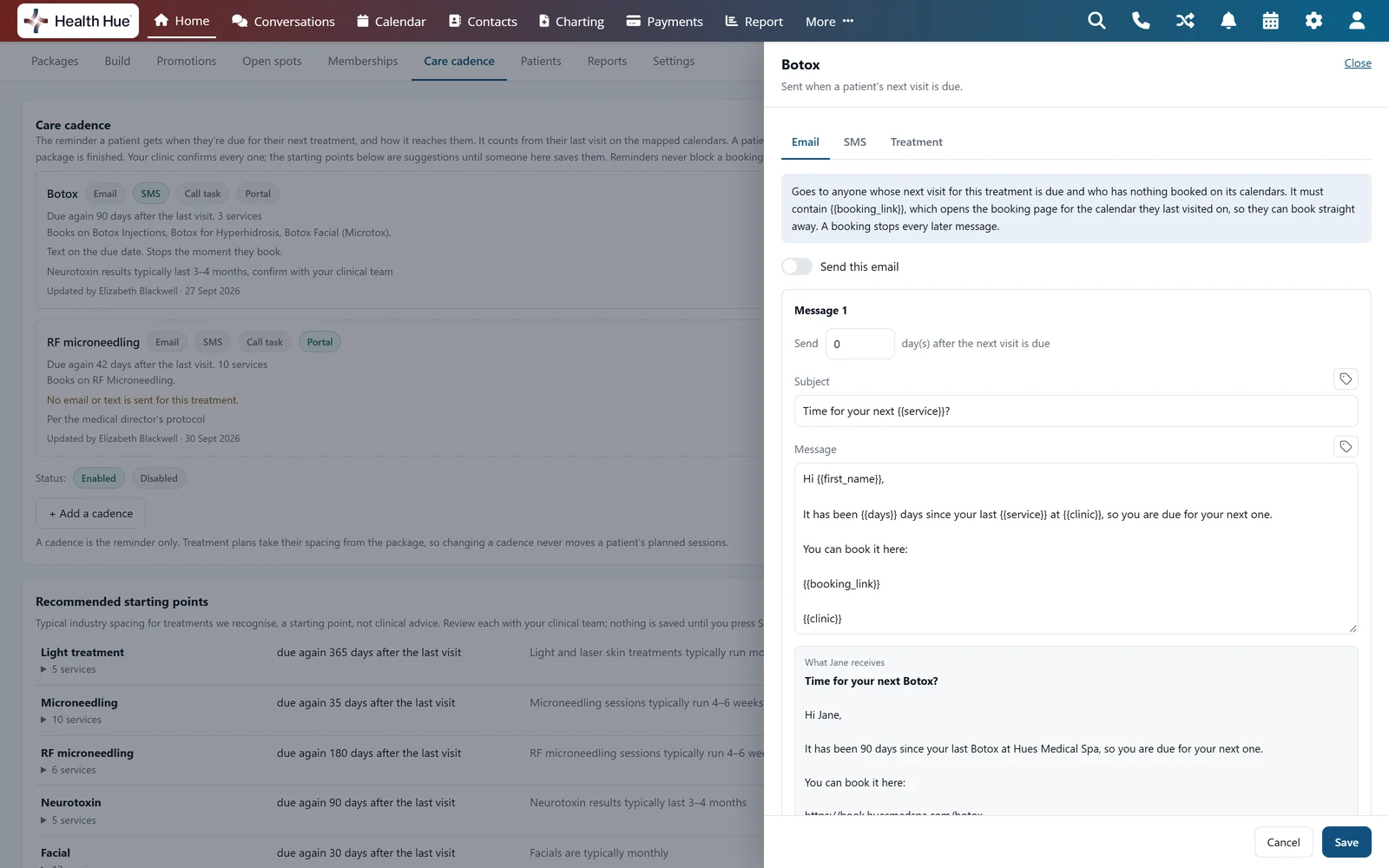
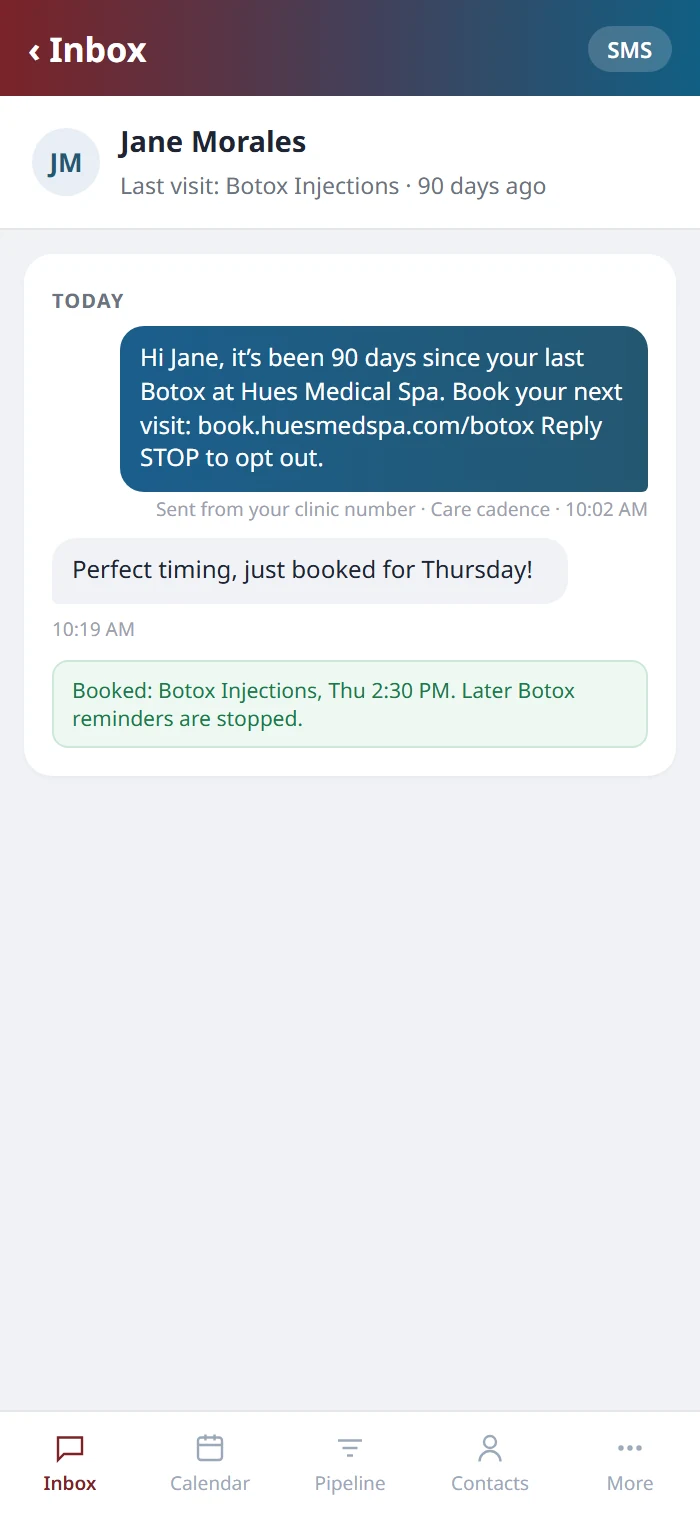
Every message carries a booking link that opens the calendar the patient last visited on, so they can pick a time straight away. The moment they book, every later reminder for that treatment stops, and a patient who comes in early simply starts the count again from that visit. Replies land in the patient’s conversation like any other message from your clinic.
04 · The right patients
The right patients, for every treatment.
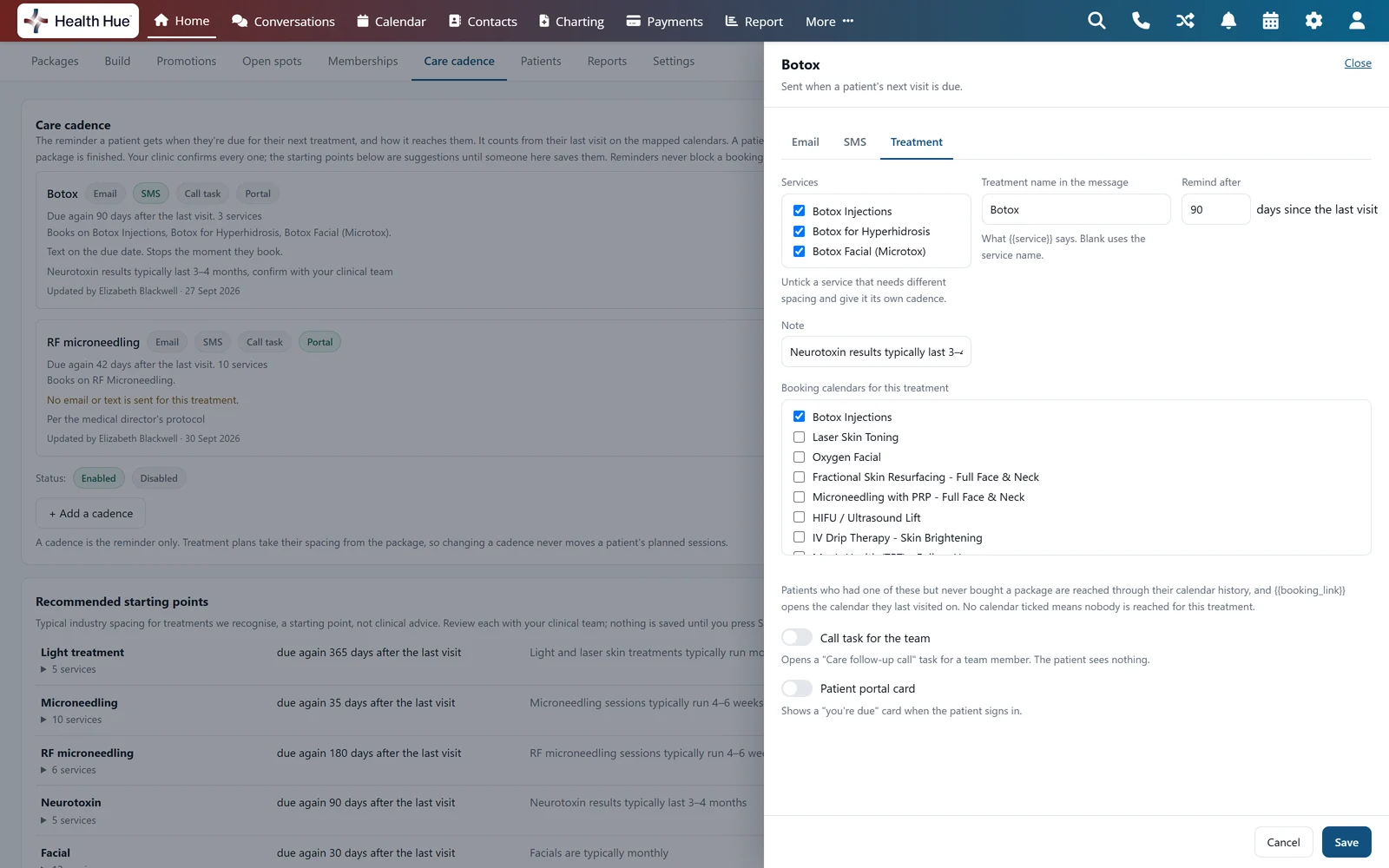
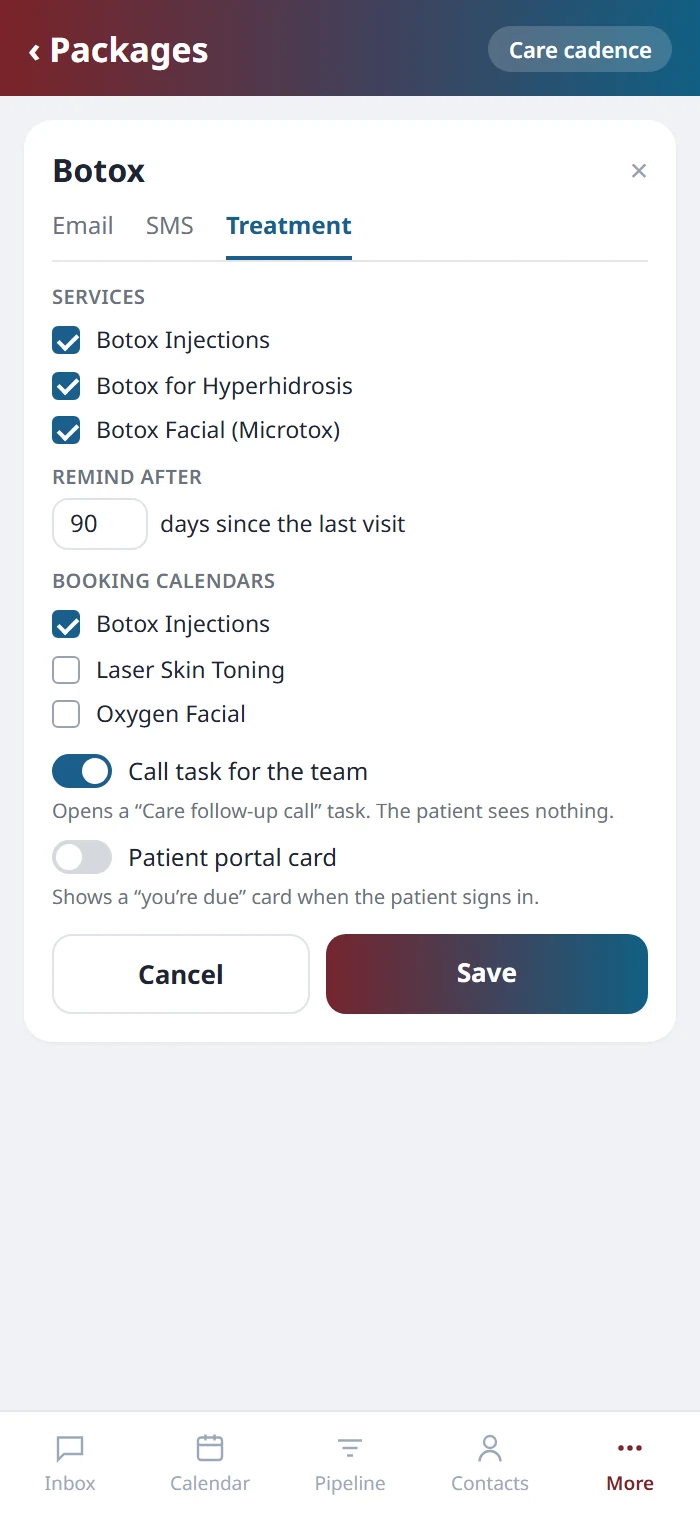
Choose the services a cadence covers, the name it uses in the message and the calendars that count as a visit, and give a service its own cadence when it needs different spacing. Switch on a call task and a team member gets a care follow-up call to make, or a portal card so the patient sees they’re due when they sign in. A patient partway through a treatment package follows their treatment plan instead and only hears from the cadence once the package is finished, so changing a cadence never moves anyone’s planned sessions.
05 · Sending
From your own number, with a dry run first.
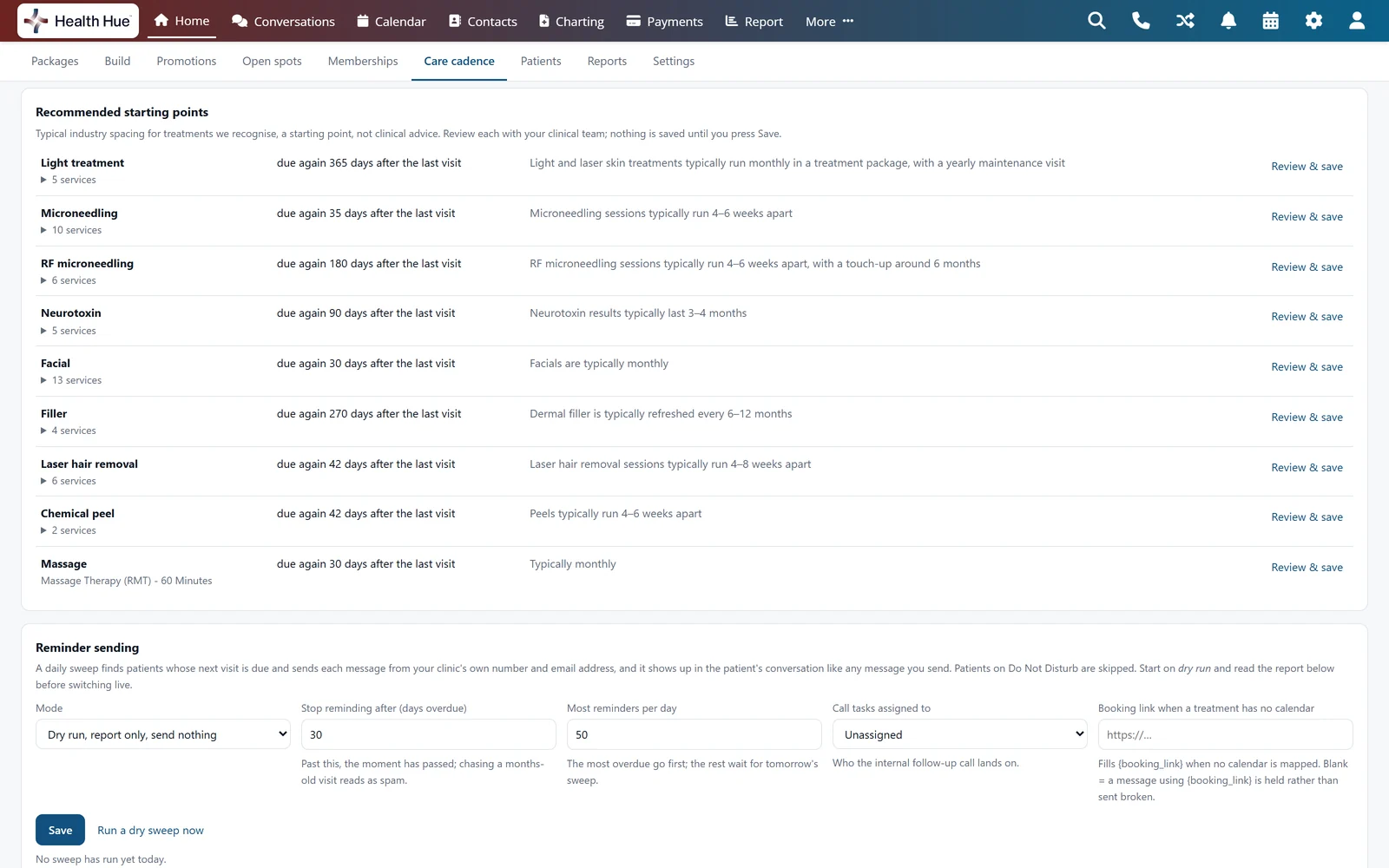
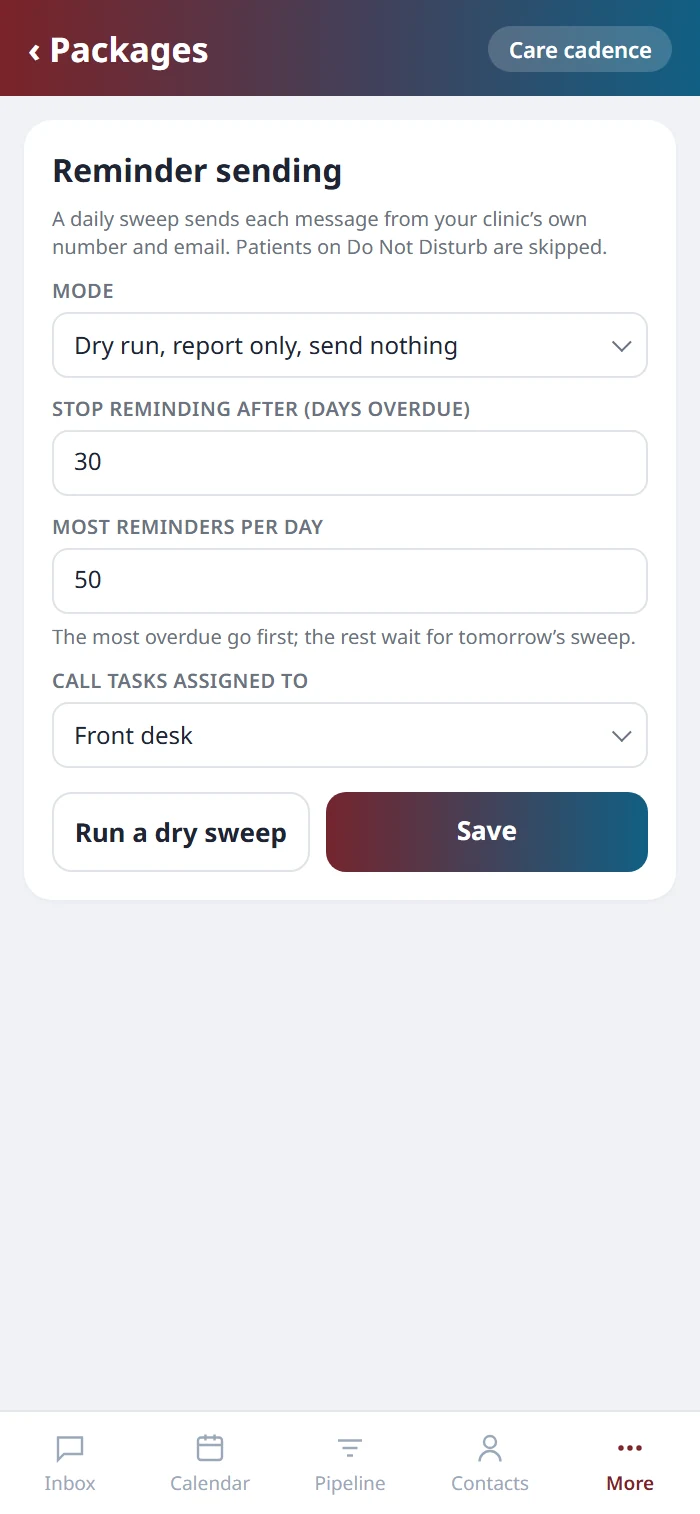
A daily sweep finds the patients who are due and sends each message from your clinic’s own phone number and email address. Patients on Do Not Disturb are skipped, reminders stop after the number of days overdue you set, and a daily limit sends the most overdue first. Start in dry run, read the report of who would have been contacted, then switch it live when you’re ready. Reminders never block a booking.
Secure, compliant, and clinic-ready
Every feature lives in a platform built for clinics from the ground up, with charting, consent, and payments native to the patient record.
PHIPA & HIPAA-aware
Patient data is encrypted and handled to Canadian health-privacy standards.
Consent & audit
Consents, signatures, and changes log to the record automatically.
Role-based access
Granular permissions keep charts and contact details on a need-to-know basis.
One source of truth
Scheduling, payments, messages, and records in one place. Nothing siloed.
Explore more of the Hub
Care Cadence is one part of the Health Hue Hub, your AI-powered clinic operating system.
Memberships
Monthly tiers and treatment packages.
Conversations
One inbox for SMS, calls, web chat, and DMs.
Patient Records
Every patient in one complete profile.
Medical Charting
Chart on real photos, with units and lots.
AI Scribe
Record the visit, get the note drafted.
Telehealth
Video consults, recorded to the record.
FAQ
Questions about Care Cadence.
What is a patient recall system?
A patient recall system keeps track of when each patient is due back for a treatment and contacts them at that time. Care Cadence does this for every treatment your clinic offers, counting from each patient’s last visit and reaching out by text, email, call task or portal card when their next one is due.
How is Care Cadence different from a treatment package?
A treatment package is what the patient buys, and its treatment plan sets the spacing of the sessions inside it. Care Cadence is the reminder that comes after: when a patient’s next visit for a treatment is due, it reaches out. A patient partway through a package follows their treatment plan and only hears from the cadence once the package is finished.
Do we have to set every cadence up ourselves?
No. Care Cadence suggests a starting point for each treatment family it recognises on your calendars, and you confirm the defaults with us during onboarding. Your clinical team can change any of them, and nothing reaches a patient until someone at your clinic has saved it.
Can we change the timing and the messages?
Yes, all of it. Each treatment has its own spacing, its own text and email with up to three messages each, the days after the due date each one goes, and the calendars that count as a visit.
What happens if a patient comes in early?
The count simply starts again from that visit, so they won’t be reminded about a treatment they’ve just had.
Where do the messages come from?
Your clinic’s own phone number and email address. Each one shows up in the patient’s conversation like any message you send, replies come back to the same inbox, and patients on Do Not Disturb are skipped.
Can we test it before patients get anything?
Yes. Start in dry run and Care Cadence reports who it would have contacted without sending anything. Switch it live when your team is happy with the list.
How is it priced?
We’ll go through the numbers on a call.