Health Hue Hub · HueRX · Lab Orders
Lab ordering software that sends requisitions from the patient’s record.
Order bloodwork from the patient’s record in a few clicks. Quest, Labcorp or your own local lab are set up on your clinic’s accounts, and the requisition is faxed straight to the lab or printed for the patient to carry in. Results come back to the same record, flagged when a value needs a provider’s eyes.
Labcorp and LifeLabs
or printed for the patient
and the result
01 · Ordering
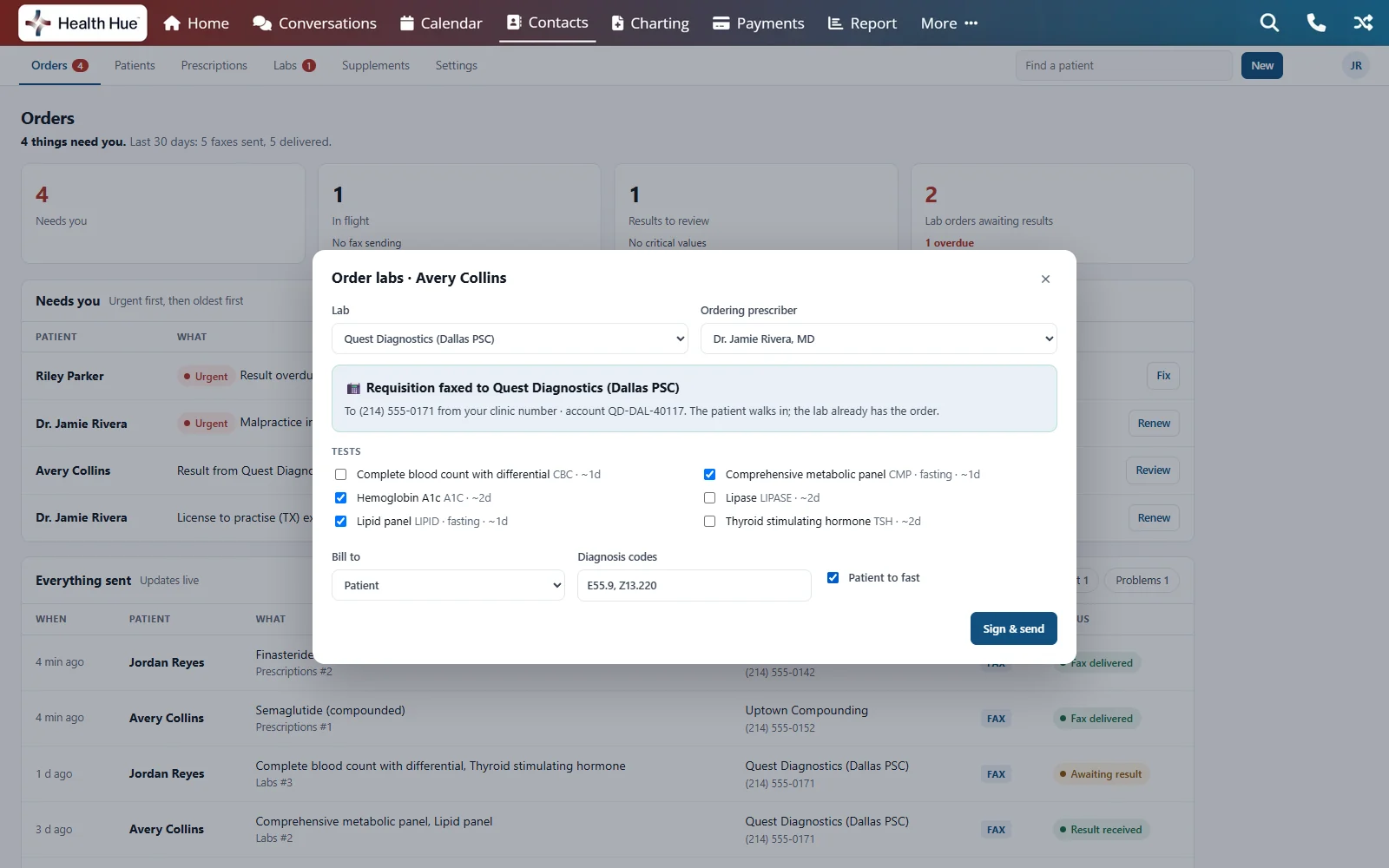
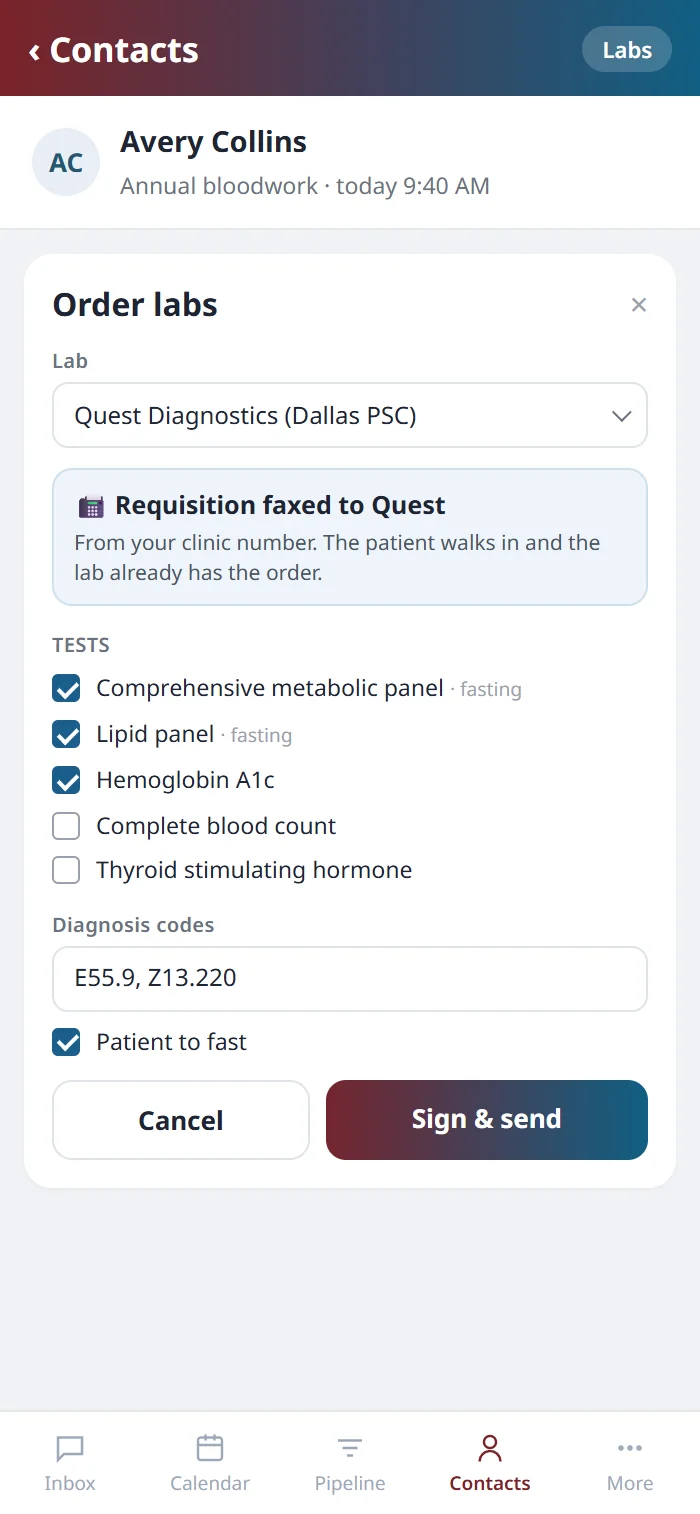
Pick the lab and the panels, then sign once.
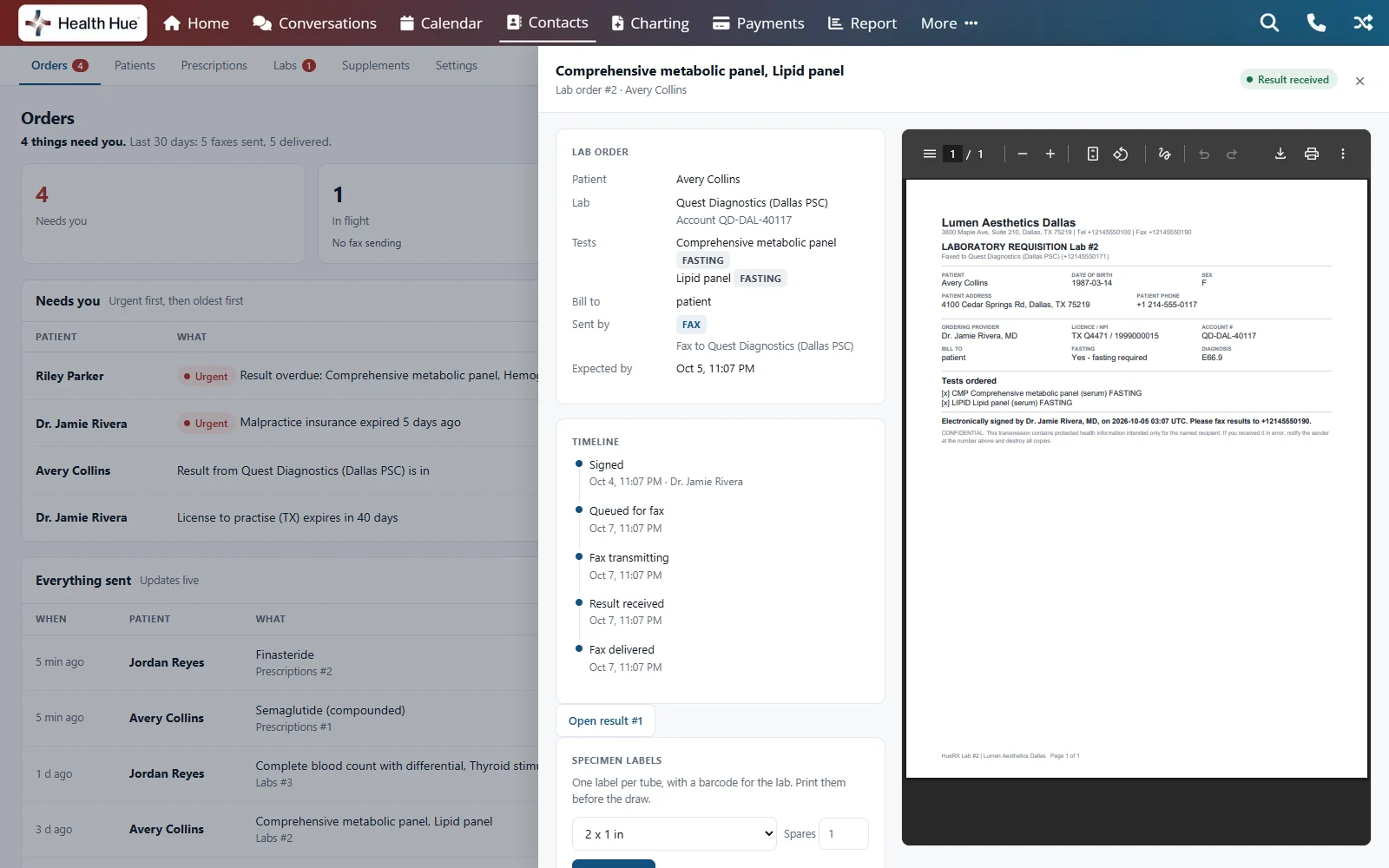
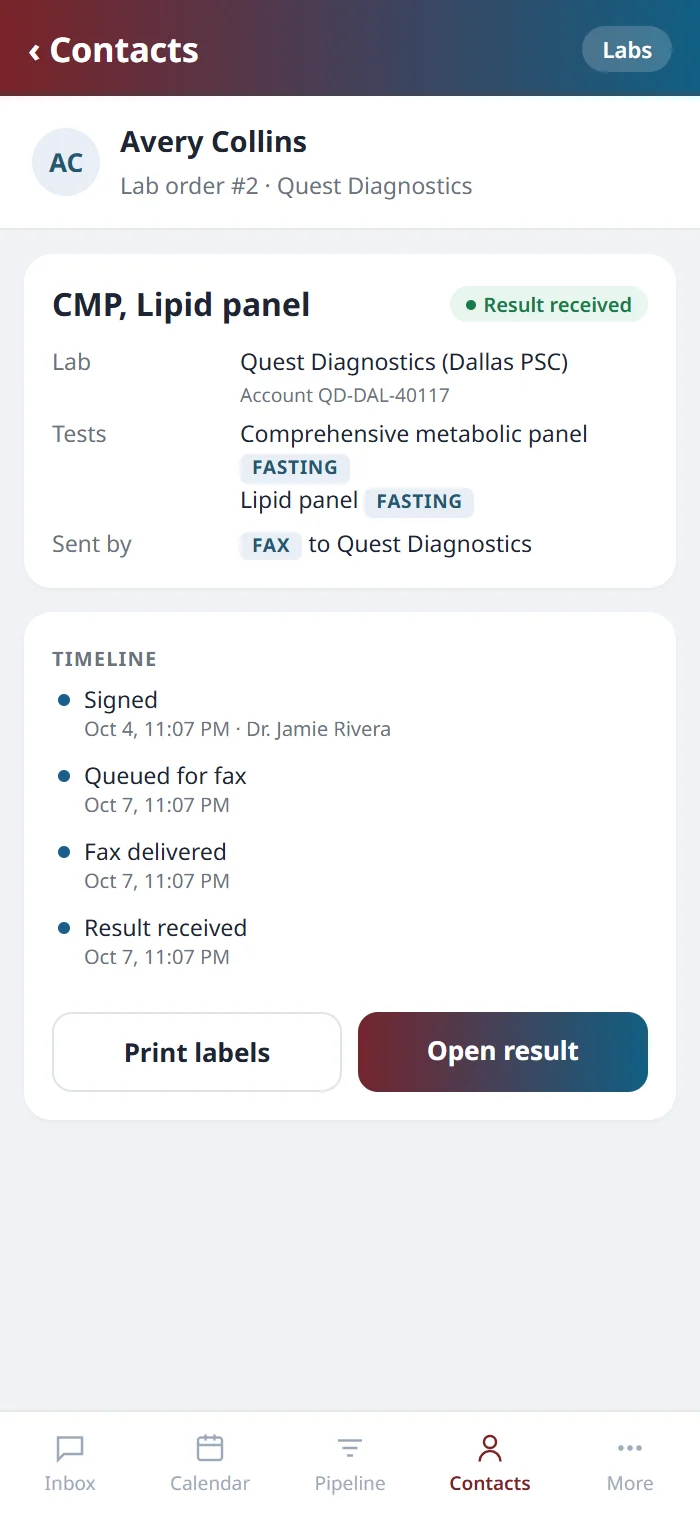
The provider orders from the patient’s record, so the patient’s details are already on the requisition, along with your clinic’s account number for that lab. The order is signed once, and its timeline follows it from signed to faxed to result received. Barcoded specimen labels print from the same screen, one per tube.
02 · Your lab
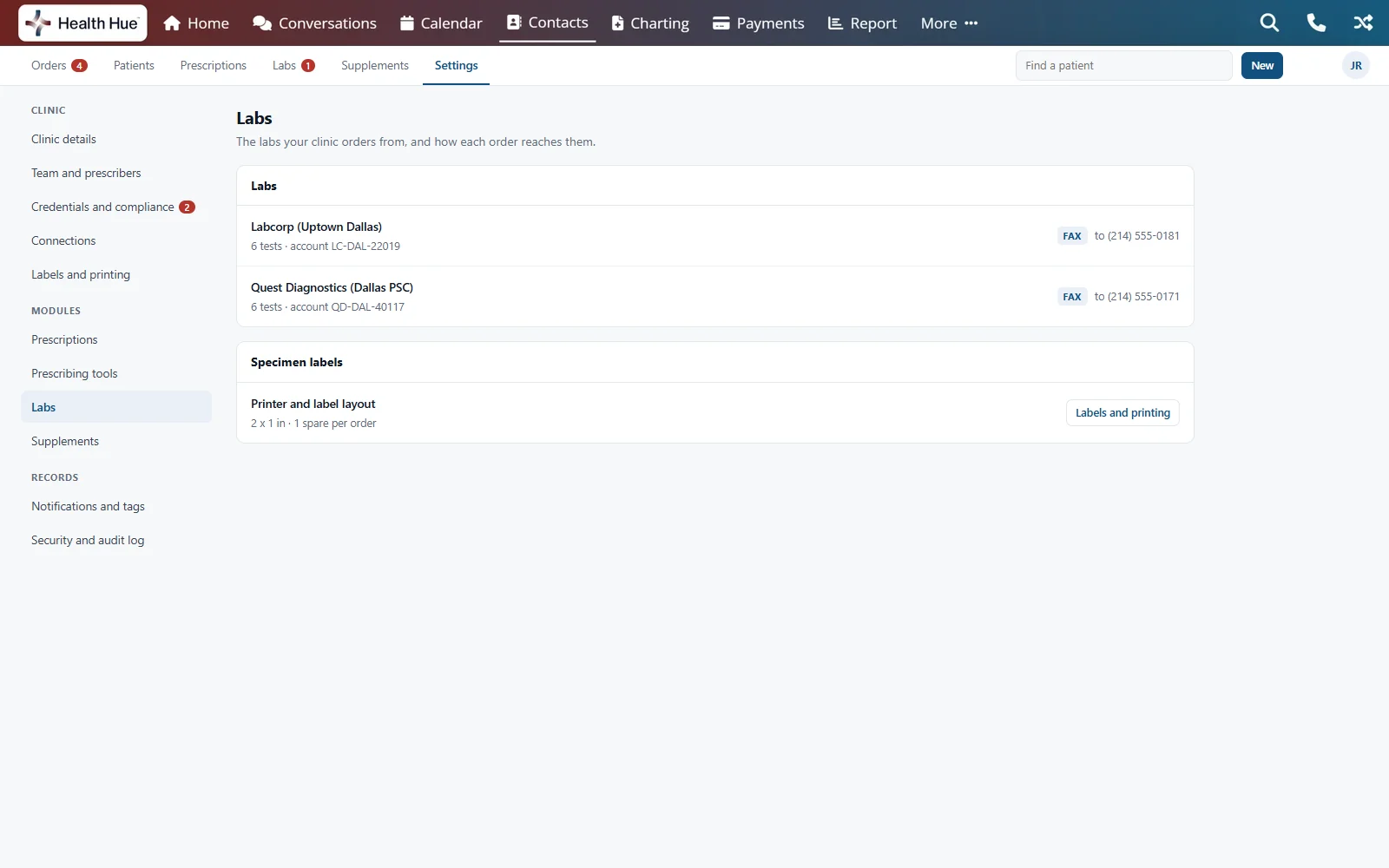
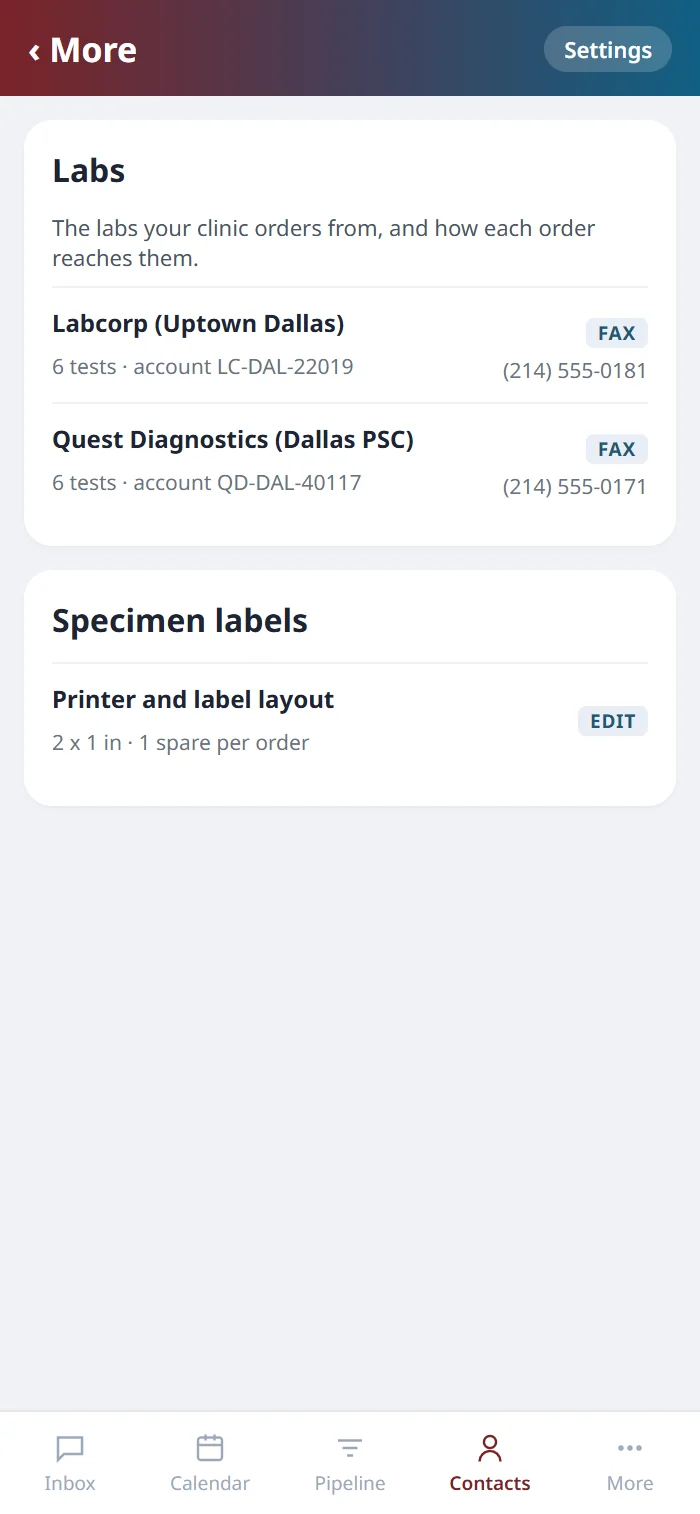
The labs you already use, on your own accounts.
We set up Quest, Labcorp and any local or regional lab your clinic works with, each with your account number, the lab’s fax number and the tests it runs. Every order to that lab carries your account number and goes out from your clinic’s own fax number, in the provider’s name. Clinics in Canada order from LifeLabs the same way.
03 · Reaching the lab
Faxed to the lab, or printed for the patient.
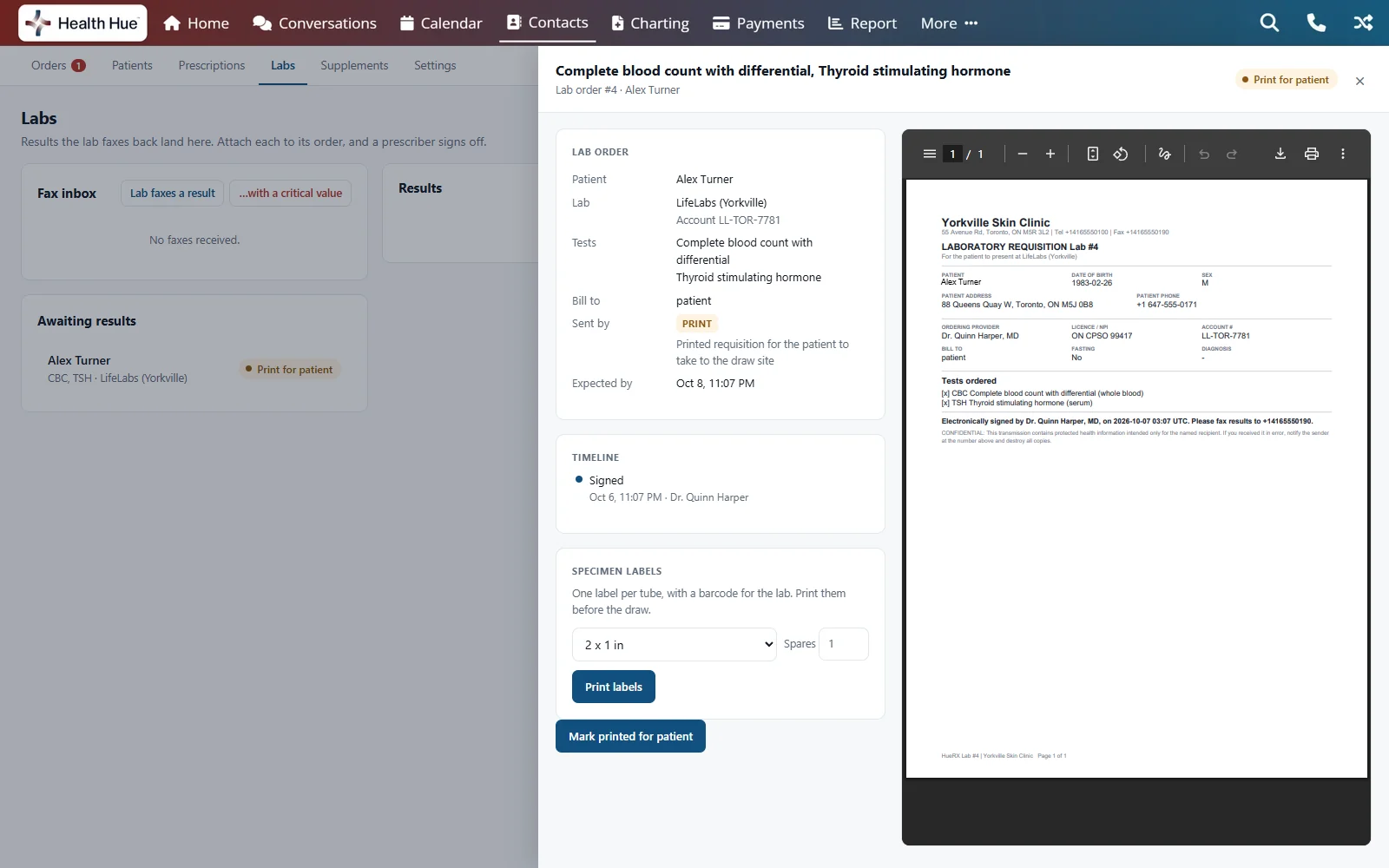
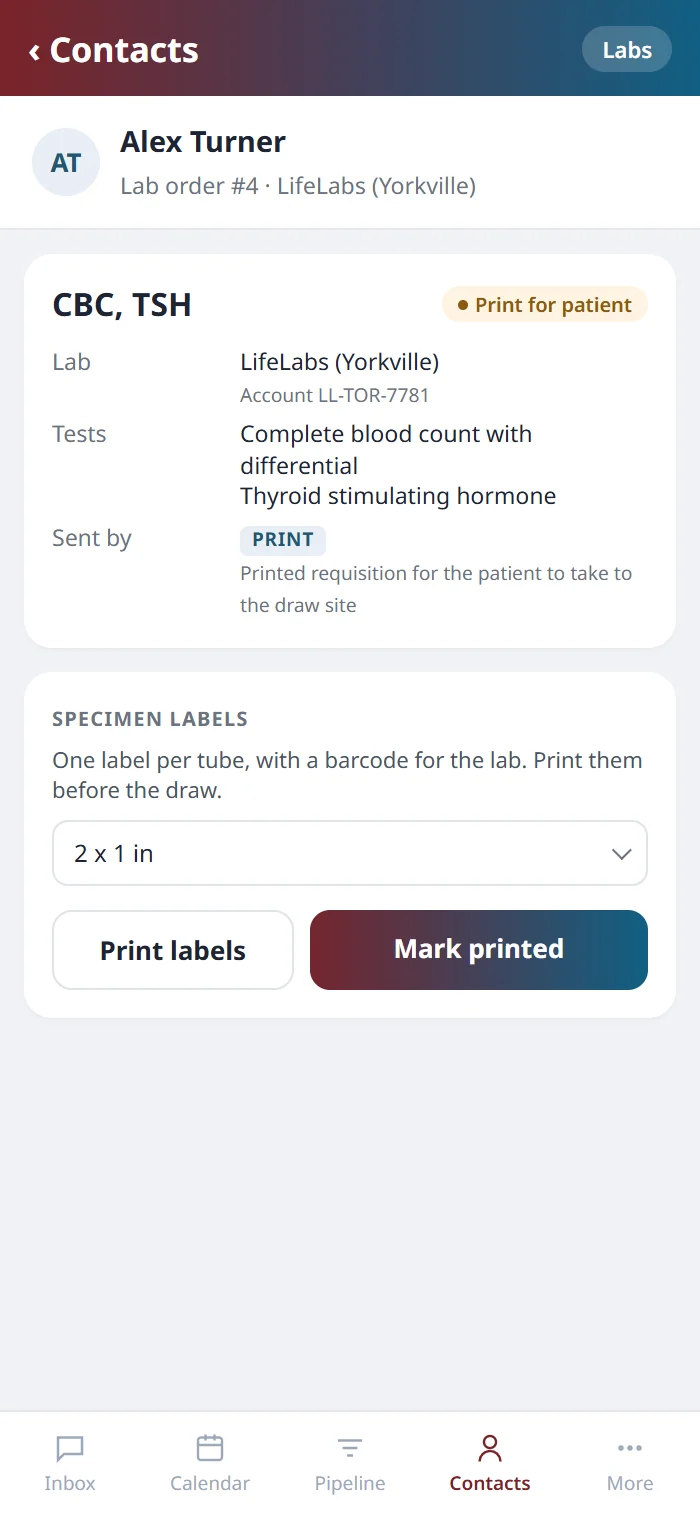
Where a lab has a confirmed fax number, the requisition is faxed straight to it from your clinic’s number, so the order is waiting when the patient walks in. Where a lab works from paper, the requisition prints for the patient to take to the draw site, and the front desk marks it printed once it’s in their hands. Either way, the specimen labels print from the same order.
04 · Results
Results come back to the order that asked for them.
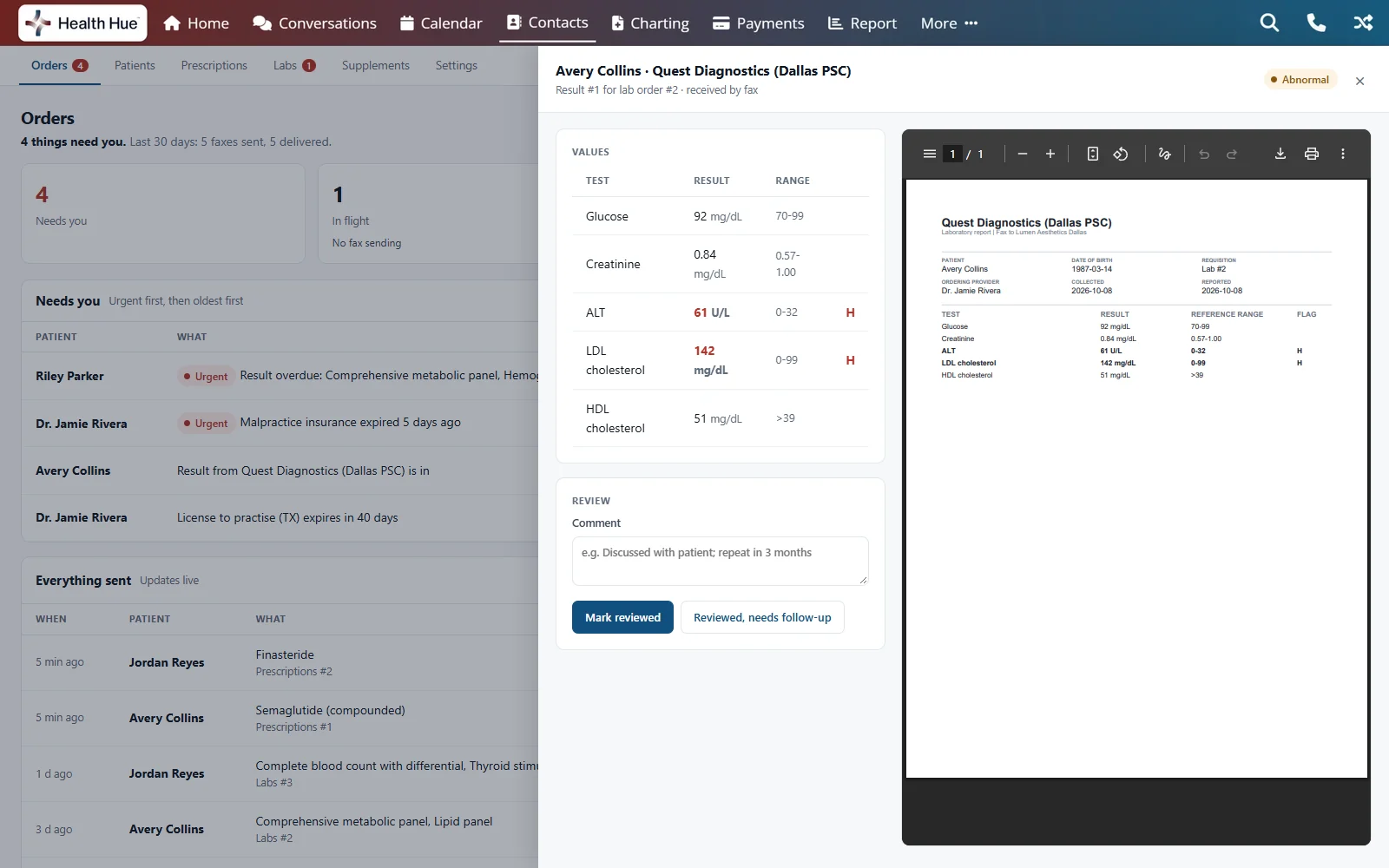
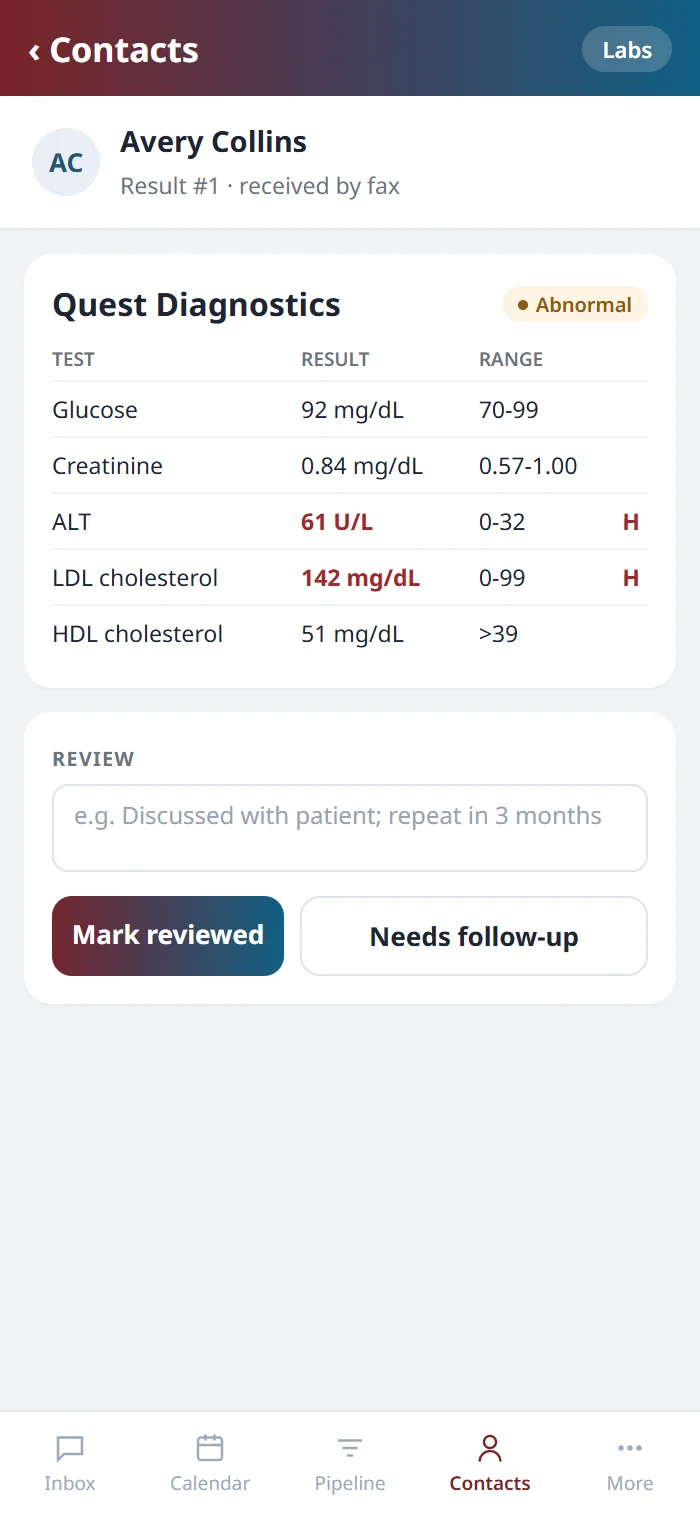
Results arrive at your clinic’s fax number, land in the Labs fax inbox, and staff attach each one to the order that asked for it and flag anything abnormal. A critical value puts a red banner on the dashboard until a provider reviews it, marks it reviewed or needing follow-up, and adds a comment. Electronic orders and results with the national labs are on the way.
Secure, compliant, and clinic-ready
Every feature lives in a platform built for clinics from the ground up, with charting, consent, and payments native to the patient record.
PHIPA & HIPAA-aware
Patient data is encrypted and handled to Canadian health-privacy standards.
Consent & audit
Consents, signatures, and changes log to the record automatically.
Role-based access
Granular permissions keep charts and contact details on a need-to-know basis.
One source of truth
Scheduling, payments, messages, and records in one place. Nothing siloed.
Explore more of the Hub
Lab Orders is one part of the Health Hue Hub, your AI-powered clinic operating system.
Prescriptions
E-prescribe, fax or print, with EPCS.
Supplements
Fullscript plans, shipped to the patient.
AI Scribe
Record the visit, get the note drafted.
Telehealth
Video consults, recorded to the record.
Patient Records
Every patient in one complete profile.
Medical Charting
Chart on real photos, with units and lots.
FAQ
Questions about Lab Orders.
Which labs can we order from?
Quest and Labcorp on your clinic’s own accounts, plus any local lab your clinic already uses, each set up with its account number and fax number. Clinics in Canada order from LifeLabs the same way.
Do Quest and Labcorp orders go electronically?
Not yet. Today the requisition is faxed to the lab from your clinic’s number, or printed for the patient to take to the draw site. Electronic orders and results with the national labs are on the way.
How does the lab requisition reach the lab?
Where the lab has a confirmed fax number, the requisition is faxed straight to the lab, so the order is waiting when the patient walks in. Otherwise it prints for the patient to carry to the draw site, with barcoded specimen labels for the tubes.
How do results come back?
By fax to your clinic’s number. Each result lands in the Labs fax inbox, where staff attach it to its order and flag anything abnormal for a provider to review.
What happens with a critical value?
A red banner stays on the dashboard until a provider reviews the result, marks it reviewed or needing follow-up, and adds a comment to the result.
How is it priced?
It’s included in the platform, as part of HueRX.
Is it available now?
Yes. Book a call and we’ll set up your labs and test menus with you.