Health Hue Hub · Automated Flows
Build it once. It runs forever.
Map out a visual flow, pick a trigger, and the Hub handles the follow-up for you across SMS and email. Confirmations, reminders, missed-call text-backs, review requests, and rebooking nudges all fire on their own, so your front desk stops chasing patients by hand and nothing falls through the cracks.
01 · Visual Flow Builder
Map the follow-up without writing code.
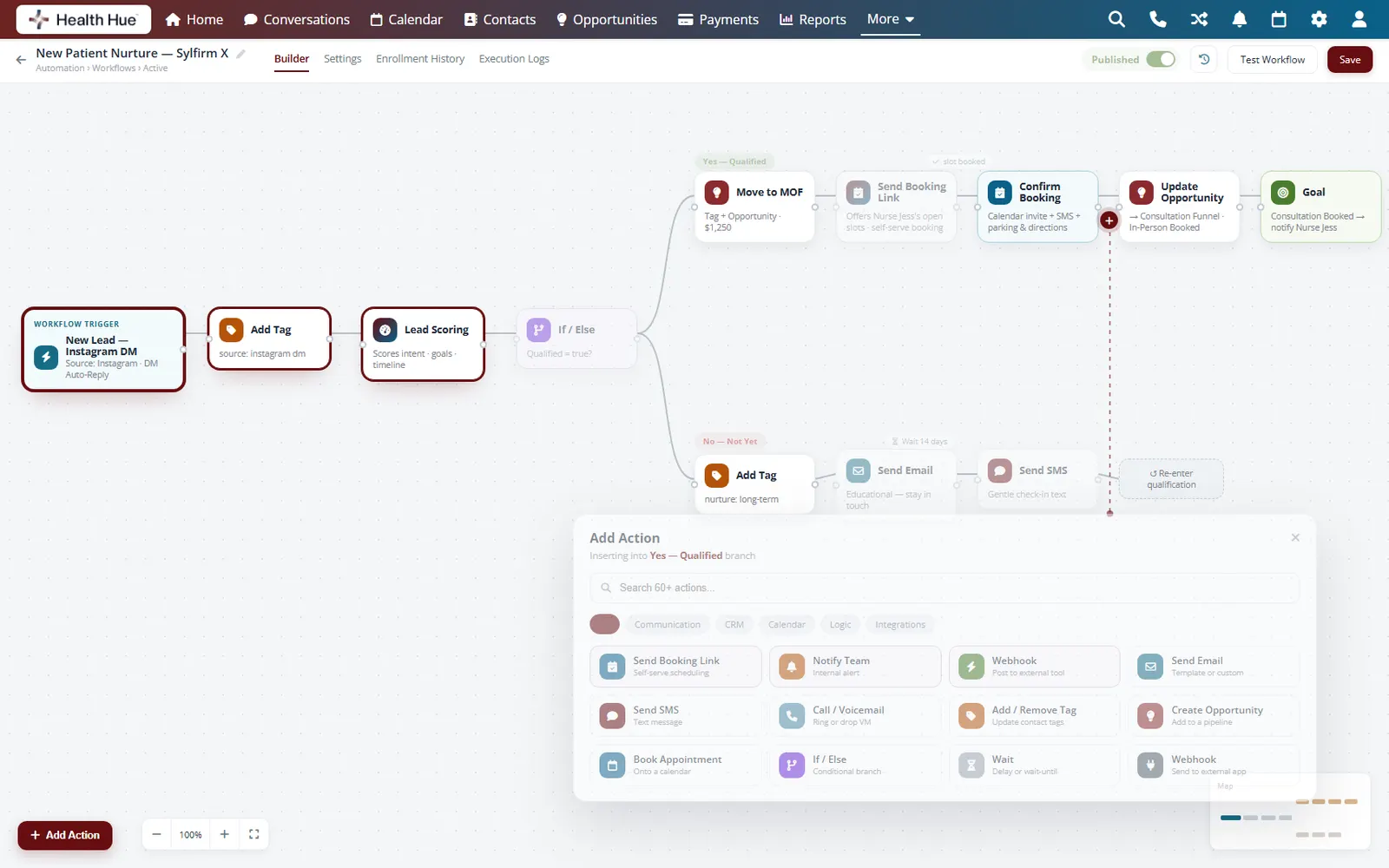
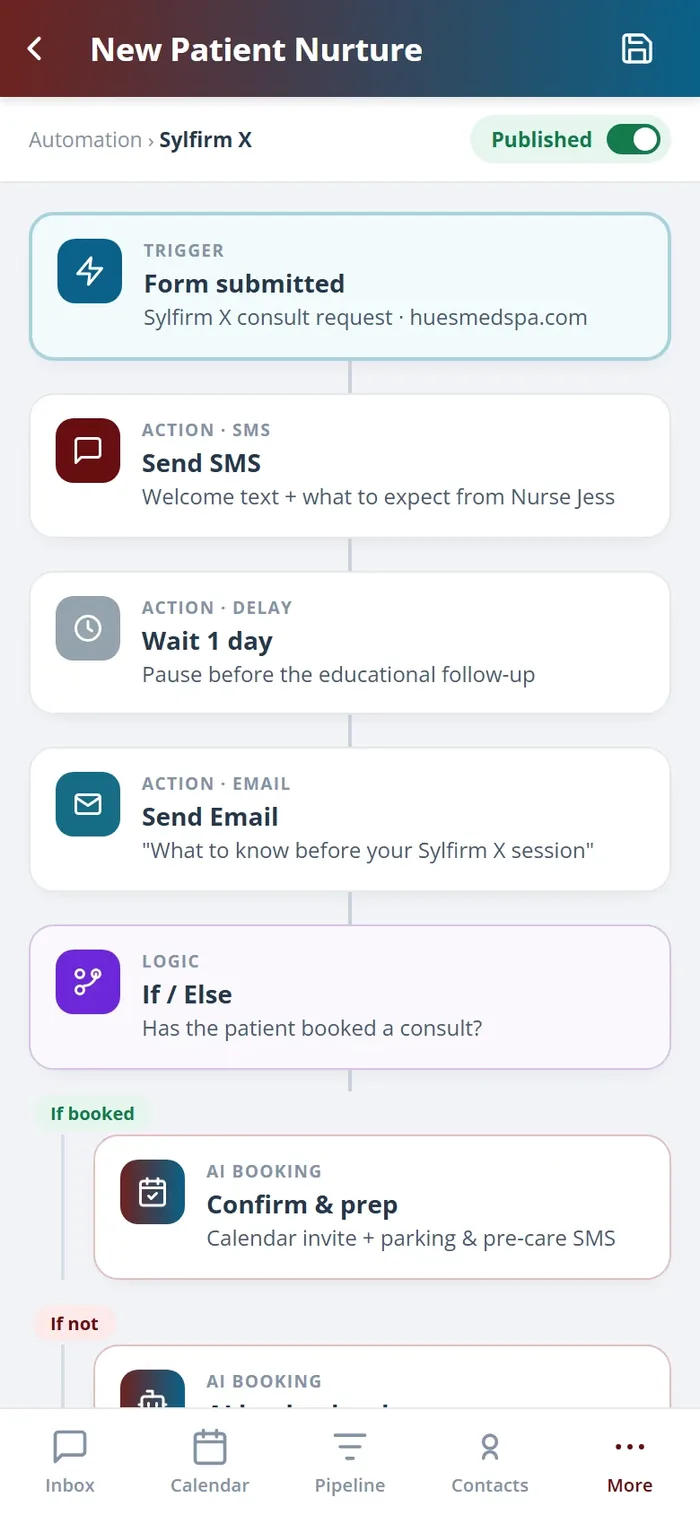
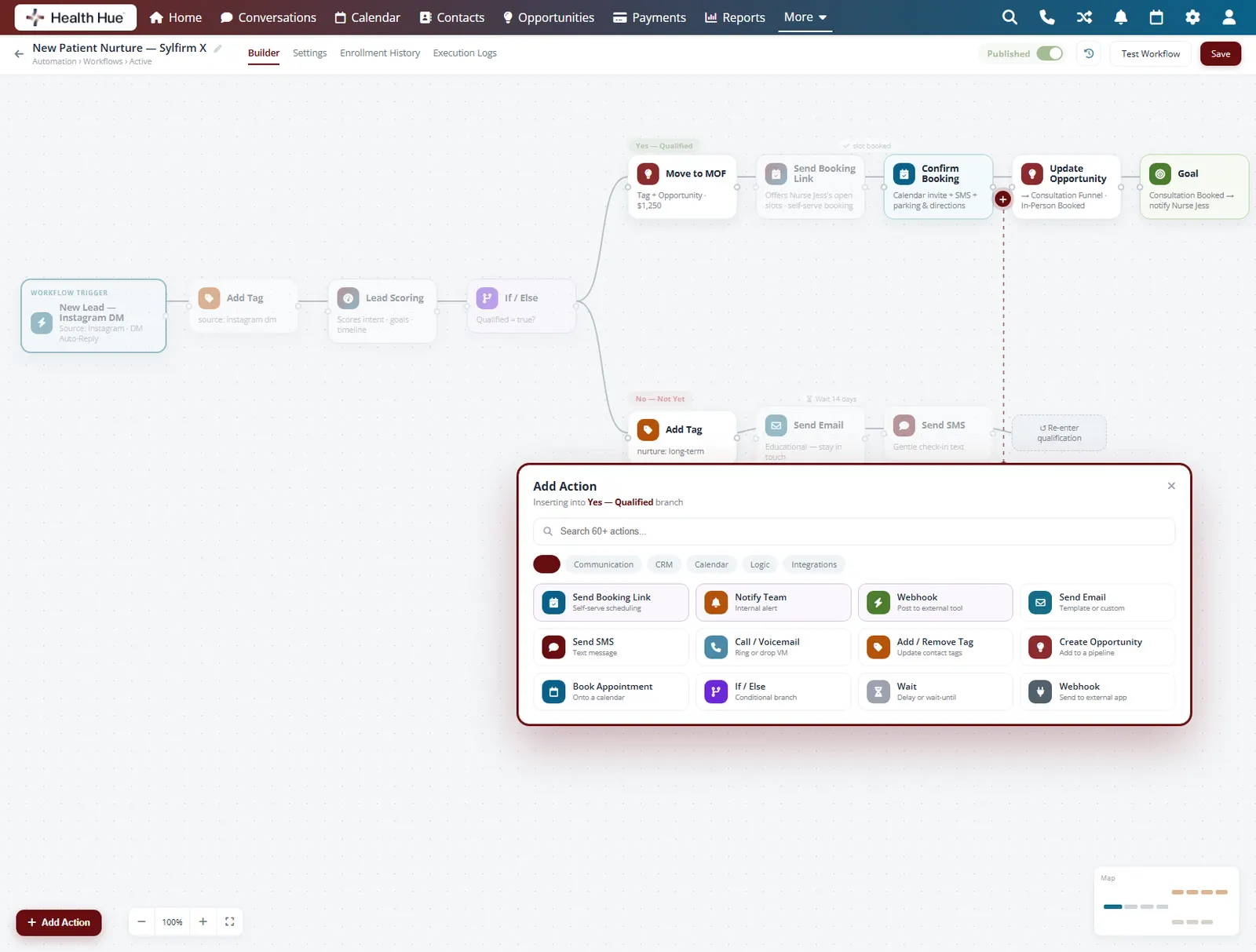
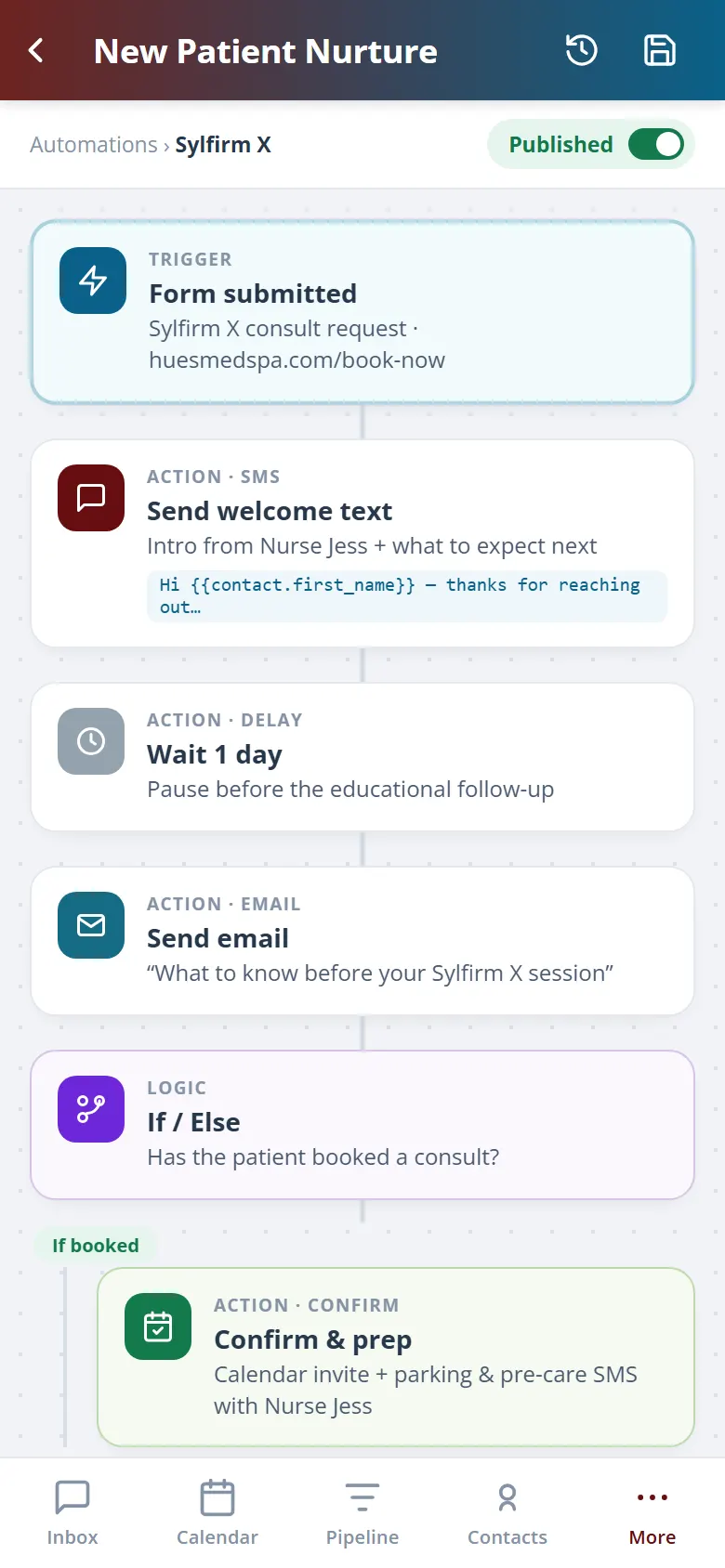
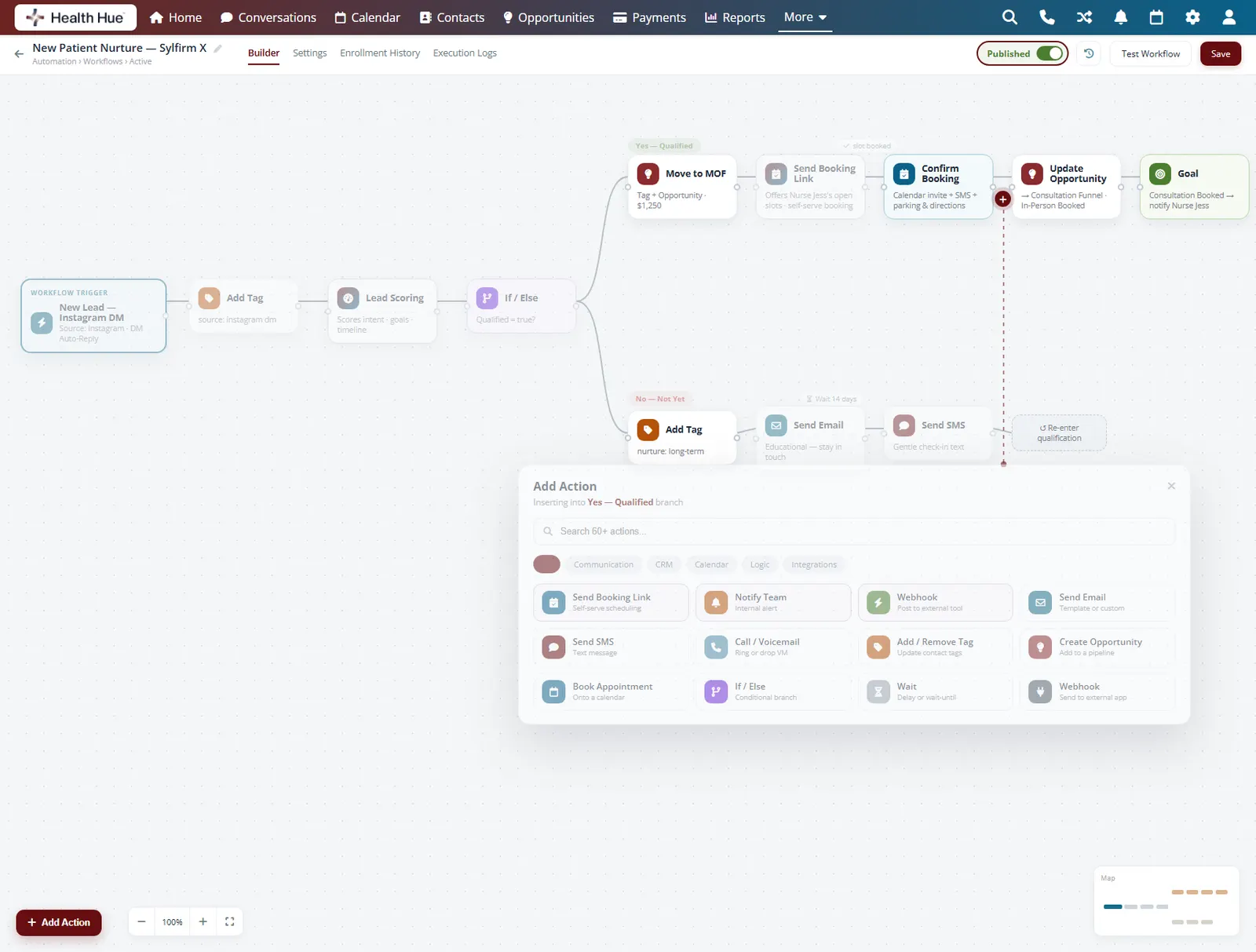
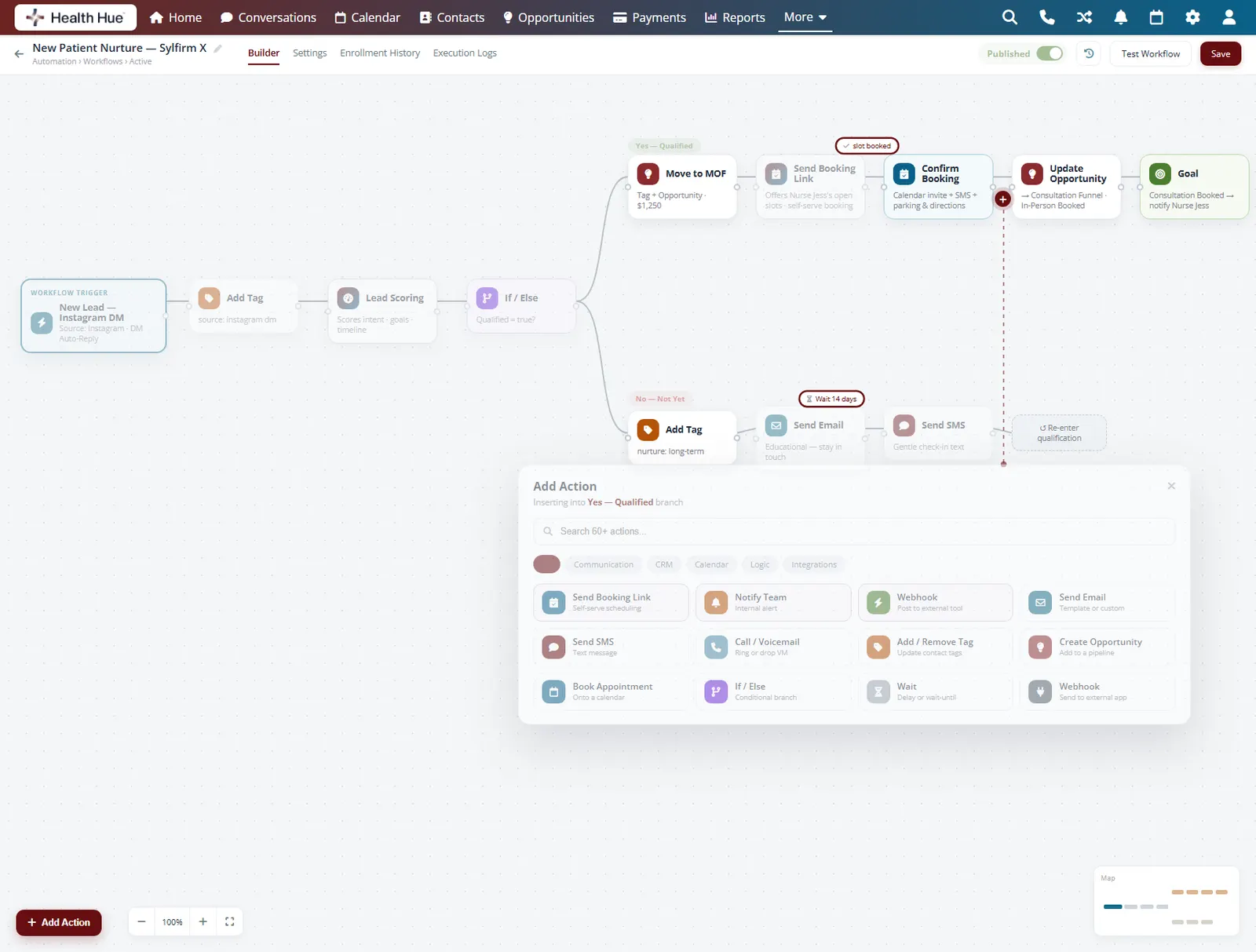
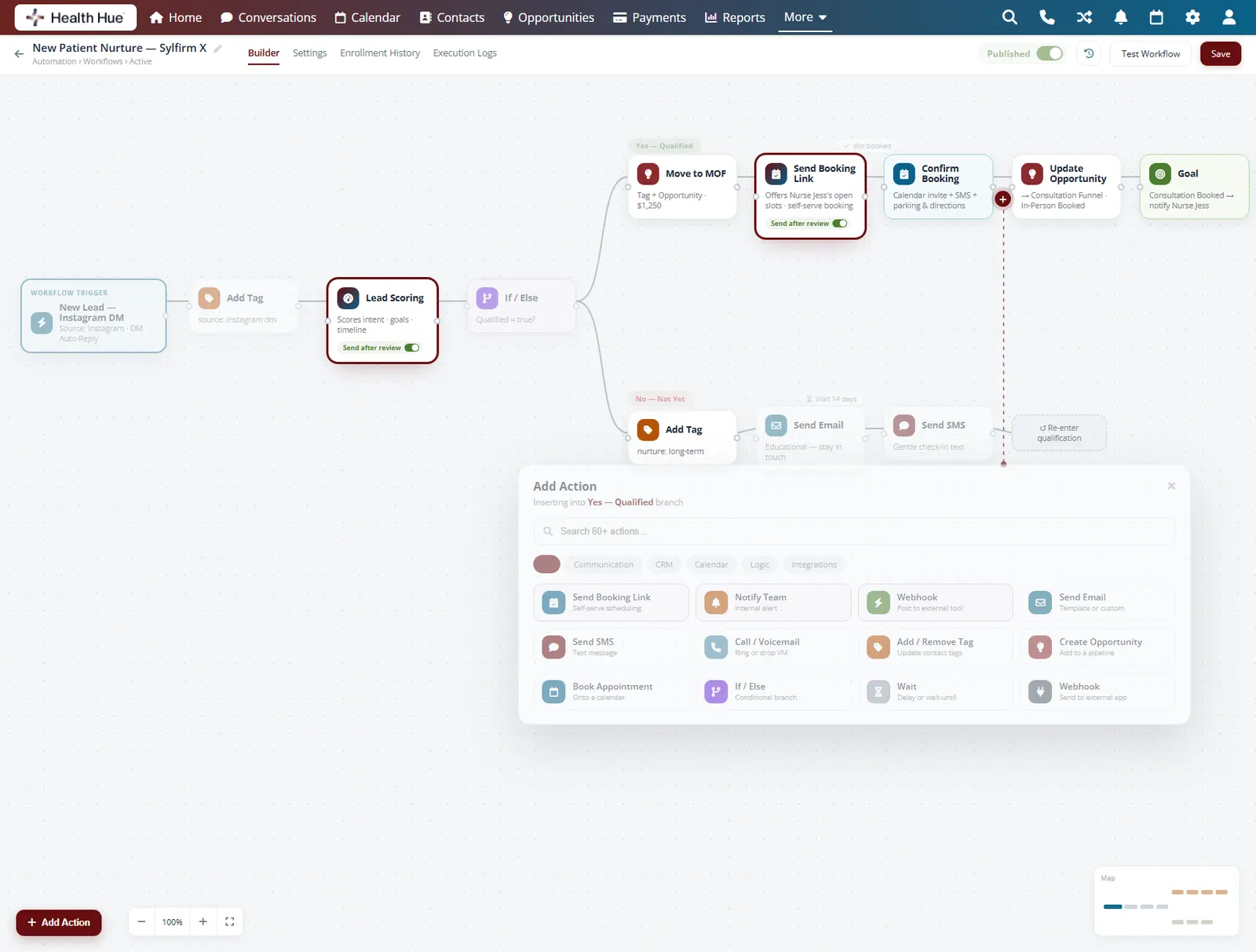
Drag triggers, conditions, and actions onto a canvas and connect them into a flow that mirrors how your clinic actually works. Branch on whether a patient replied, add a wait, then send the next message. Anyone on the team can read the flow at a glance and adjust it without a developer.
Build a flow by connecting steps on a visual canvas.
Split the path on whether a patient replied or booked.
Front-desk staff can edit a flow without a developer.
02 · Triggers
Start a flow the moment it matters.
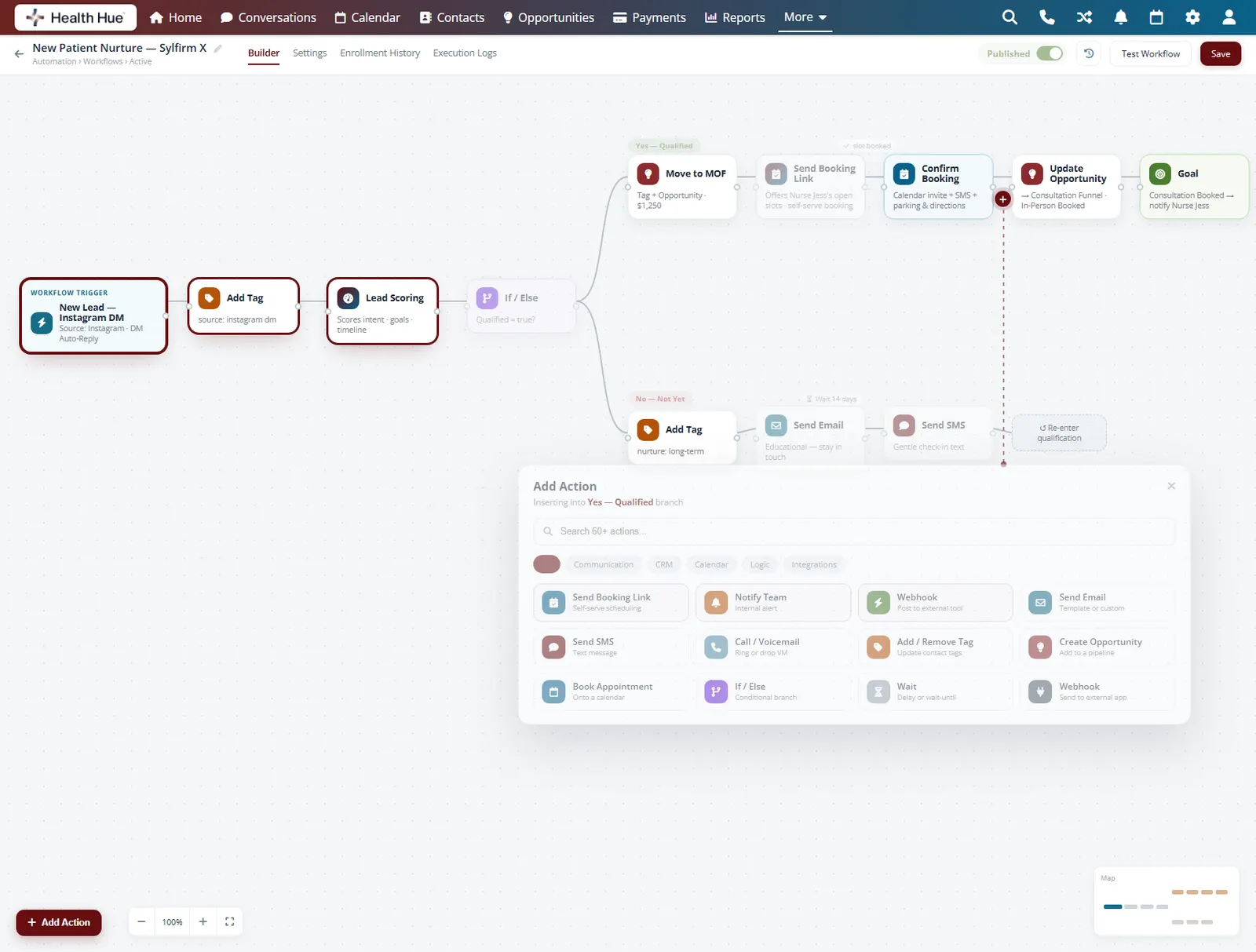
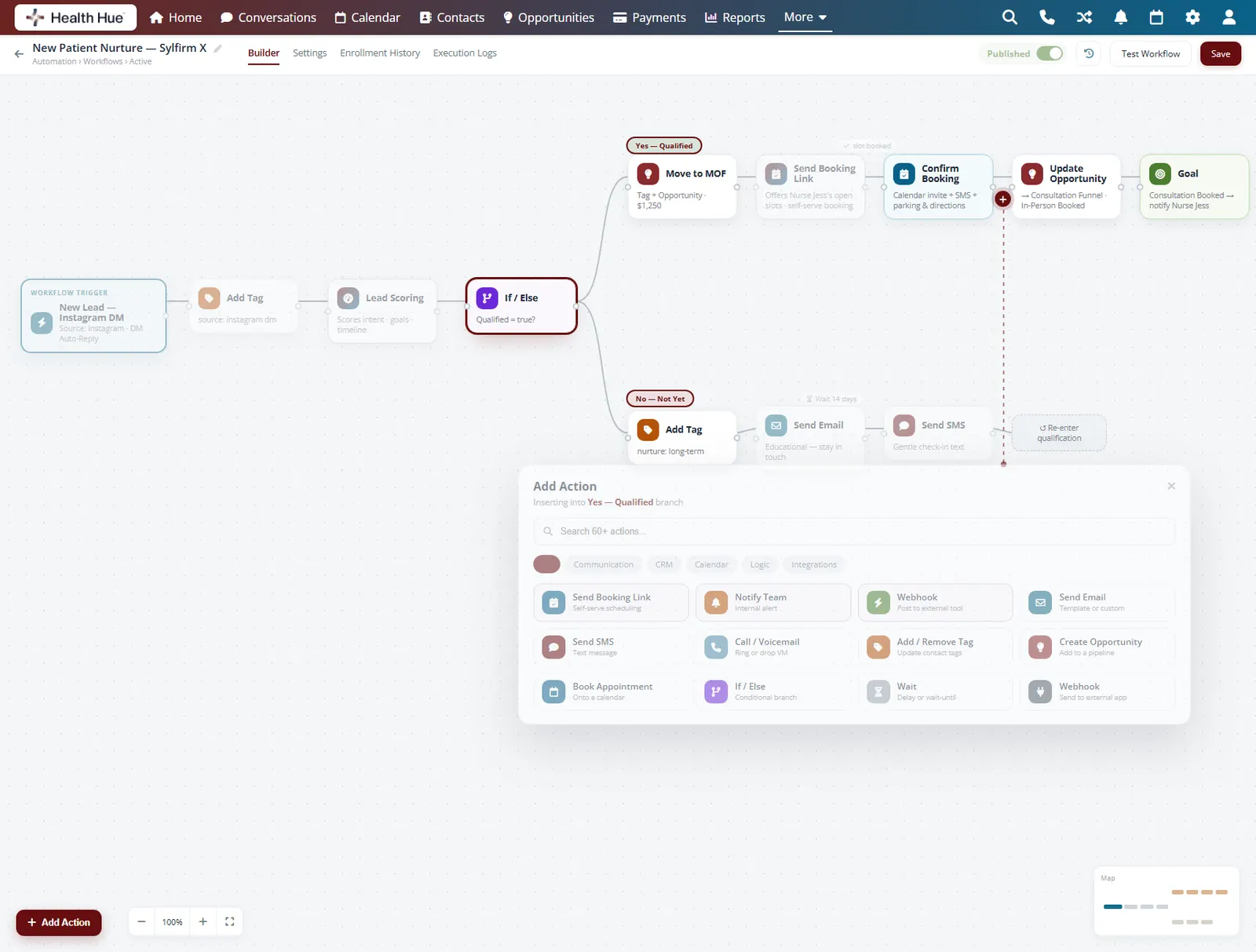
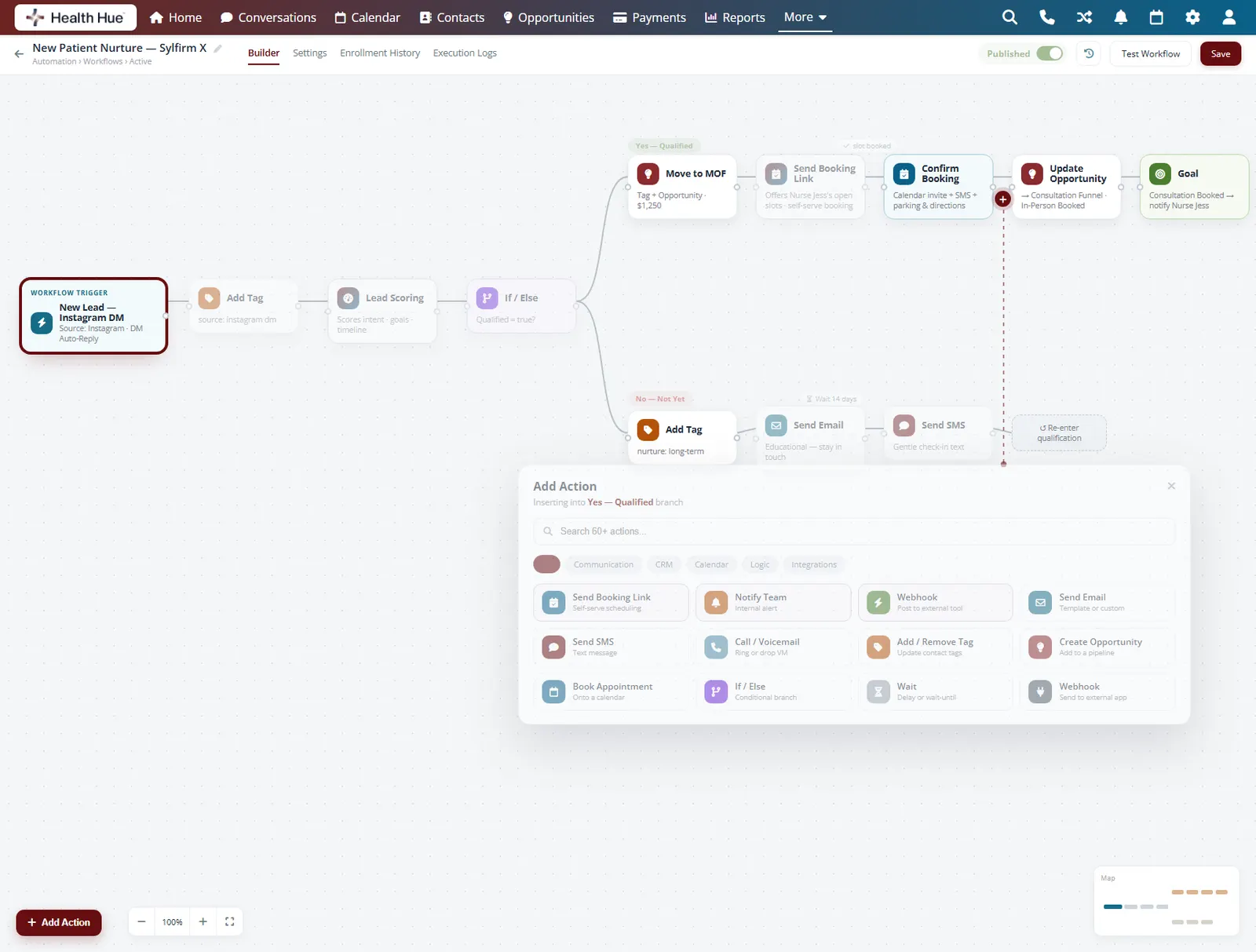
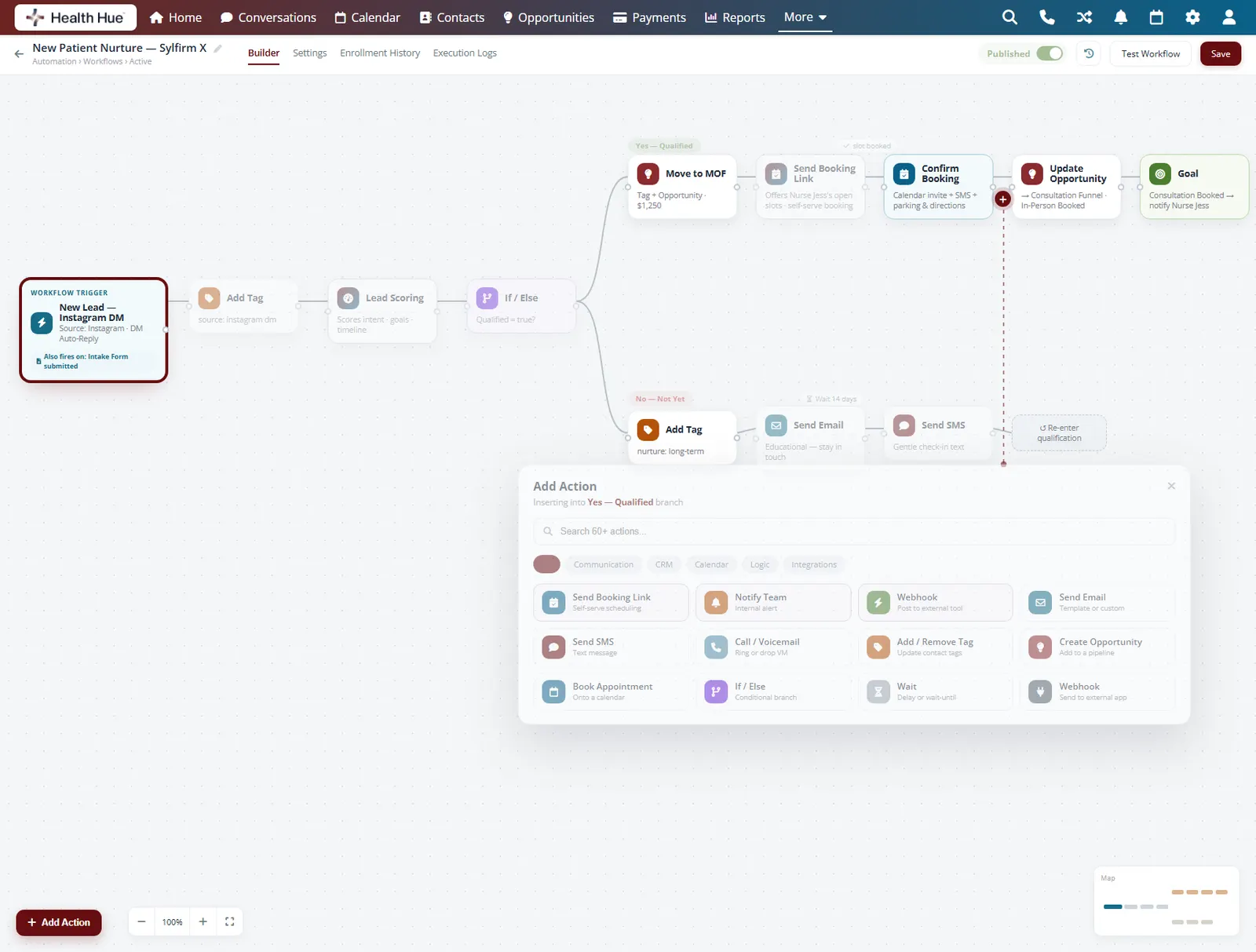
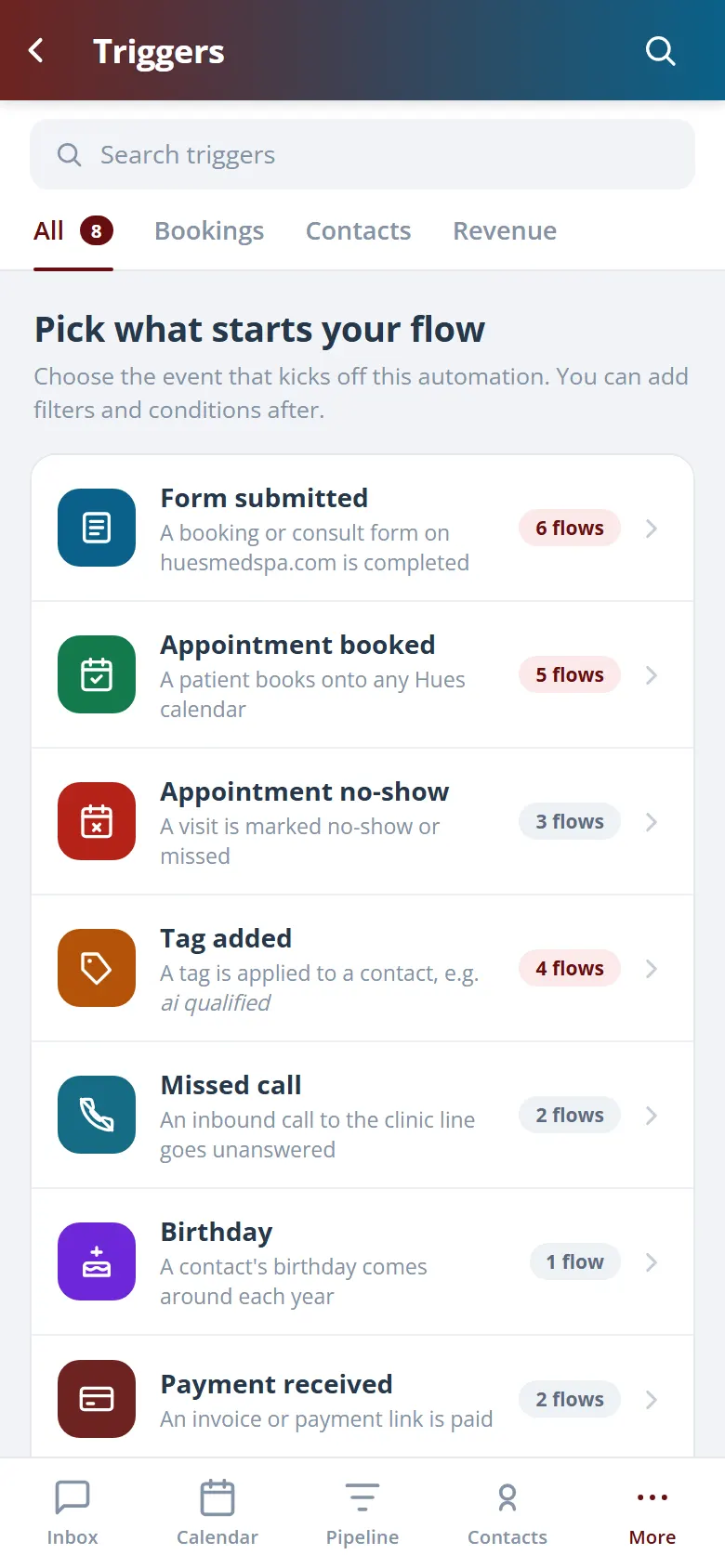
Every flow begins with a trigger: a new lead, a booked appointment, a completed treatment, a no-show, or a form submitted. Because the trigger fires off real activity in the Hub, the right message goes out at the right second without anyone watching the calendar.
Fire on a new lead, booking, completed visit, or no-show.
Launch a flow when a patient submits an intake form.
The trigger watches the Hub so your team doesn't have to.
03 · SMS & Email Actions
Reach patients where they actually look.
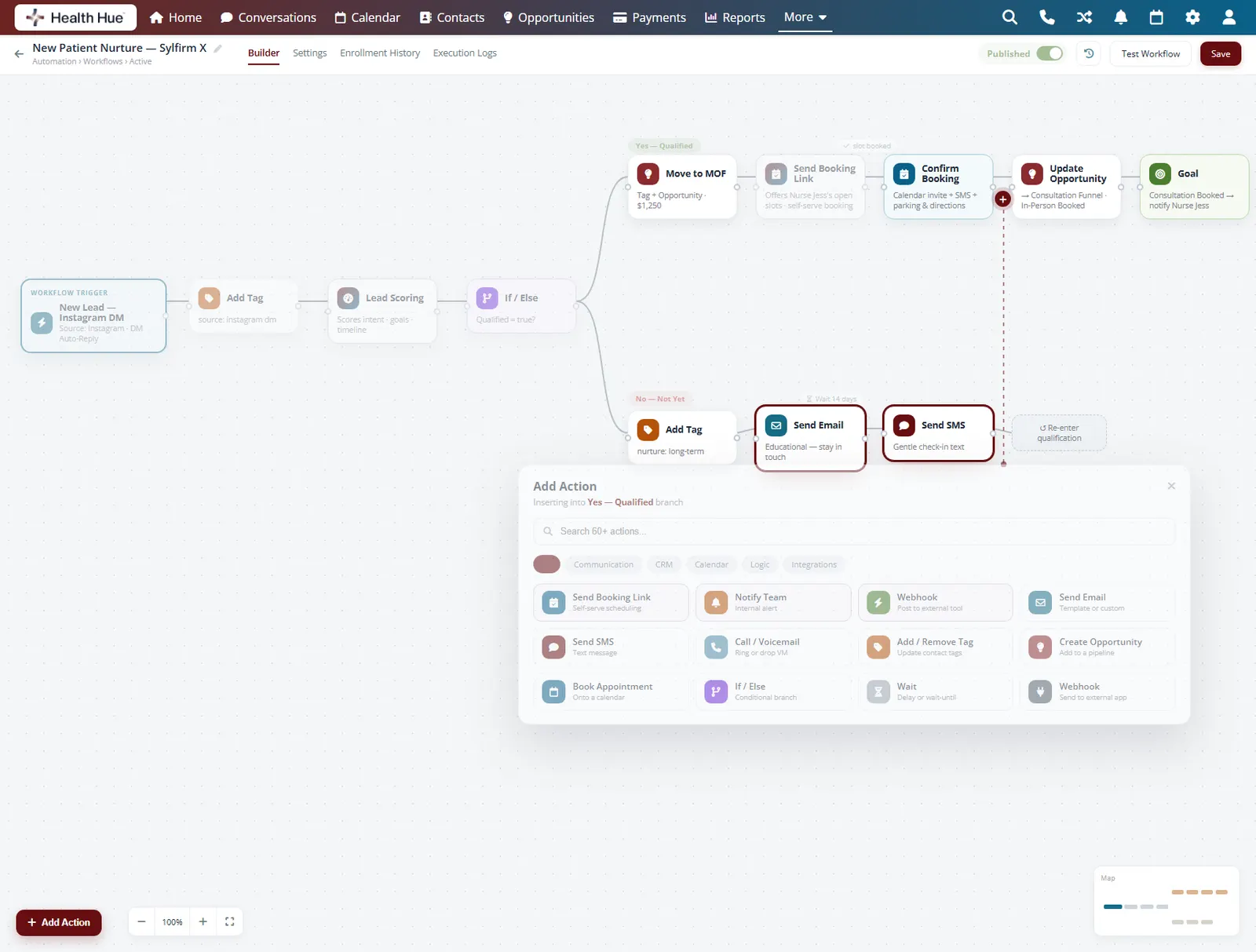
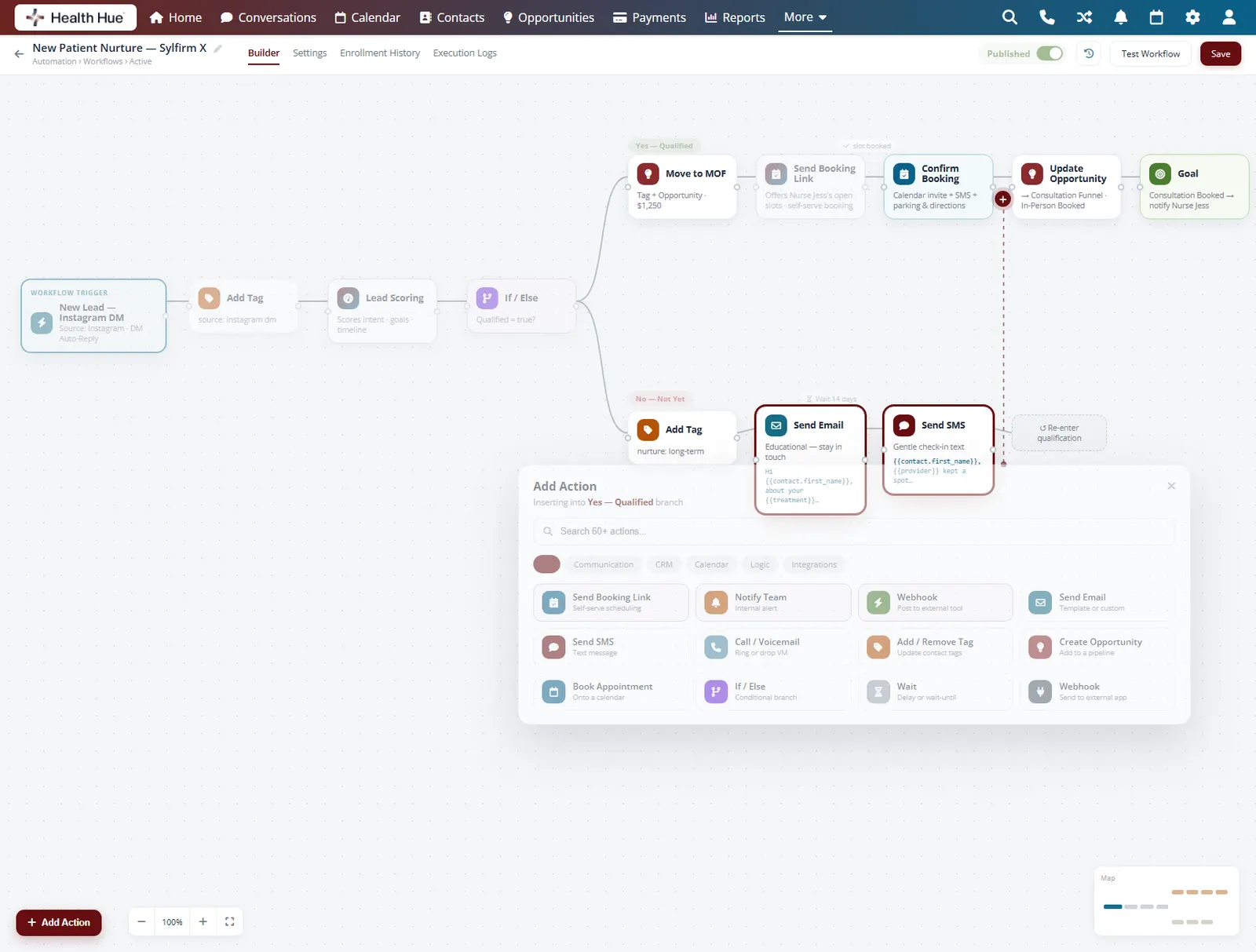
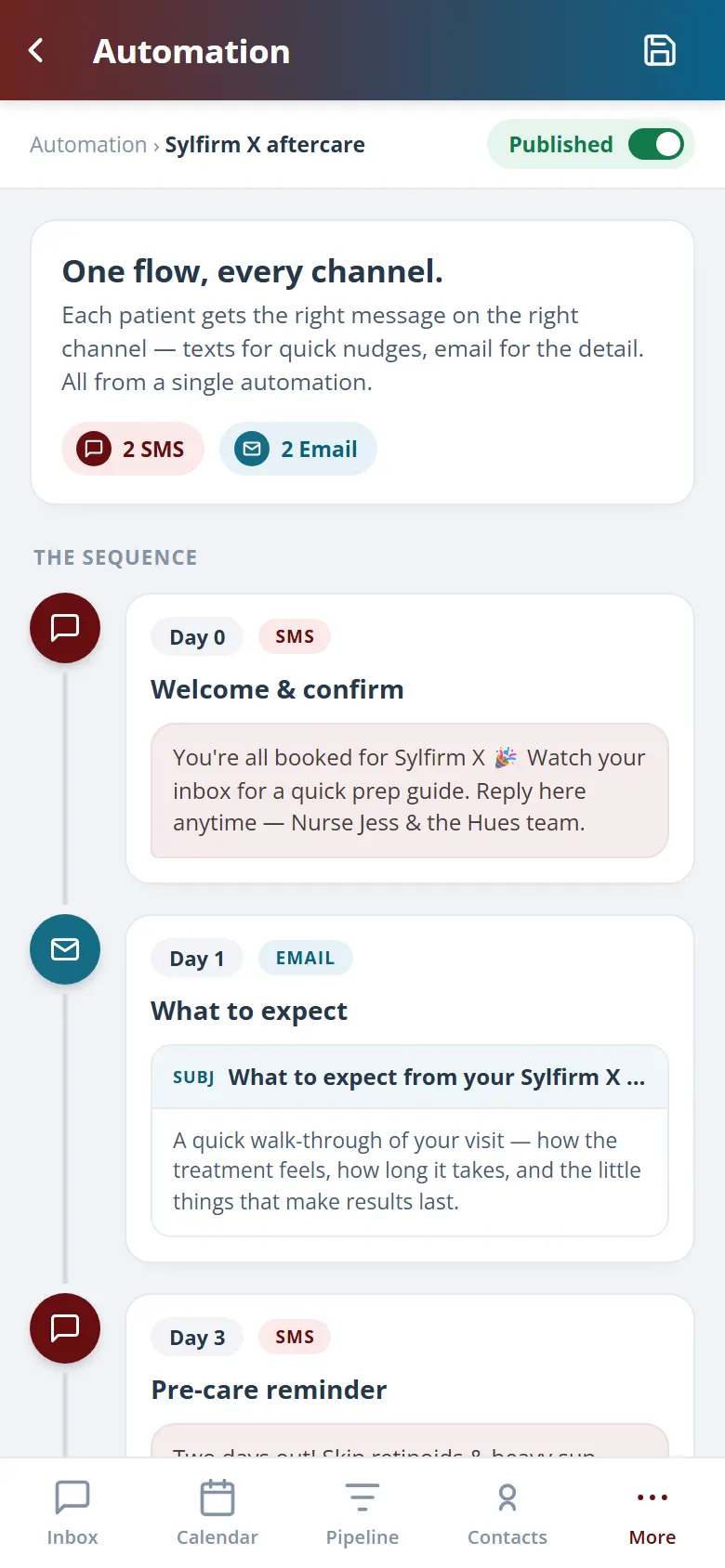
A single flow can send a text and an email, then wait and follow up again if there is no reply. Confirmations, reminders, pre-care and after-care instructions, and review requests all go out automatically with the patient's name and treatment details filled in for you.
Send SMS, email, or both from the same flow.
Patient name, treatment, and provider merge in automatically.
Wait, check for a reply, then send the next touch.
04 · Missed-Call Text-Back
Never lose a patient to a missed call.
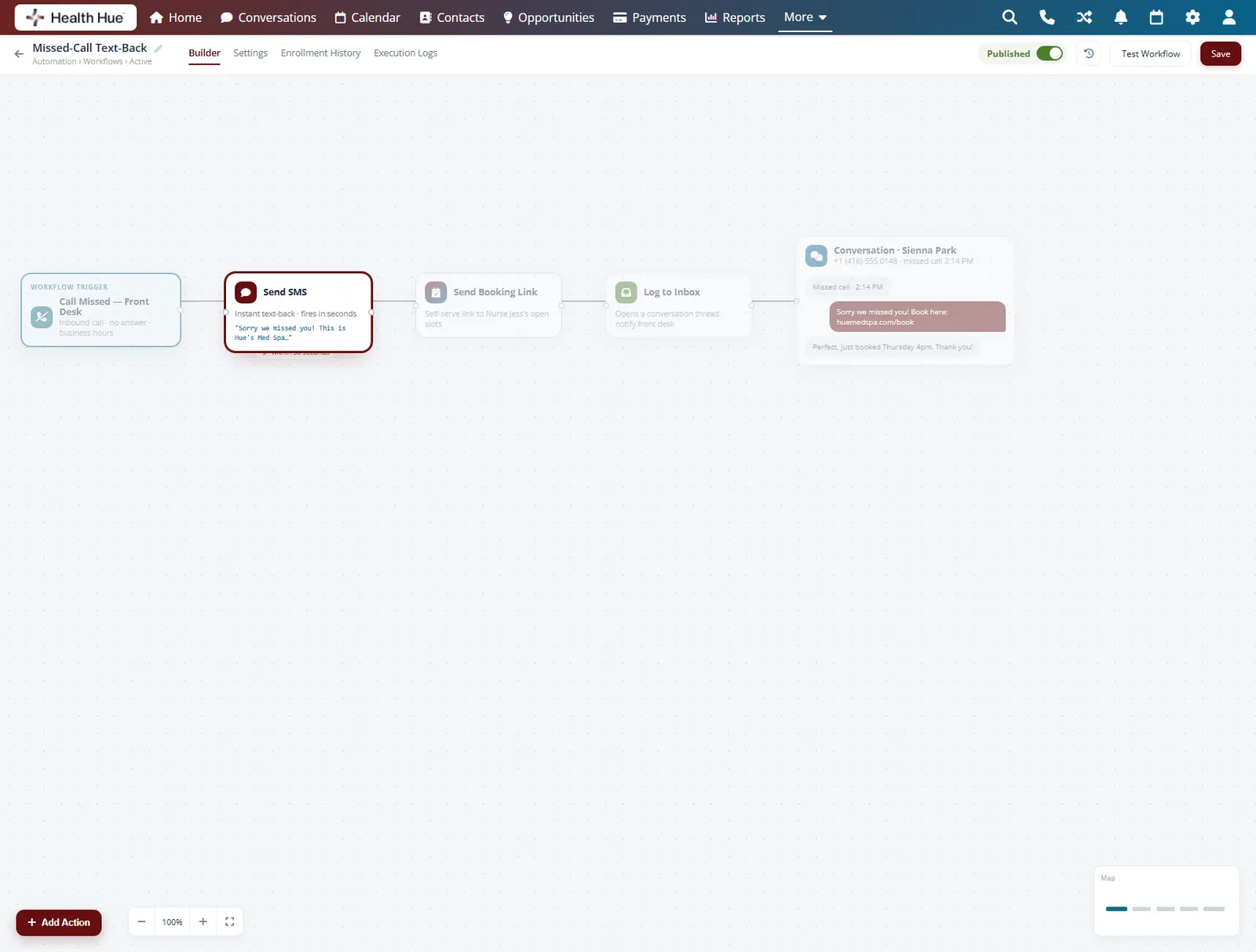
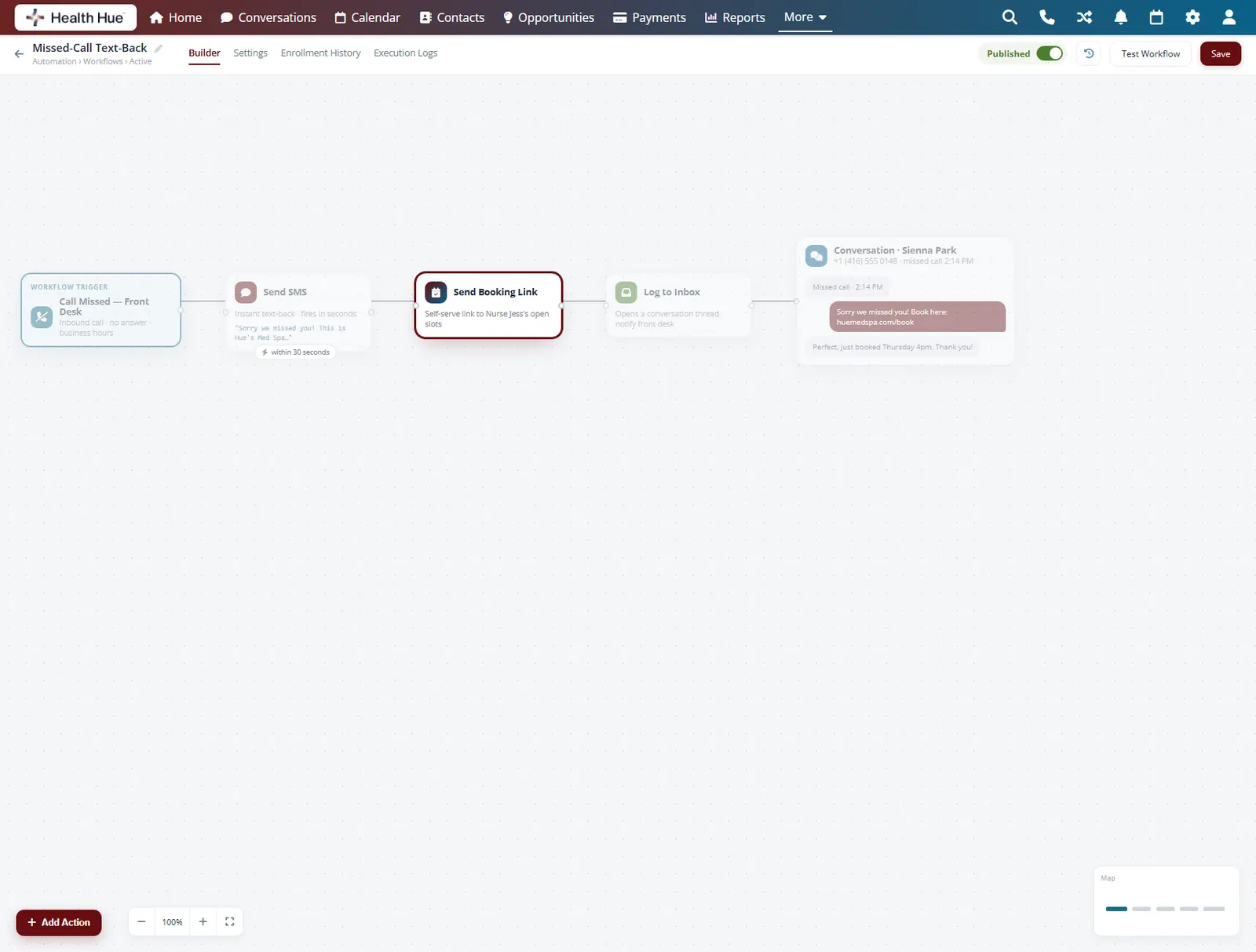
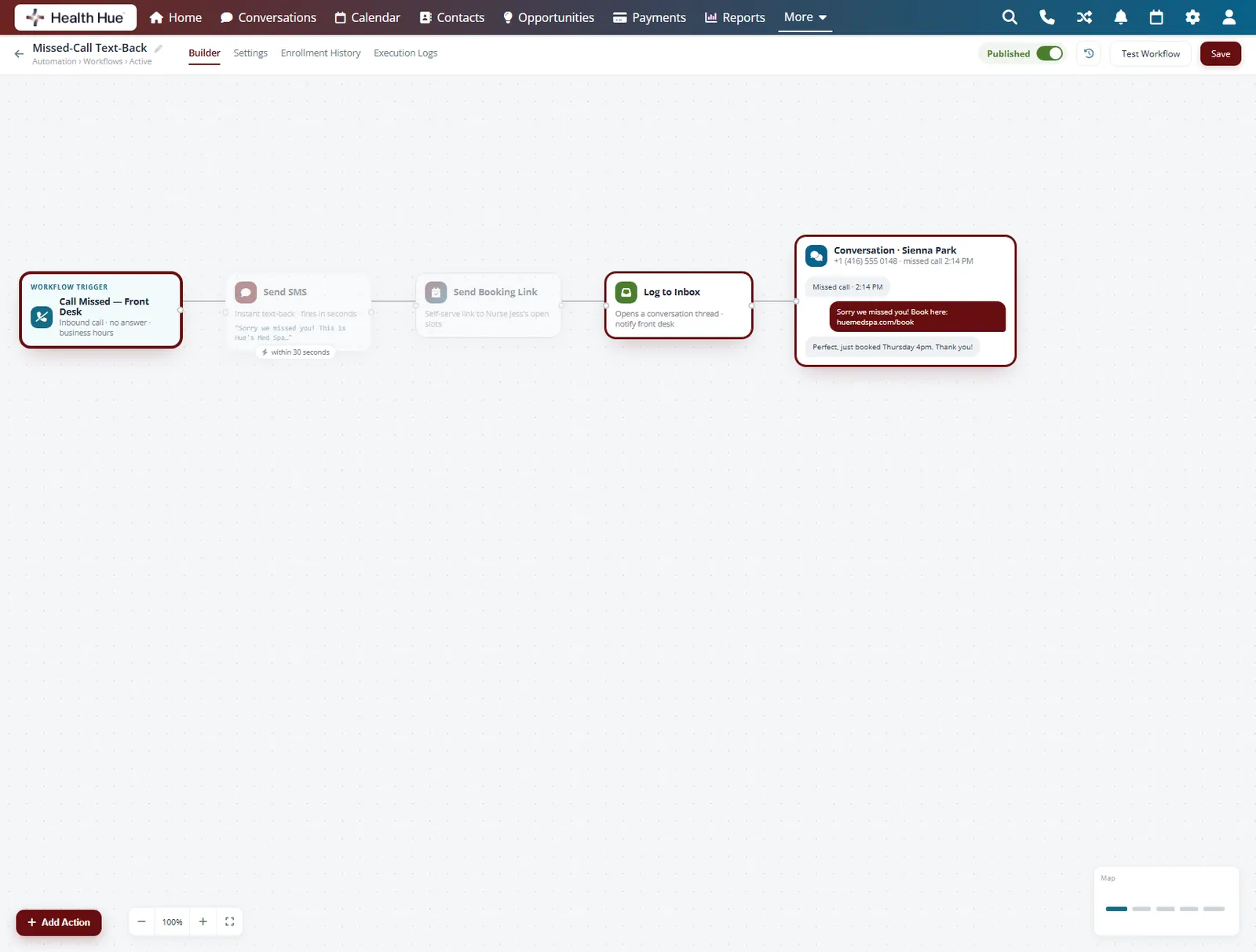
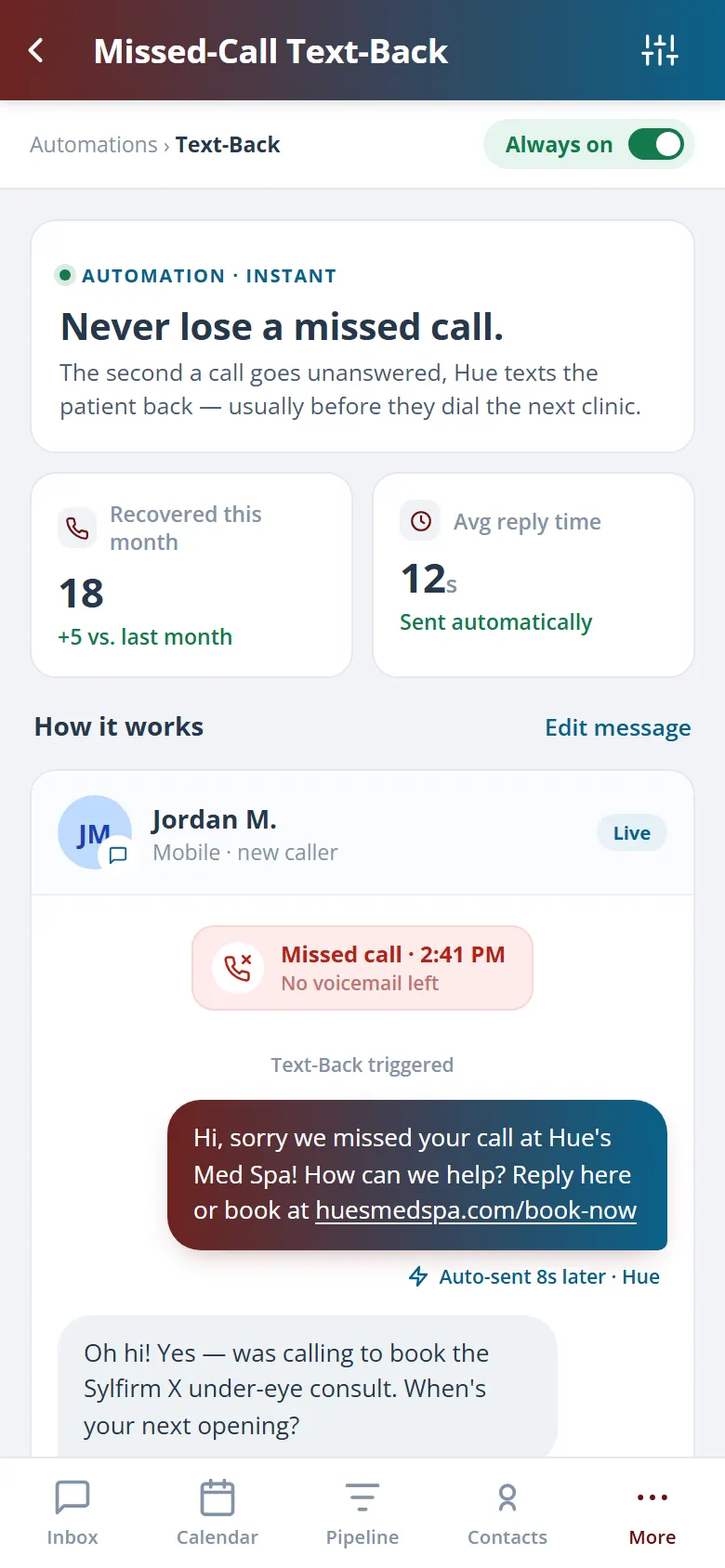
When a call comes in while the desk is busy and no one picks up, the Hub texts the caller back within seconds to keep the conversation alive. The patient gets an instant reply with a booking link instead of dialling the next clinic, and the front desk follows up when they have a moment.
A text goes out seconds after a call is missed.
Send a link so the caller can book without ringing back.
Every missed call becomes a thread in the inbox.
05 · AI Steps
Let AI write the message inside the flow.
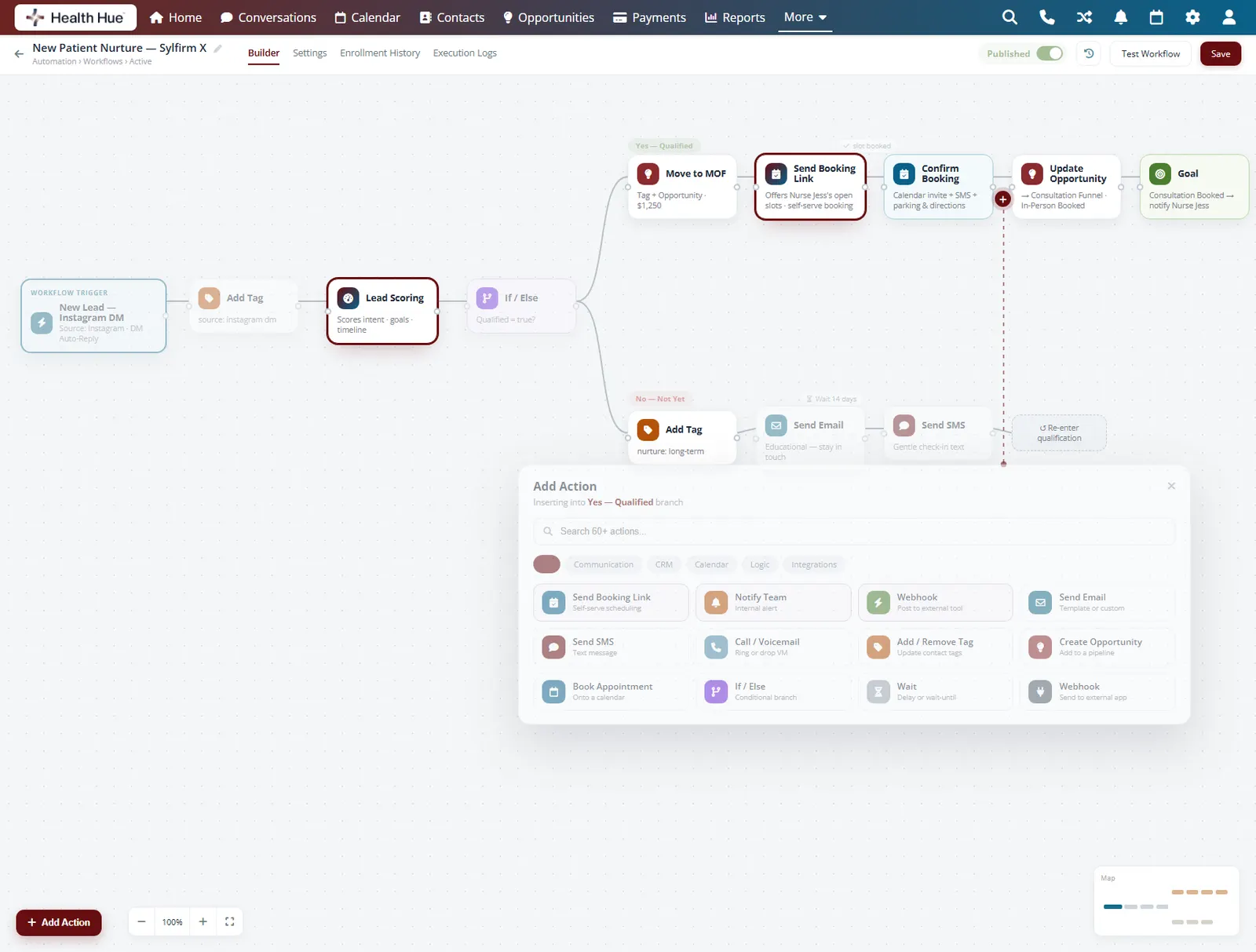
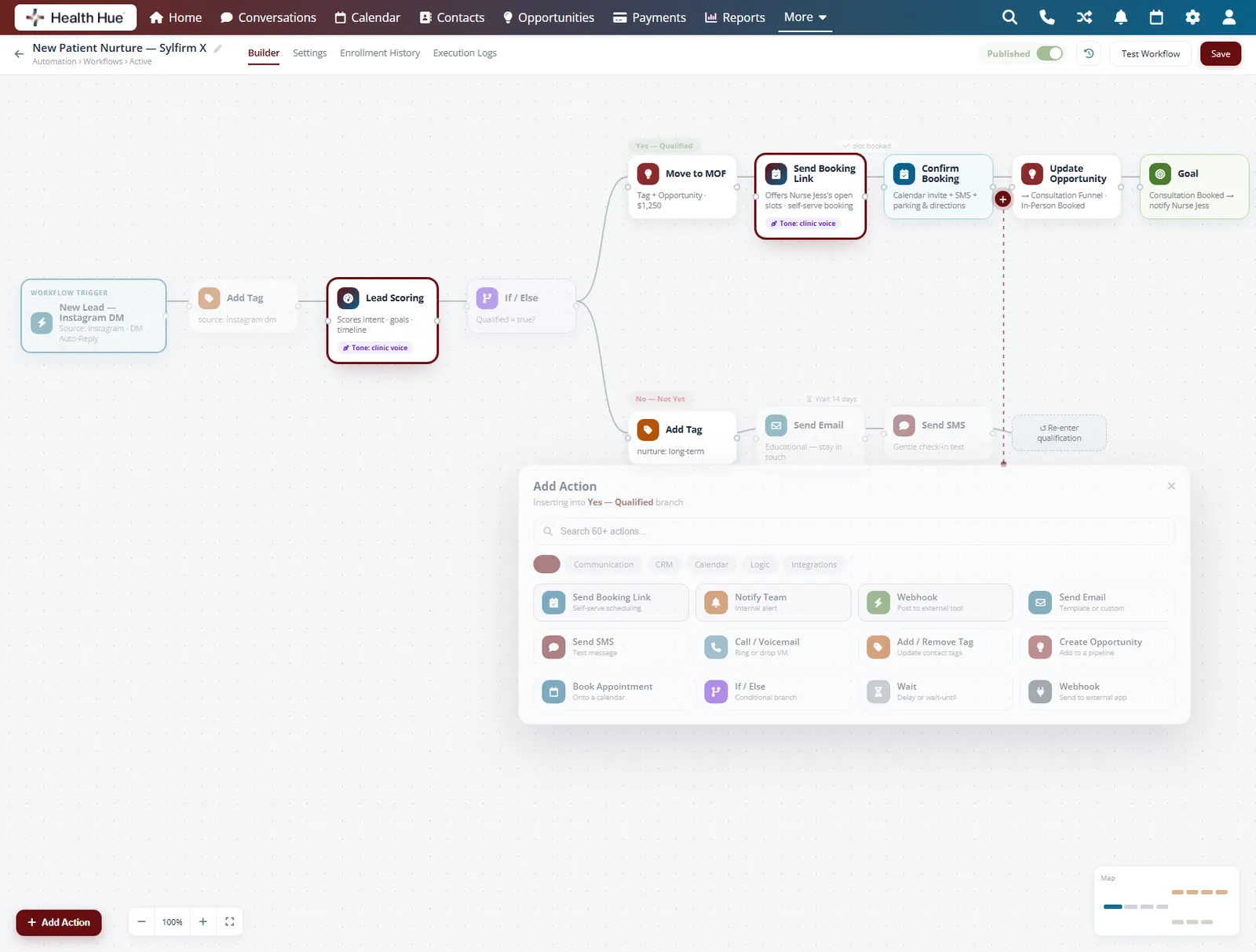
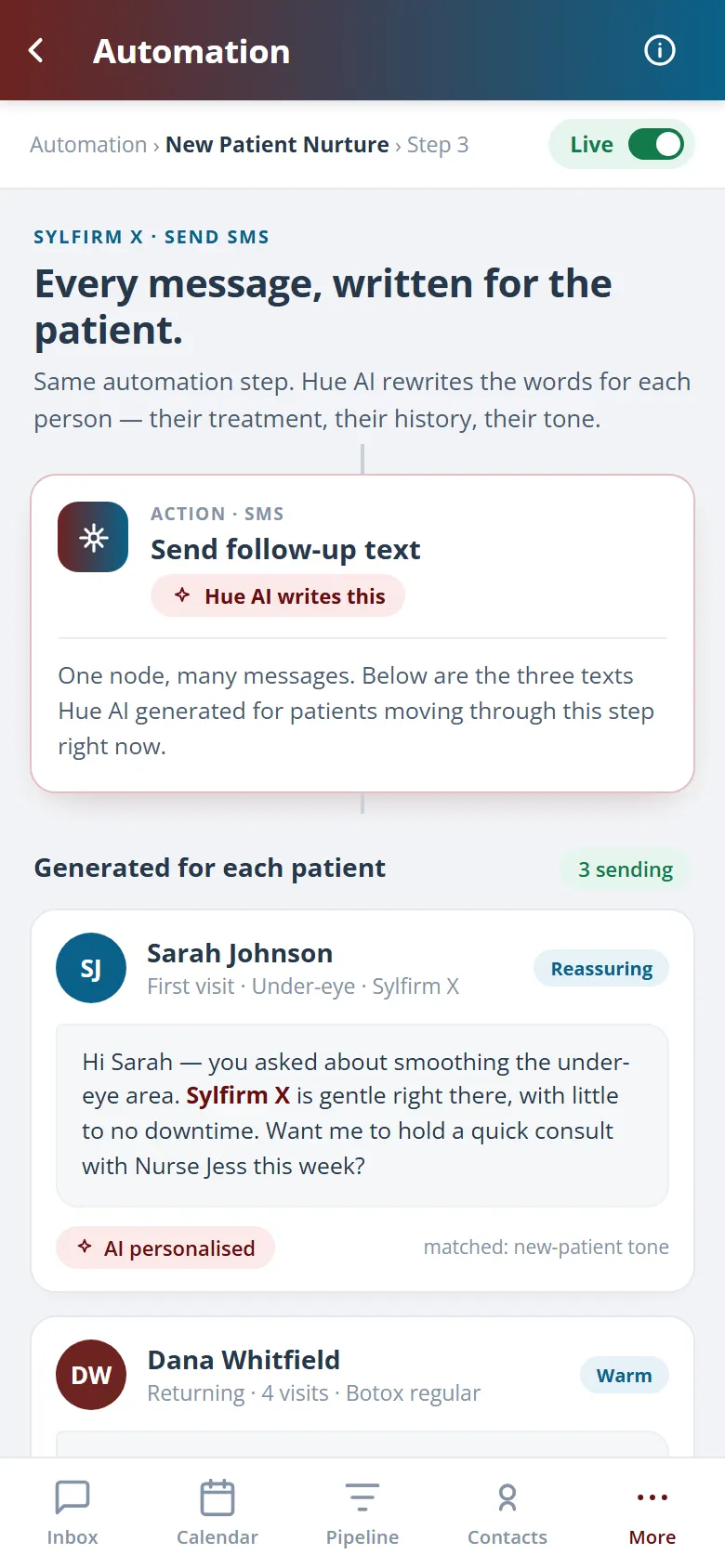
Drop an AI step into any flow and it drafts a reply or personalises a message using the patient's history and what they asked about. You set the tone and the guardrails, the AI handles the wording, and you stay in control of when it sends. Helpful follow-up scales without each message reading like a template.
AI tailors the message to the patient's history and request.
Set the tone and guardrails so it sounds like your clinic.
Choose whether AI sends automatically or after review.
06 · Prebuilt Recipes
Switch on a proven flow in minutes.
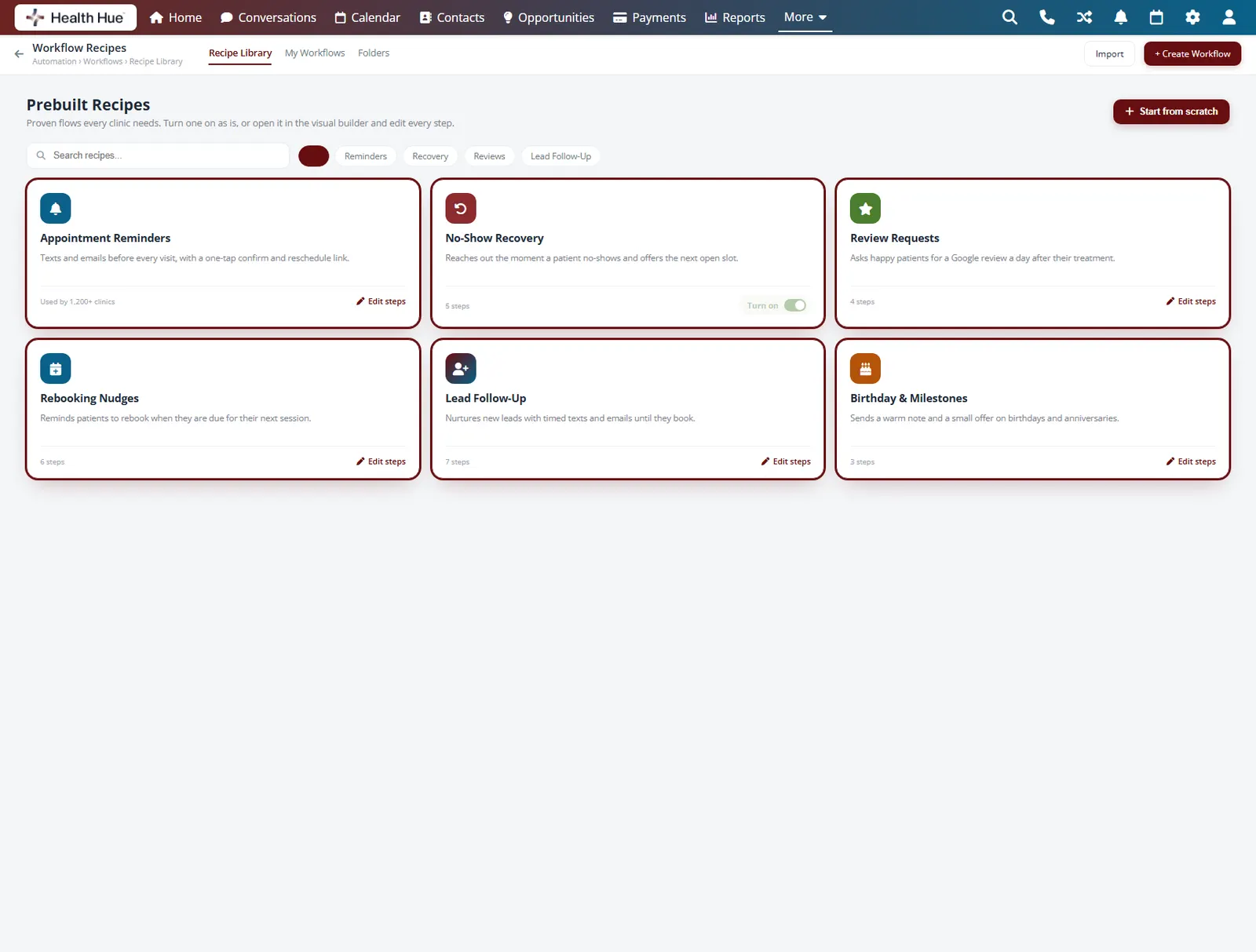
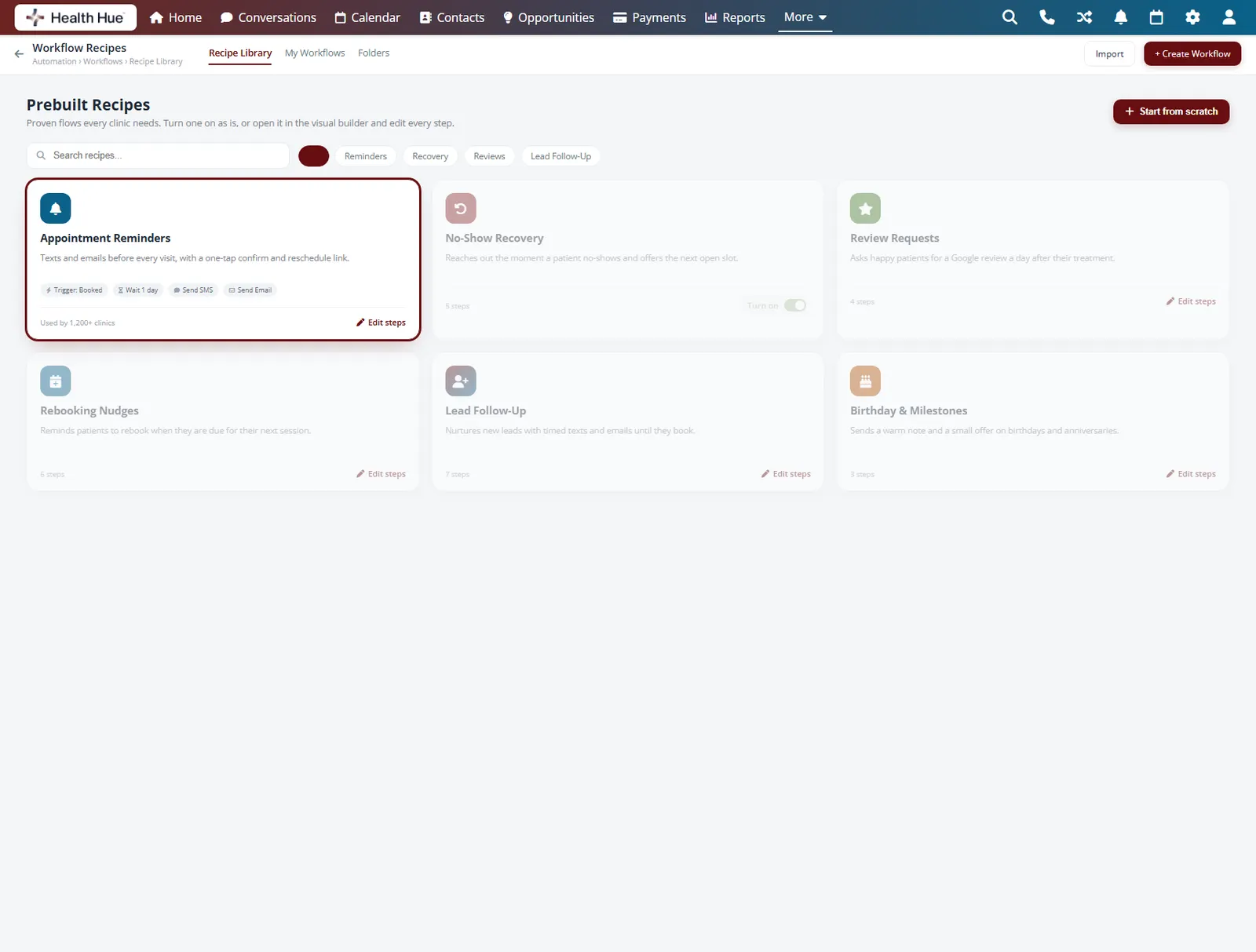
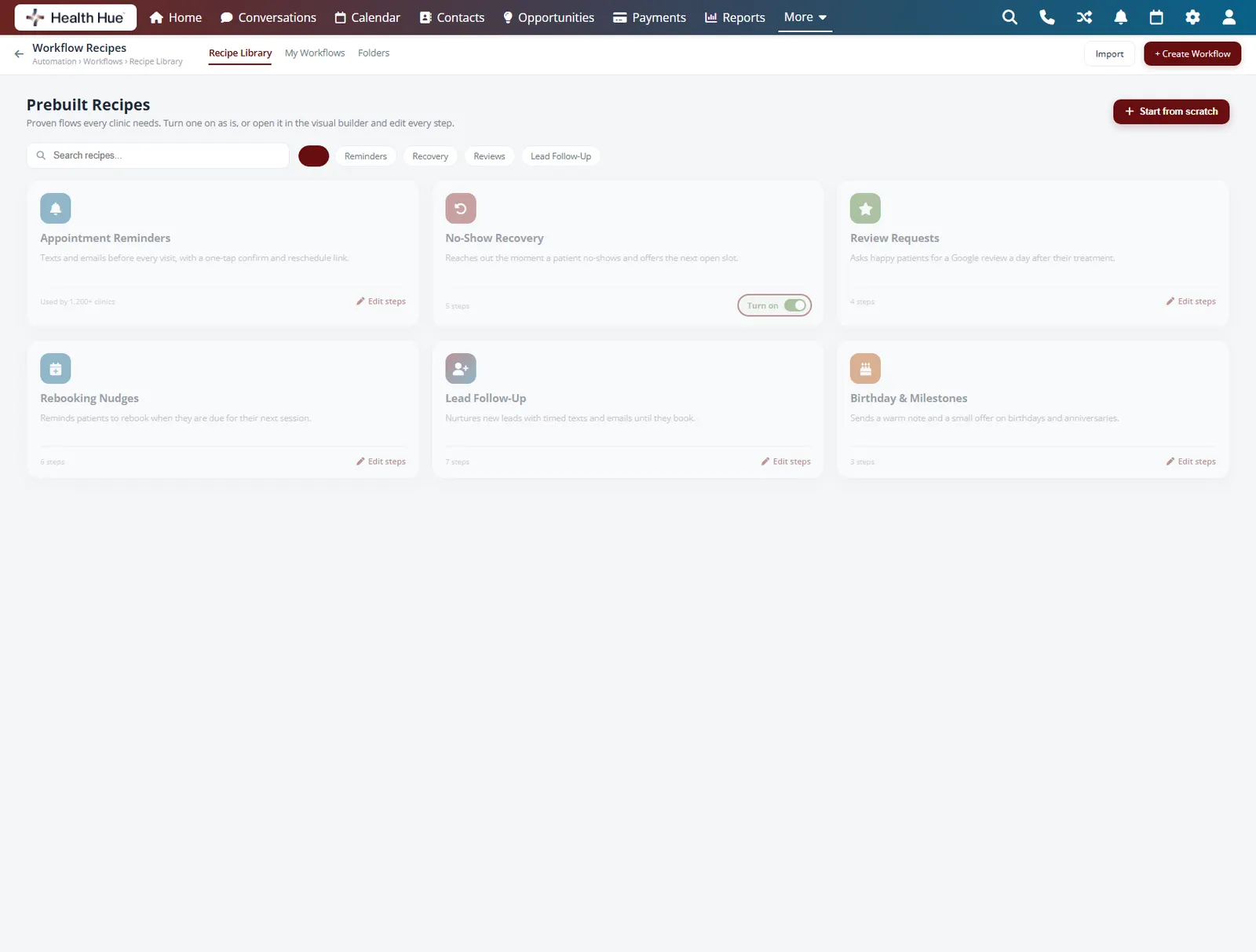
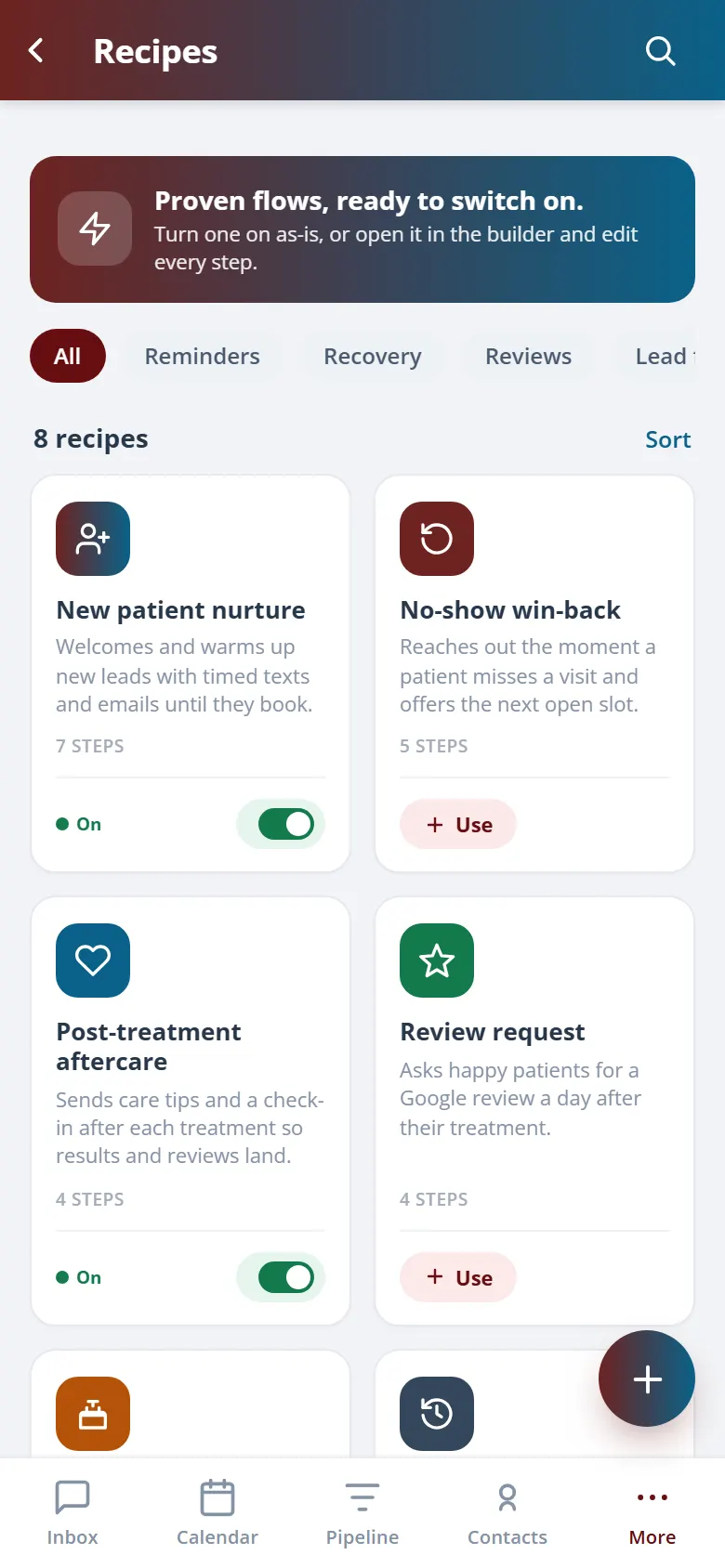
Start from a library of prebuilt recipes for the work every clinic needs: appointment reminders, no-show recovery, review requests, rebooking nudges, and lead follow-up. Turn one on as is or use it as a starting point and edit it in the visual builder. You launch in minutes instead of building from a blank canvas.
Reminders, no-show recovery, reviews, and rebooking, prebuilt.
Use a recipe as a starting point and edit every step.
Go live in minutes instead of from a blank canvas.
Secure, compliant, and clinic-ready
Every feature lives in a platform built for clinics from the ground up, with charting, consent, and payments native to the patient record.
PHIPA & HIPAA-aware
Patient data is encrypted and handled to Canadian health-privacy standards.
Consent & audit
Consents, signatures, and changes log to the record automatically.
Role-based access
Granular permissions keep charts and contact details on a need-to-know basis.
One source of truth
Scheduling, payments, messages, and records in one place. Nothing siloed.
Explore more of the Hub
Automated Flows is one part of the Health Hue Hub, your AI-powered clinic operating system.
Conversations
One inbox for SMS, calls, web chat, and DMs.
Patient Records
Every patient in one complete profile.
Calendar & Scheduling
AI booking, reminders, and provider sync.
Payments & POS
Text-to-pay, deposits, and fast checkout.
Memberships
Recurring revenue, packages, and perks.
Campaigns
Email and SMS that fill the calendar.
FAQ