Health Hue Hub · Paid Ads
Meta and Google ads, managed in one place.
Plan, launch, and track Meta and Google campaigns from the same dashboard your clinic already runs on. Spend, results, and cost per lead sit in one view, and every dollar ties back to a booked patient, so you can see what each campaign actually returns instead of guessing across two ad accounts.
01 · Meta & Google in One Place
Both ad platforms, one dashboard.
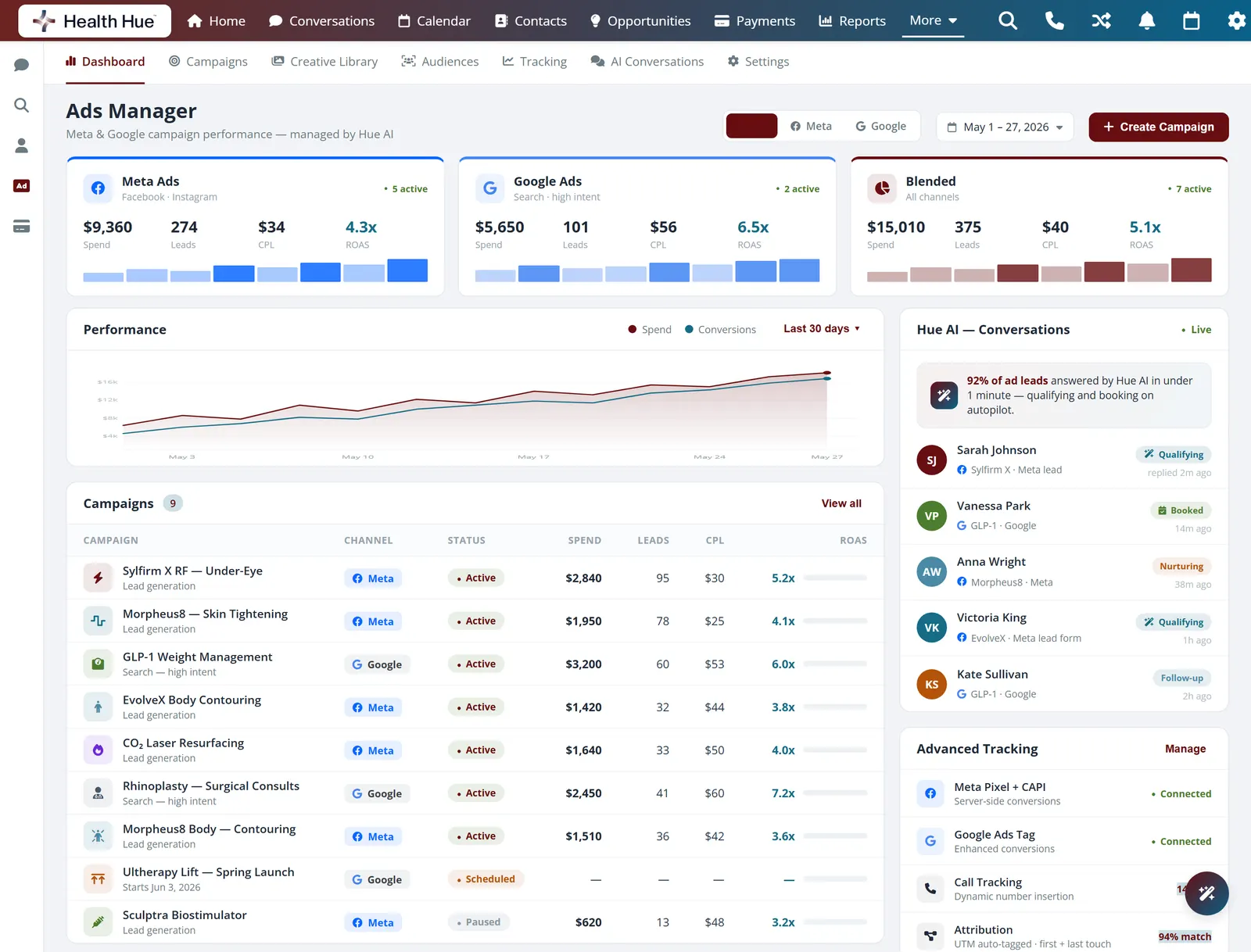
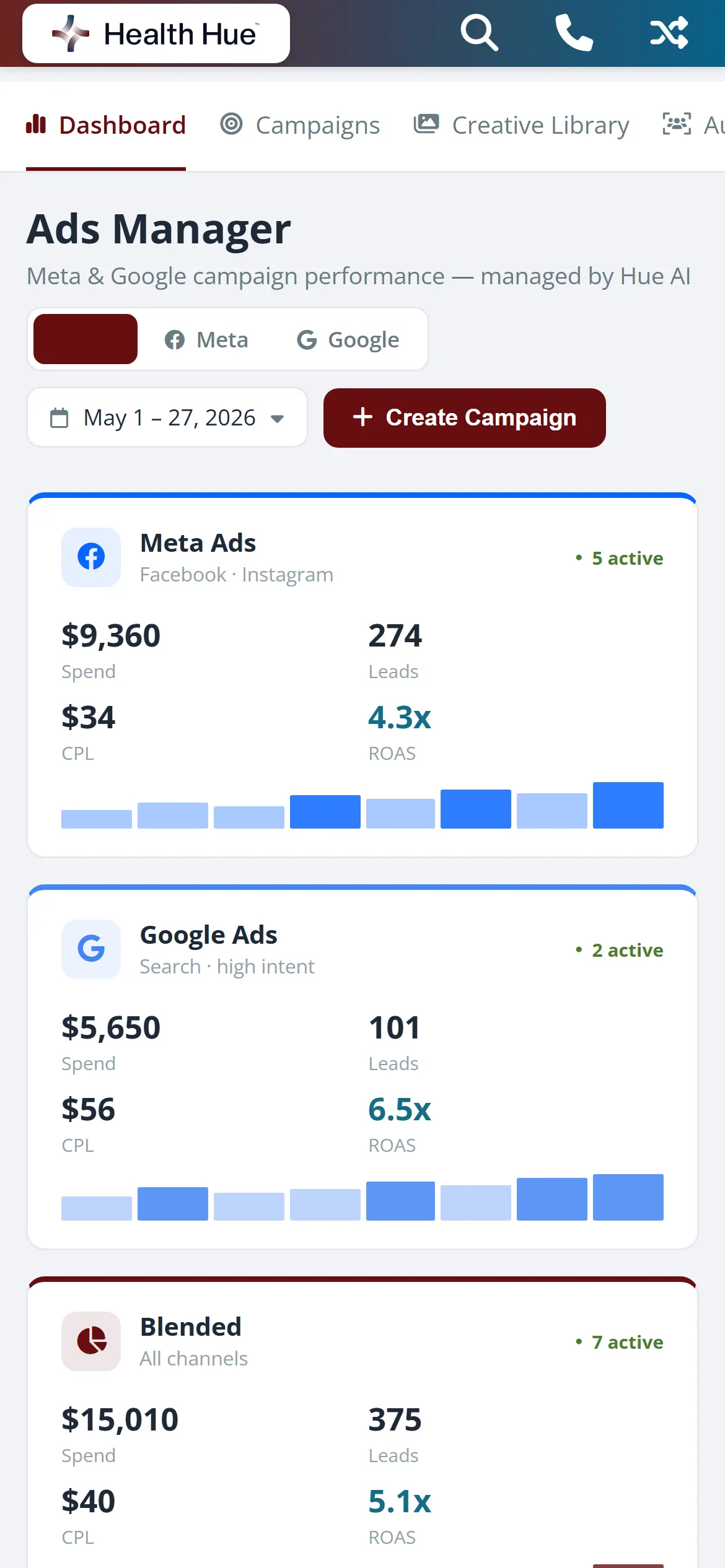
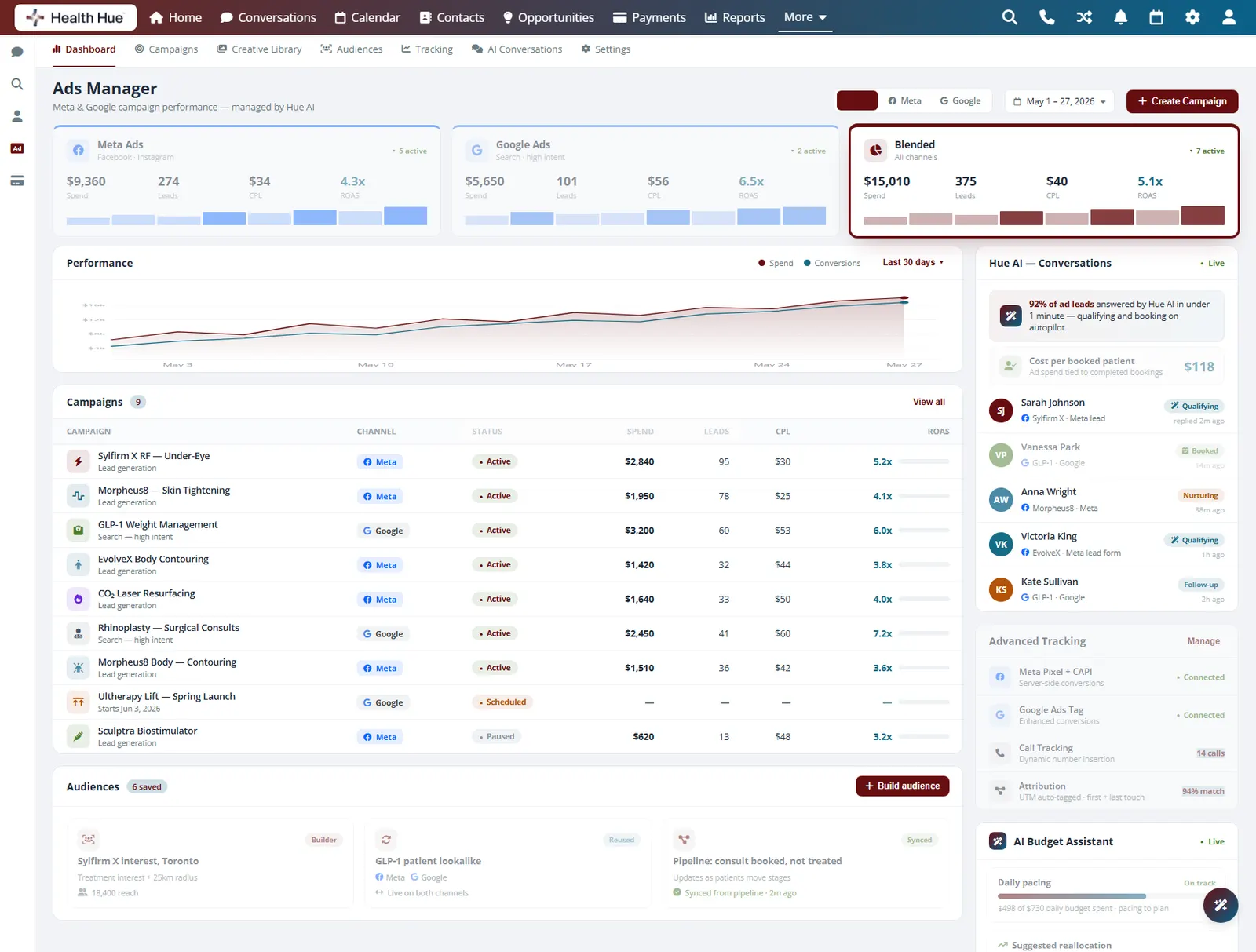
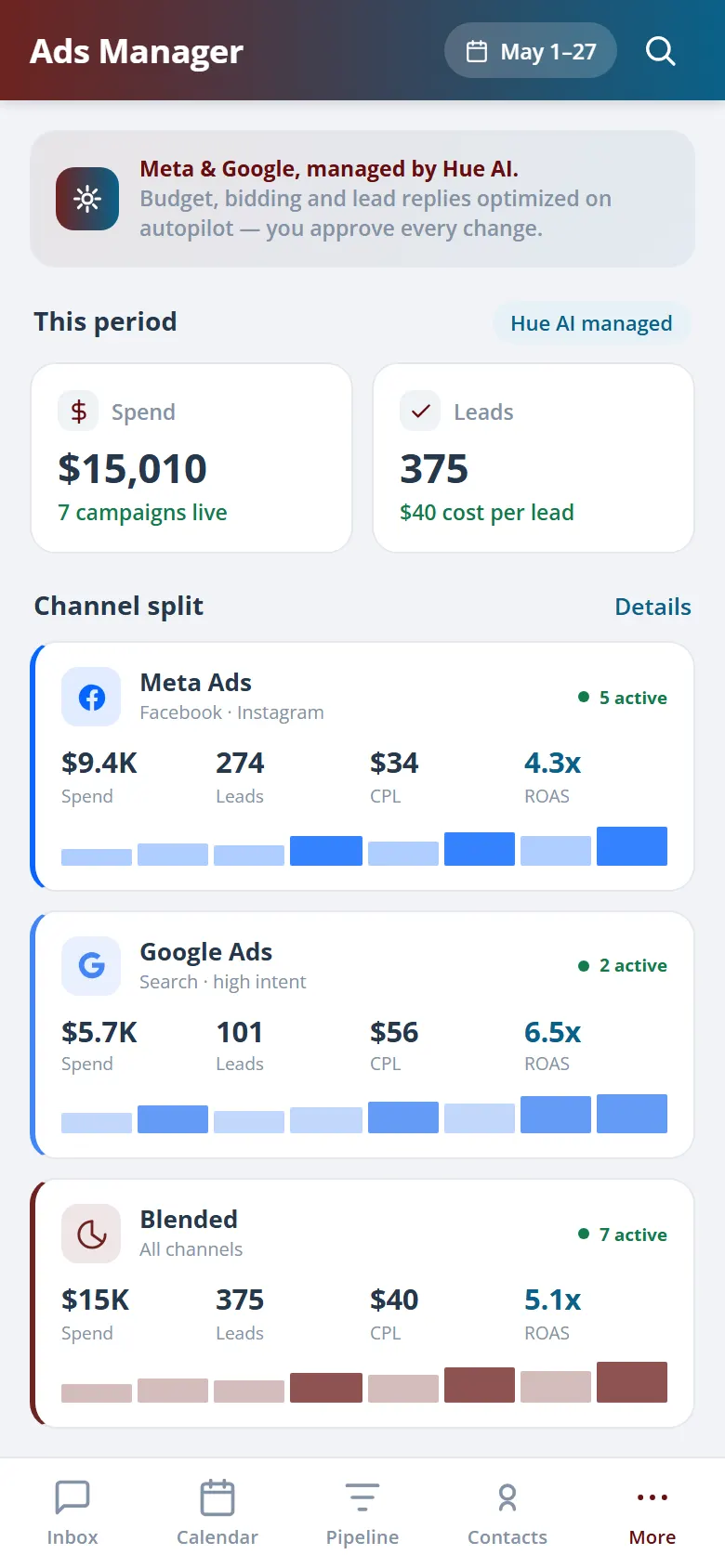
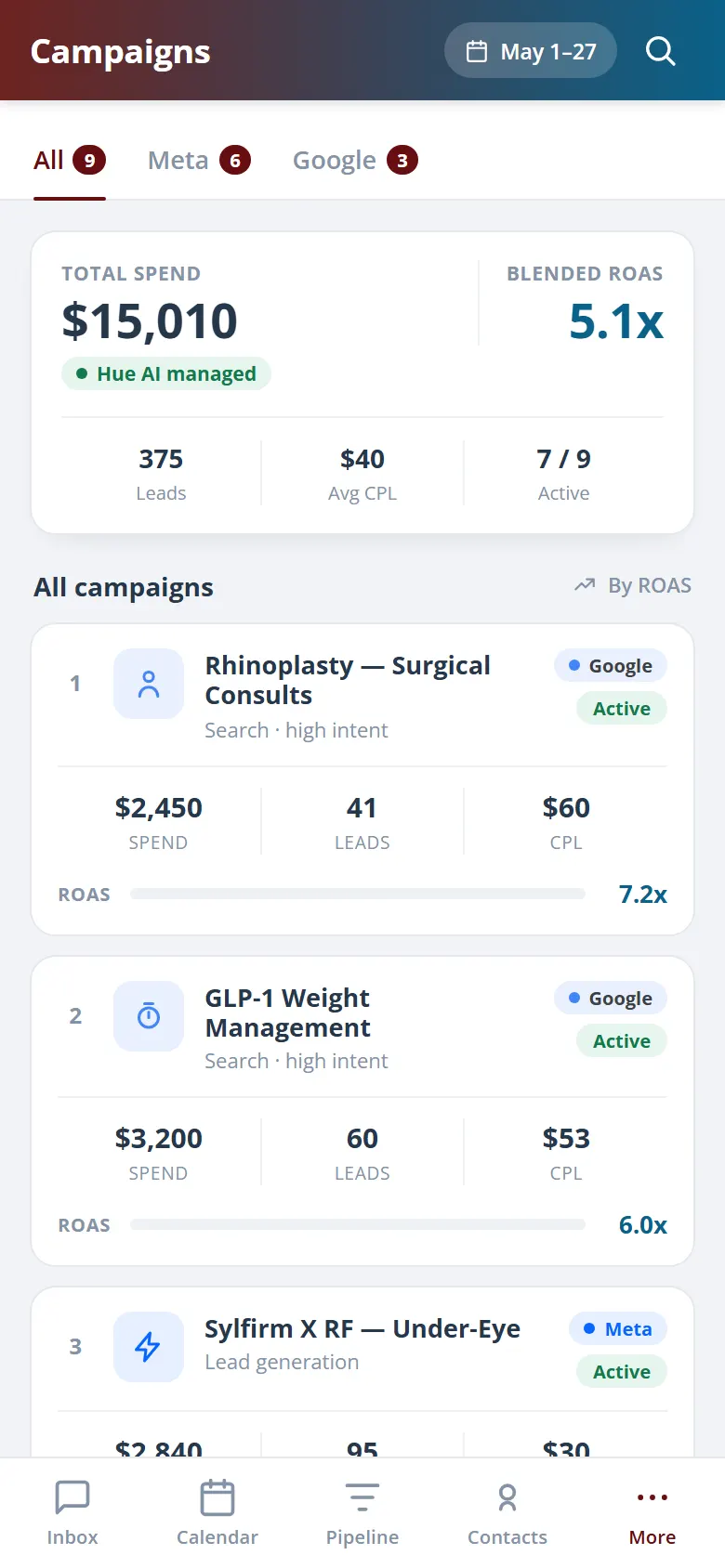
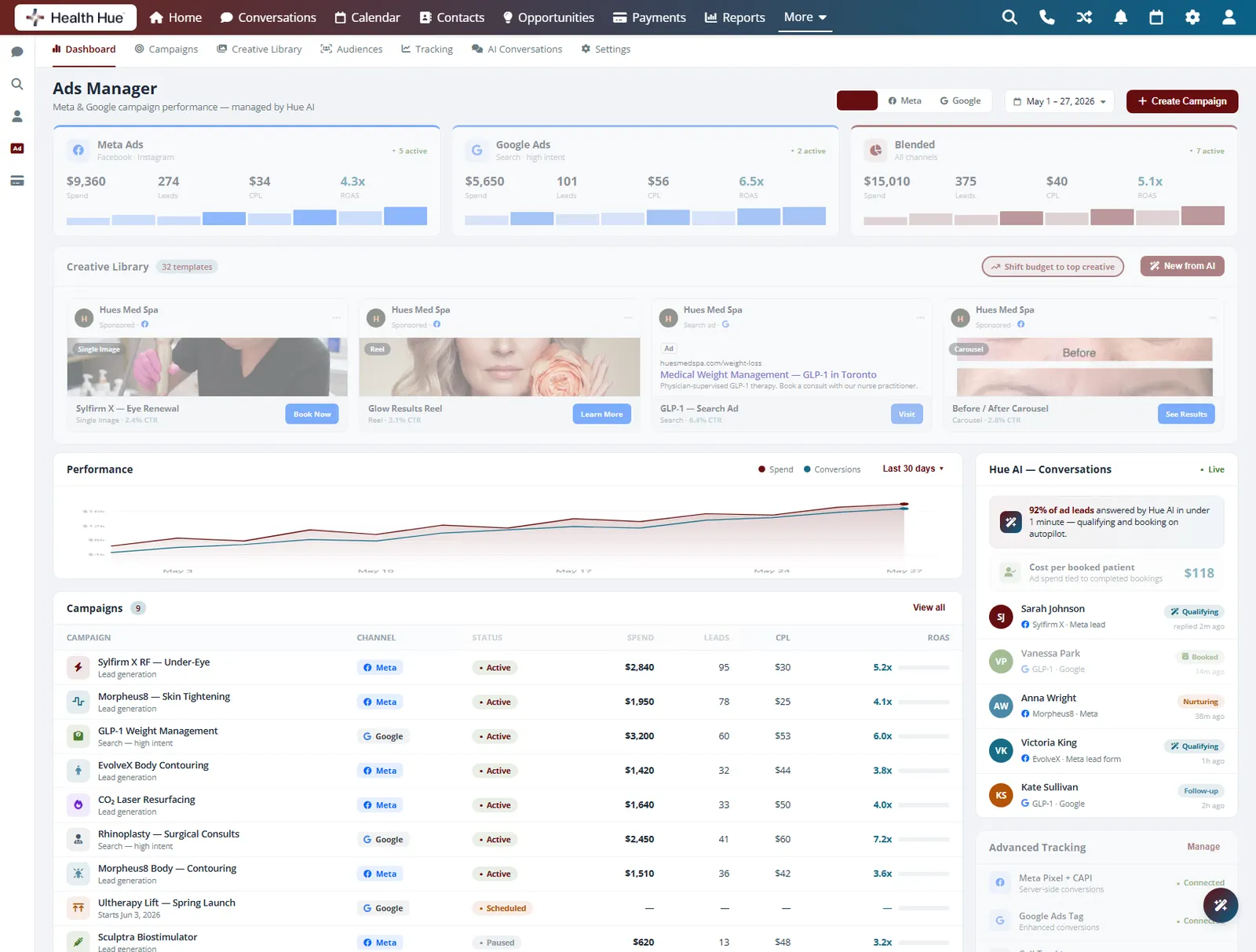
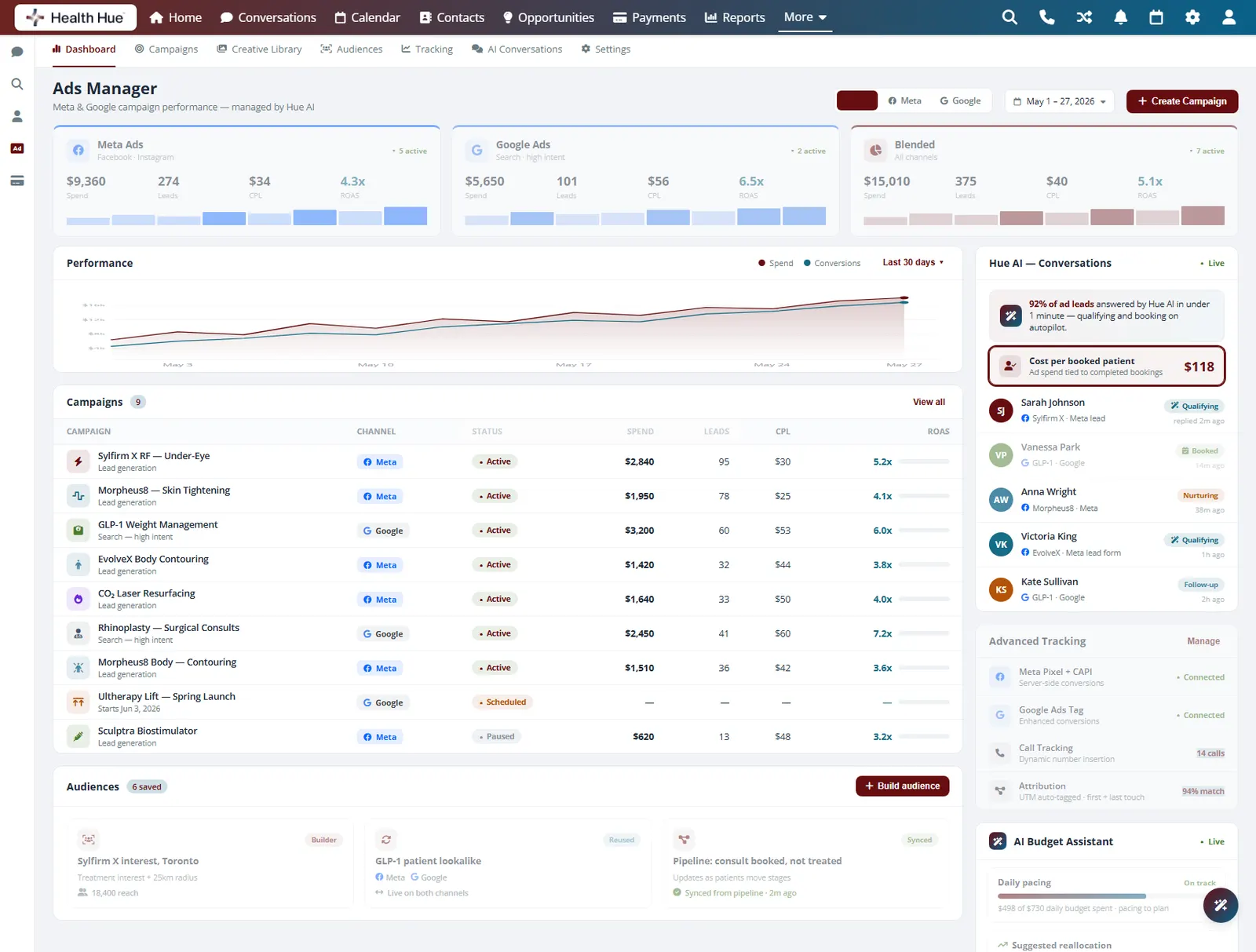
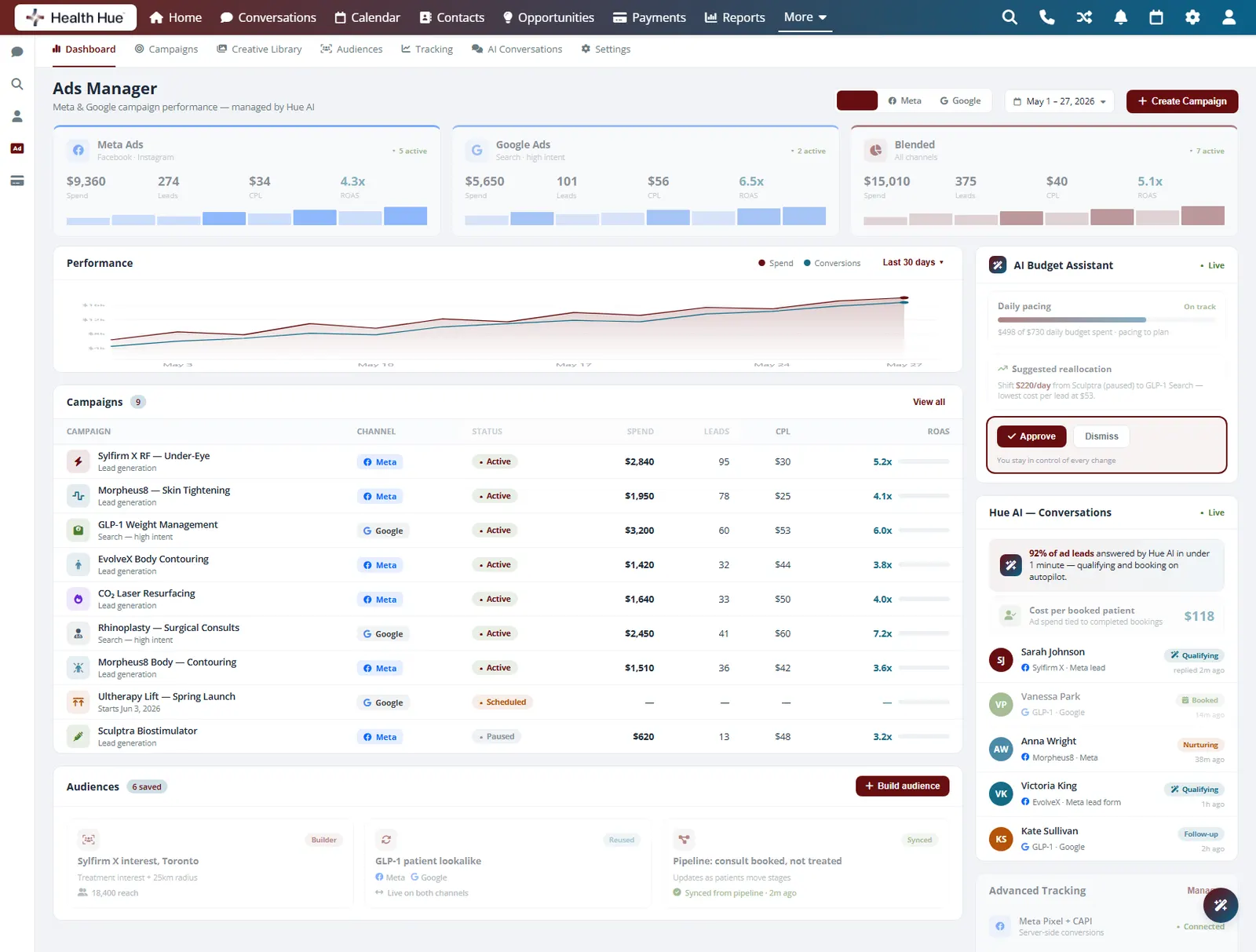
Meta and Google campaigns run side by side in the Hub, with spend, leads, cost per lead, and return on ad spend laid out for each channel and blended together. Instead of toggling between two ad managers, your team reads the whole paid picture from one screen and decides where the next dollar should go.
Facebook and Instagram campaigns with spend, leads, and CPL.
Search and high-intent campaigns tracked the same way.
A combined view across both channels in one number.
02 · Campaign Dashboard
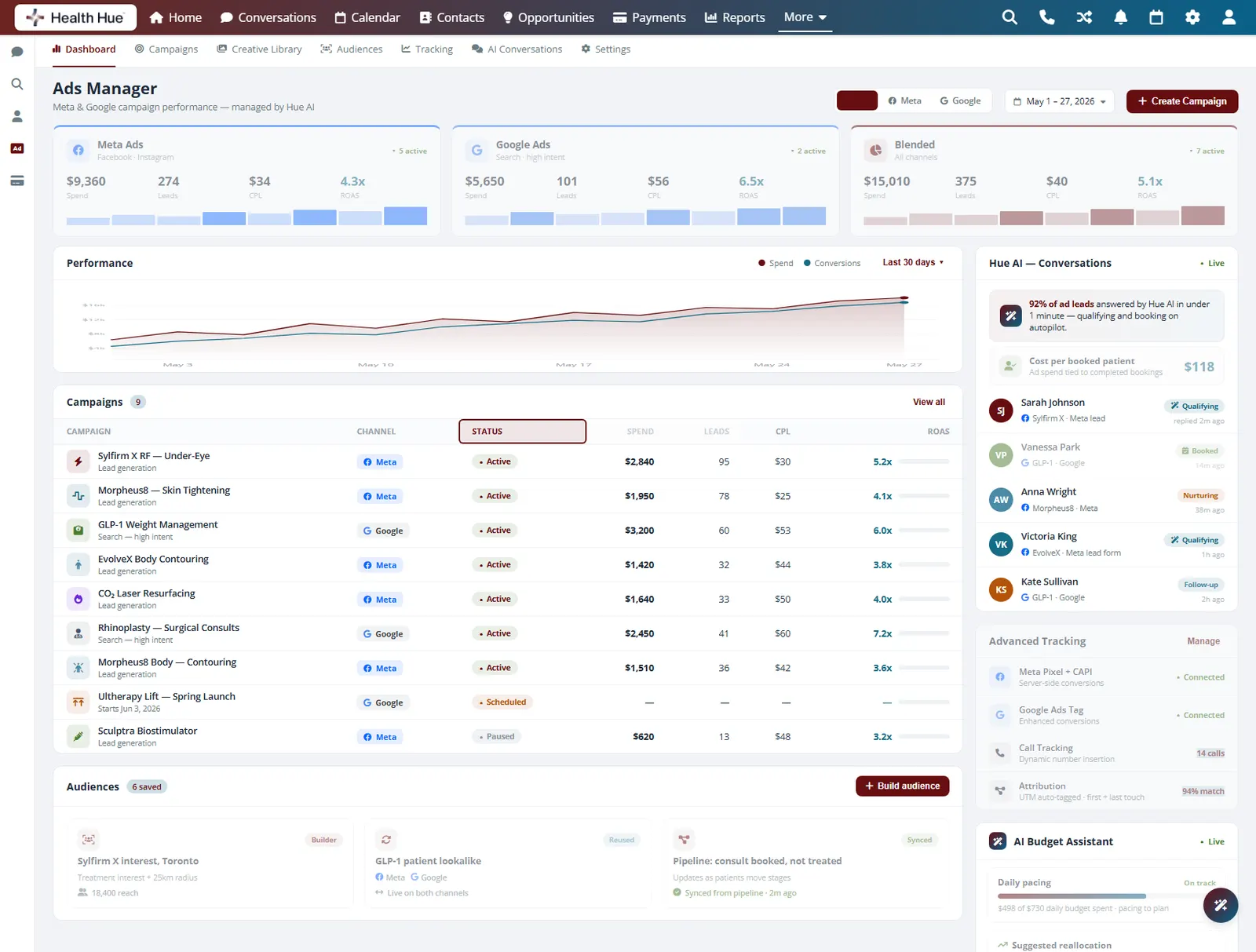
Every campaign, spend, results, and status.
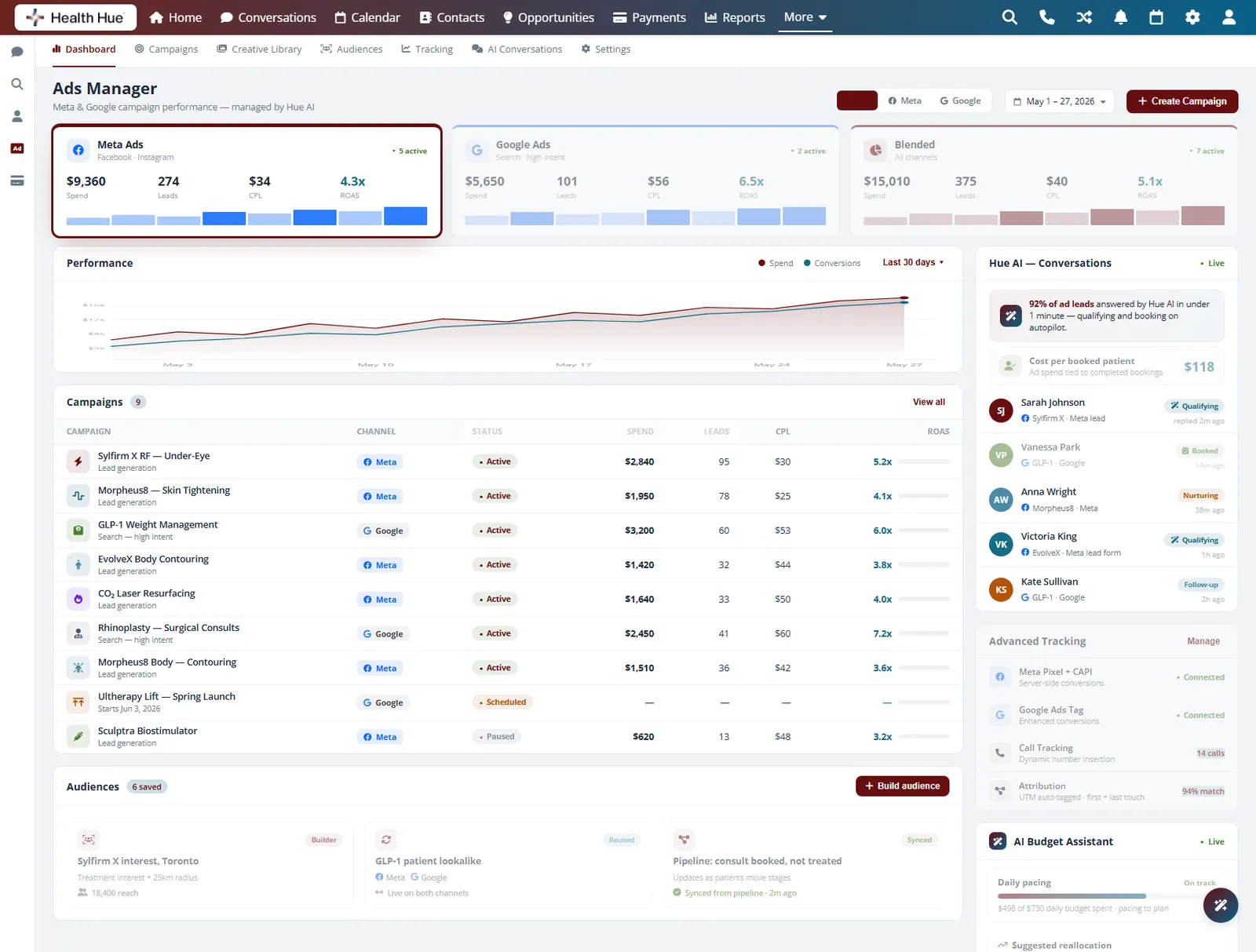
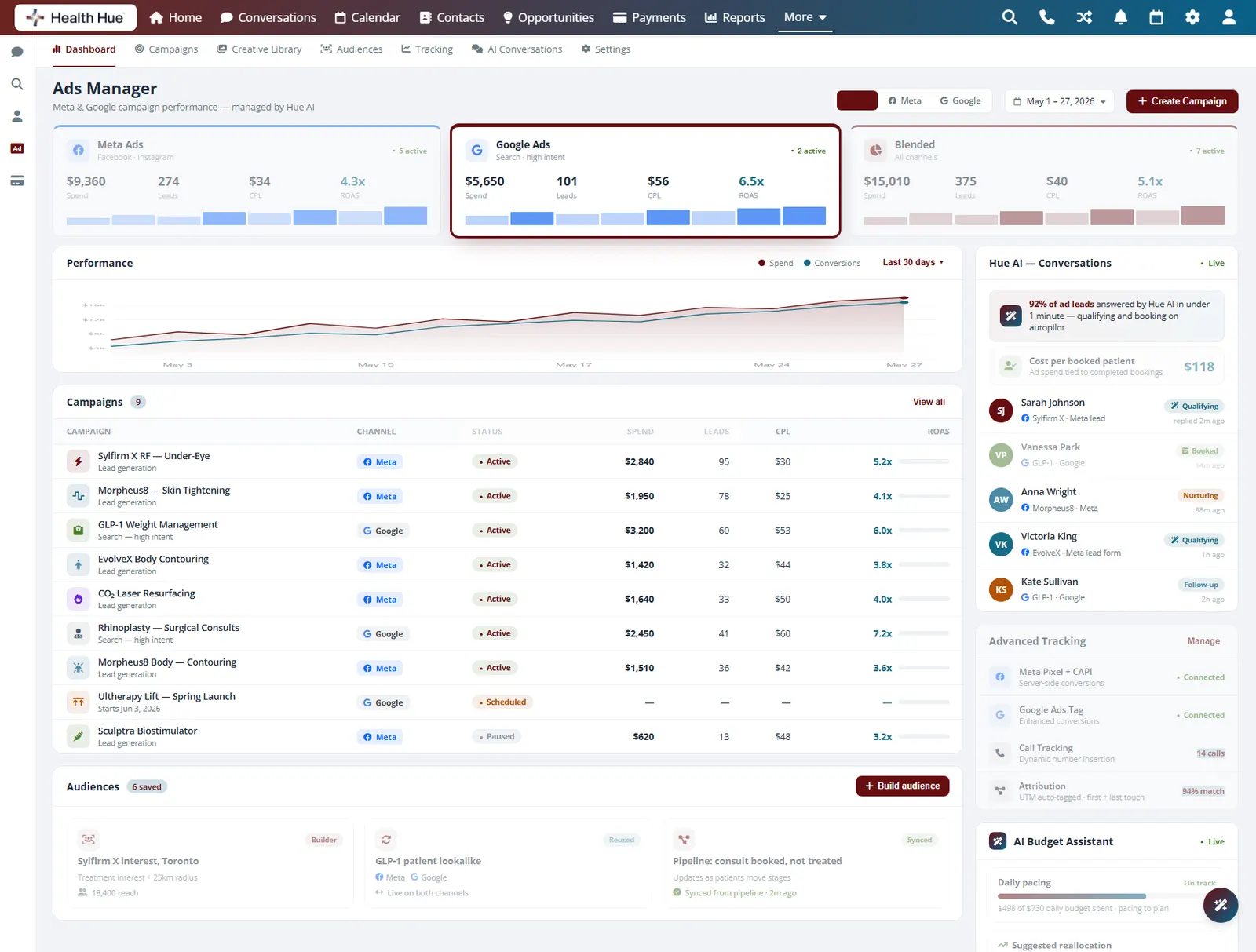
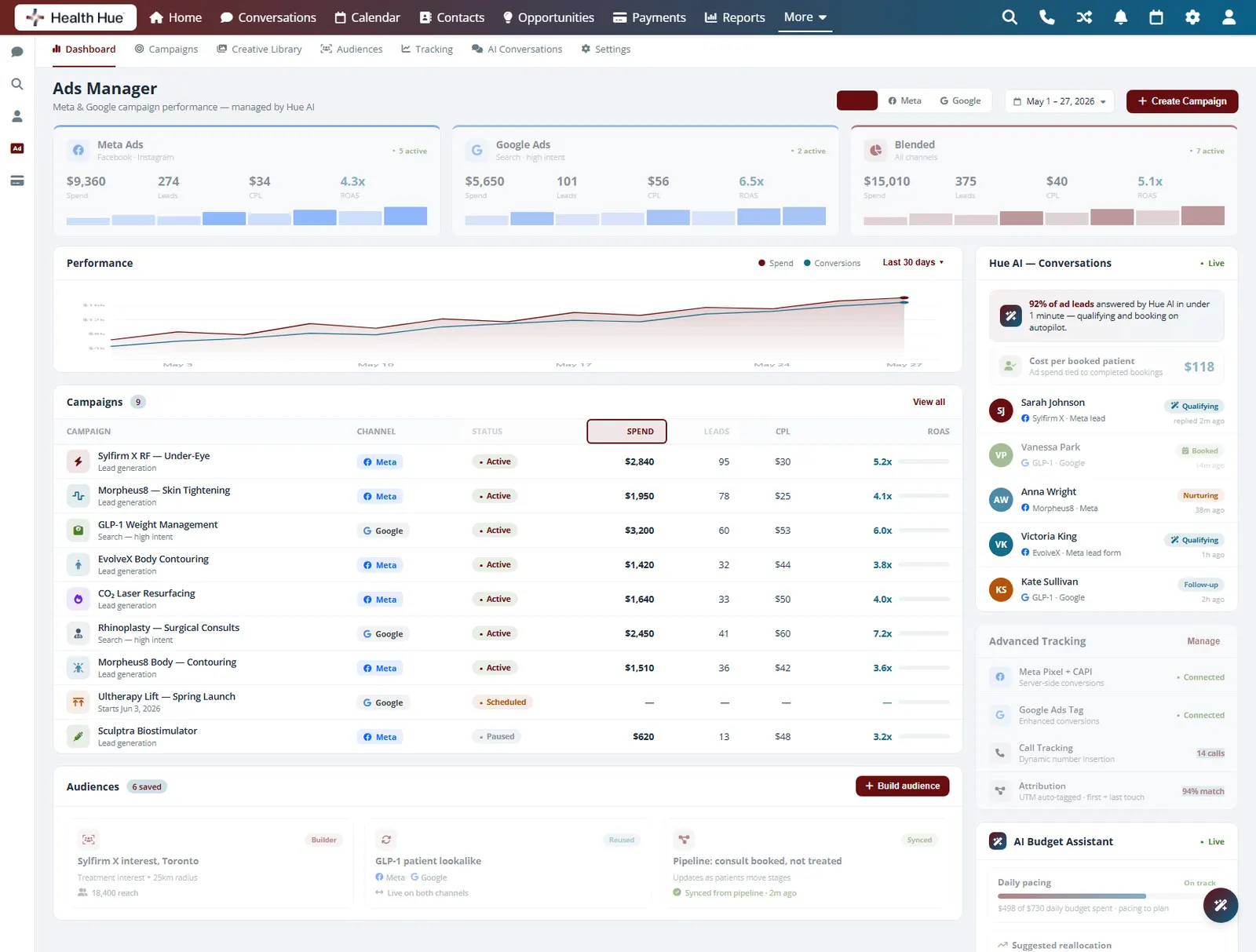
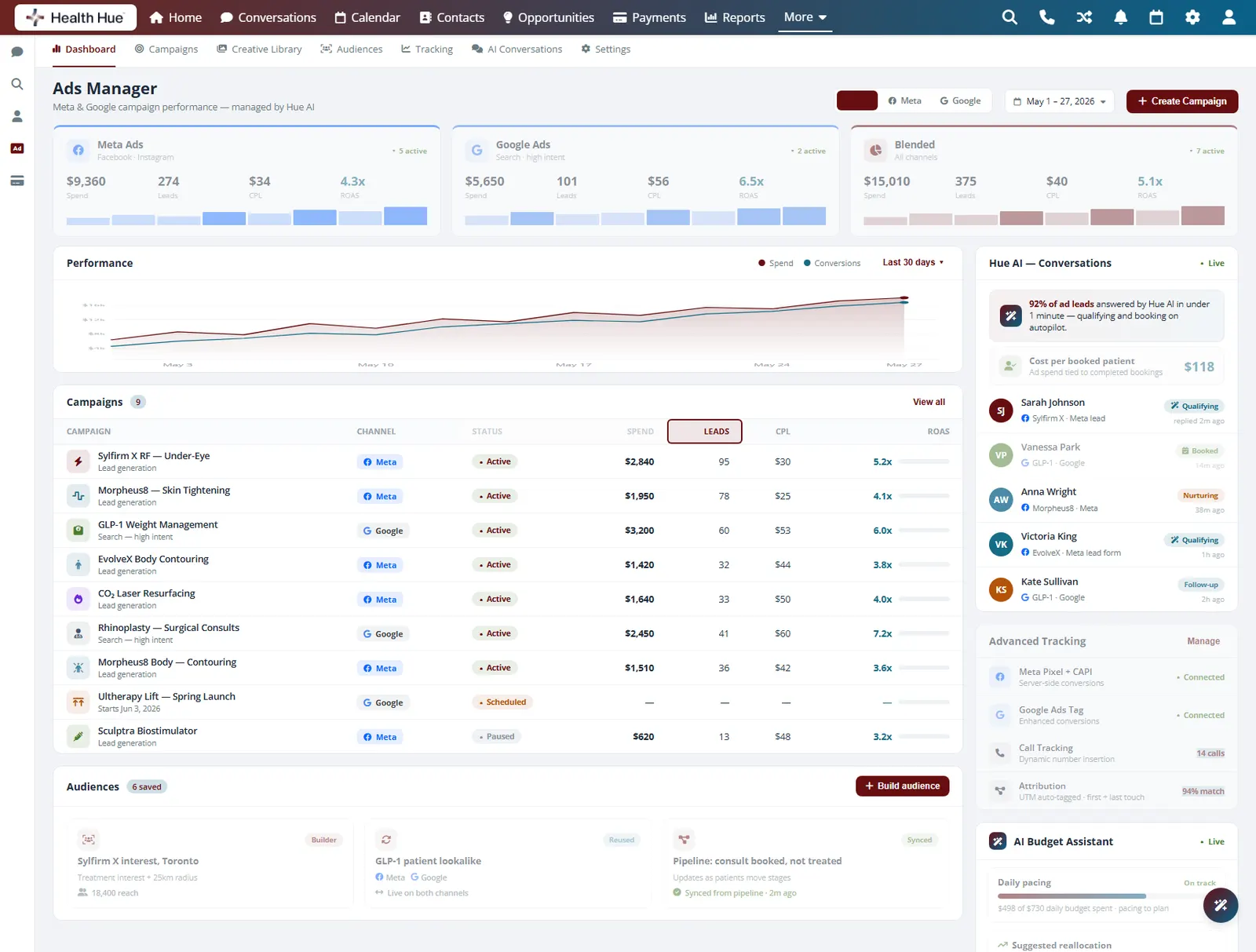
One table lists every active and paused campaign across Meta and Google, with channel, status, spend, leads, and cost per lead on each line. The team can see at a glance which campaigns are live, what each one costs per lead, and where the budget is going, without opening either ad account.
Live spend per campaign, rolled up by channel.
Leads and cost per lead on every campaign line.
Active, paused, and scheduled markers per campaign.
03 · Creative Testing
See which creative actually draws leads.
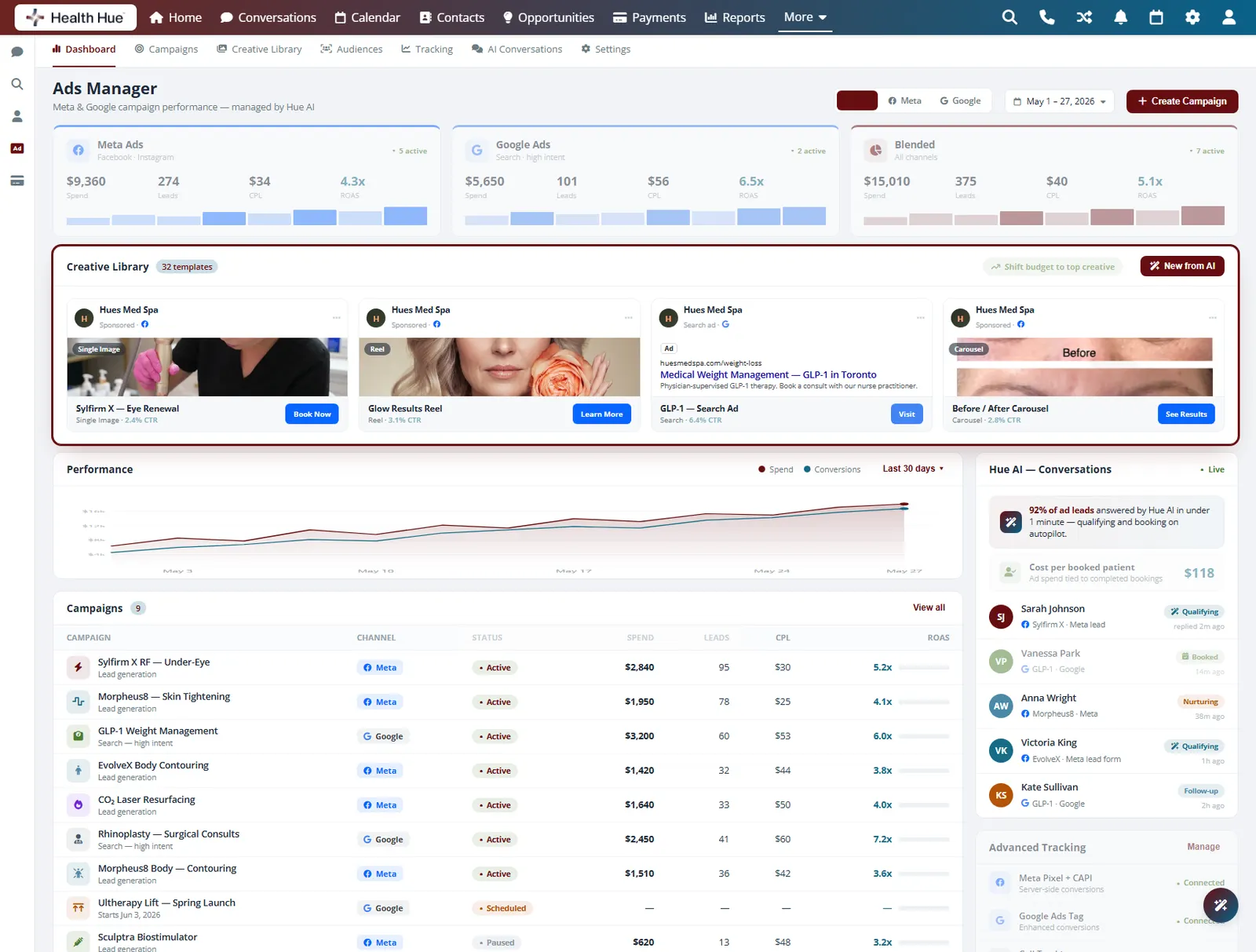
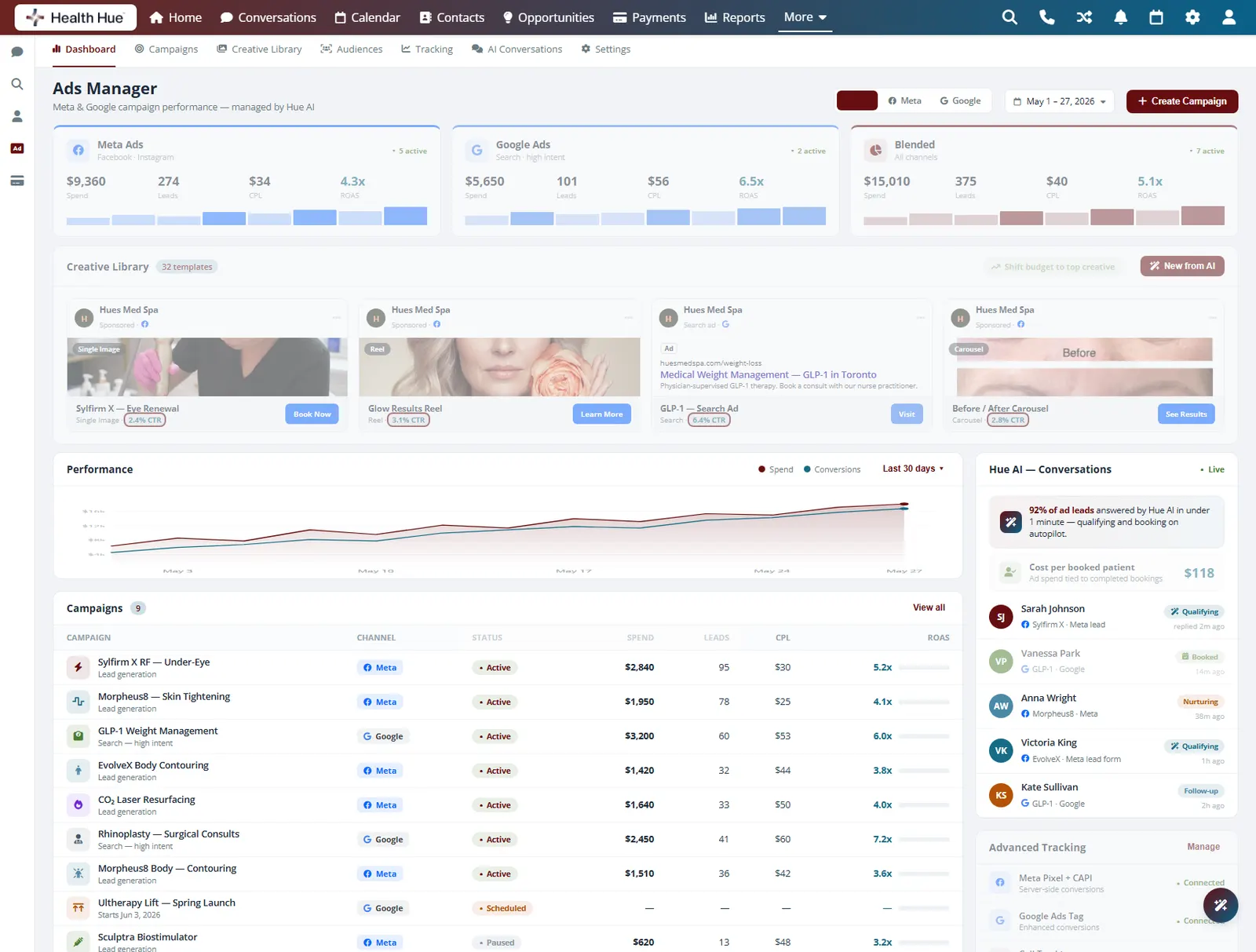
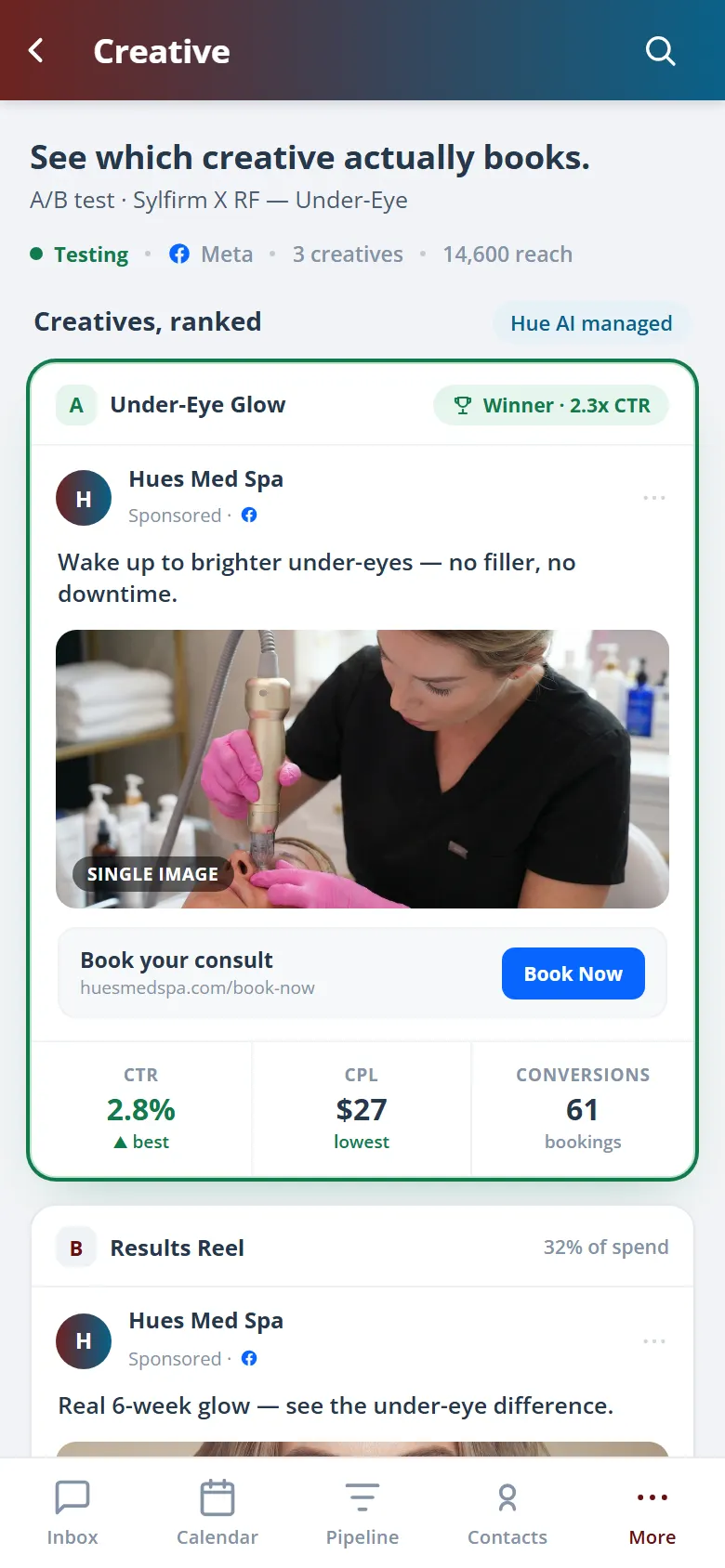
Run more than one creative against the same audience and compare them on the metrics that matter, spend, leads, and cost per lead. The dashboard shows which ad is pulling its weight and which one is spending without returning, so you can shift budget to the creative that works and retire the rest.
Several creatives measured against the same audience.
Rank creative by leads and cost per lead, not clicks.
Shift spend to the creative that is performing.
04 · Audience & Targeting
Reach the right patients, then reuse the audience.
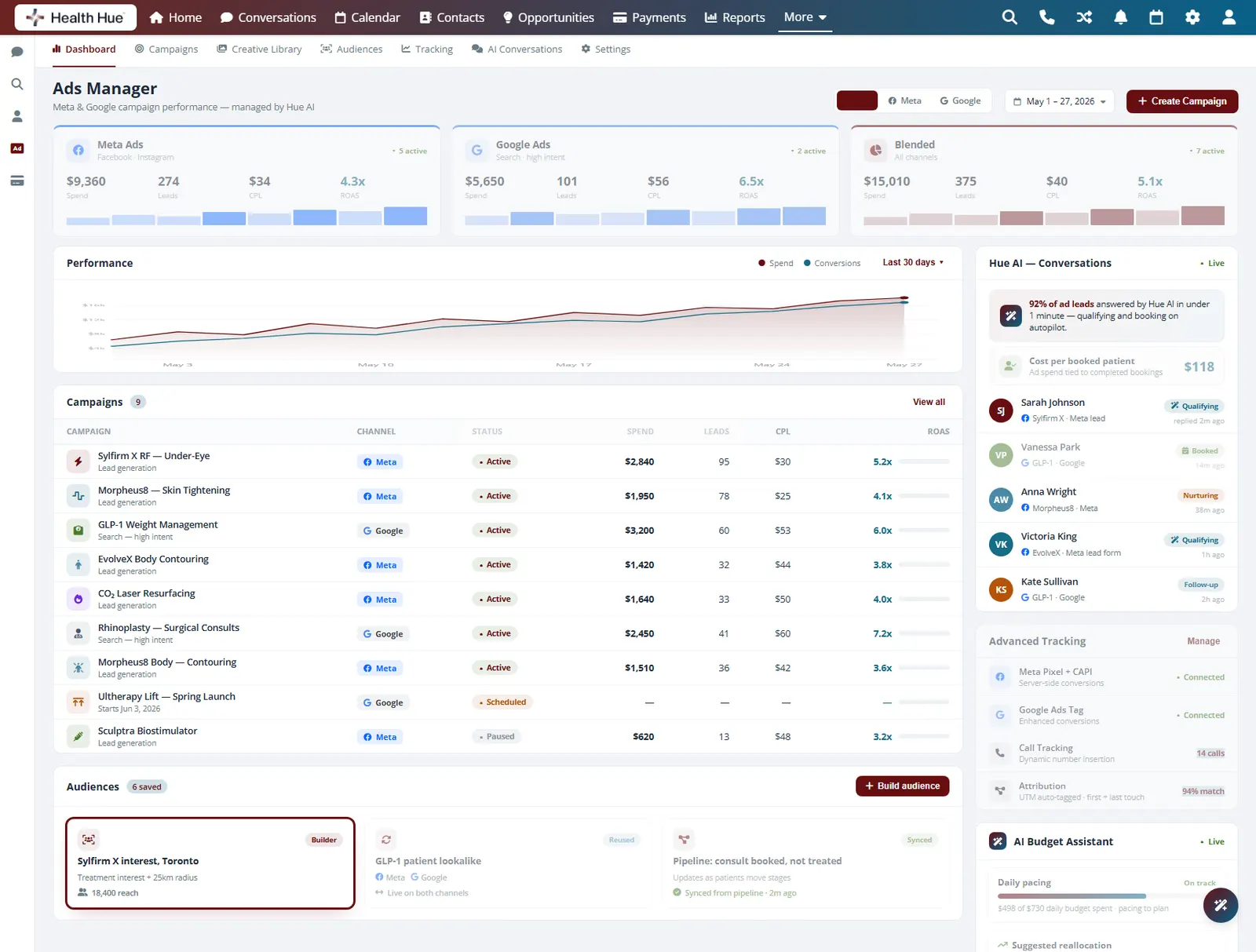
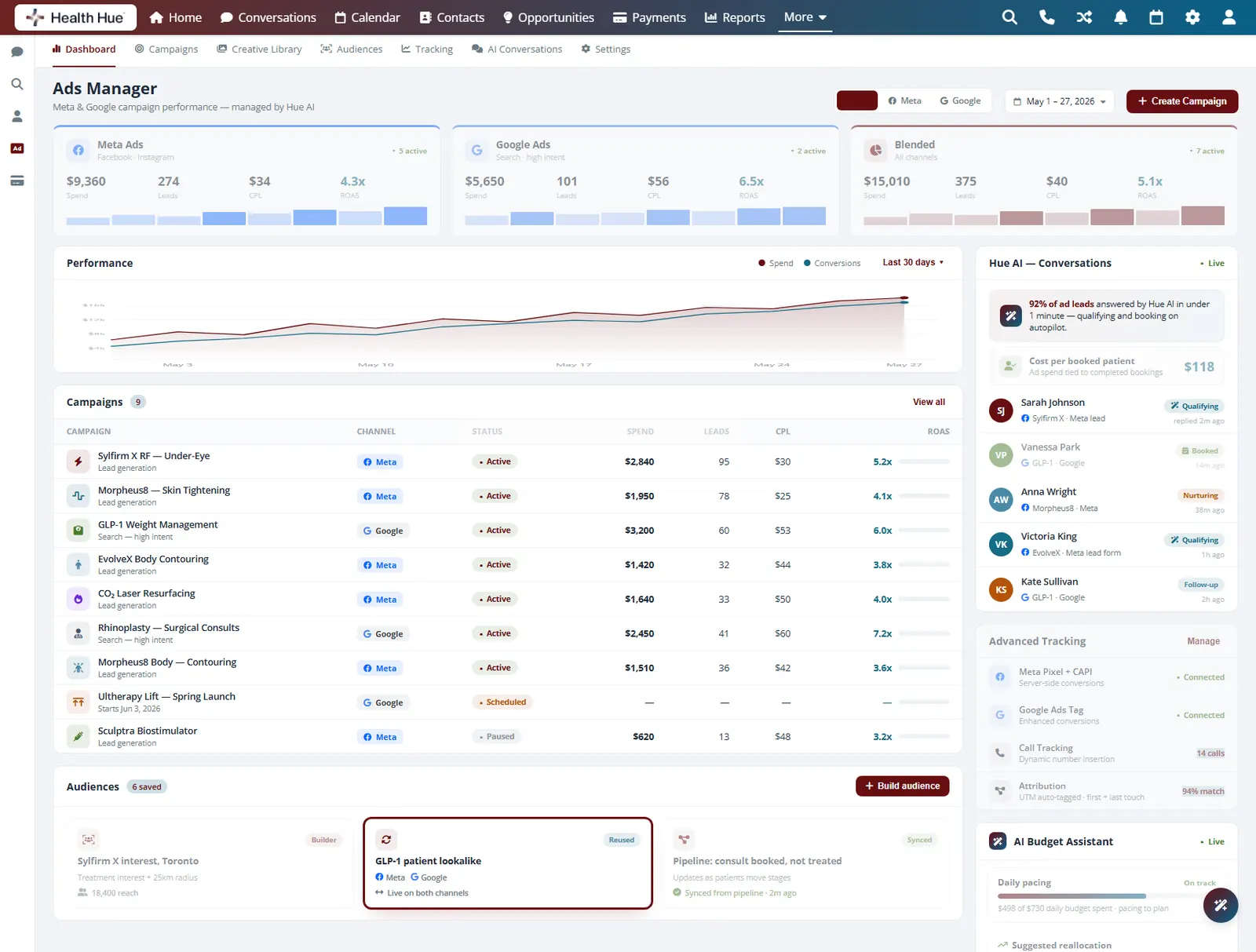
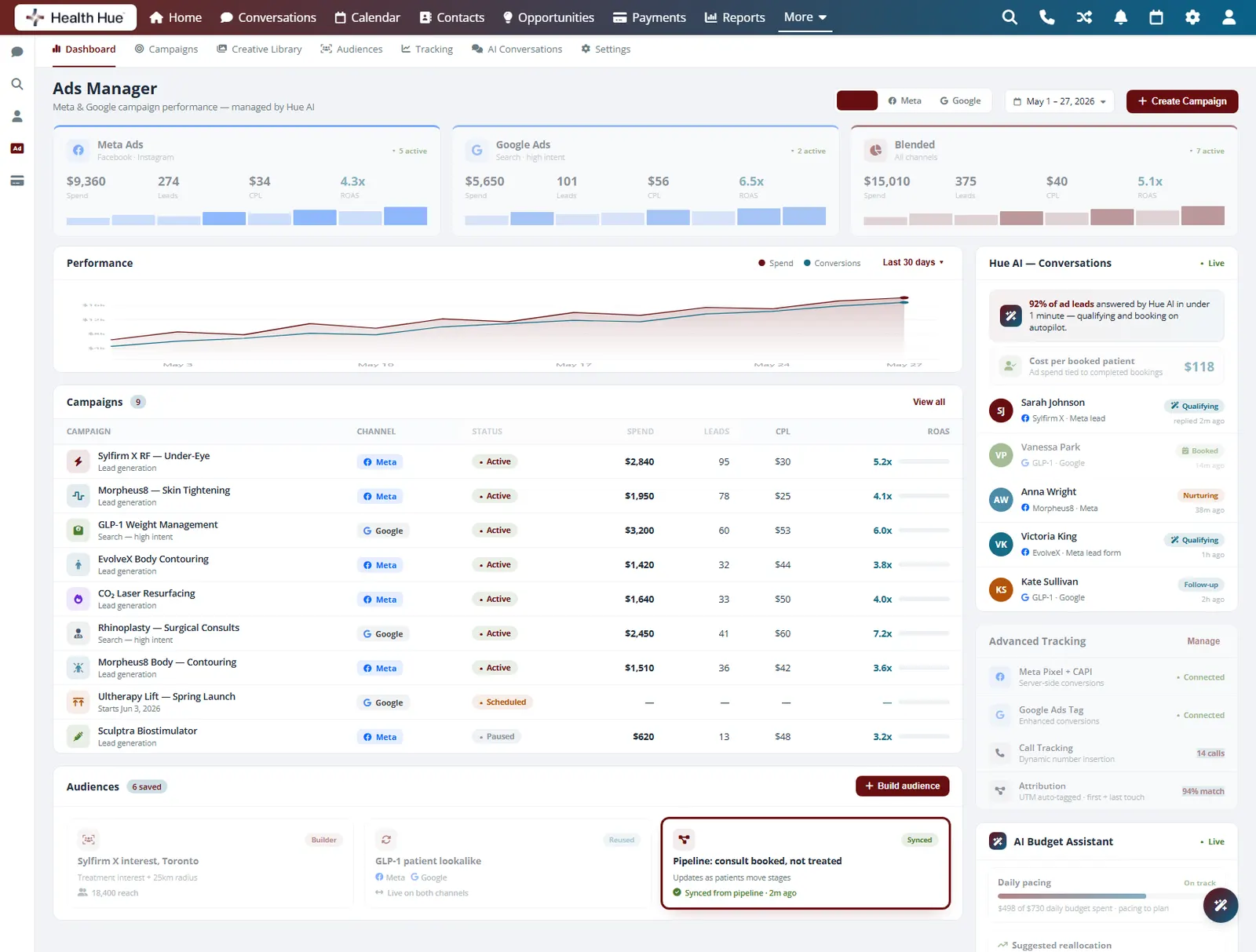
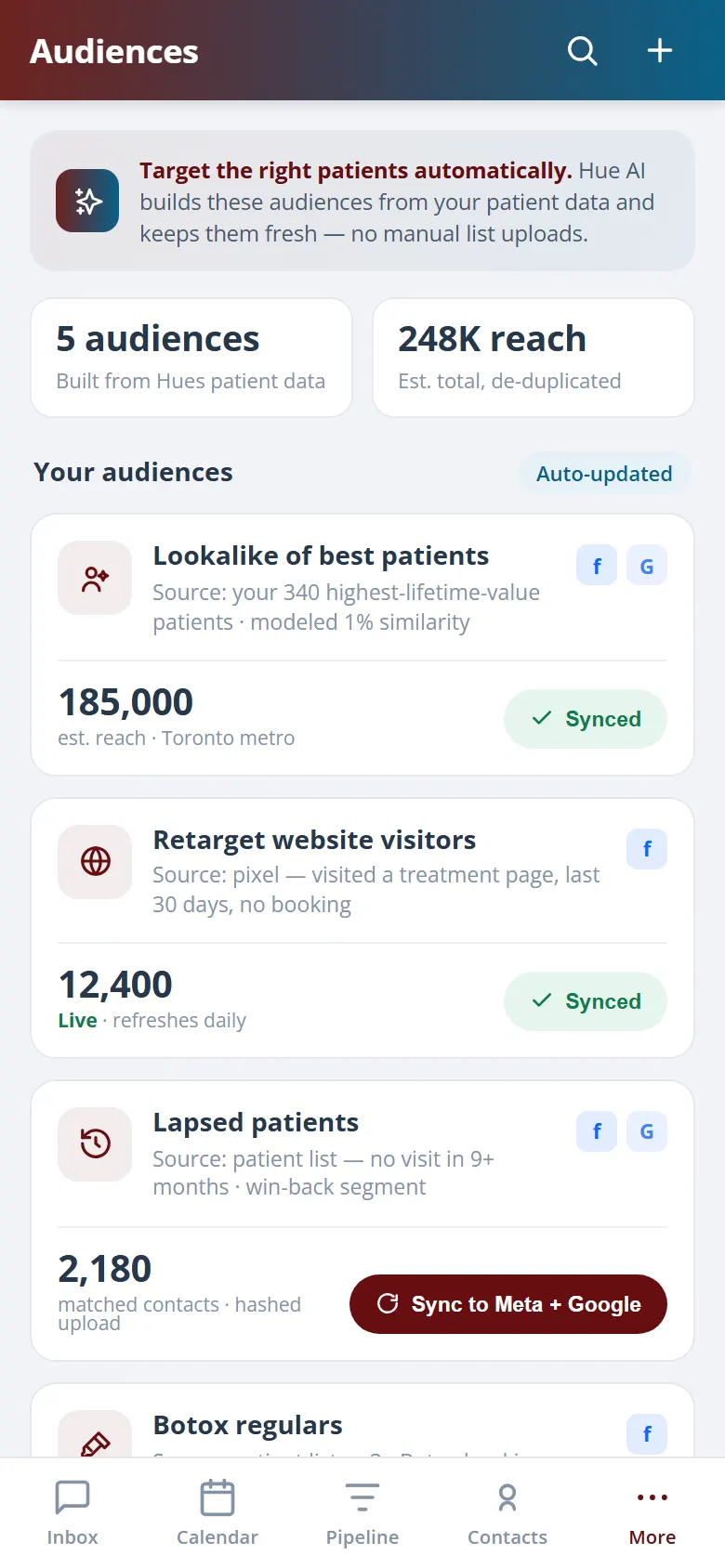
Build audiences once, by treatment interest, location, or your own patient list, and reuse them across Meta and Google. Audiences synced from the Hub stay current as patients move through your pipeline, so campaigns keep reaching the people most likely to book without rebuilding targeting every time.
Define audiences by treatment, location, or list.
Apply the same audience across both channels.
Audiences update as patients move through the pipeline.
05 · Attribution to Booked Patients
Track every dollar to a booked patient.
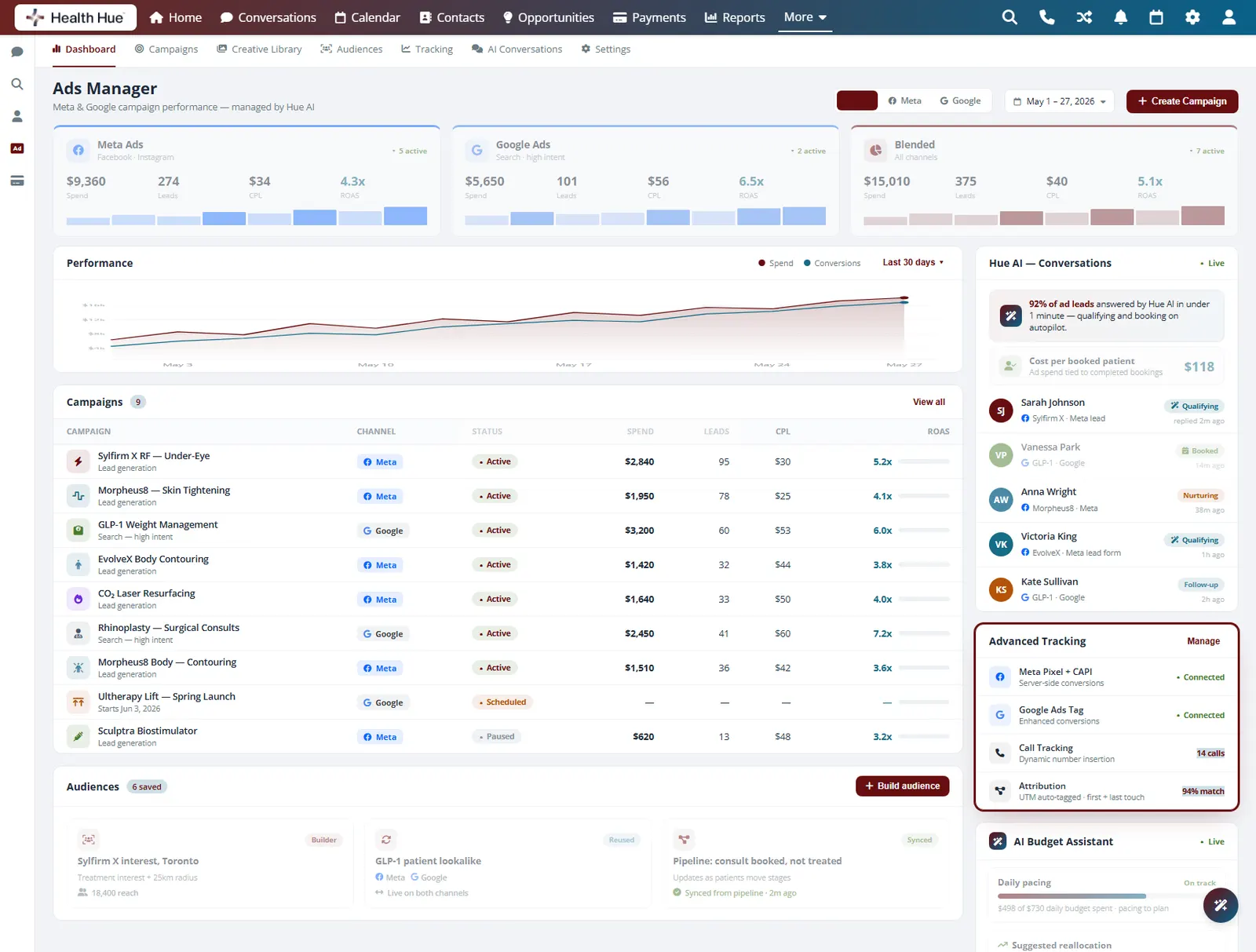
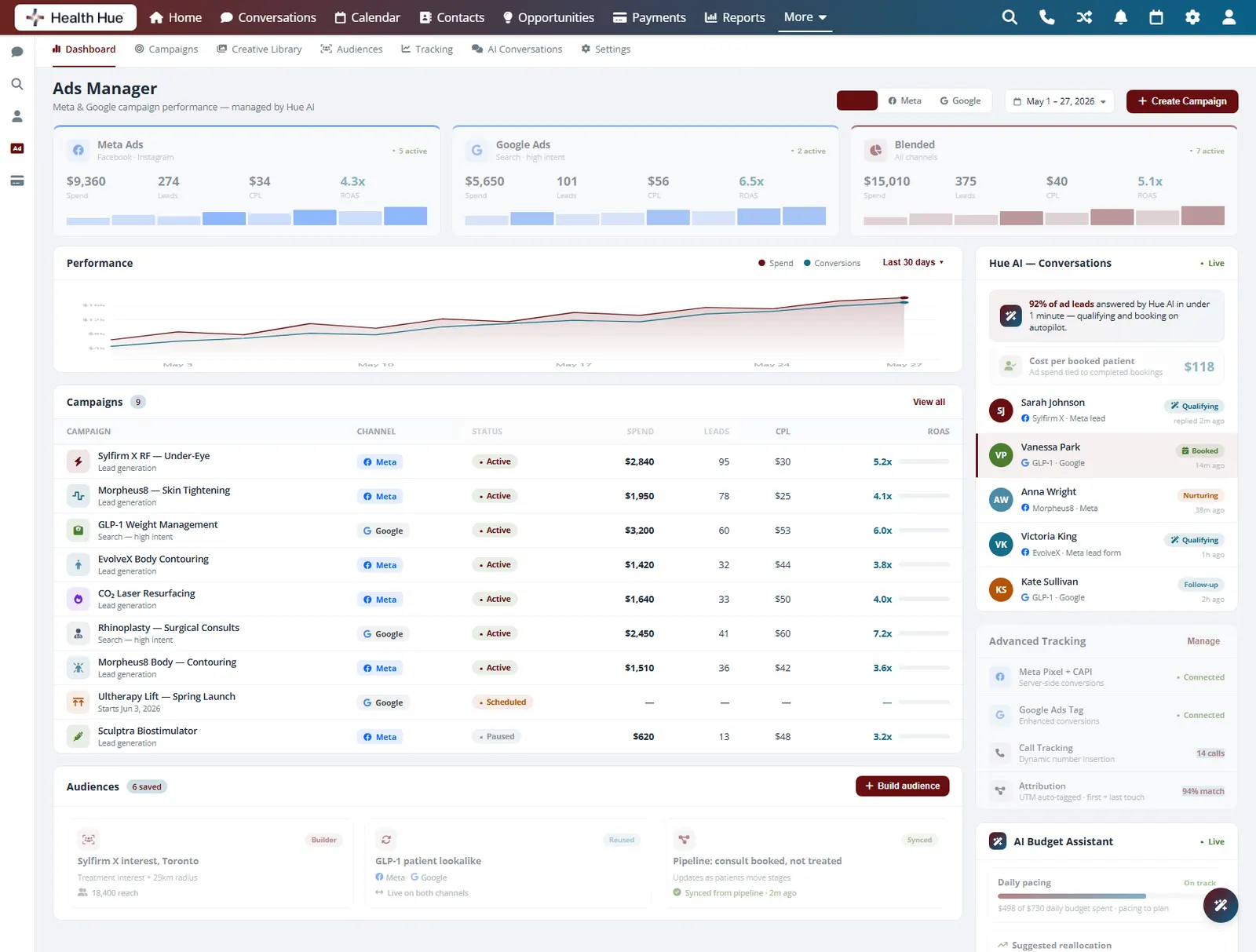
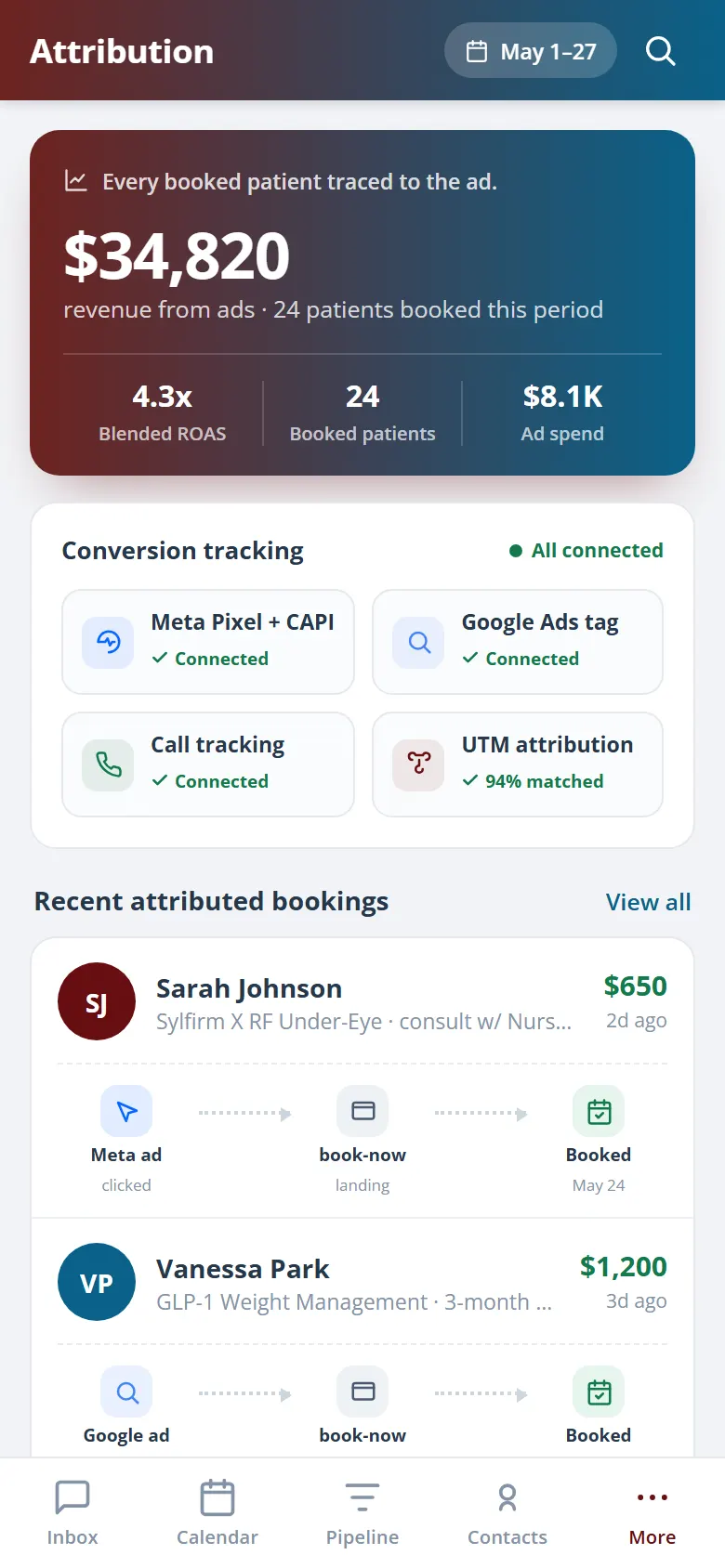
Because ads, the calendar, and the patient record live in the same Hub, a lead from an ad can be followed all the way to a booked and completed appointment. The dashboard ties spend to real bookings, so you can see what each campaign costs per booked patient, not just per click or per form fill.
Every ad click that becomes a lead is captured.
Leads are followed through to a booked appointment.
See spend per booked patient, not just per click.
06 · AI Budget Optimization
Budget that paces itself toward what works.
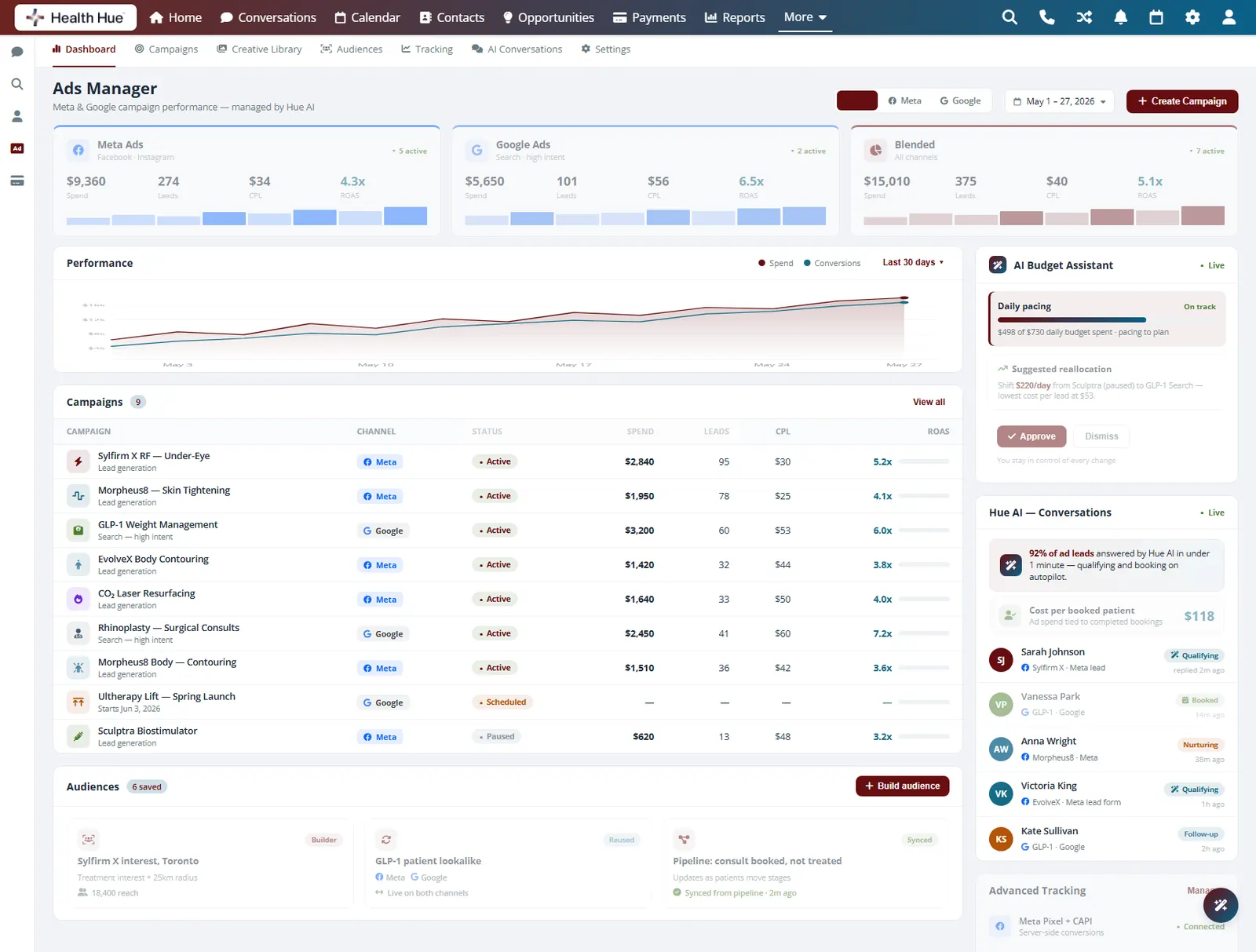
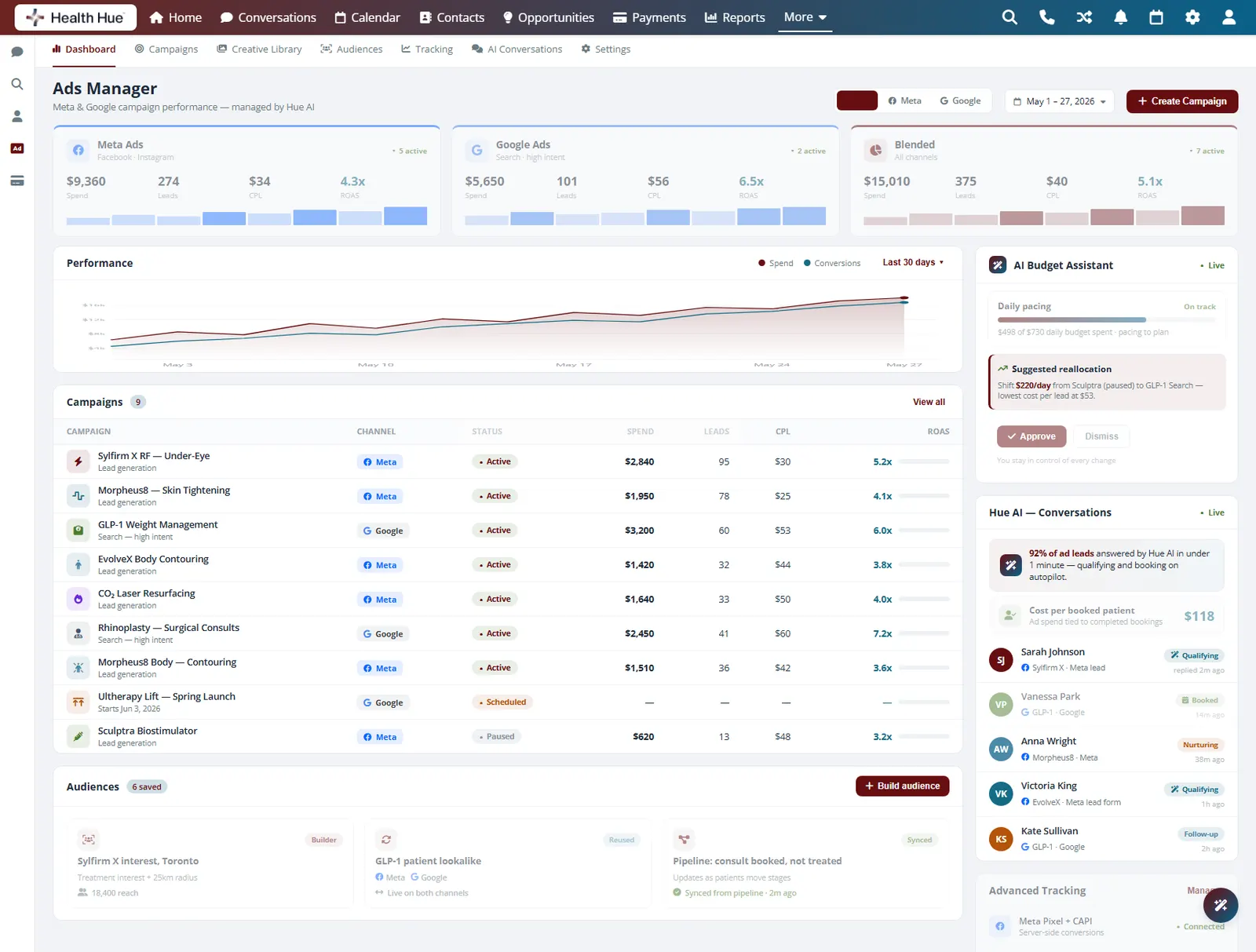
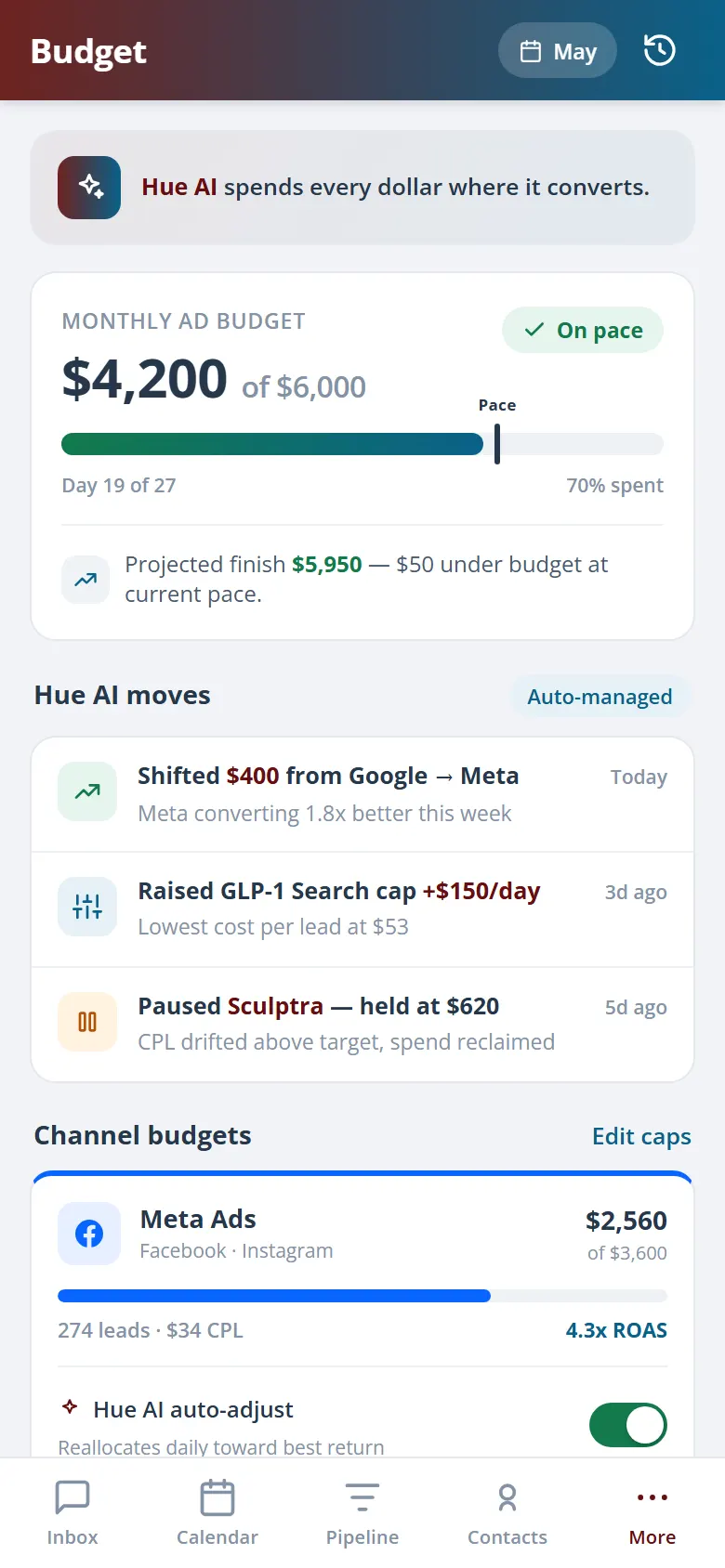
An AI assistant watches pacing across your campaigns and helps move budget toward the ones returning the lowest cost per lead, with the changes surfaced for you to approve. It optimizes budget automatically inside the limits you set, so spend follows results instead of sitting on a campaign that has stopped delivering.
AI tracks daily pacing against your set budget.
Budget leans toward the lowest cost-per-lead campaigns.
Suggested changes surface for your sign-off, within your limits.
Secure, compliant, and clinic-ready
Every feature lives in a platform built for clinics from the ground up, with charting, consent, and payments native to the patient record.
PHIPA & HIPAA-aware
Patient data is encrypted and handled to Canadian health-privacy standards.
Consent & audit
Consents, signatures, and changes log to the record automatically.
Role-based access
Granular permissions keep charts and contact details on a need-to-know basis.
One source of truth
Scheduling, payments, messages, and records in one place. Nothing siloed.
Explore more of the Hub
Paid Ads is one part of the Health Hue Hub, your AI-powered clinic operating system.
Conversations
One inbox for SMS, calls, web chat, and DMs.
Patient Records
Every patient in one complete profile.
Calendar & Scheduling
AI booking, reminders, and provider sync.
Payments & POS
Text-to-pay, deposits, and fast checkout.
Memberships
Recurring revenue, packages, and perks.
Automated Flows
Triggers and multi-channel follow-up.
FAQ