Health Hue Hub · Calendar & Scheduling
Run a full clinic day without the front-desk chaos.
Week and day views, online booking, automated reminders, and an auto-filling waitlist, all in one calendar your whole team works from. Every booking, buffer, and room block lives in one place, so the schedule reflects reality instead of three apps and a paper book.
01 · Week & Day Views
See the whole week, then any single day.
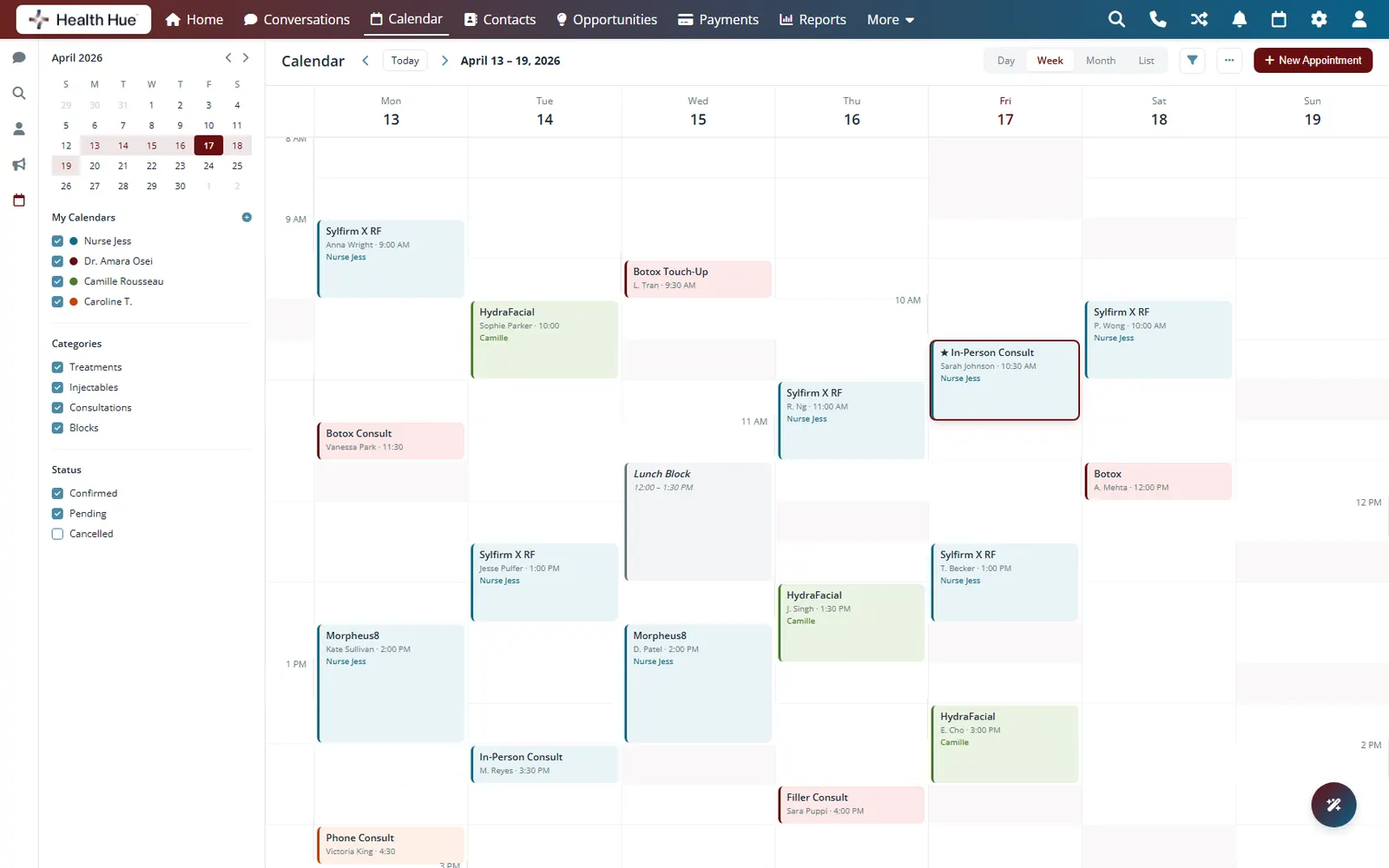
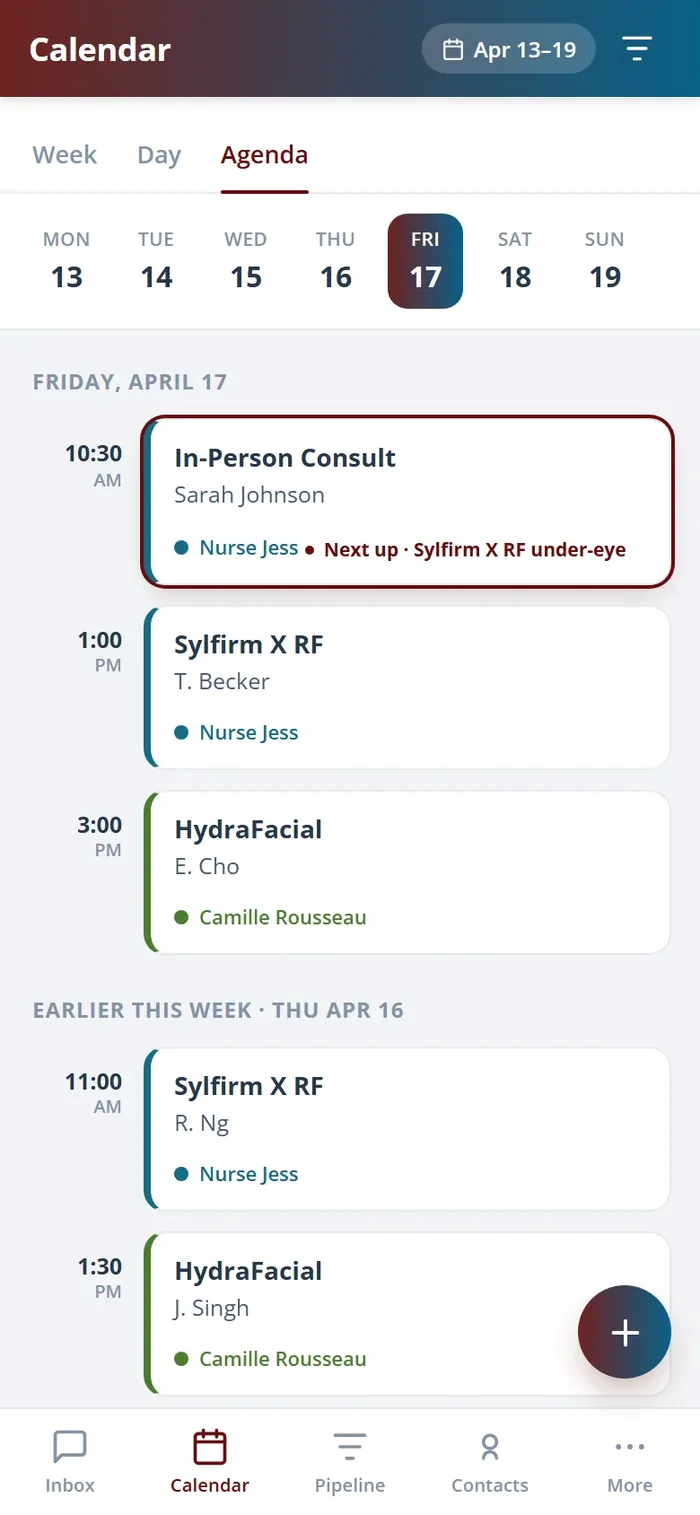
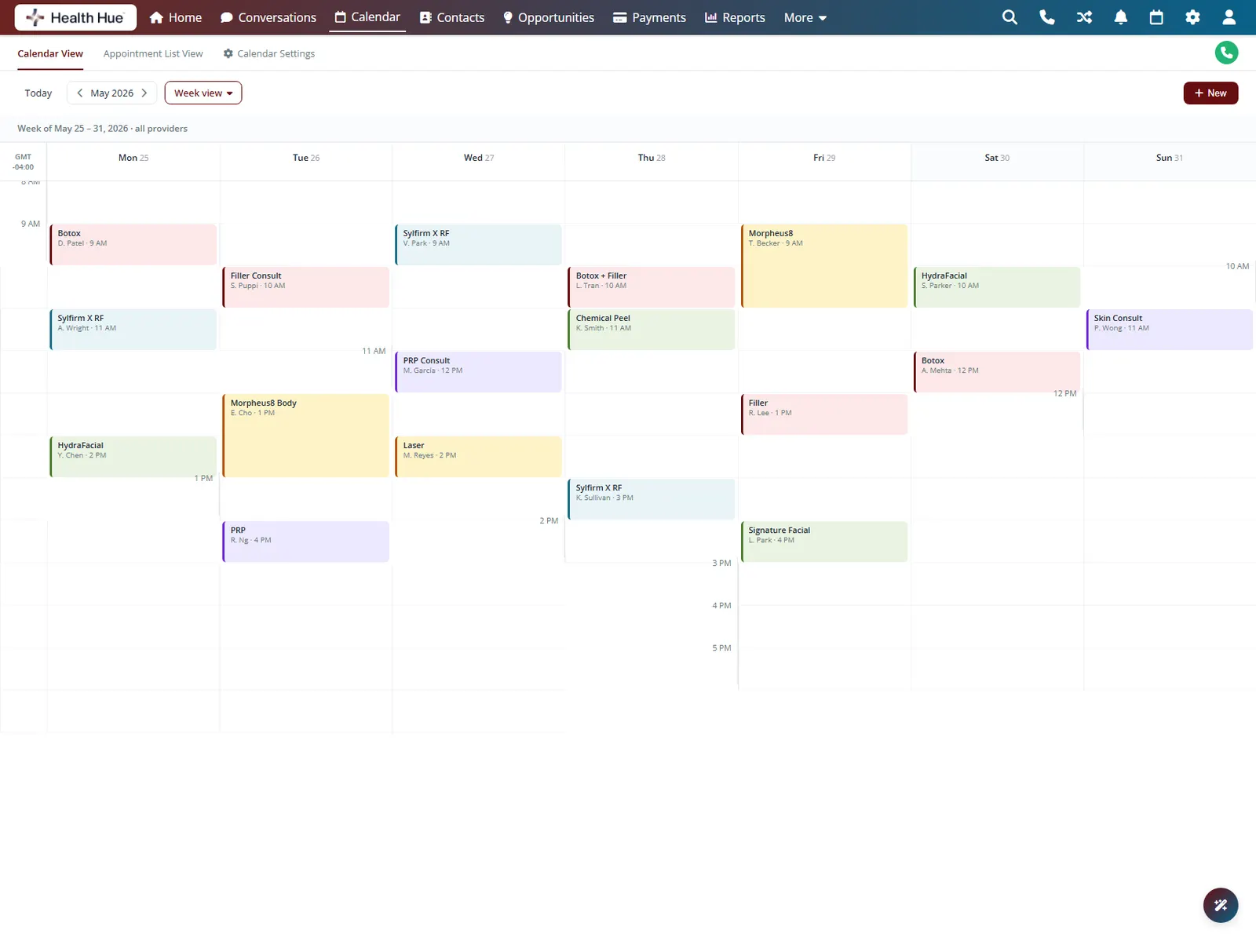
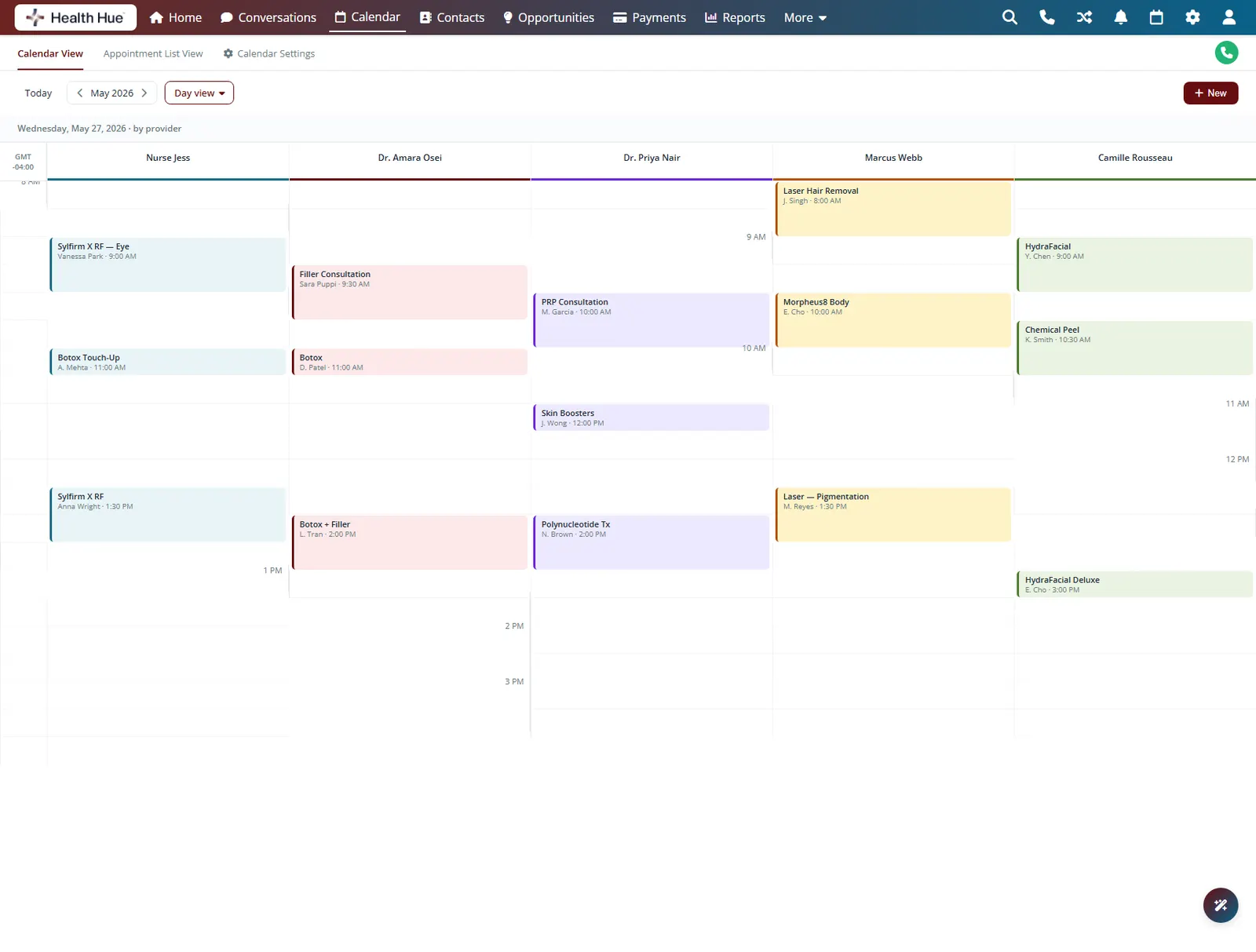
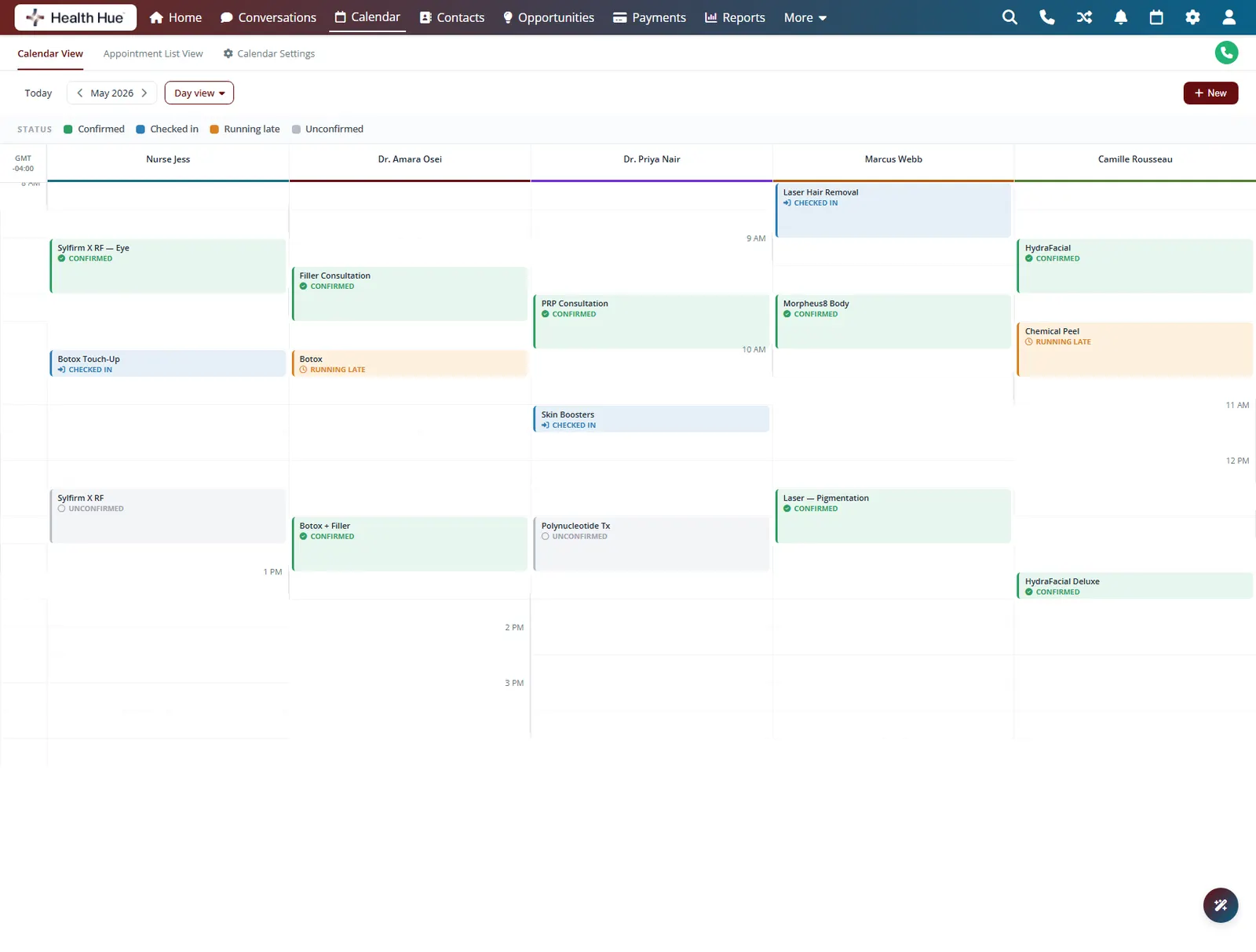
Open the week view for the full picture across every provider, then drop into a single day to manage it minute by minute. Colour-coded appointments and status icons tell you who is confirmed, checked in, or running late at a glance, so the front desk always knows what is happening.
Every provider and room across the week in one grid.
Zoom into a single day to manage it slot by slot.
Status colours show confirmed, checked in, and running late.
02 · Online Booking Widget
Let patients book while you sleep.
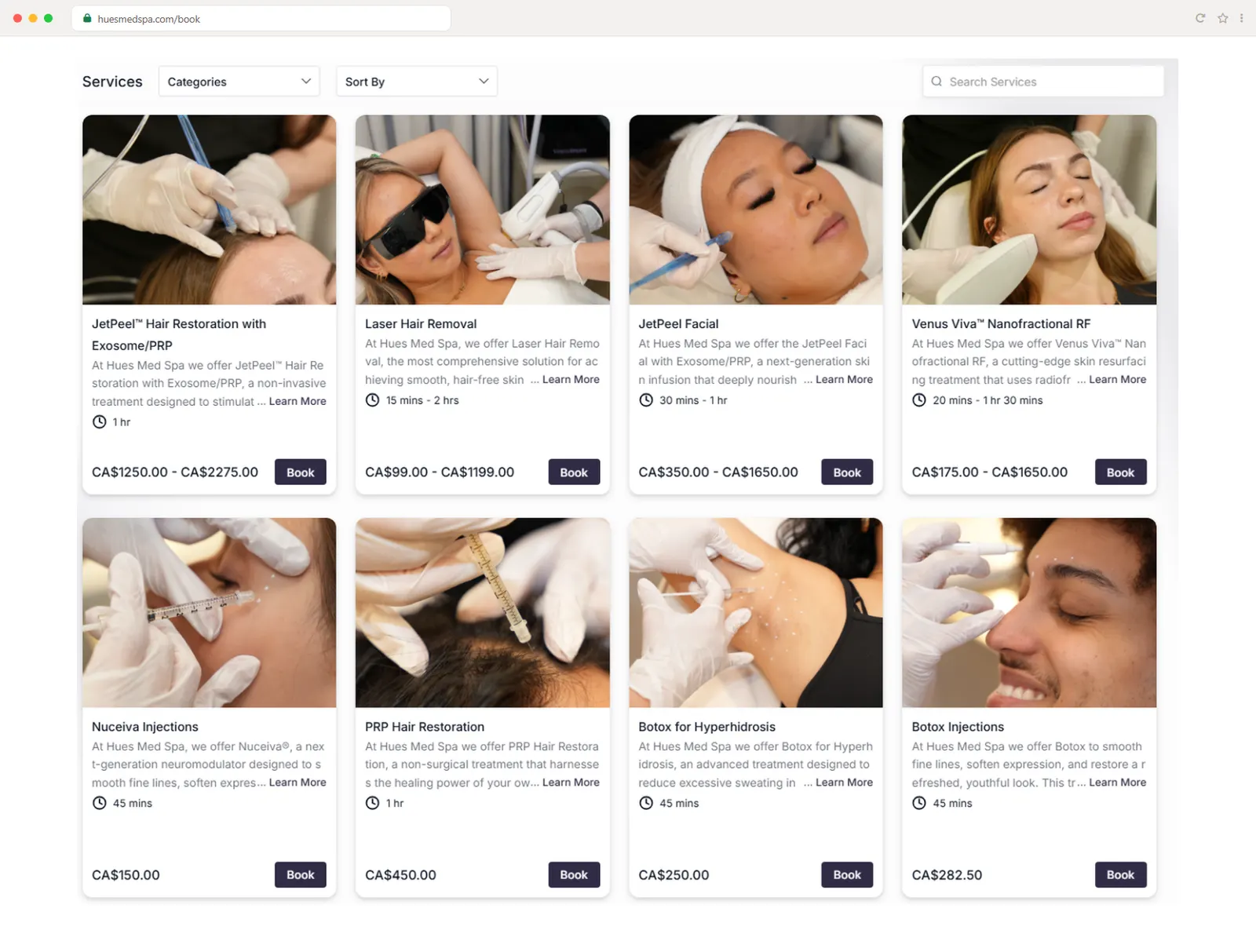
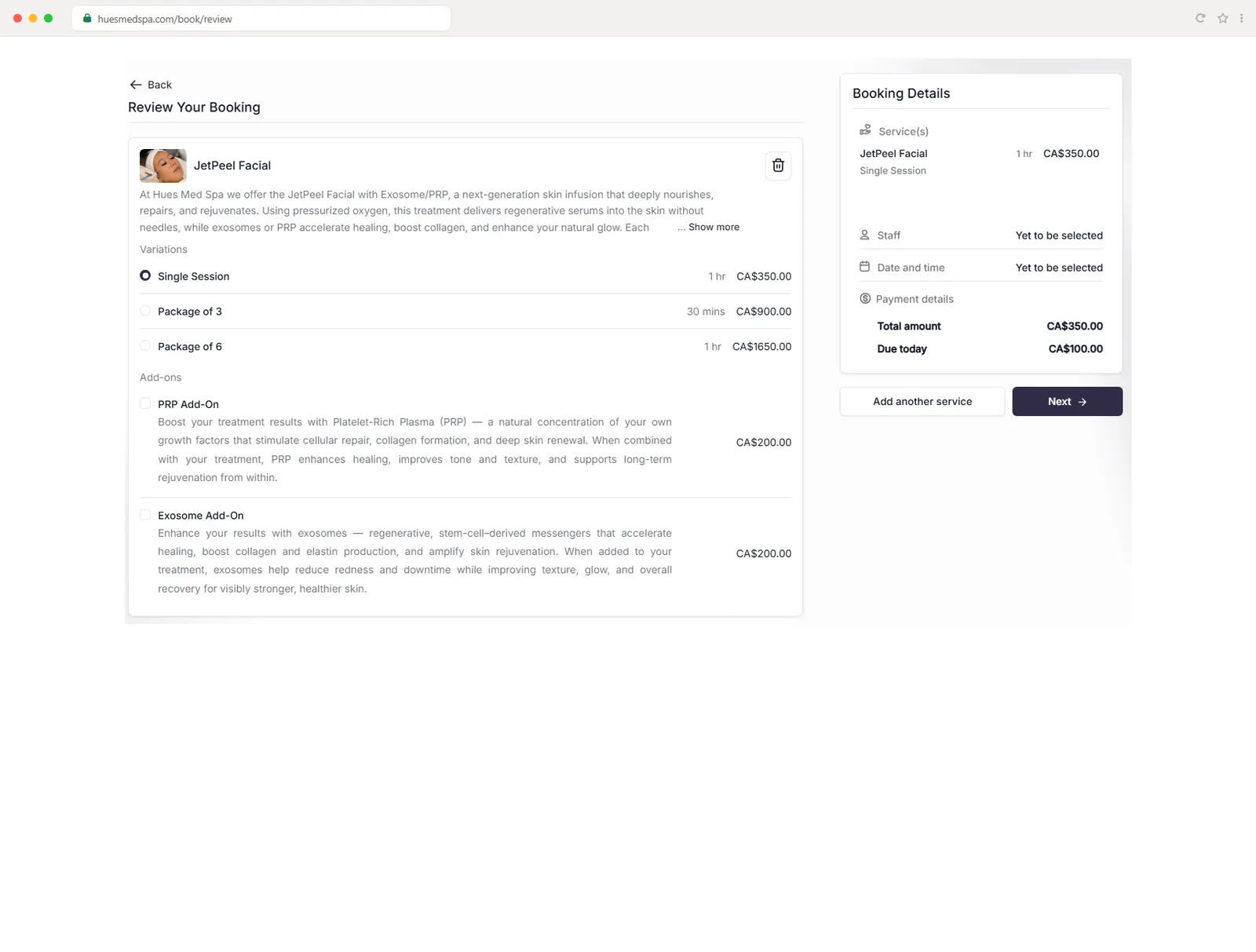
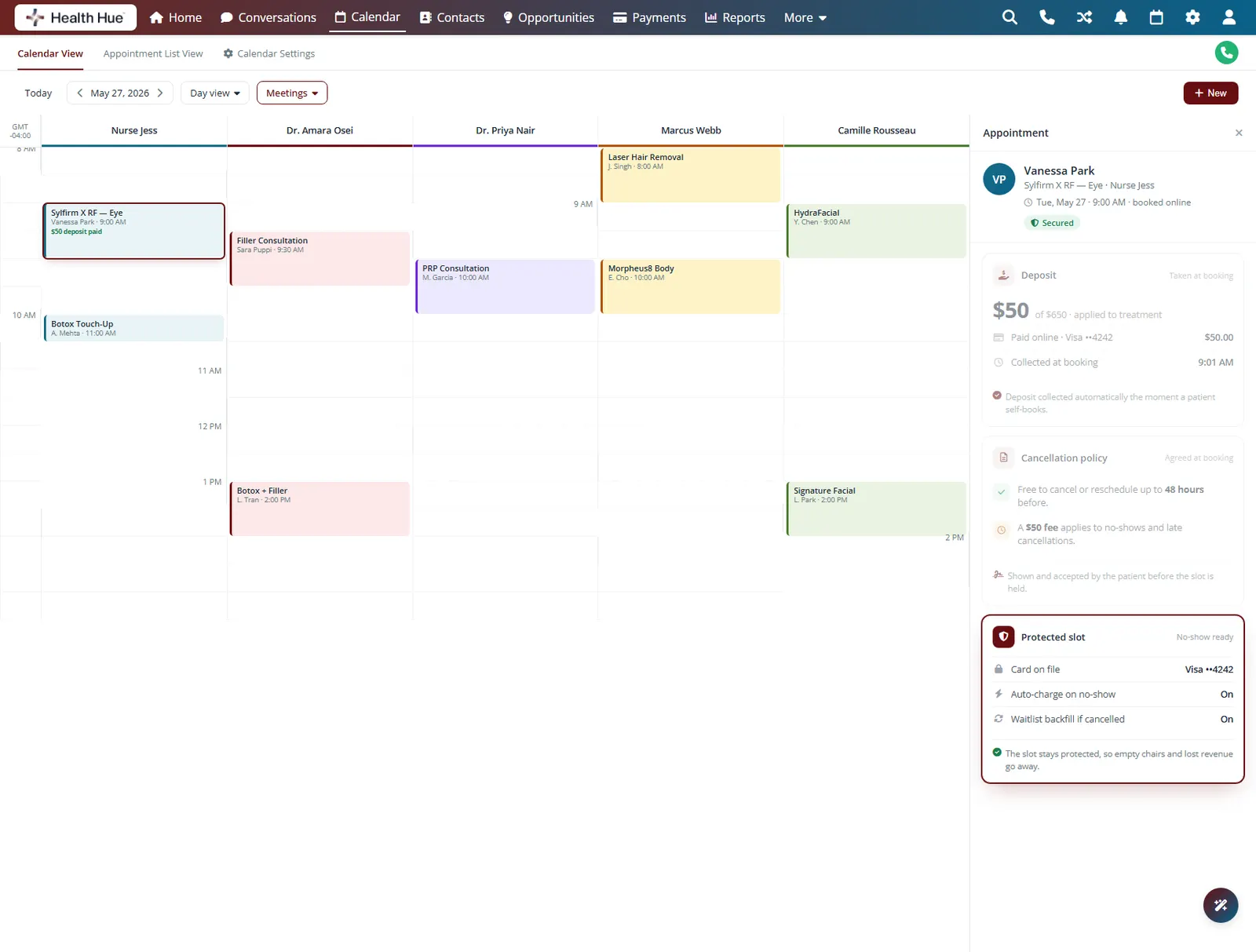
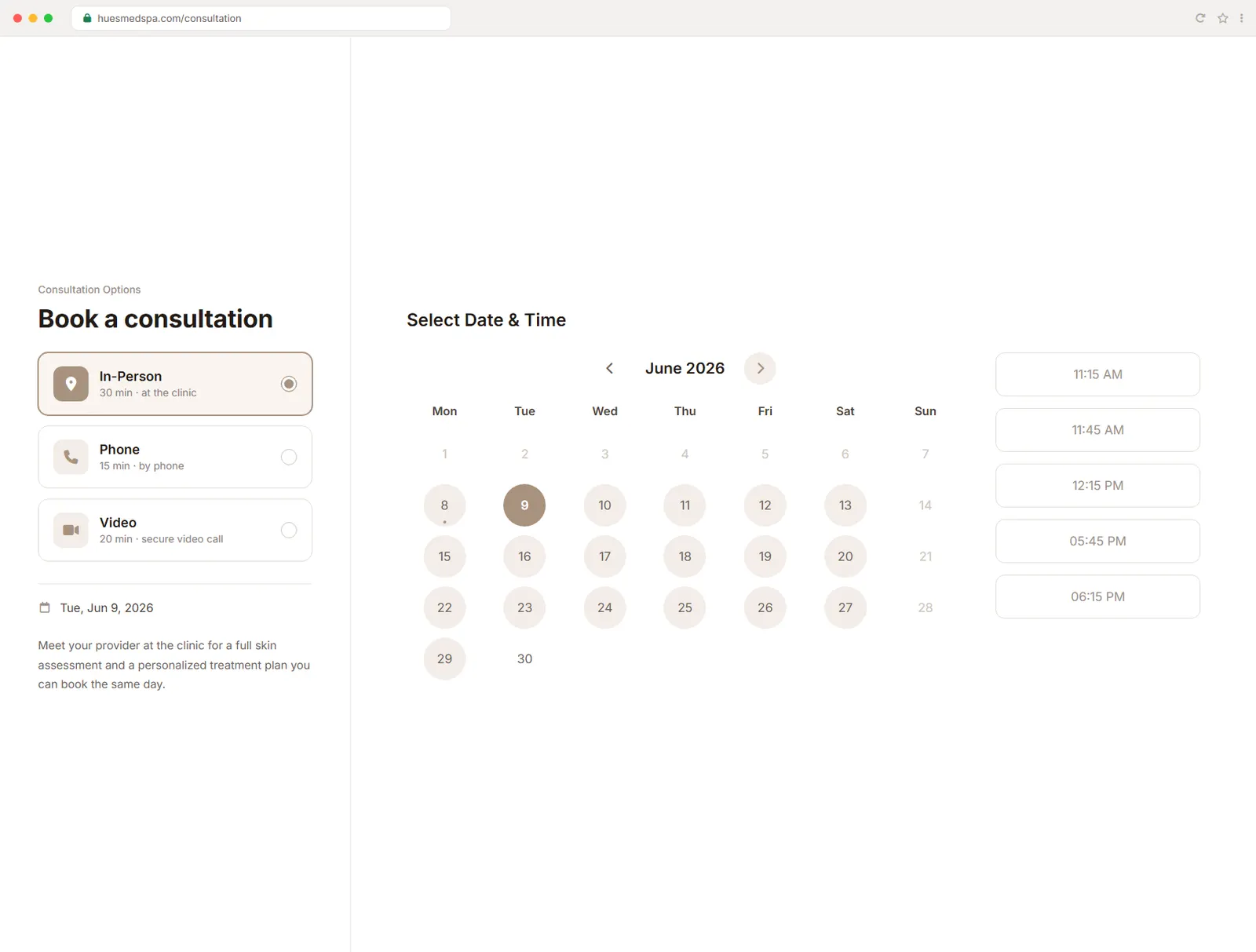
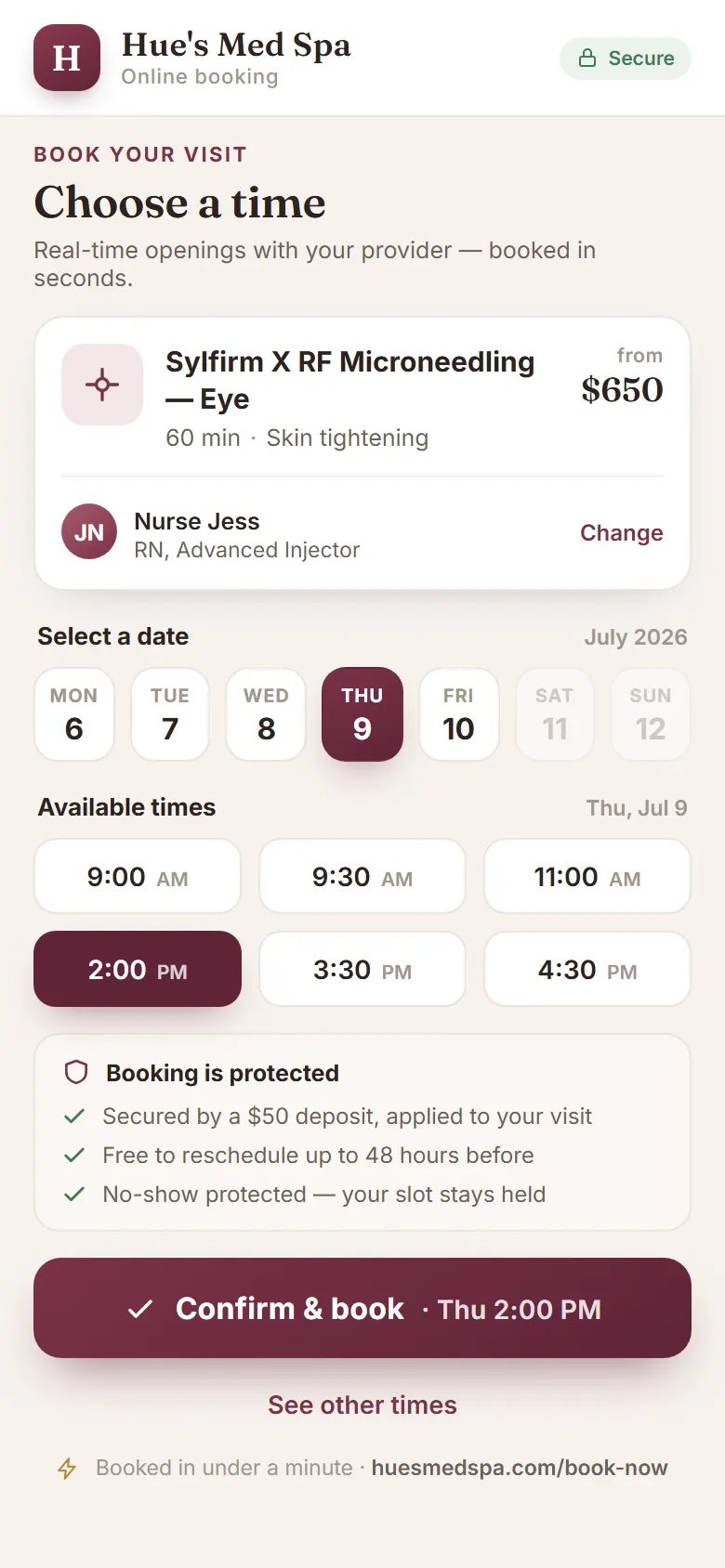
A branded booking widget lives on your own website, so patients browse real treatments with photos and pricing and book a treatment or a consultation on their own, day or night. Every self-booked appointment lands straight on the calendar with the patient record attached and protected against no-shows, and you can upsell packages and add-ons or take a deposit, right at checkout.
Patients browse treatments with photos and prices, then book on their own.
Upsell packages and add-ons at checkout, and take a deposit to hold the slot.
Hold a card on file with a clear cancellation policy, so booked slots stay booked.
Offer in-person, phone, or video consultations with live date and time selection.
03 · Reminders & Confirmations
Everything the patient needs, sent for you.
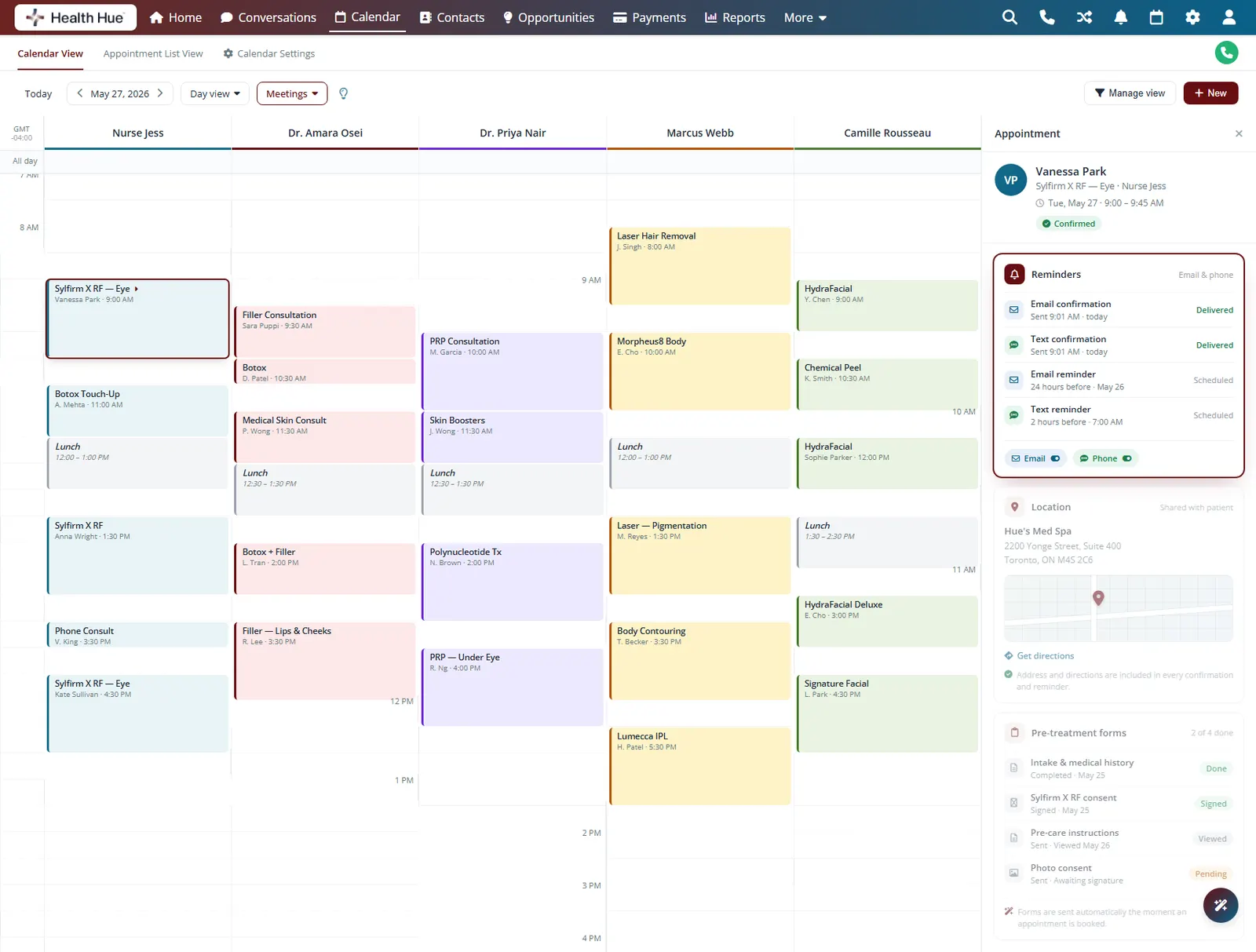
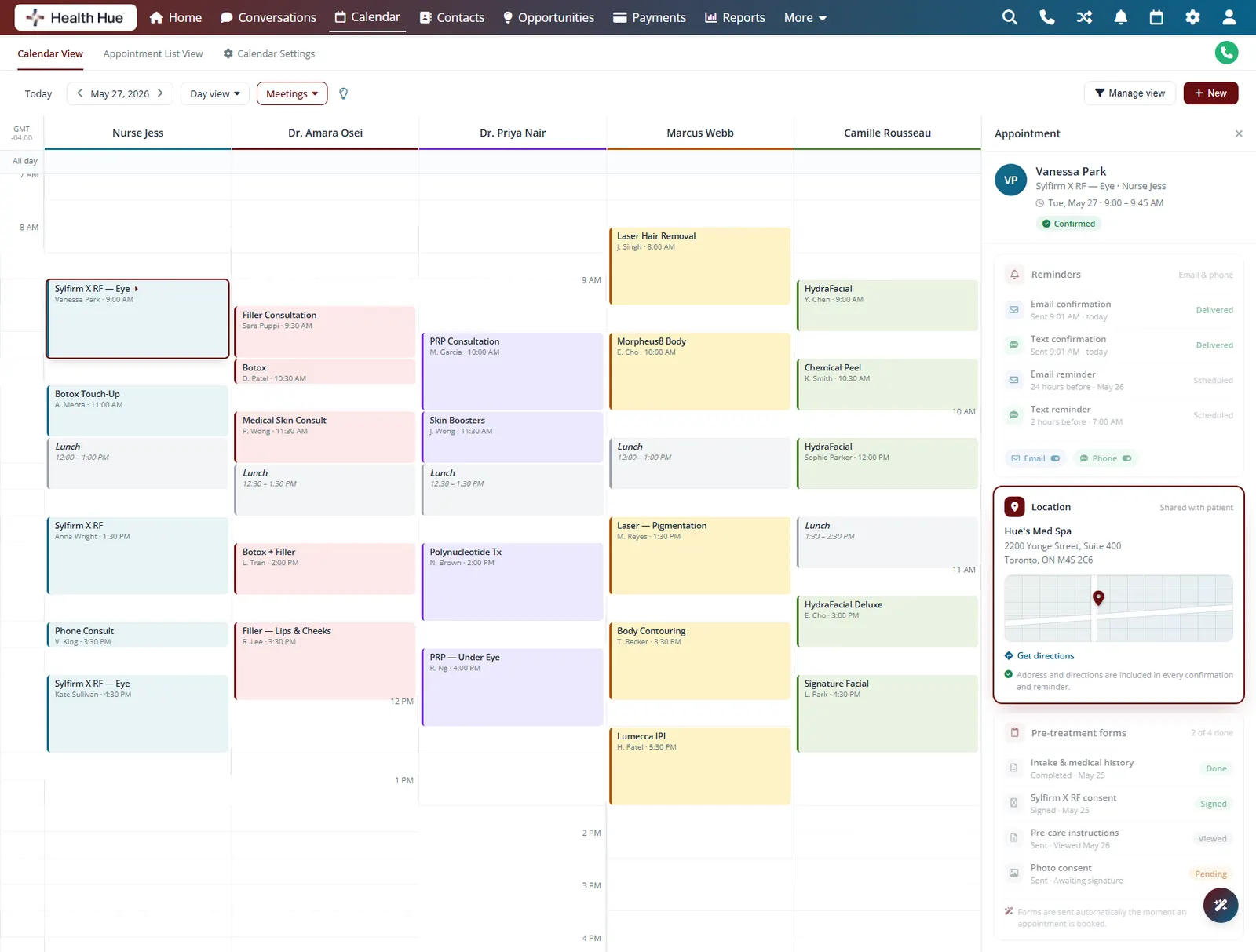
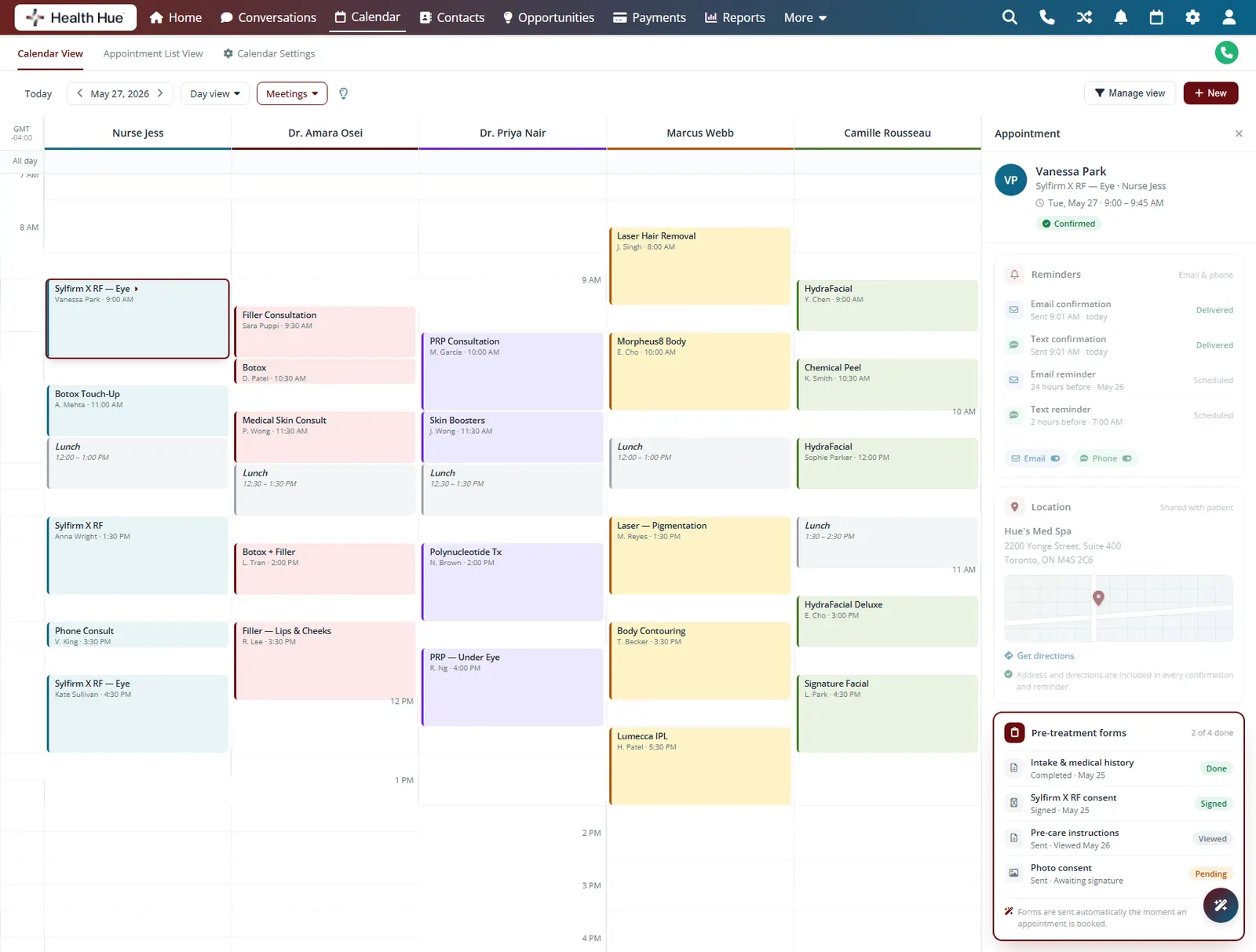
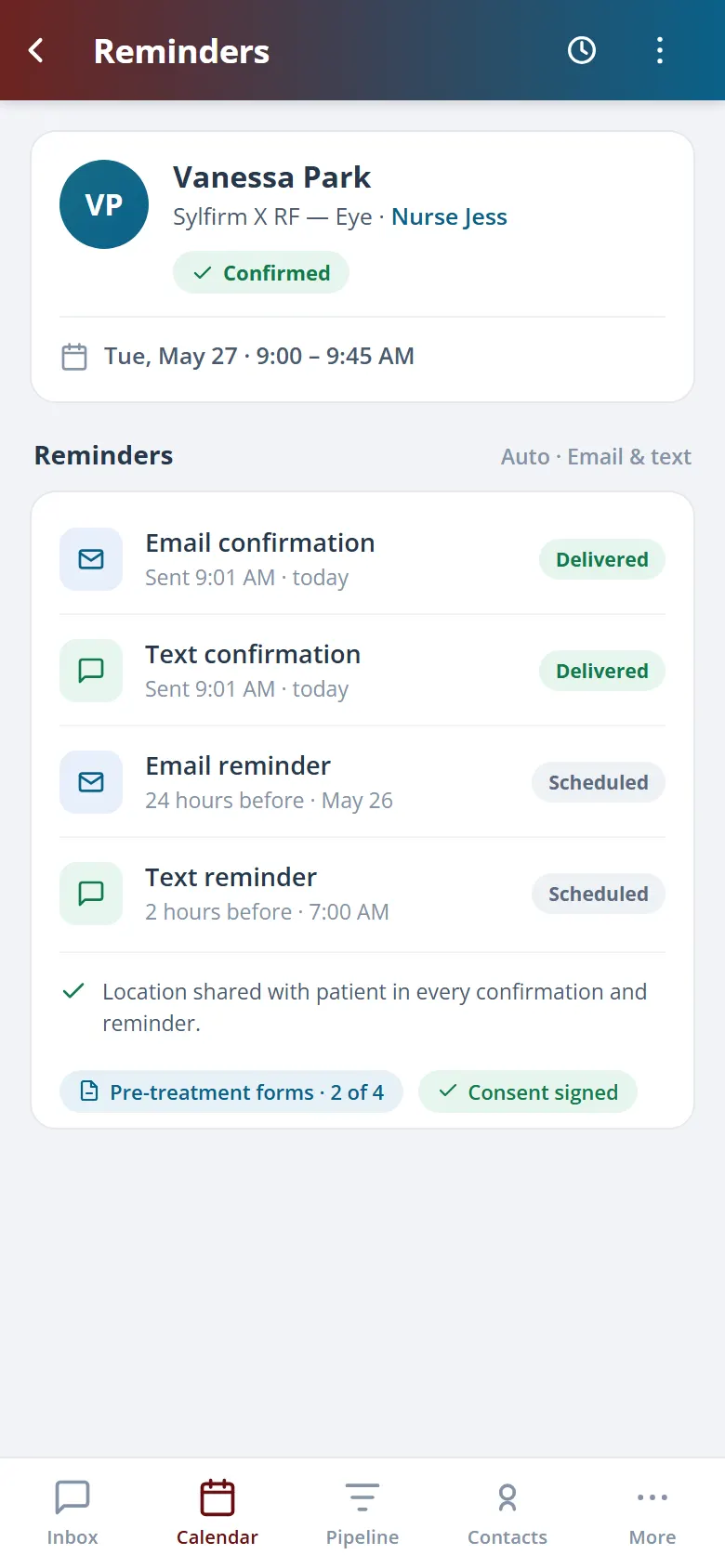
Every booking triggers a confirmation, then timed reminders by email and phone before the visit. Each message carries your clinic address and directions, and pre-treatment forms go out ahead of time, so patients arrive on time, in the right place, and ready for their appointment.
Confirmations and reminders go out by both email and phone.
Every message includes your clinic address and directions.
Intake and consent forms are sent ahead, so patients arrive ready.
04 · Intelligent Waitlist
Turn cancellations into filled chairs.
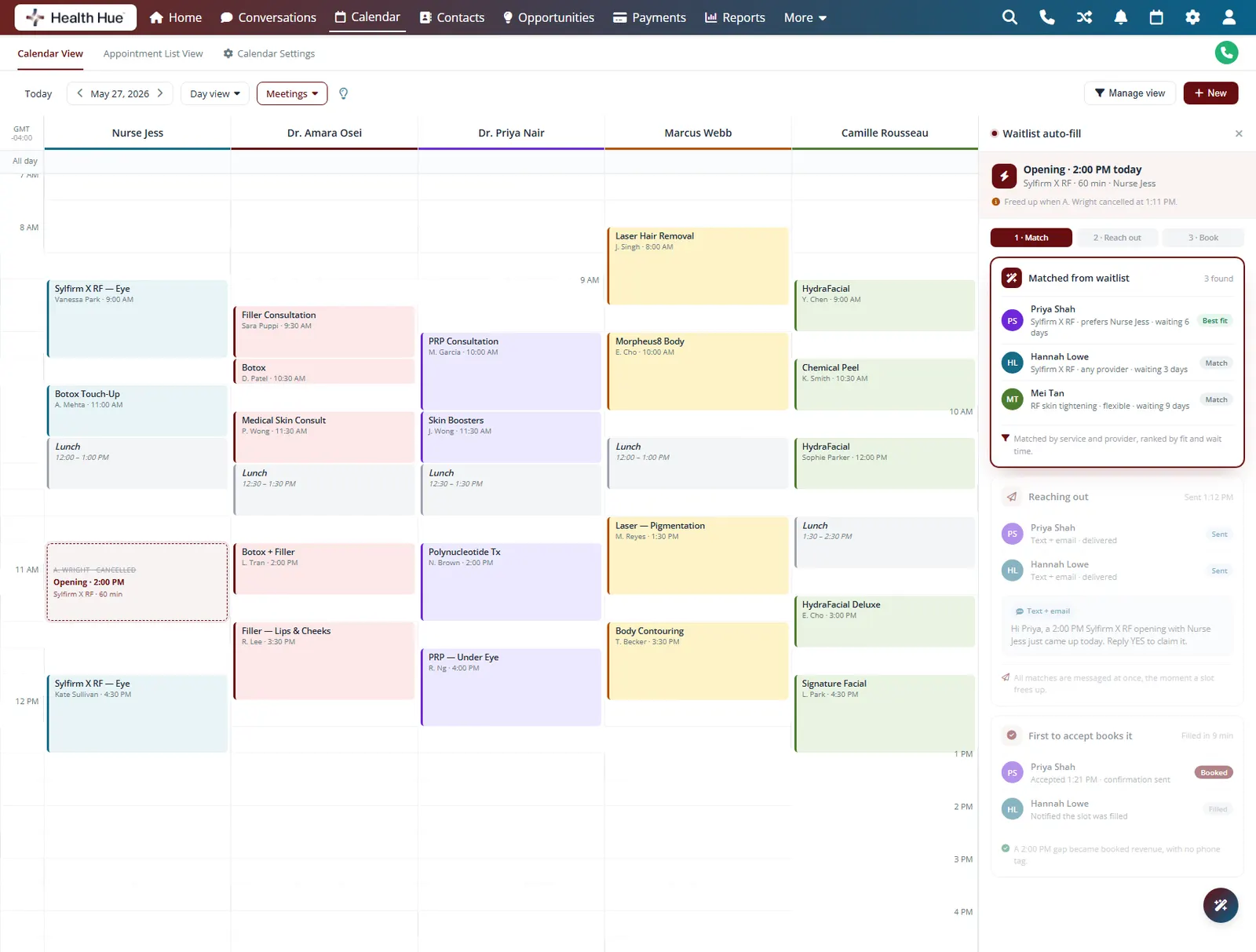
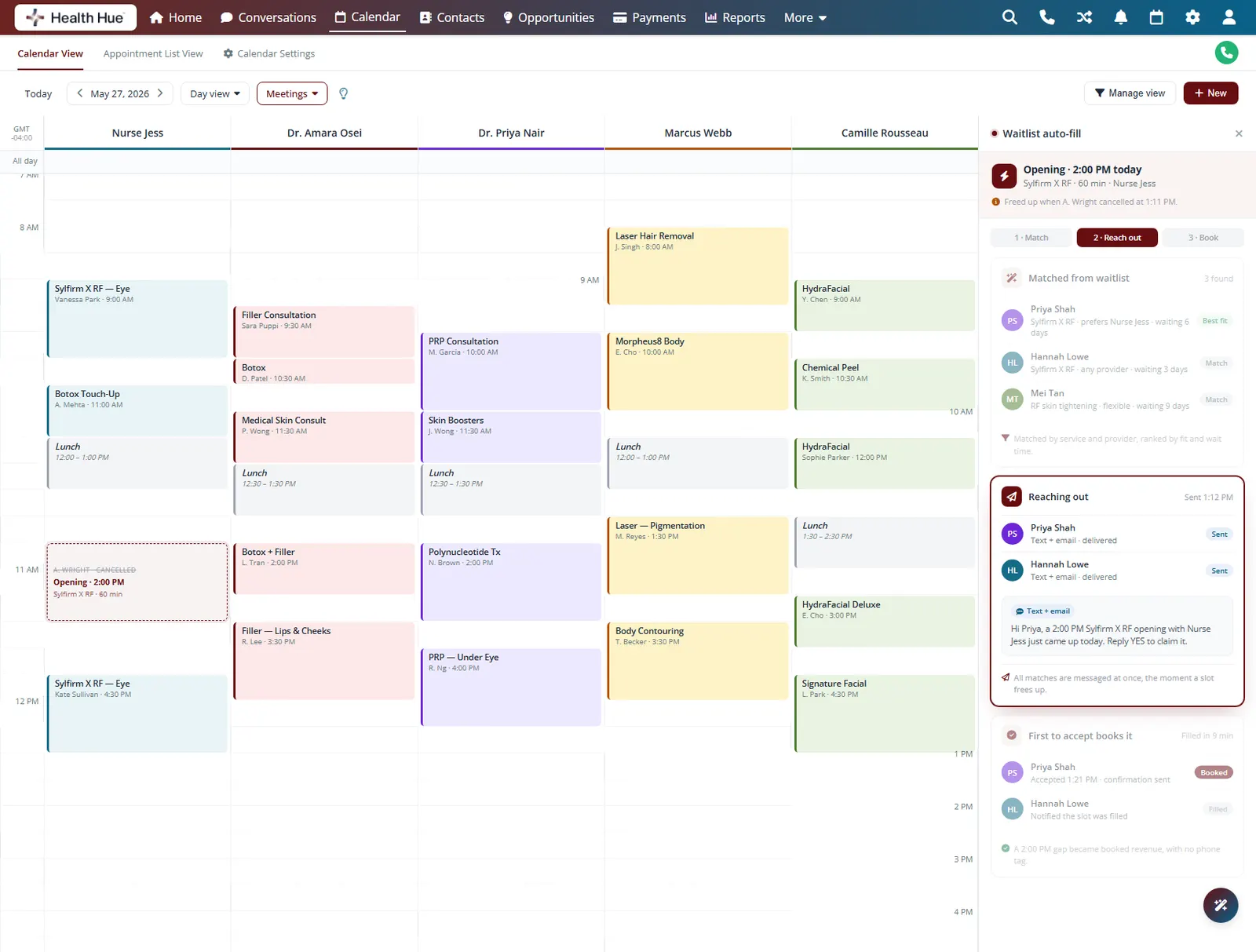
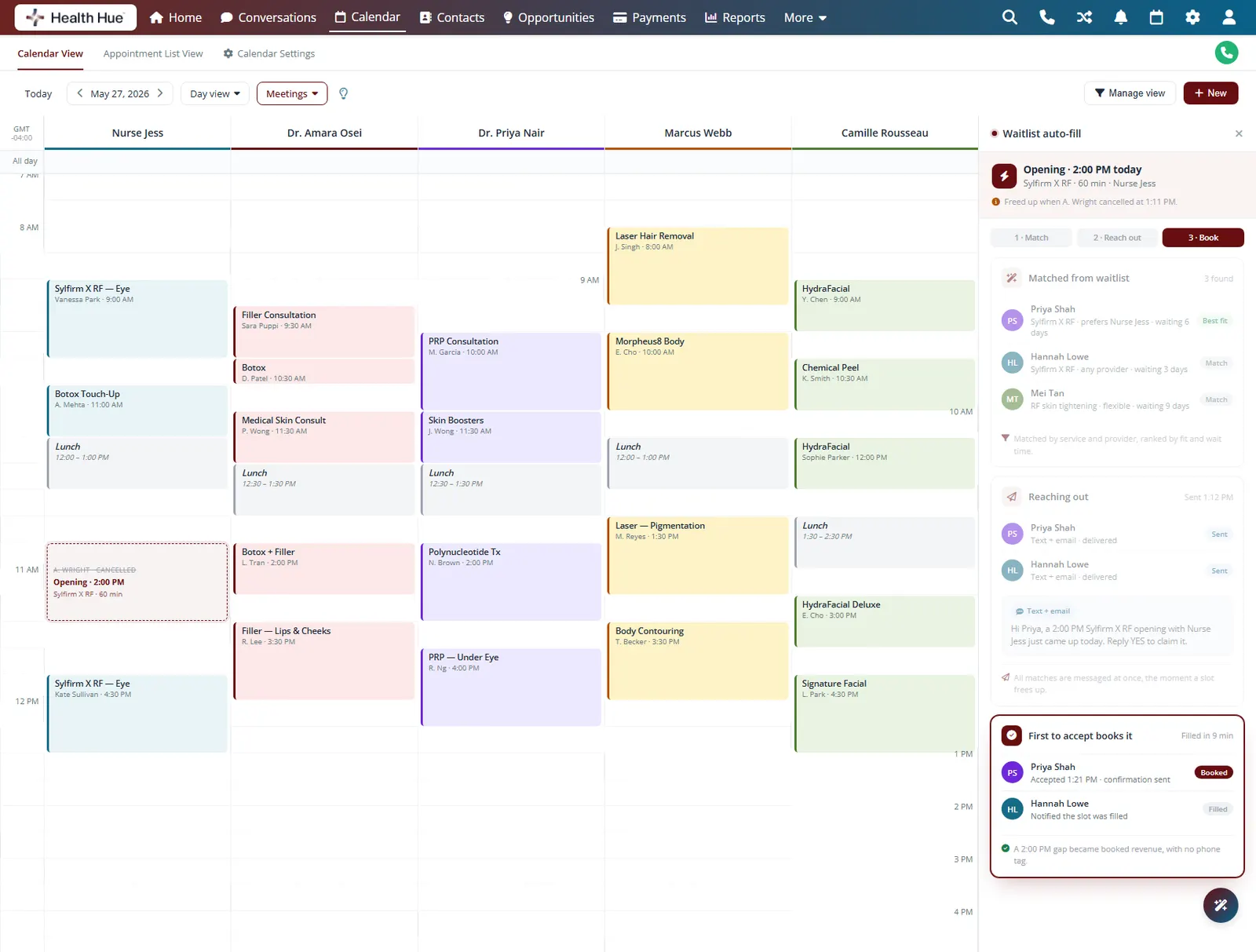
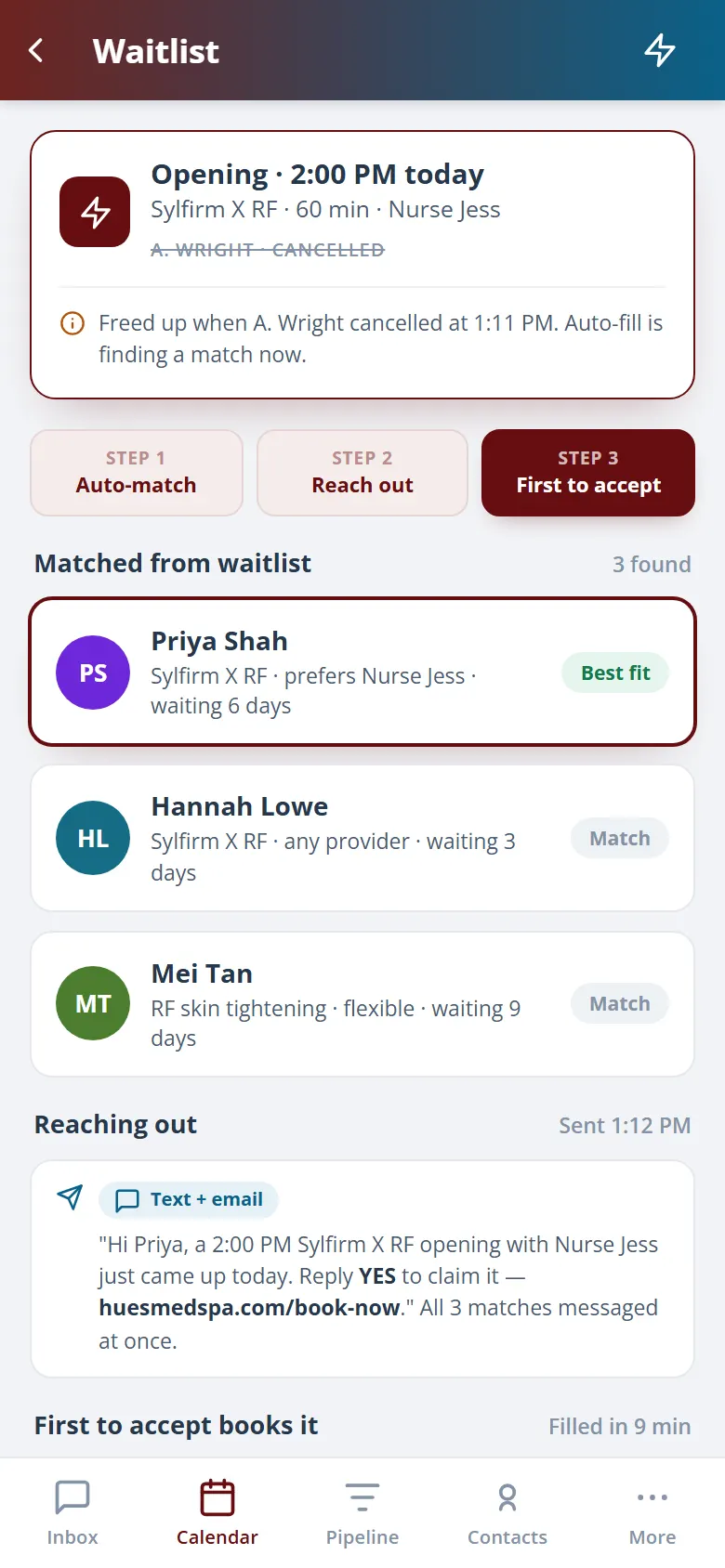
When a patient cancels, the Hub matches the opening to your waitlist by service and provider and reaches out automatically. The first to accept gets the slot, so a last-minute gap becomes booked revenue instead of an idle hour.
Openings matched to the waitlist by service and provider.
Waitlisted patients are messaged the moment a slot frees up.
The first reply books the slot, no manual phone tag.
05 · AI Booking Assistant
An assistant that books while the team treats.
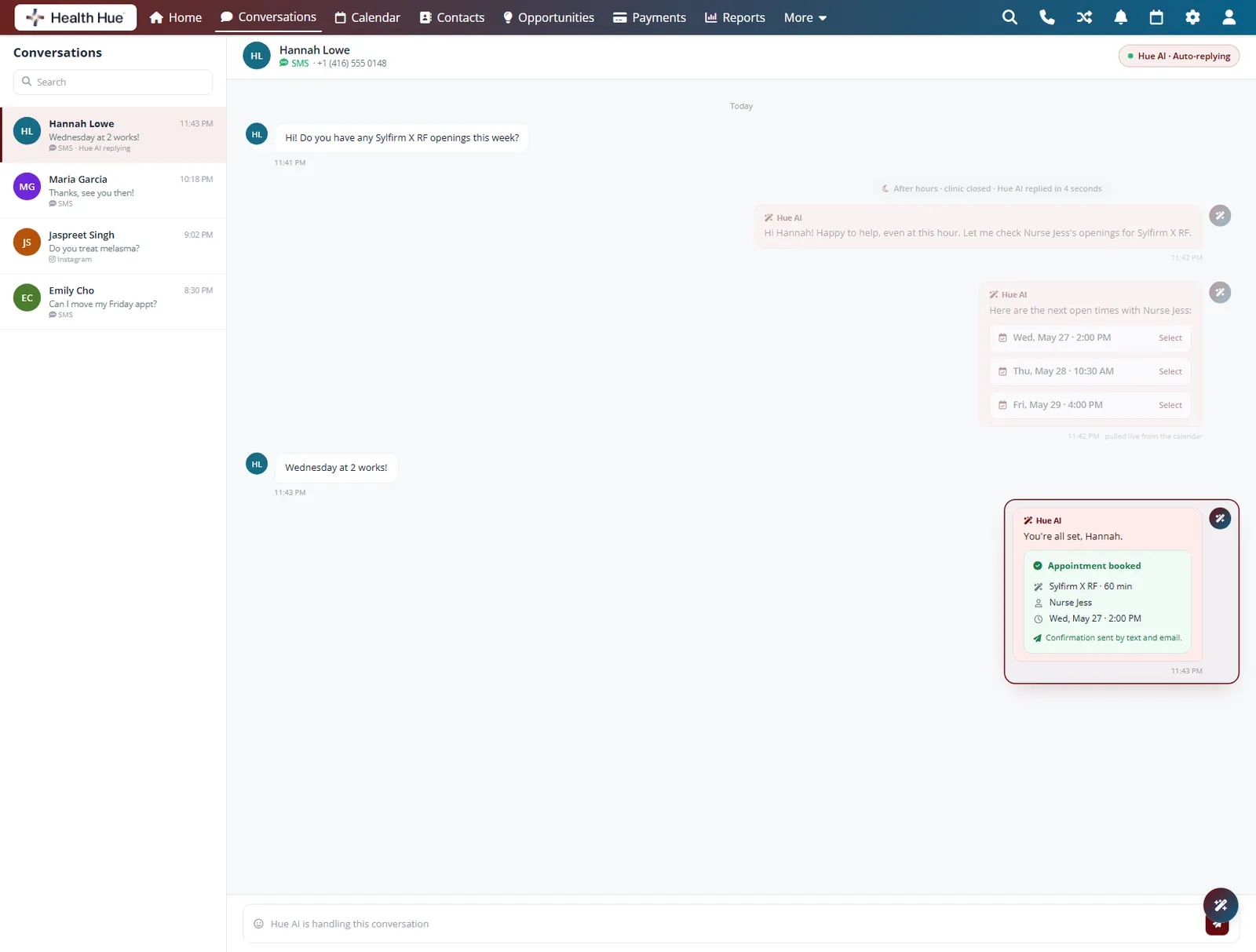
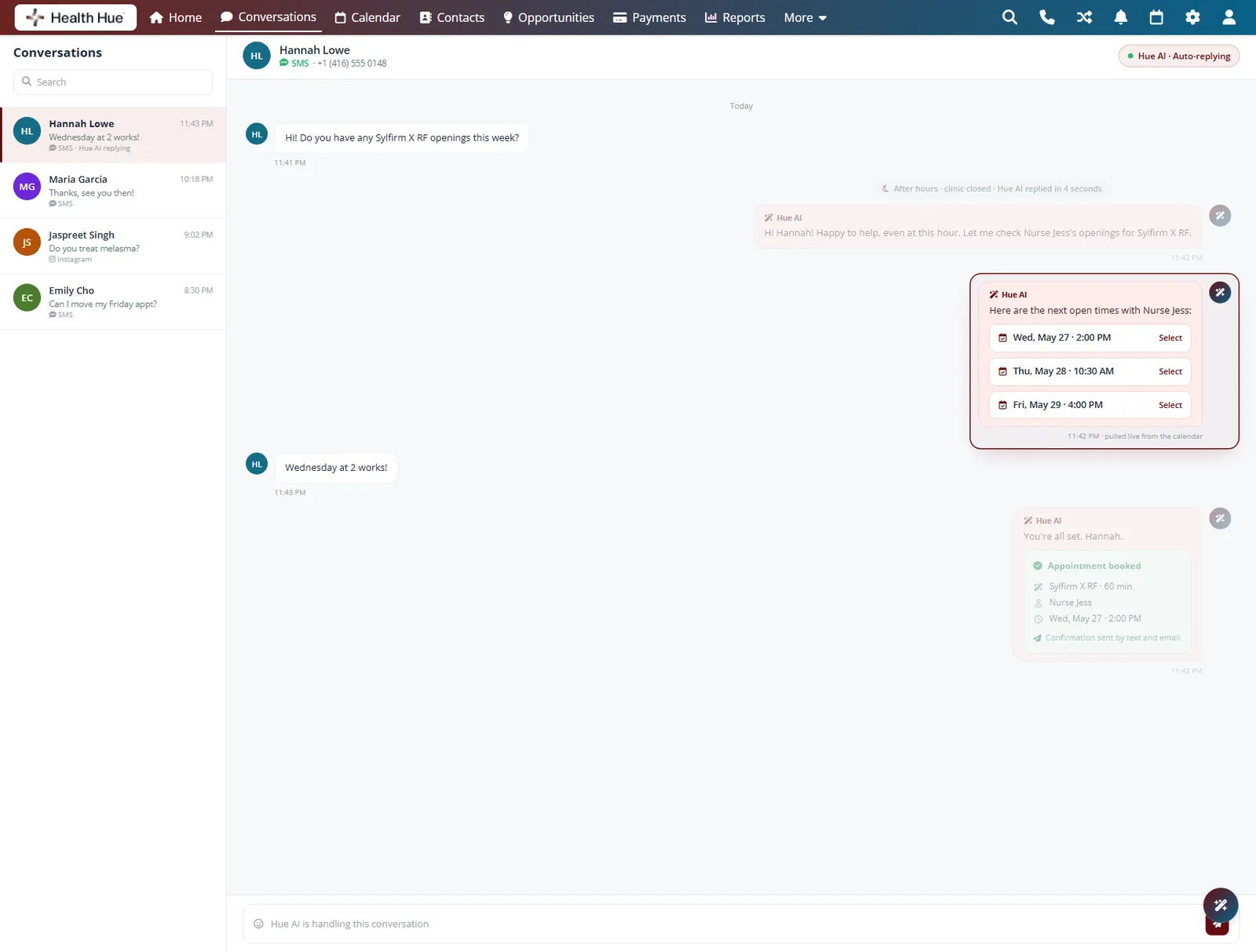
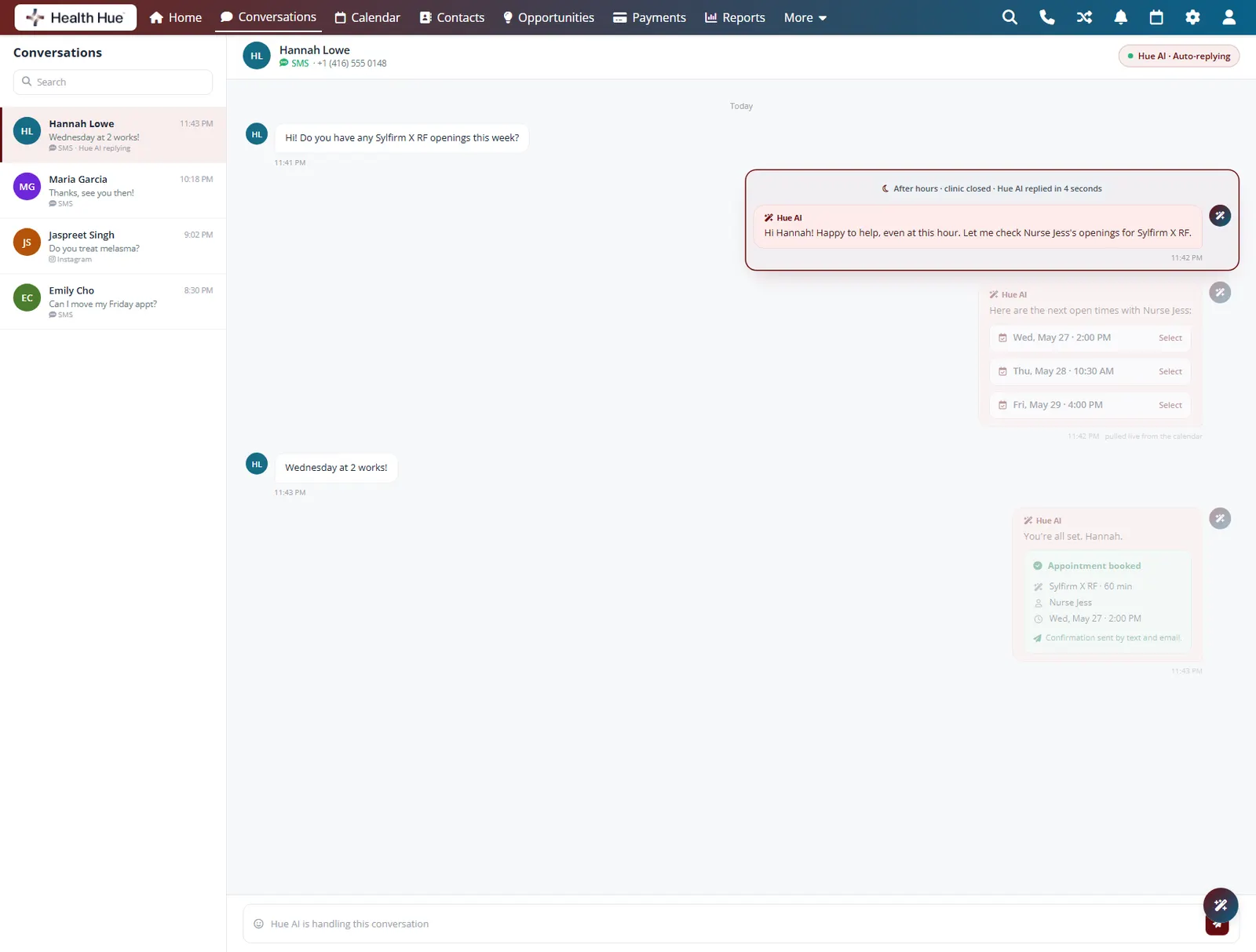
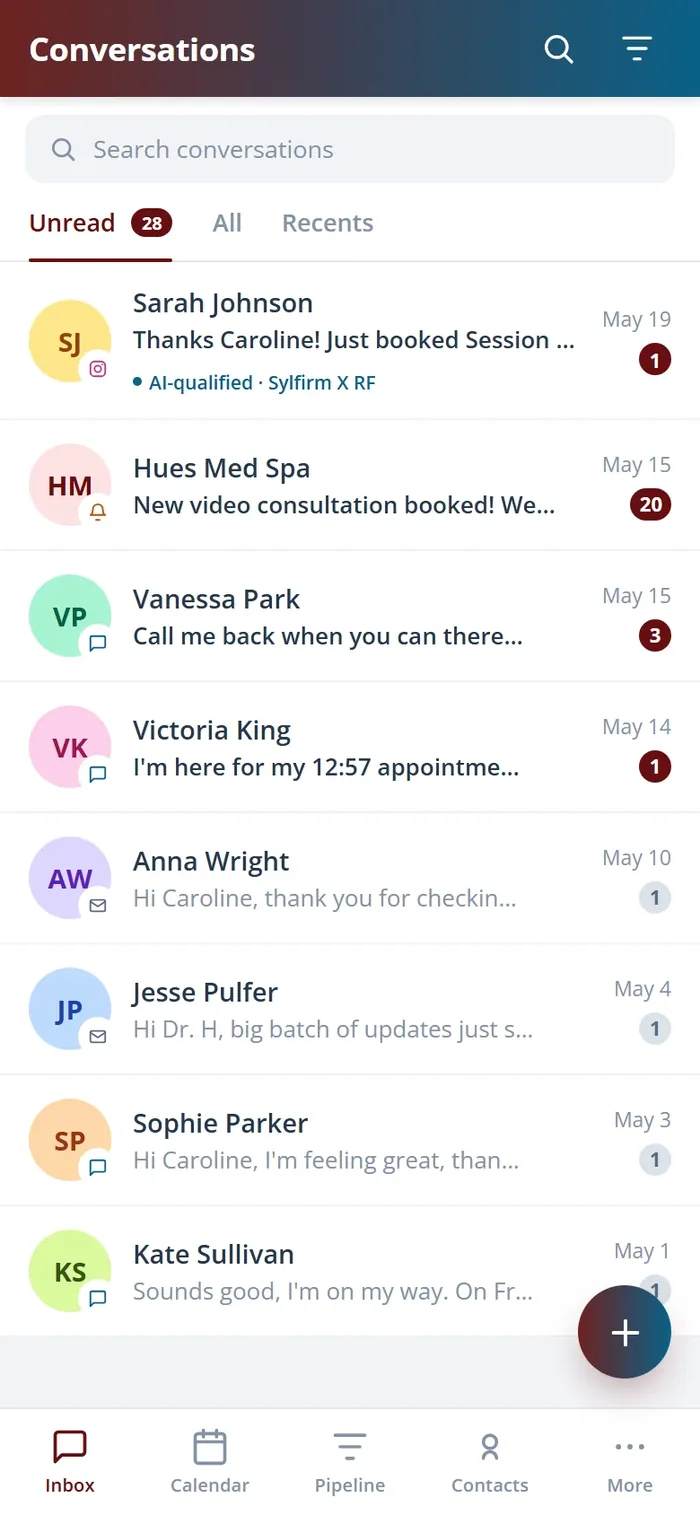
The AI booking assistant answers patient messages, offers real open times from your live calendar, and books or reschedules over chat, around the clock. It reads the same availability your team does, so it never offers a slot that is already taken.
Patients book and reschedule in a natural conversation.
It only offers times that are actually open right now.
After-hours requests get answered and booked instantly.
06 · Buffers, Blocks & Rooms
Protect turnover time and every room.
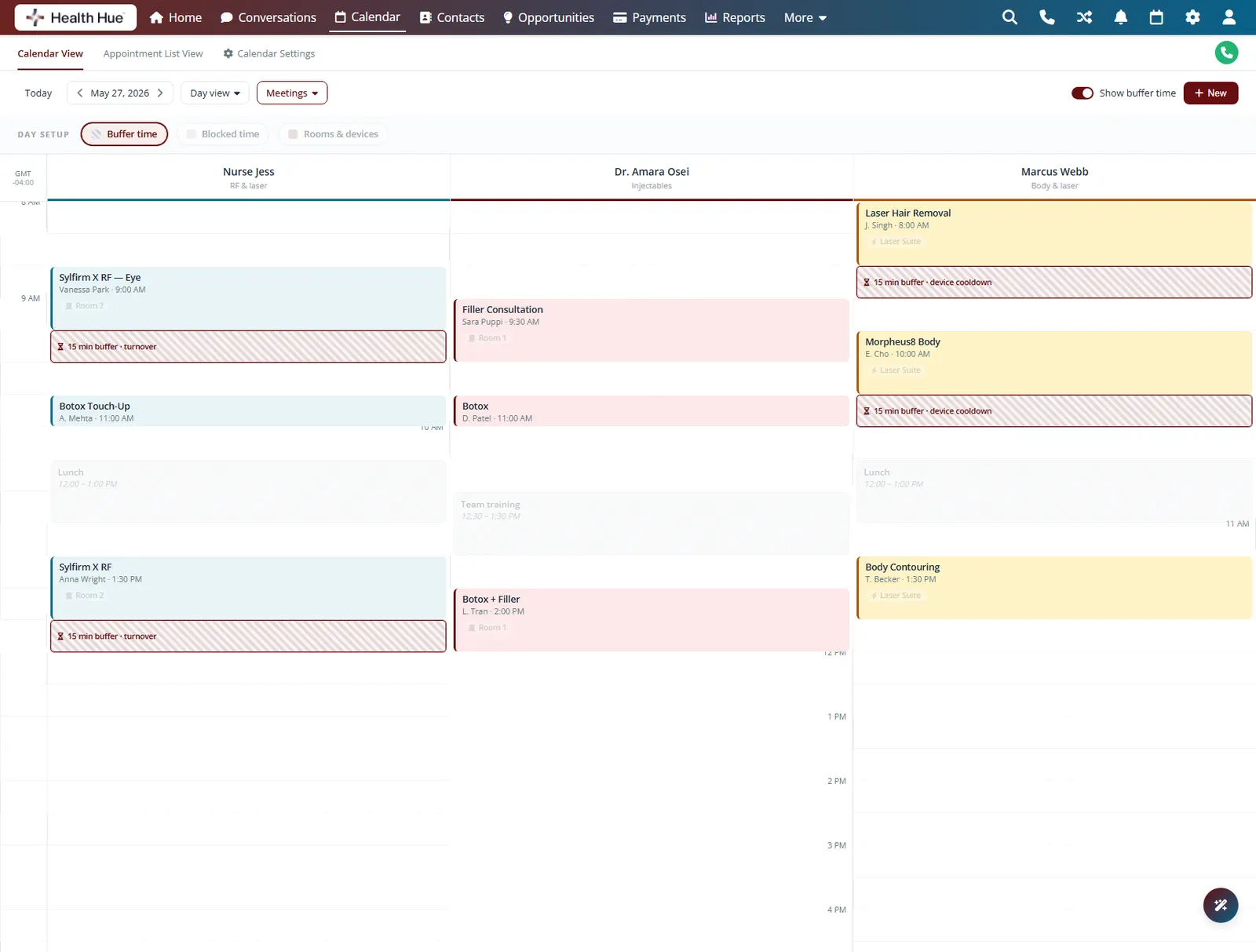
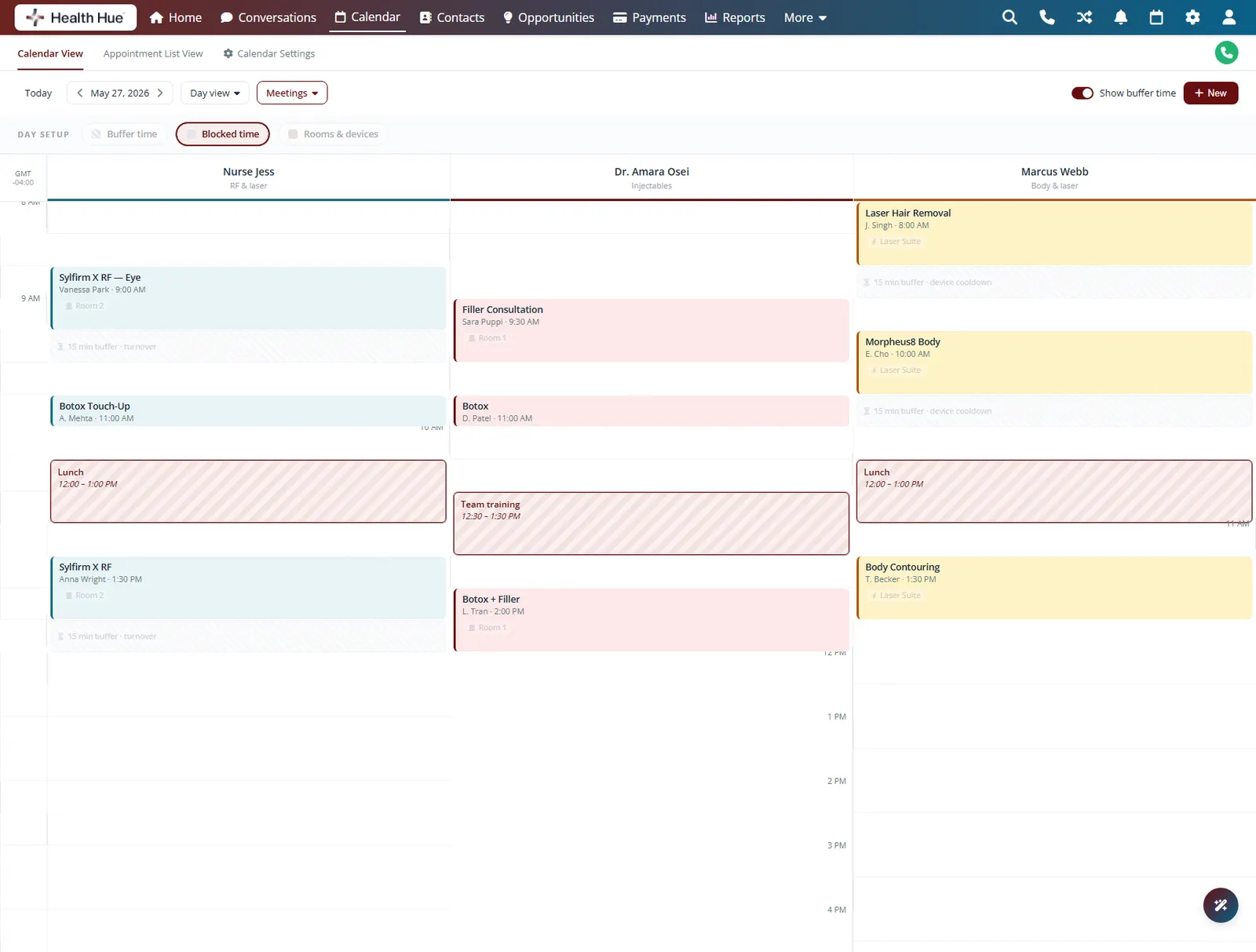
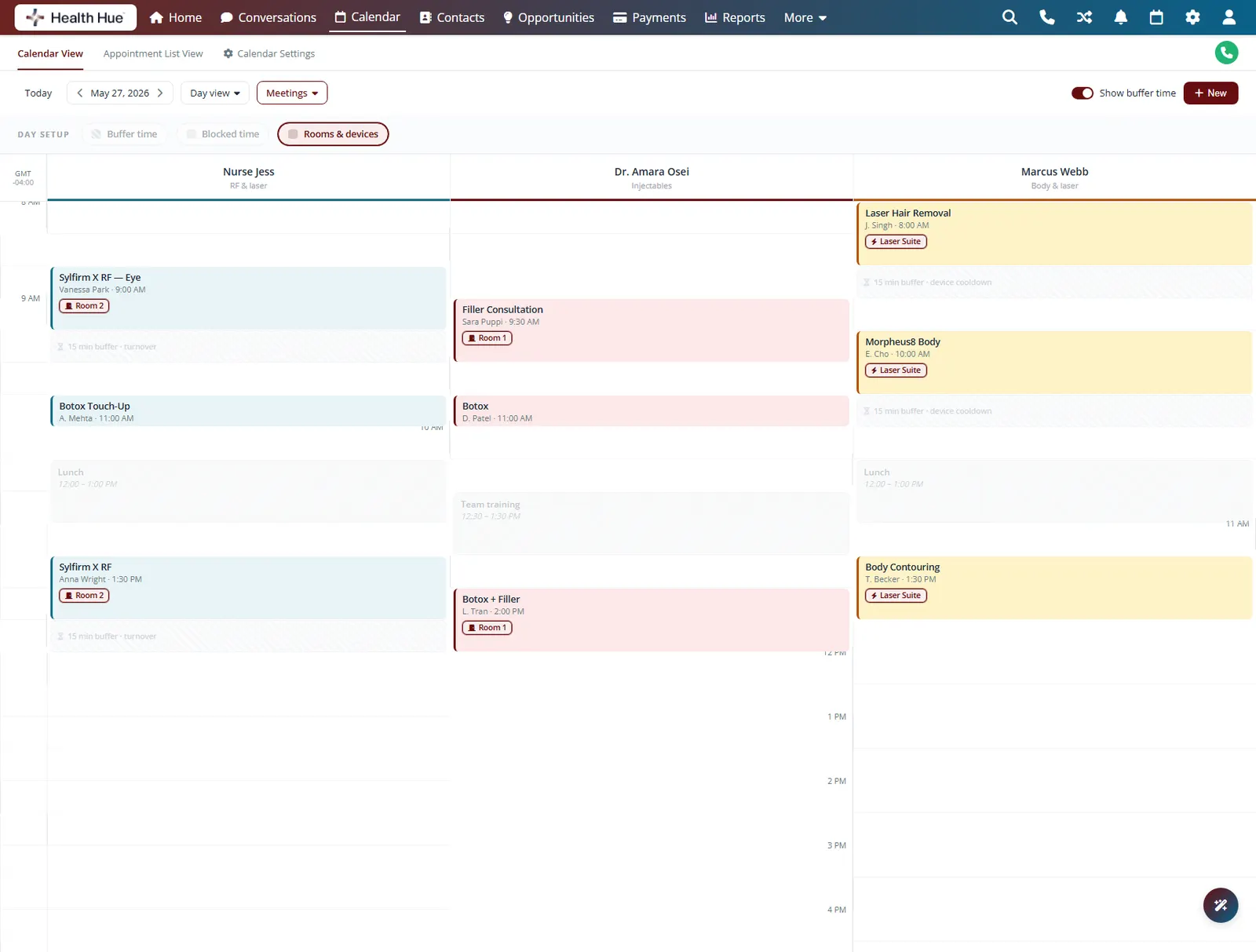
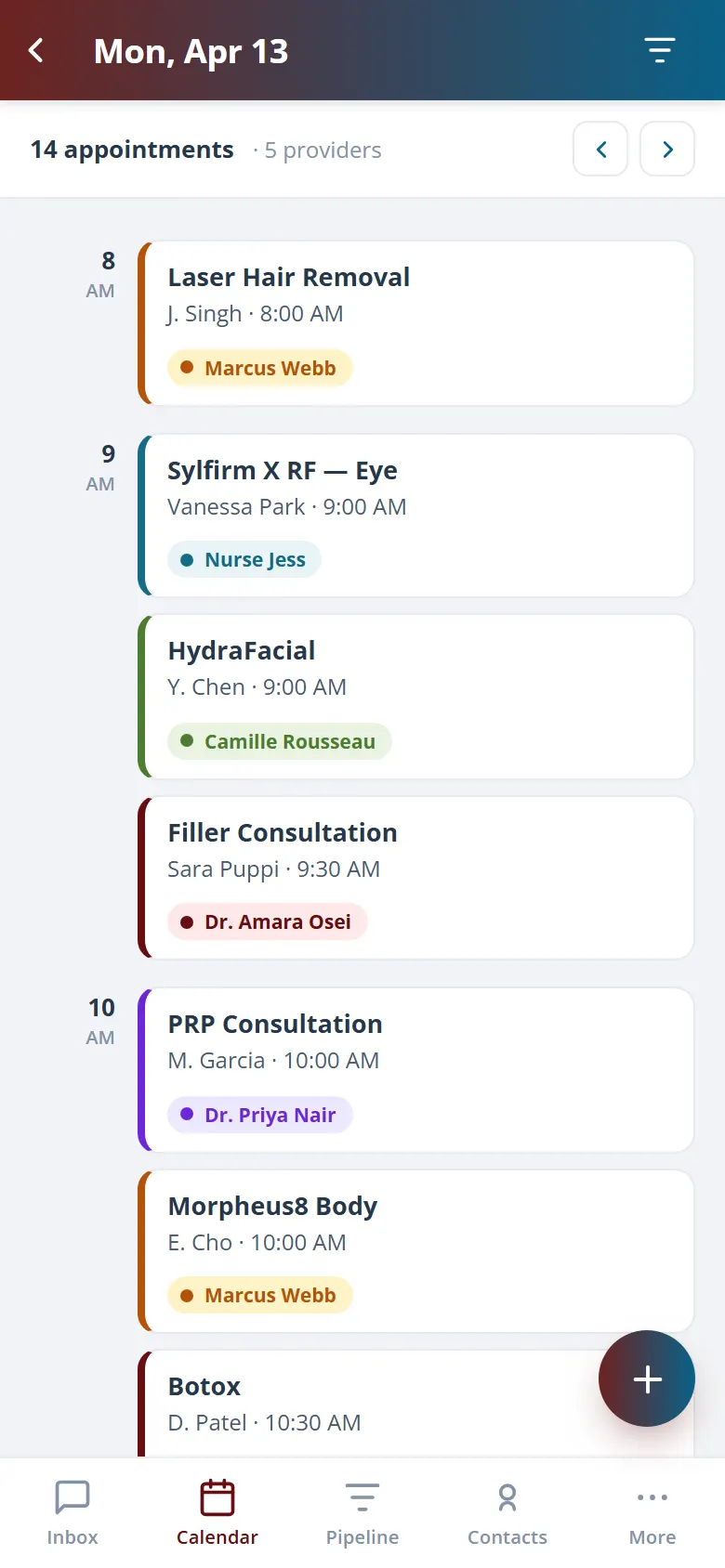
Set buffers before and after services for cleaning and turnover, block out time for lunch or training, and assign each service to the right room or device. The calendar respects all of it, so the Hub never books two patients into the same room or skips the gap a laser needs to cool.
Automatic gaps before and after services for turnover.
Block lunch, training, or admin so nothing books over it.
Assign services to rooms and devices, no clashes.
07 · Recurring Appointments
Book a whole series in one go.
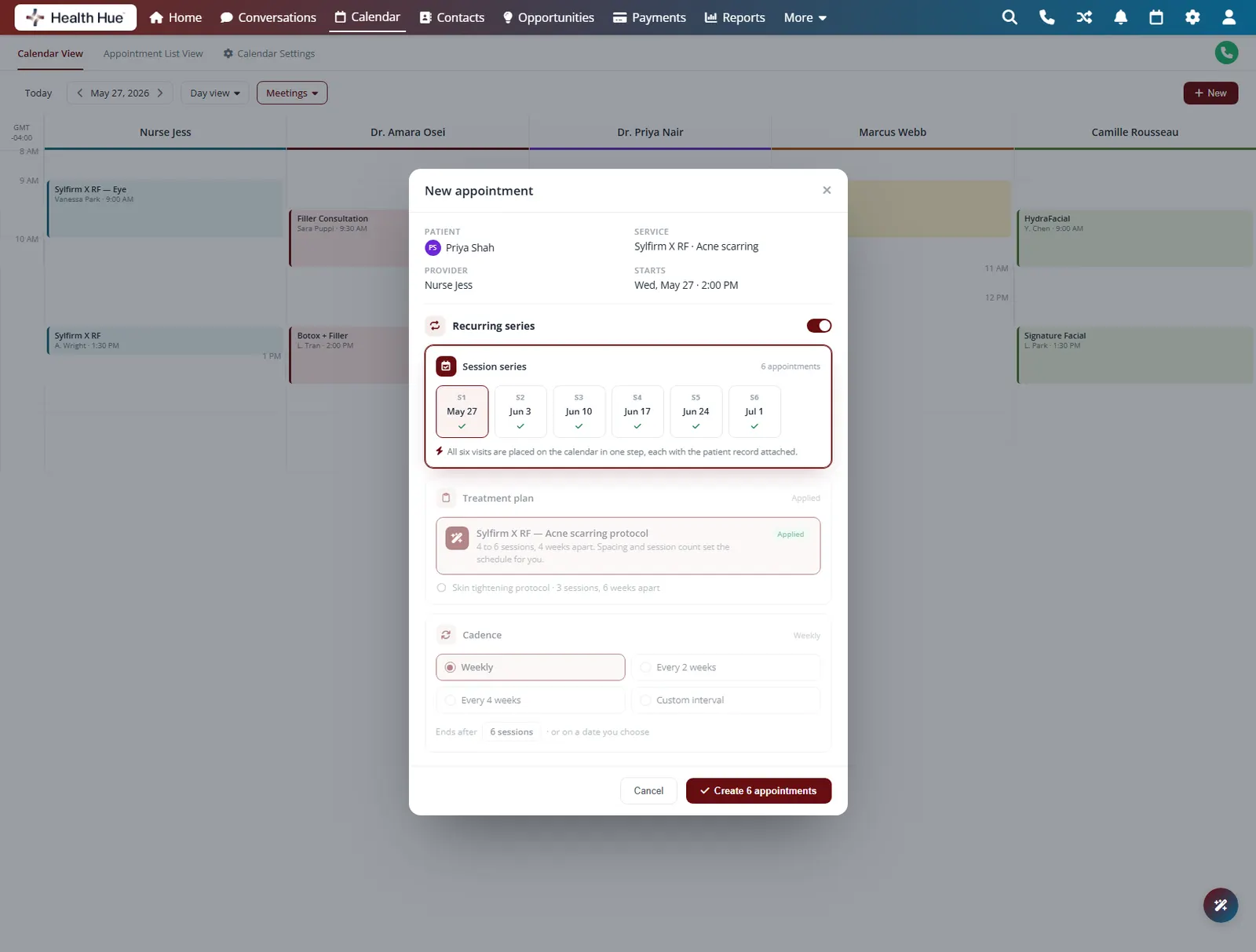
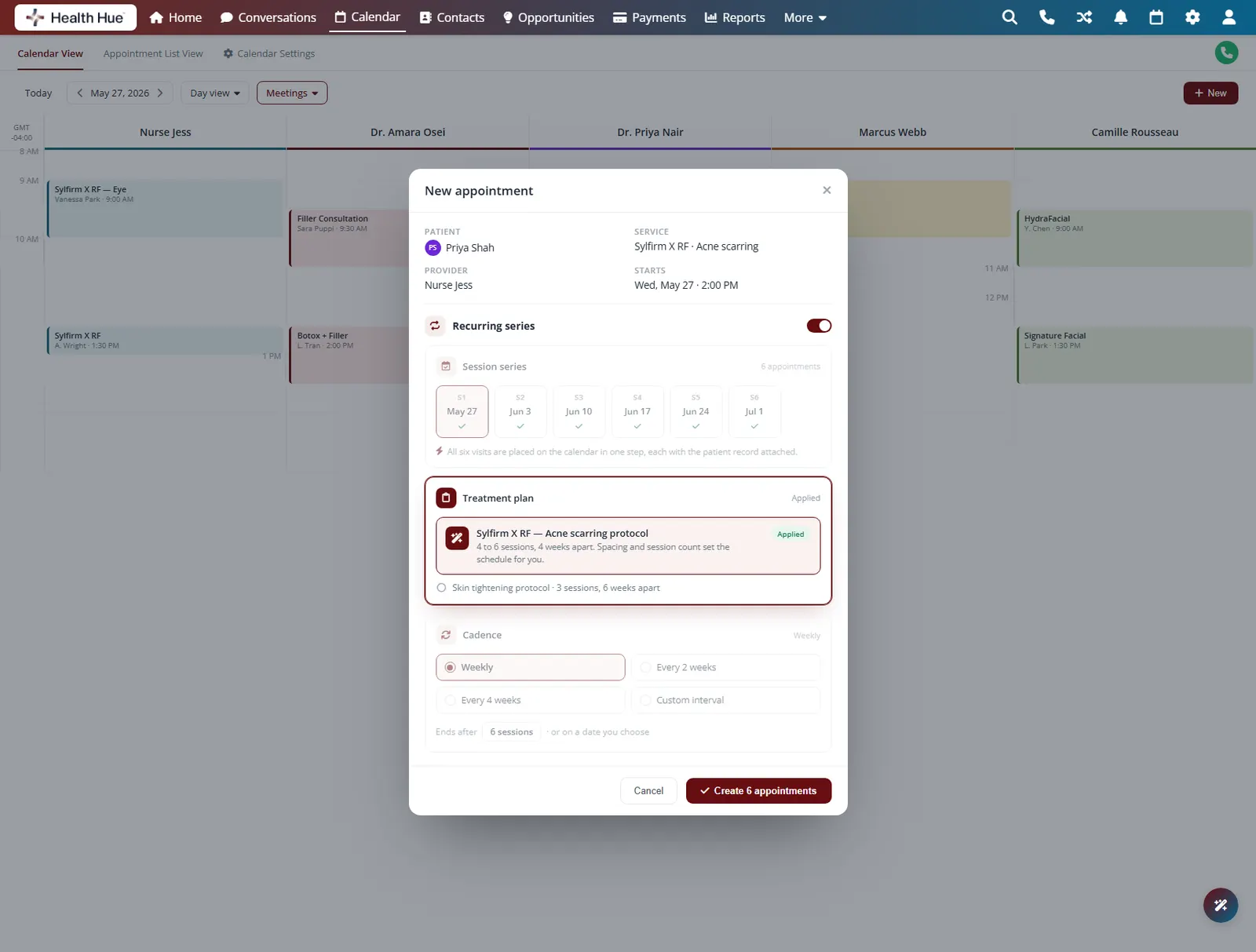
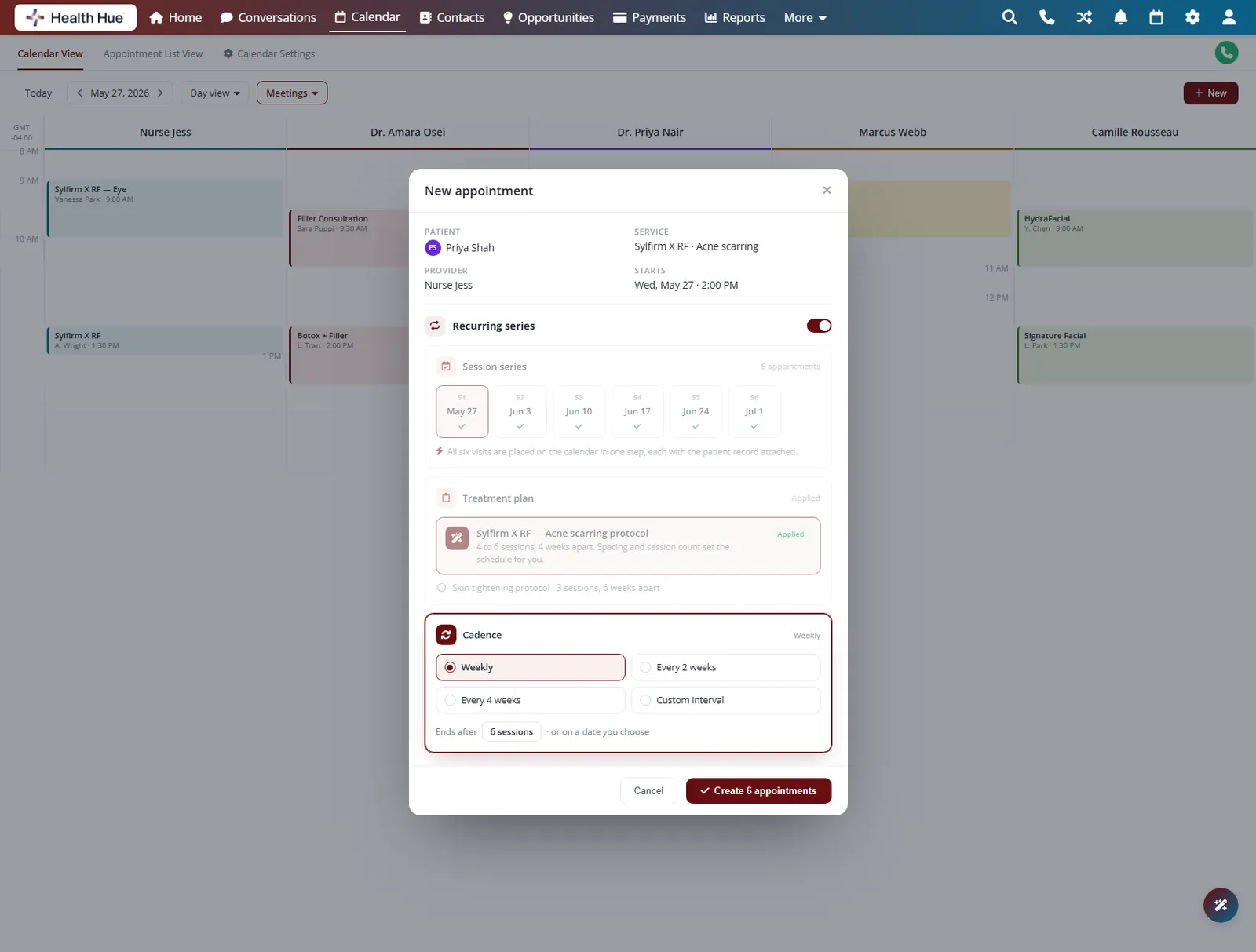
Set a treatment plan once and the Hub books the full series for you, weekly, monthly, or on your own cadence. Each visit lands on the calendar with the patient record attached, and a change to one appointment never disturbs the rest of the series.
Book a recurring series in a single step.
Map a multi-session treatment plan onto the calendar.
Weekly, monthly, or a custom interval you set.
08 · Calendar Sync
Your whole team, one synced calendar.
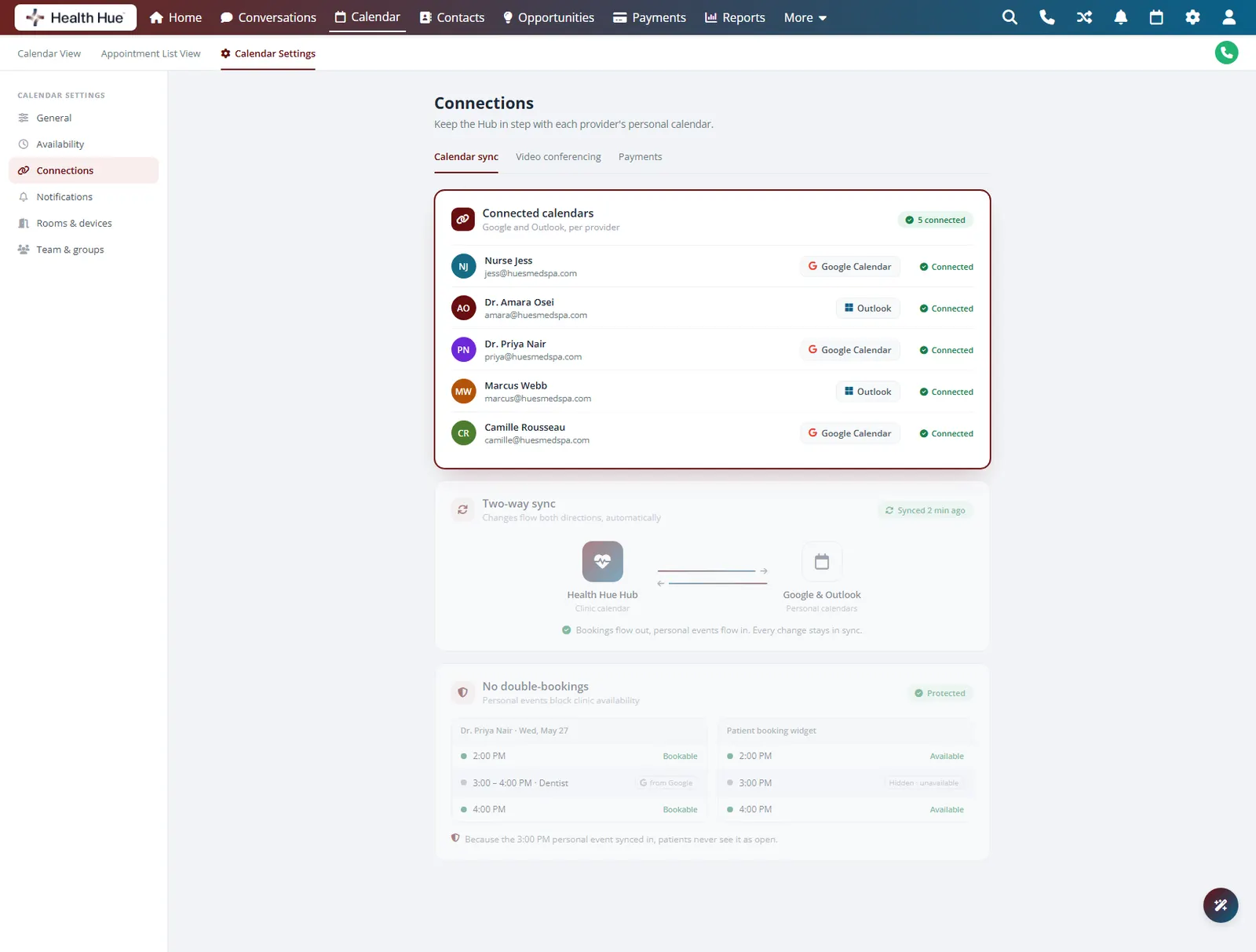
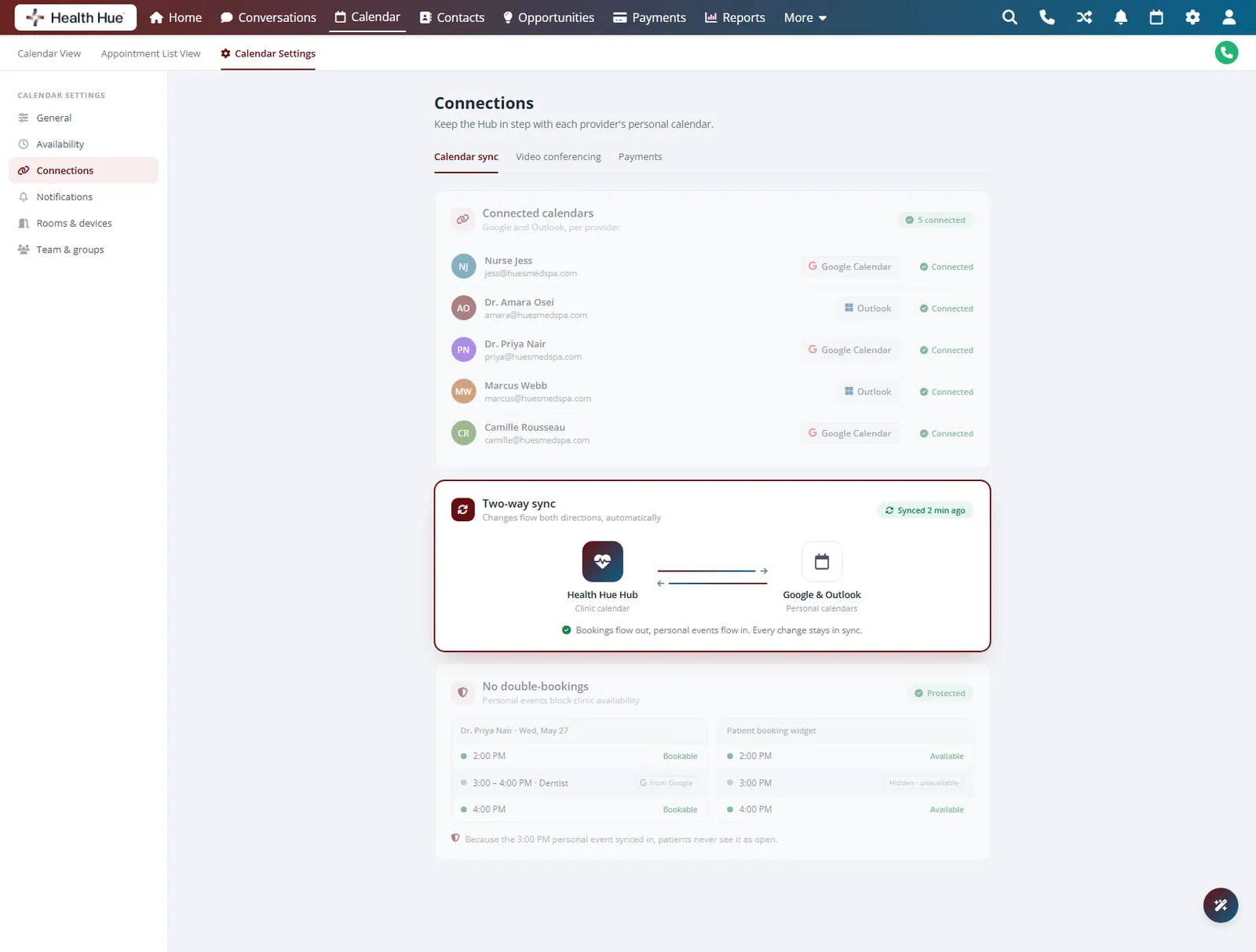
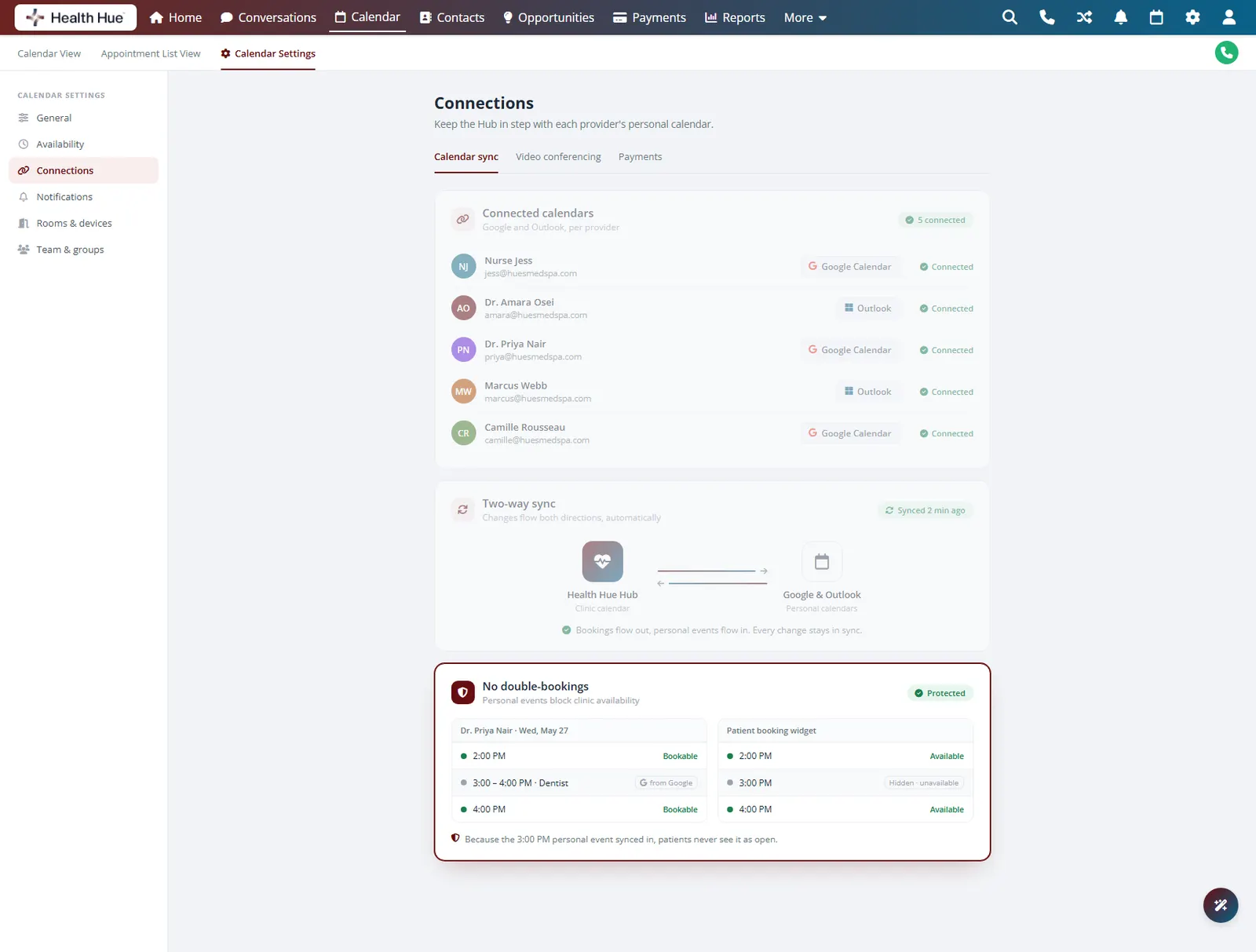
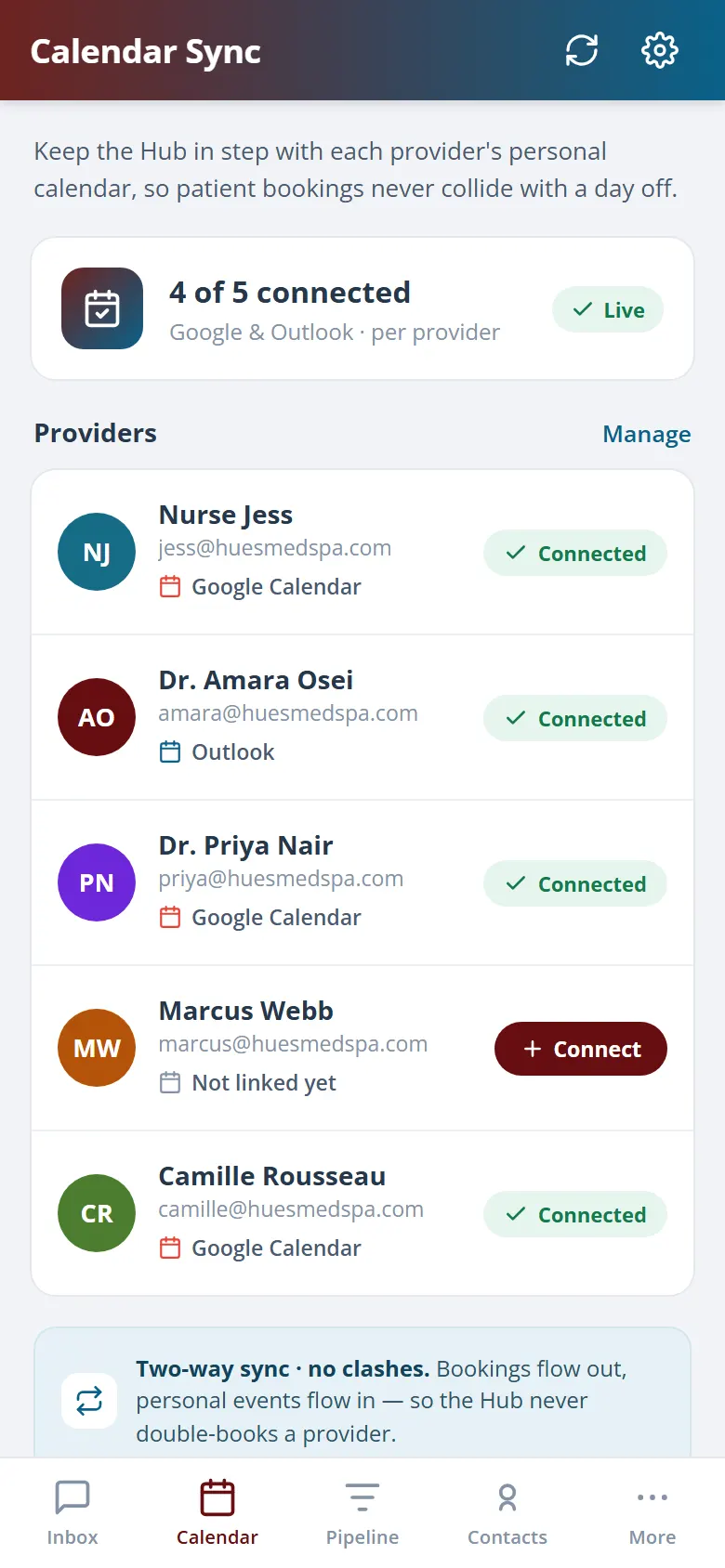
Two-way sync keeps the Hub in step with Google and Outlook, so a provider’s personal commitments block their clinic availability and every booking shows up wherever they already look. No double-bookings across calendars, and no manual copying between tools.
Connect each provider’s Google or Outlook calendar.
Changes flow both ways and stay in sync automatically.
Personal events block clinic availability, so nothing overlaps.
Secure, compliant, and clinic-ready
Every feature lives in a platform built for clinics from the ground up, with charting, consent, and payments native to the patient record.
PHIPA & HIPAA-aware
Patient data is encrypted and handled to Canadian health-privacy standards.
Consent & audit
Consents, signatures, and changes log to the record automatically.
Role-based access
Granular permissions keep charts and contact details on a need-to-know basis.
One source of truth
Scheduling, payments, messages, and records in one place. Nothing siloed.
Explore more of the Hub
Calendar & Scheduling is one part of the Health Hue Hub, your AI-powered clinic operating system.
Conversations
One inbox for SMS, calls, web chat, and DMs.
Patient Records
Every patient in one complete profile.
Payments & POS
Text-to-pay, deposits, and fast checkout.
Memberships
Recurring revenue, packages, and perks.
Automated Flows
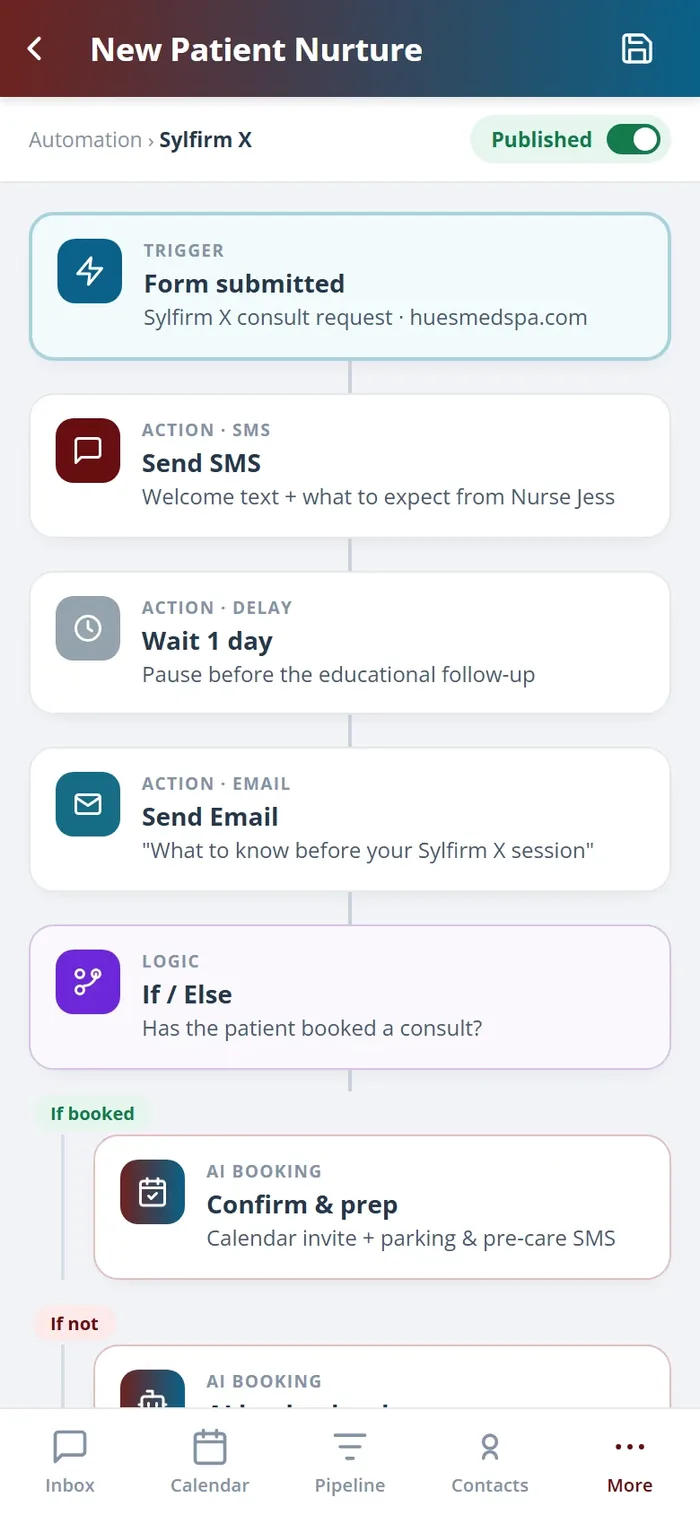
Triggers and multi-channel follow-up.
Campaigns
Email and SMS that fill the calendar.
FAQ