Health Hue Hub · Reviews
Five-star proof, on autopilot.
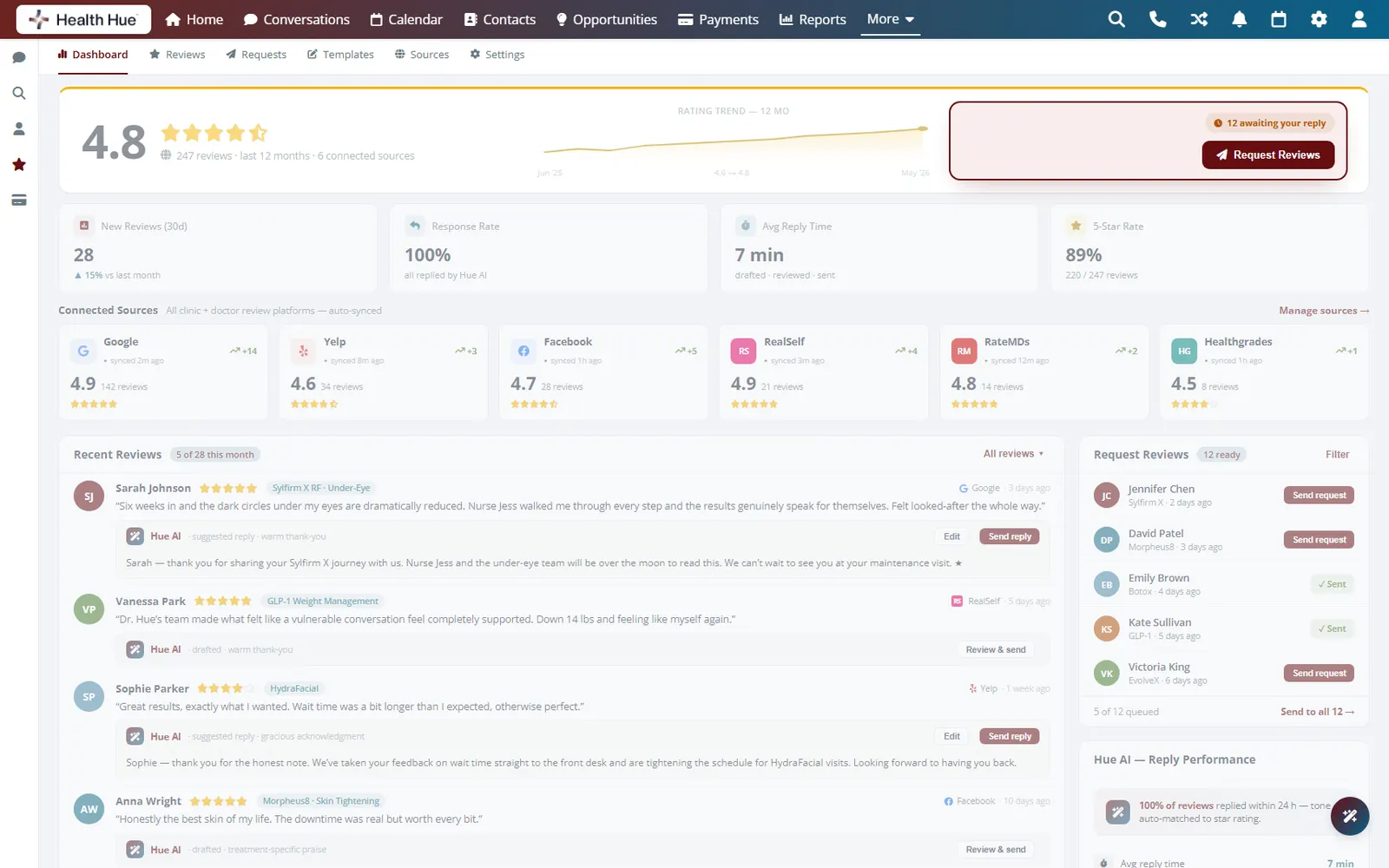
After every visit the Hub asks for a review while the patient still feels great about the result. Happy patients are guided to Google and Facebook, anyone unhappy reaches your team privately first, and your public reputation builds without the front desk chasing a single request.
01 · Automatic Asks
Ask for the review at the right moment.
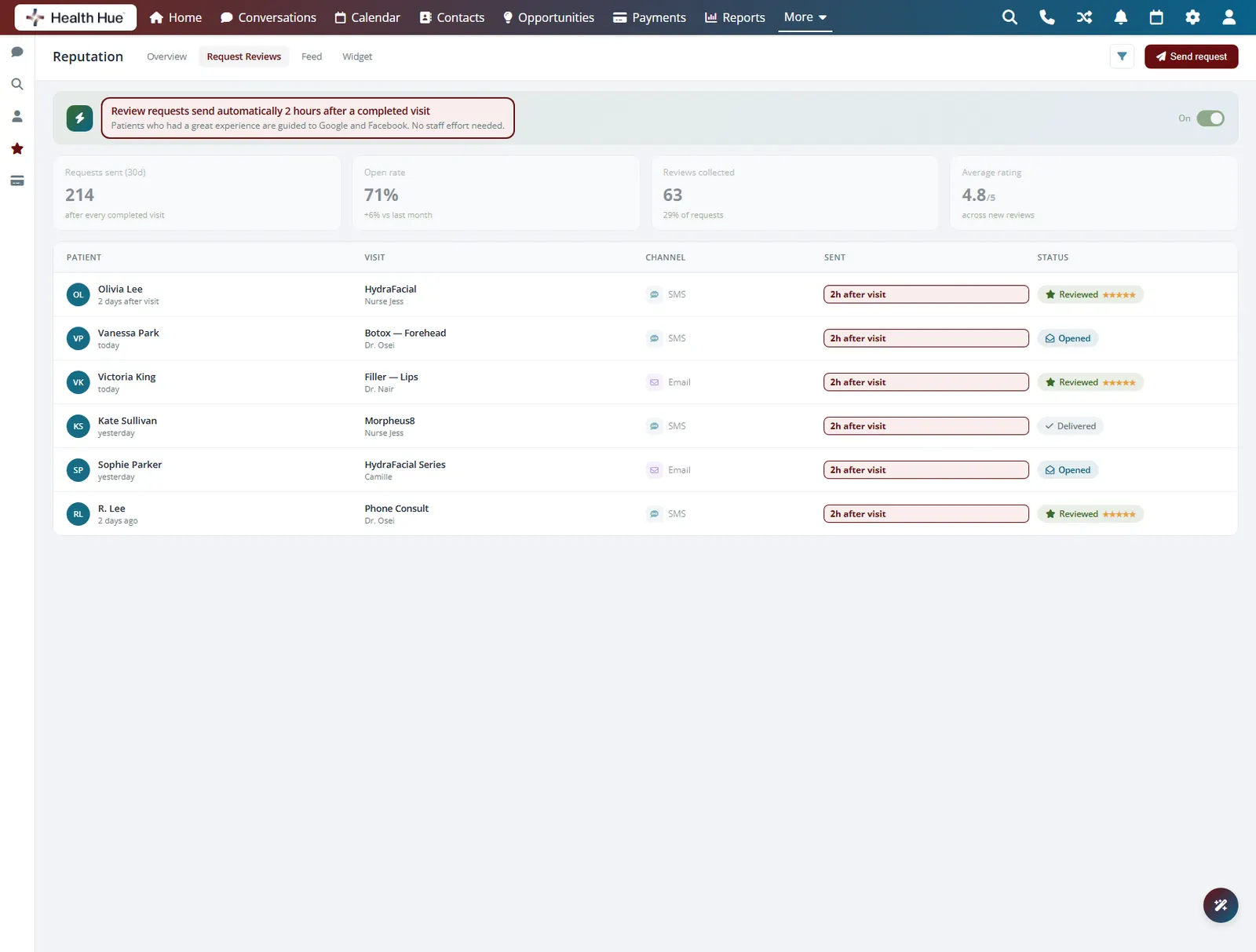
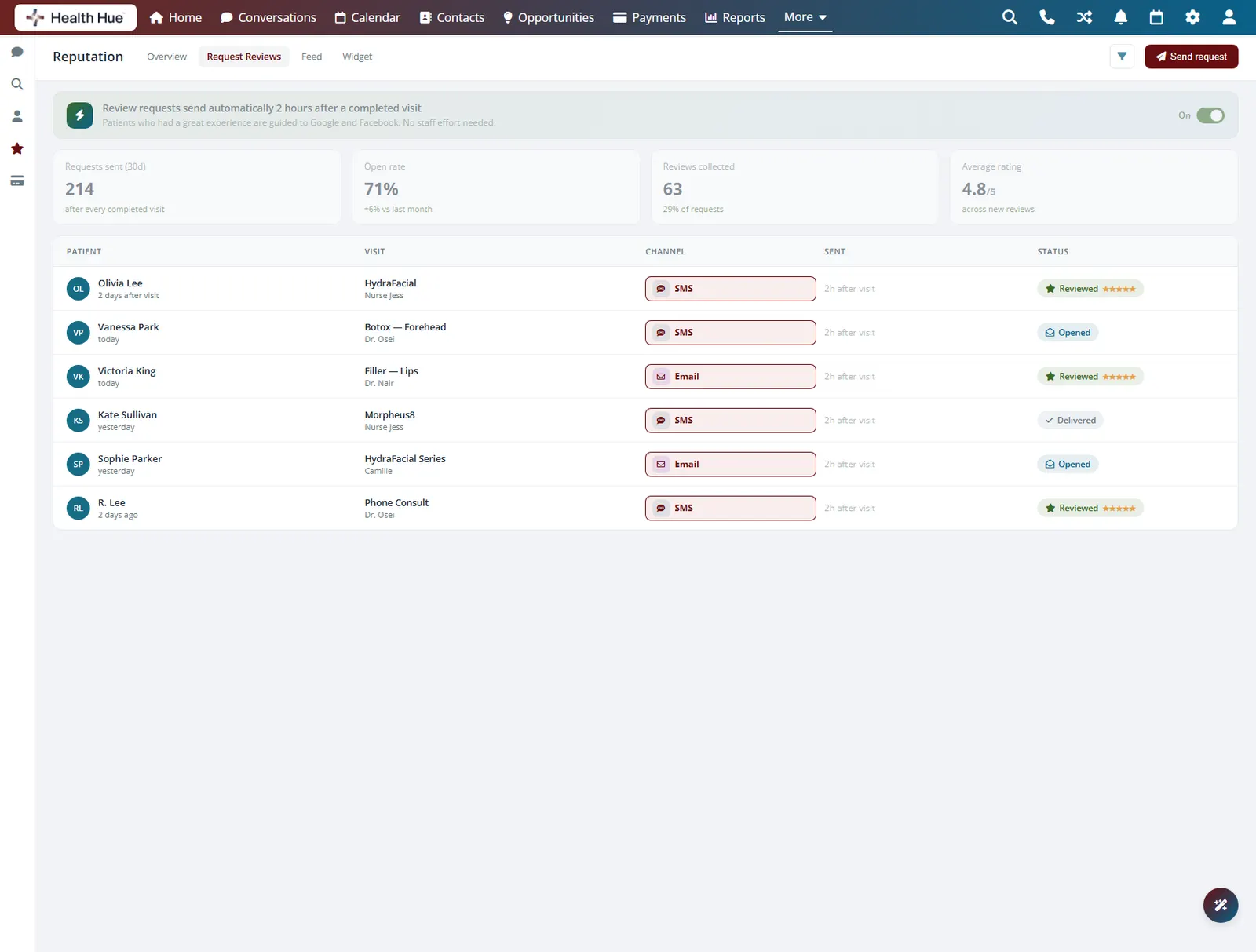
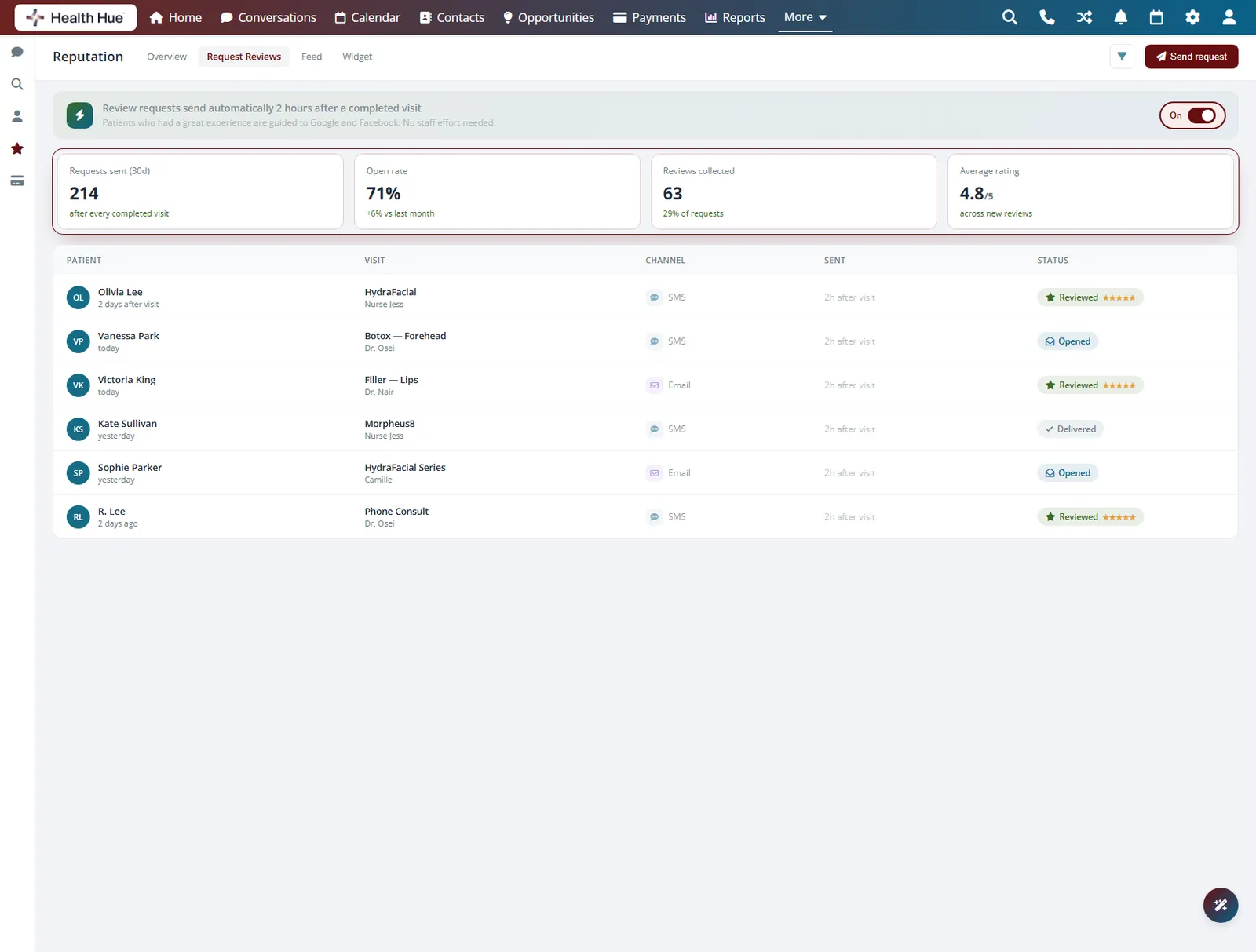
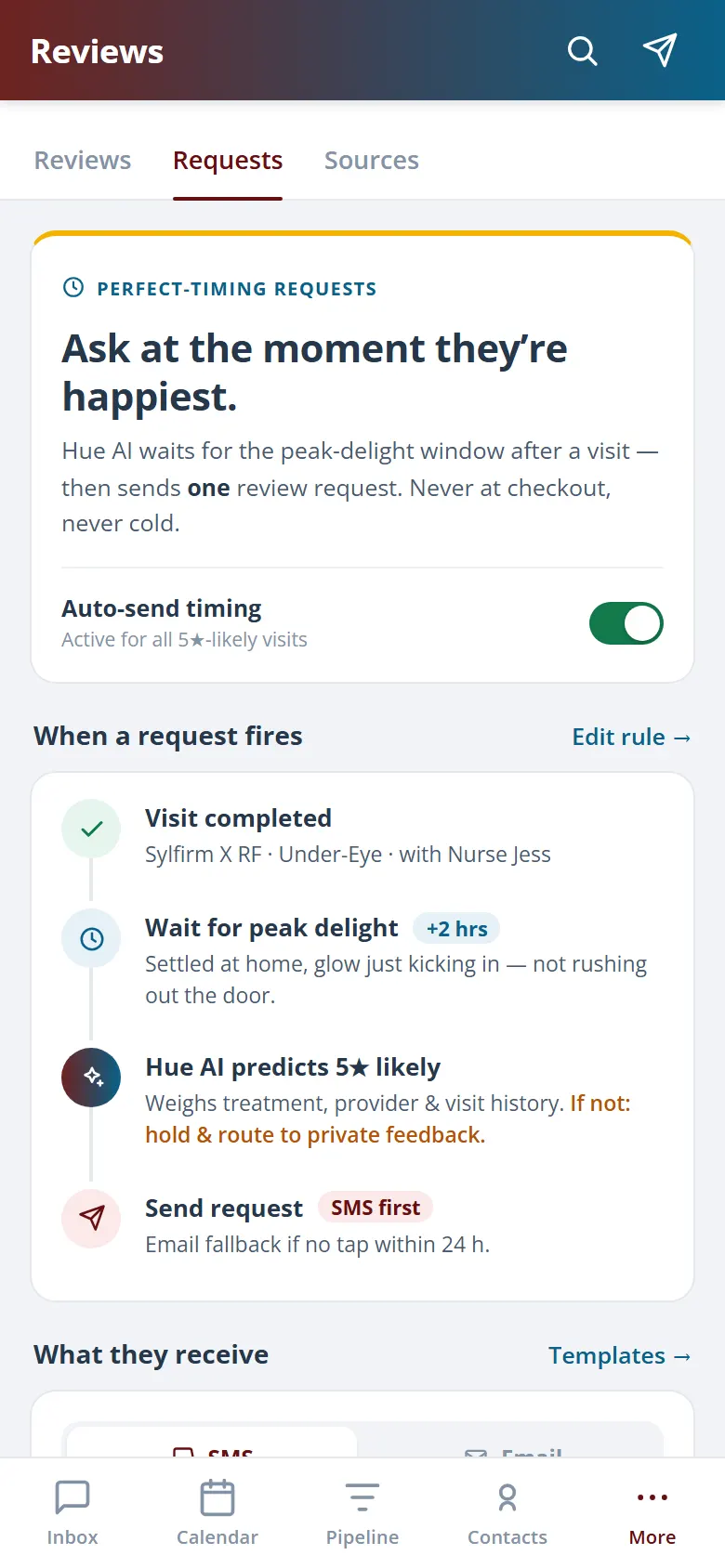
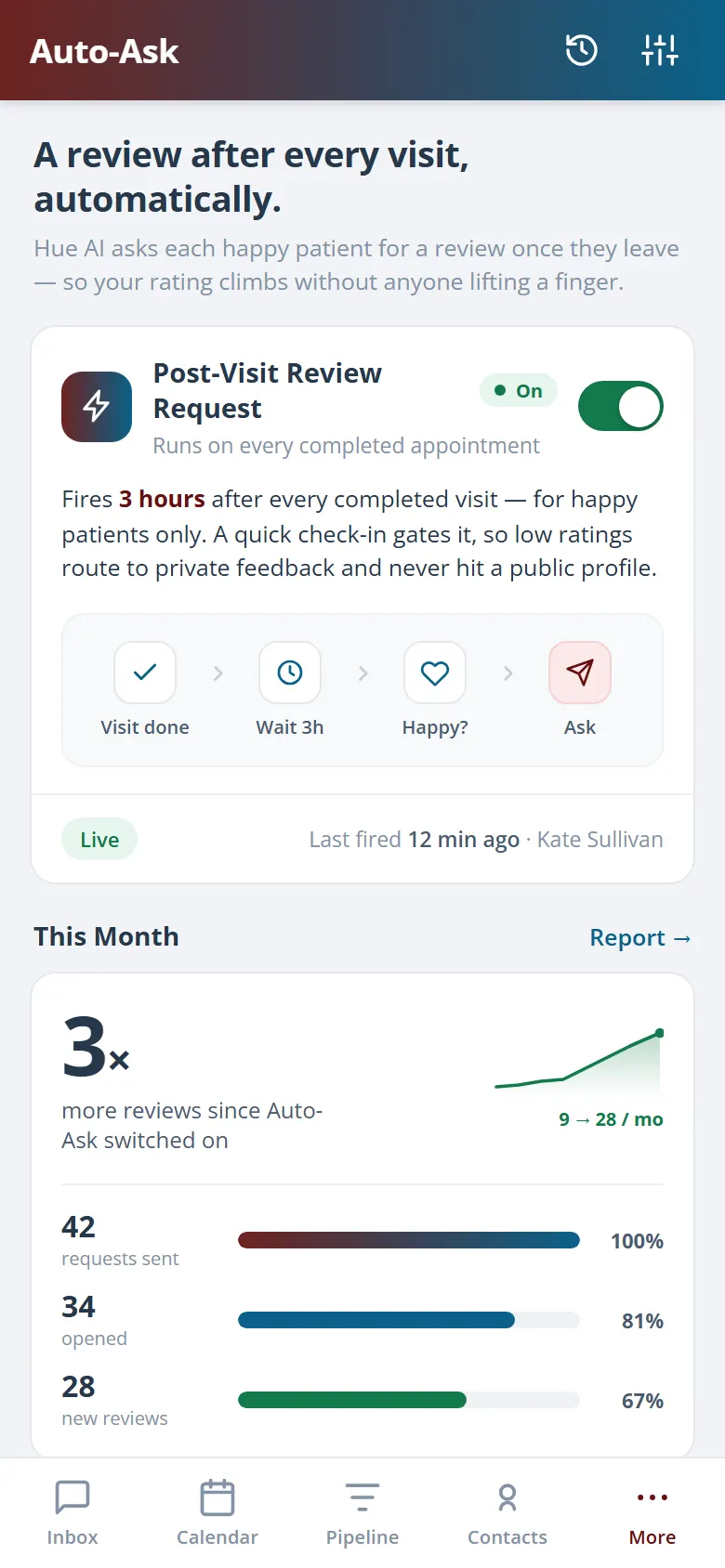
The moment a treatment is marked complete, the Hub sends the patient a review request by text or email, while the result and the experience are still fresh. There is no list to work through and no awkward in-person ask, so you collect far more reviews than a busy front desk ever could by hand.
The request goes out as soon as treatment is marked done.
Patients reply on the channel they actually use.
The ask is automatic, so nobody has to remember it.
02 · Smart Routing
Send happy patients public.
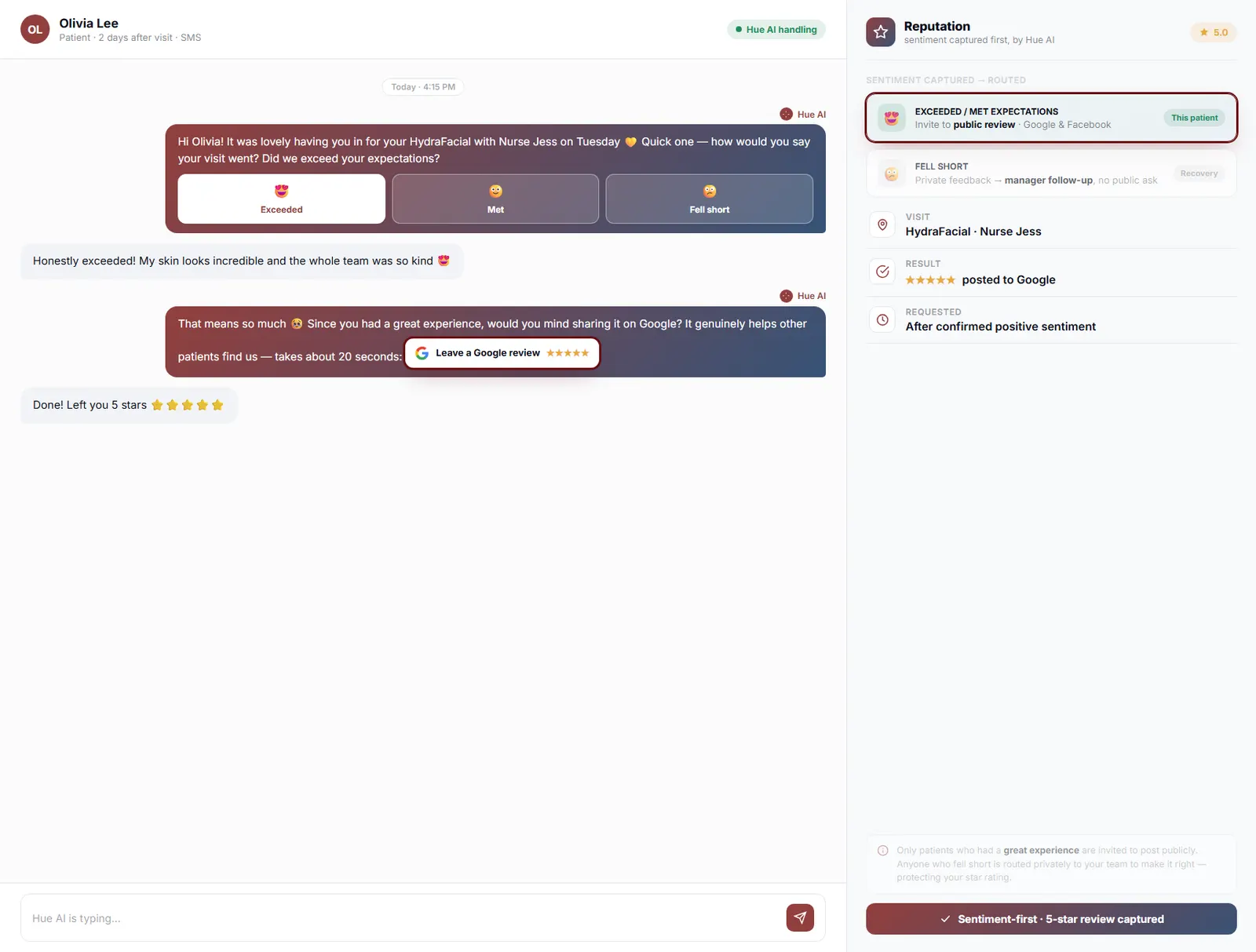
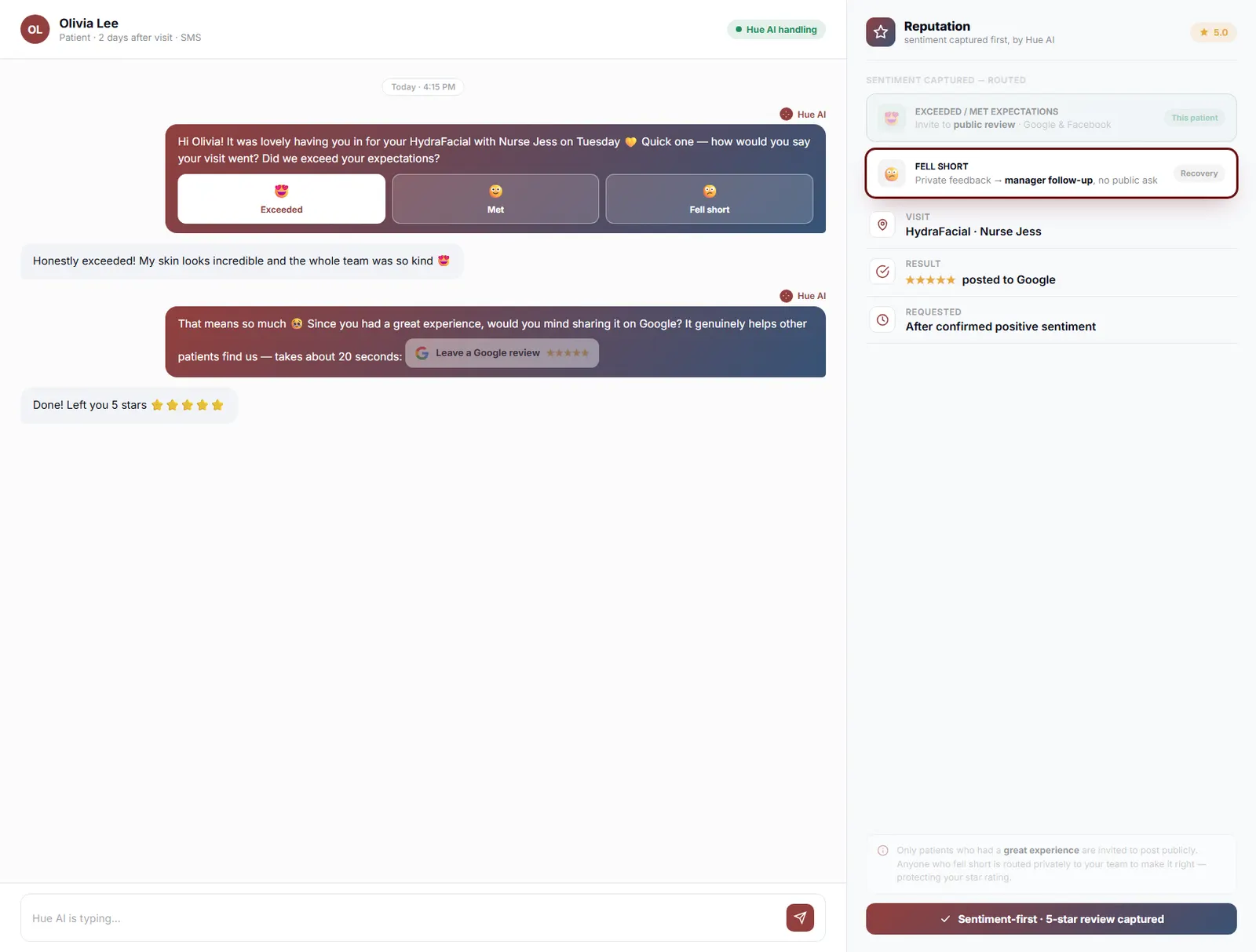
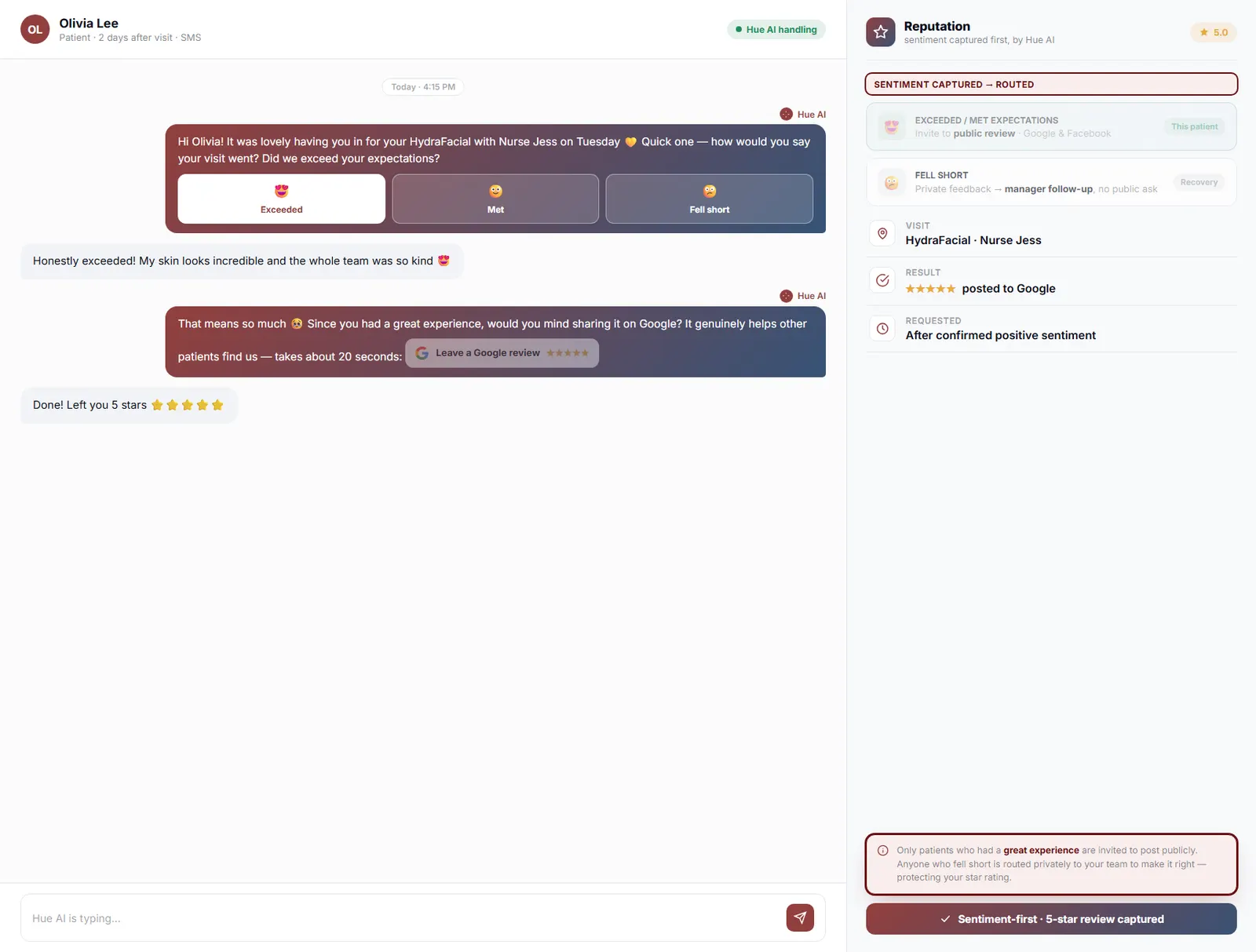
When a patient rates the visit highly, the Hub guides them straight to Google or Facebook to post it. When someone is unhappy, the same flow routes them to your team privately so you can make it right before it ever becomes a public star. Your reputation reflects your best work, and problems reach you in time to fix them.
High ratings are guided to Google and Facebook.
An unhappy patient reaches your team first.
You hear about a problem before it posts publicly.
03 · AI-Drafted Replies
Reply to every review without the writing.
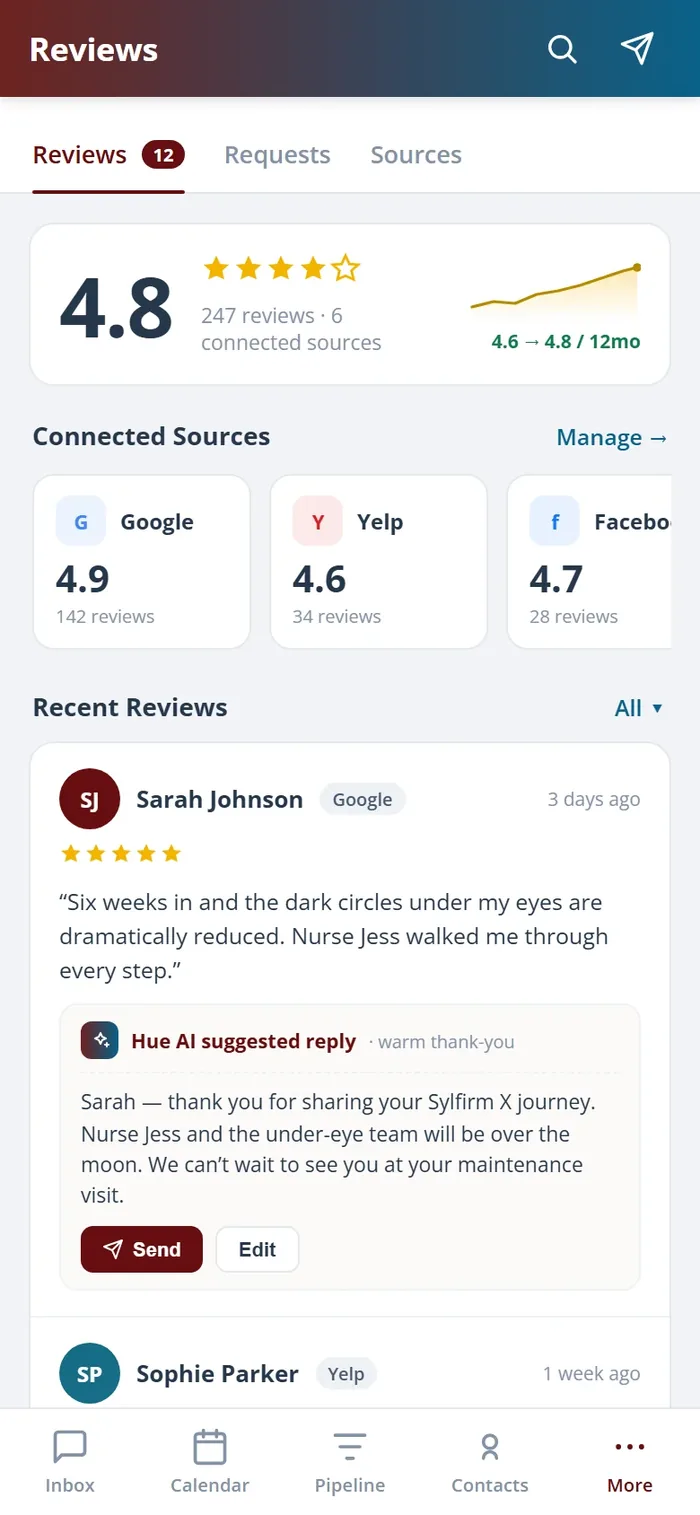
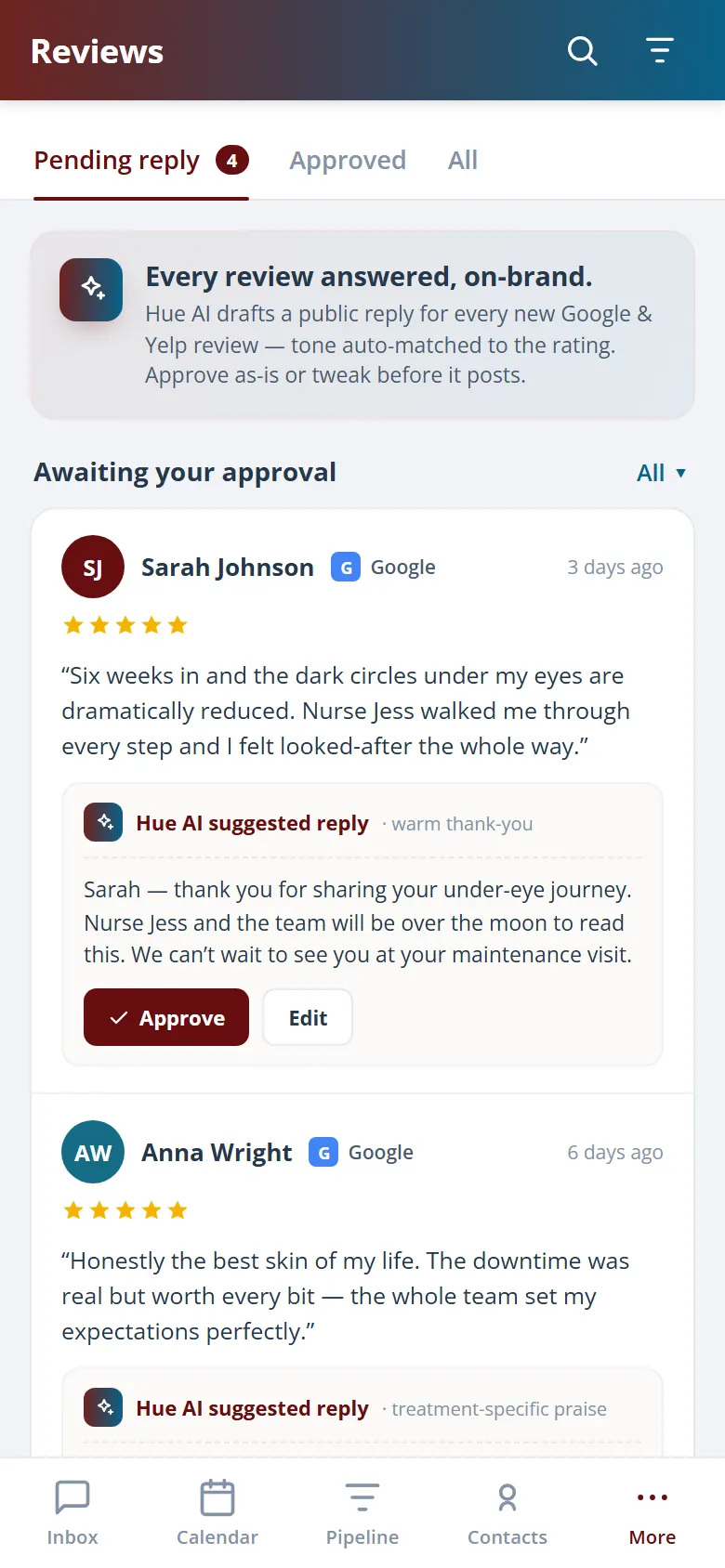
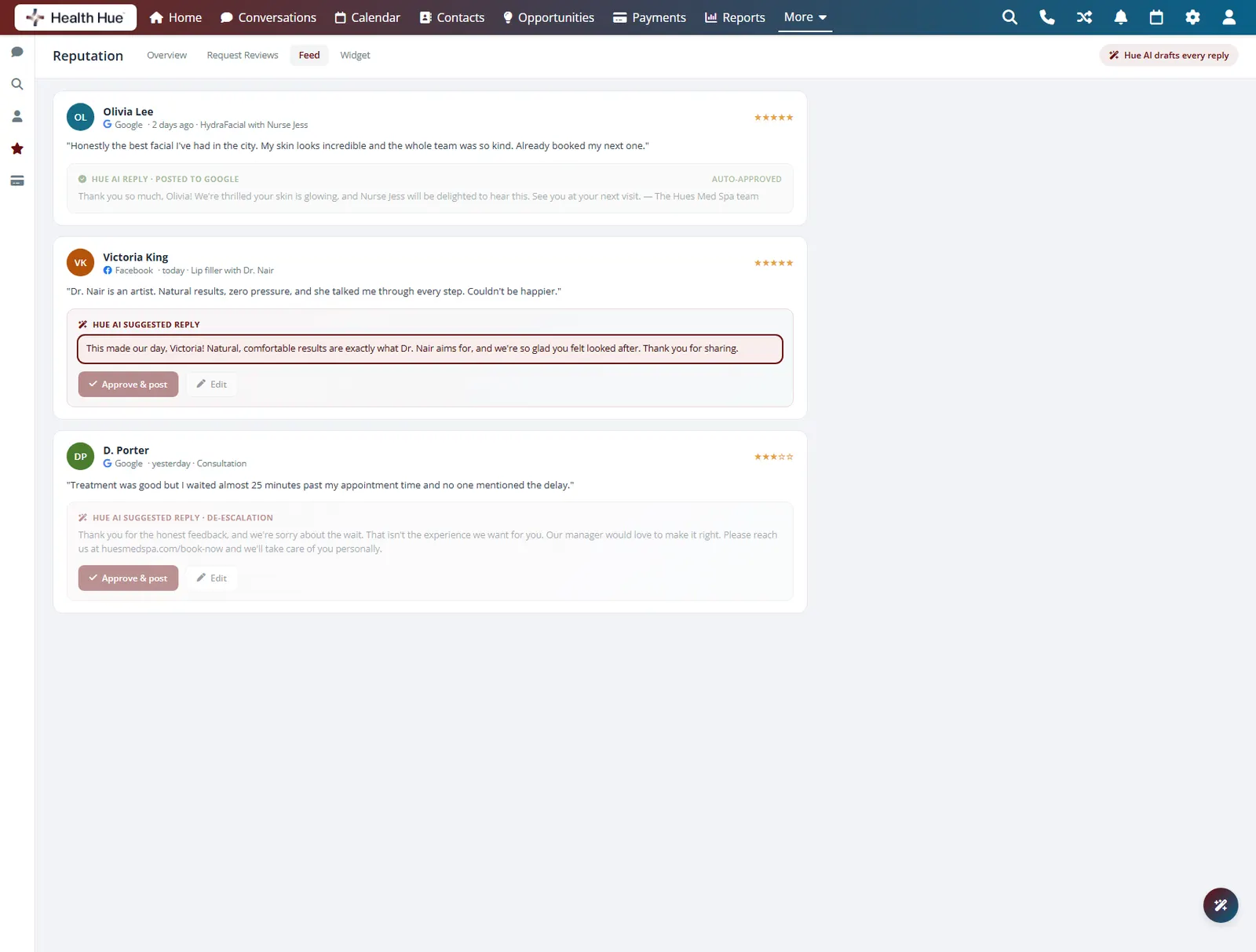
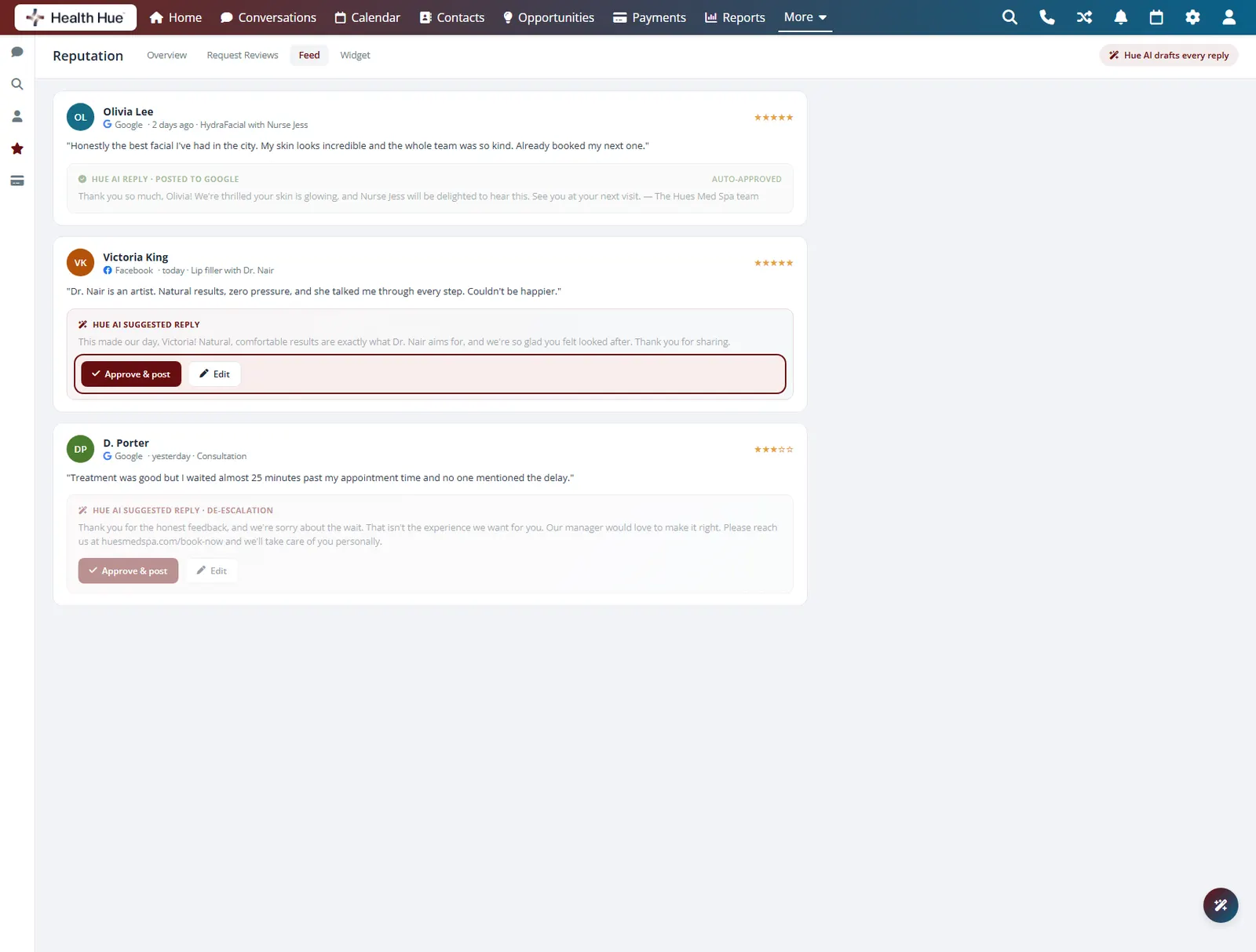
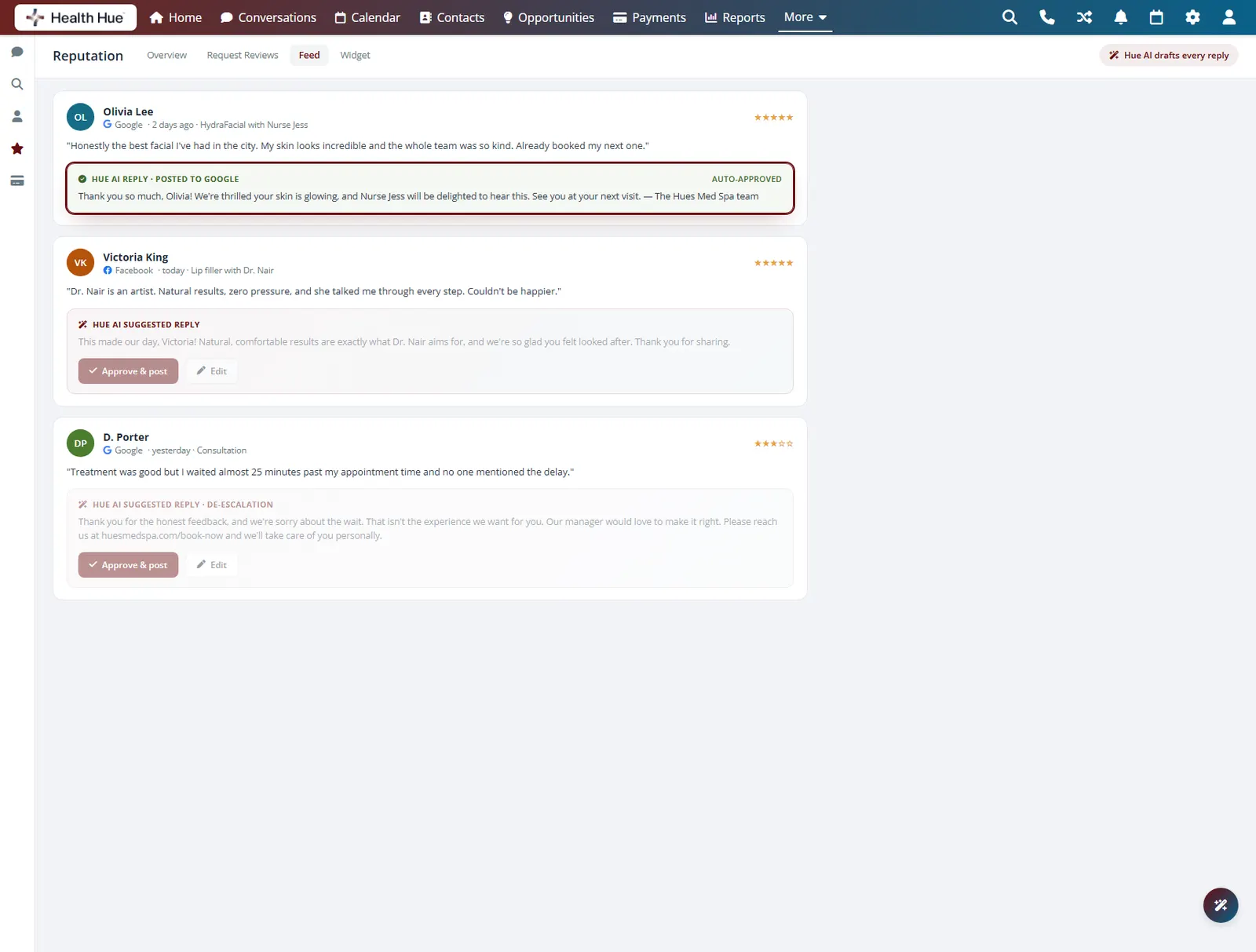
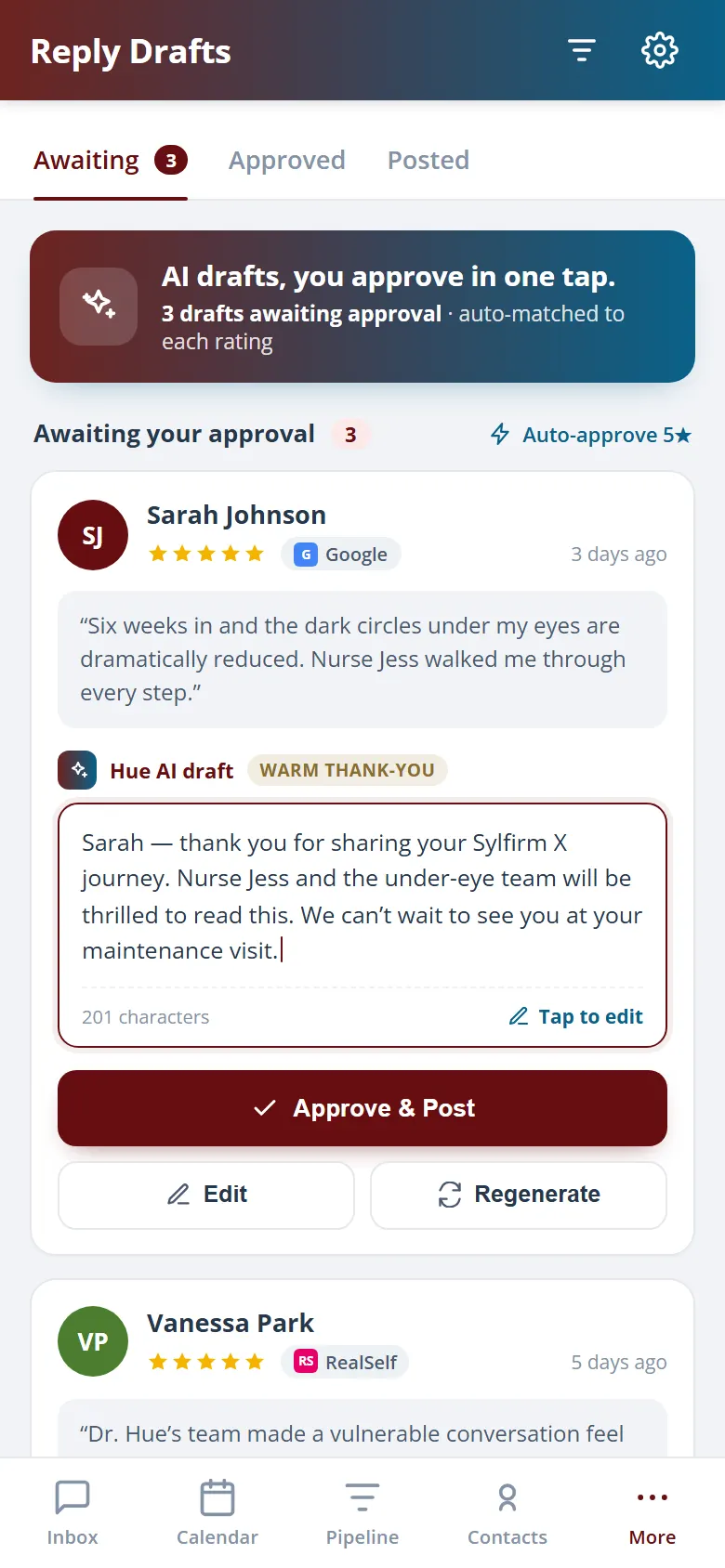
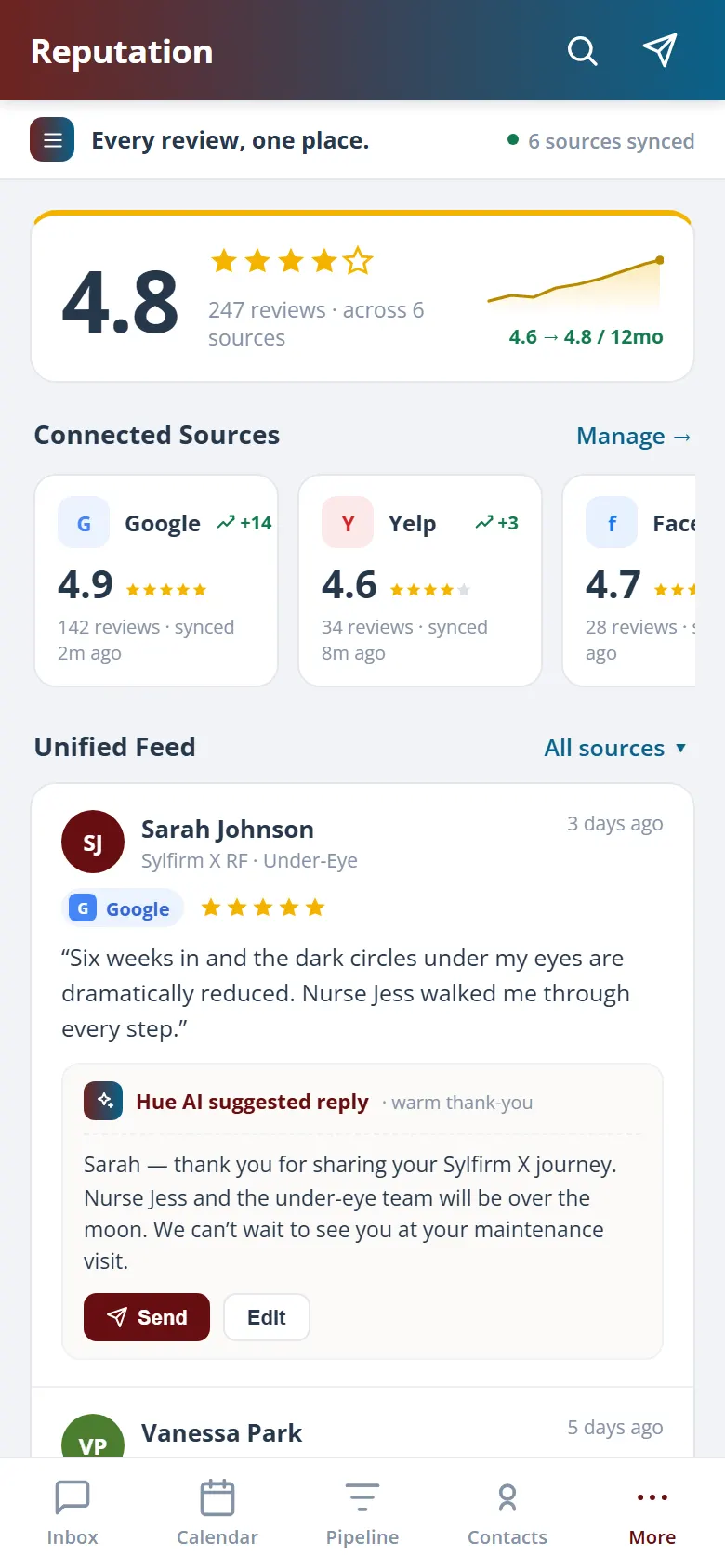
Hue drafts a warm, on-brand reply to each new review and waits for your approval, so even a wall of five-star feedback gets a thoughtful response. You stay engaged and visible to future patients reading along, and a single click sends the reply back to Google or Facebook.
Hue writes a reply in your clinic voice for each review.
Read, tweak, and send, or let trusted replies go automatically.
Approved replies sync straight to the source.
04 · Synced & On Your Site
Show your proof where it counts.
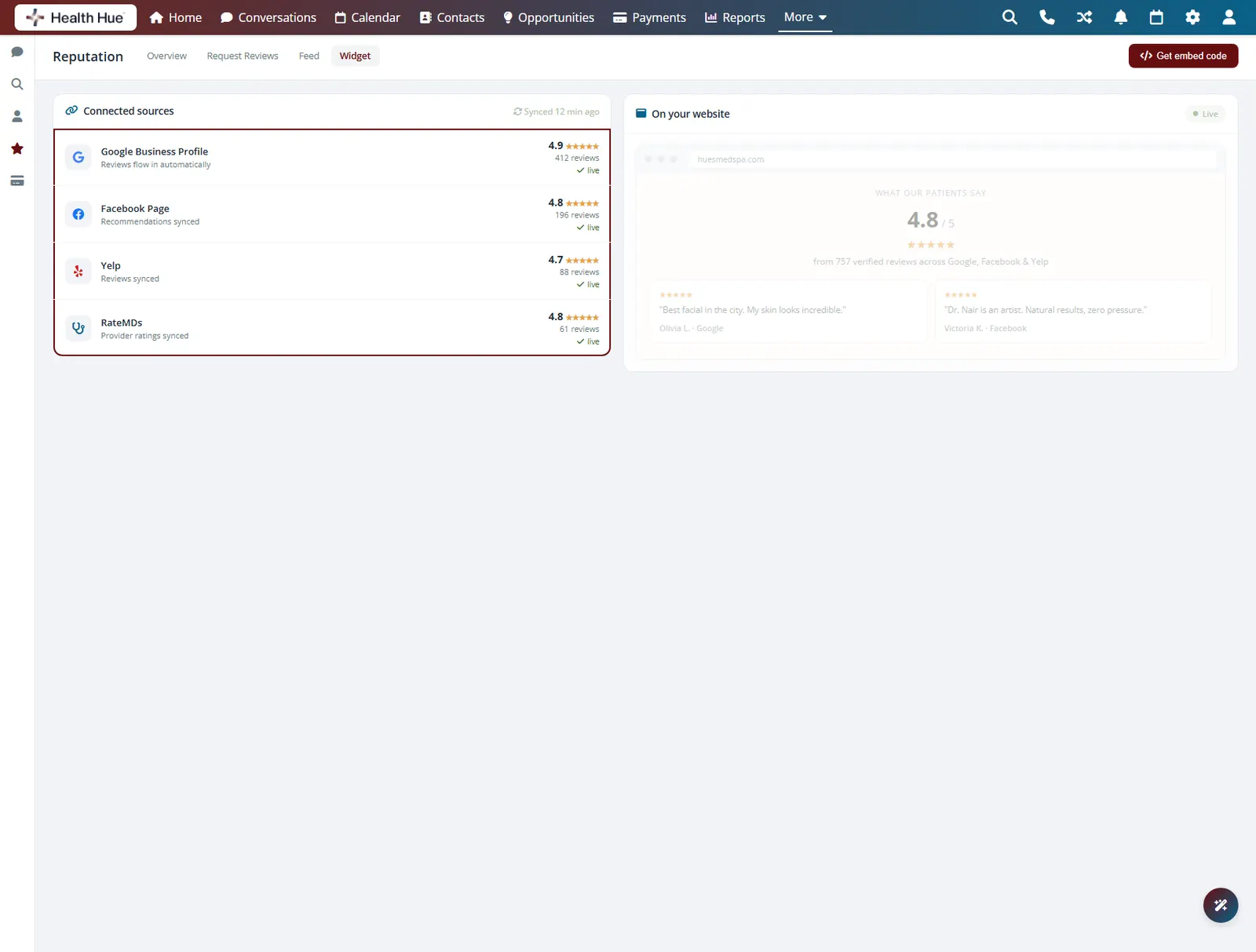
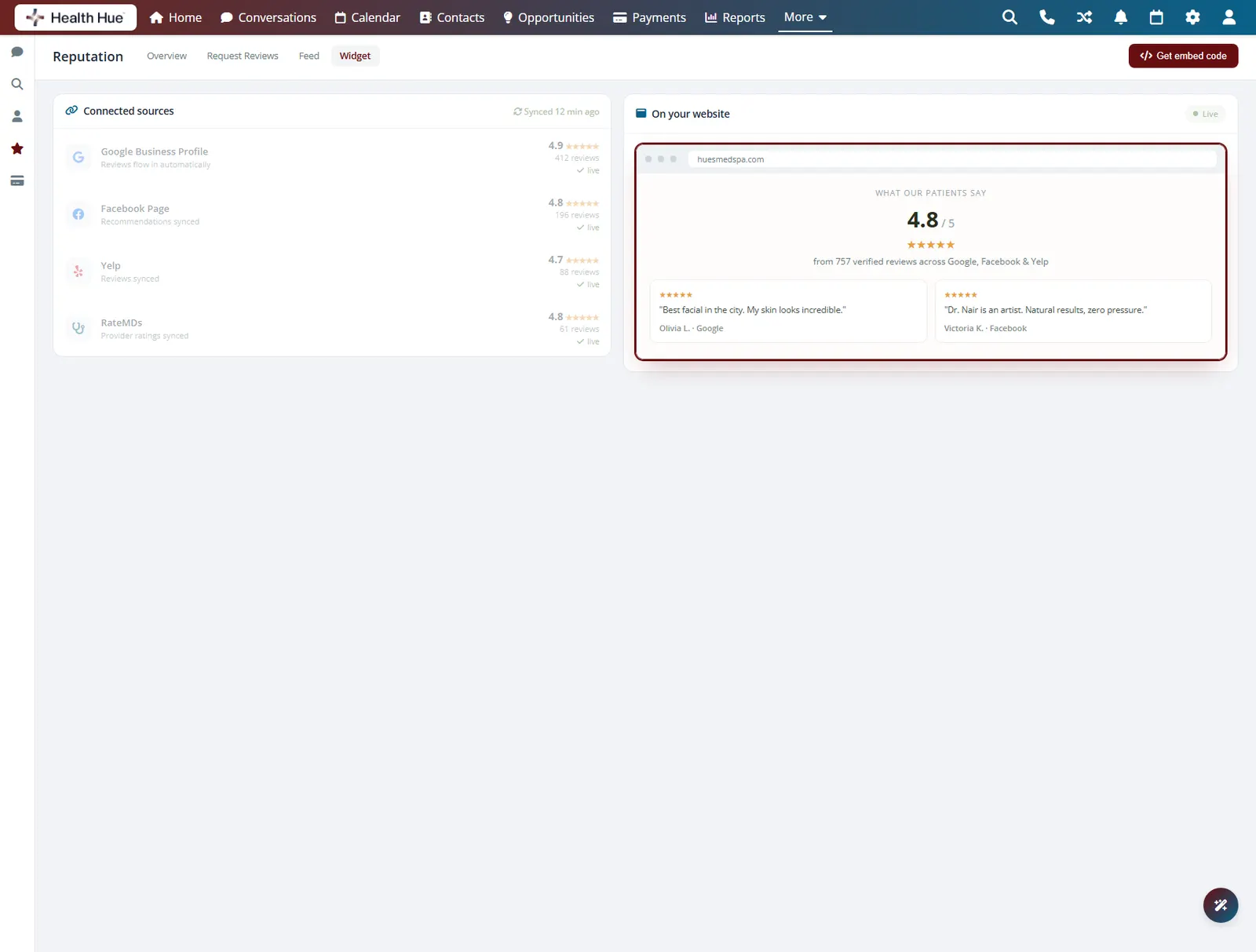
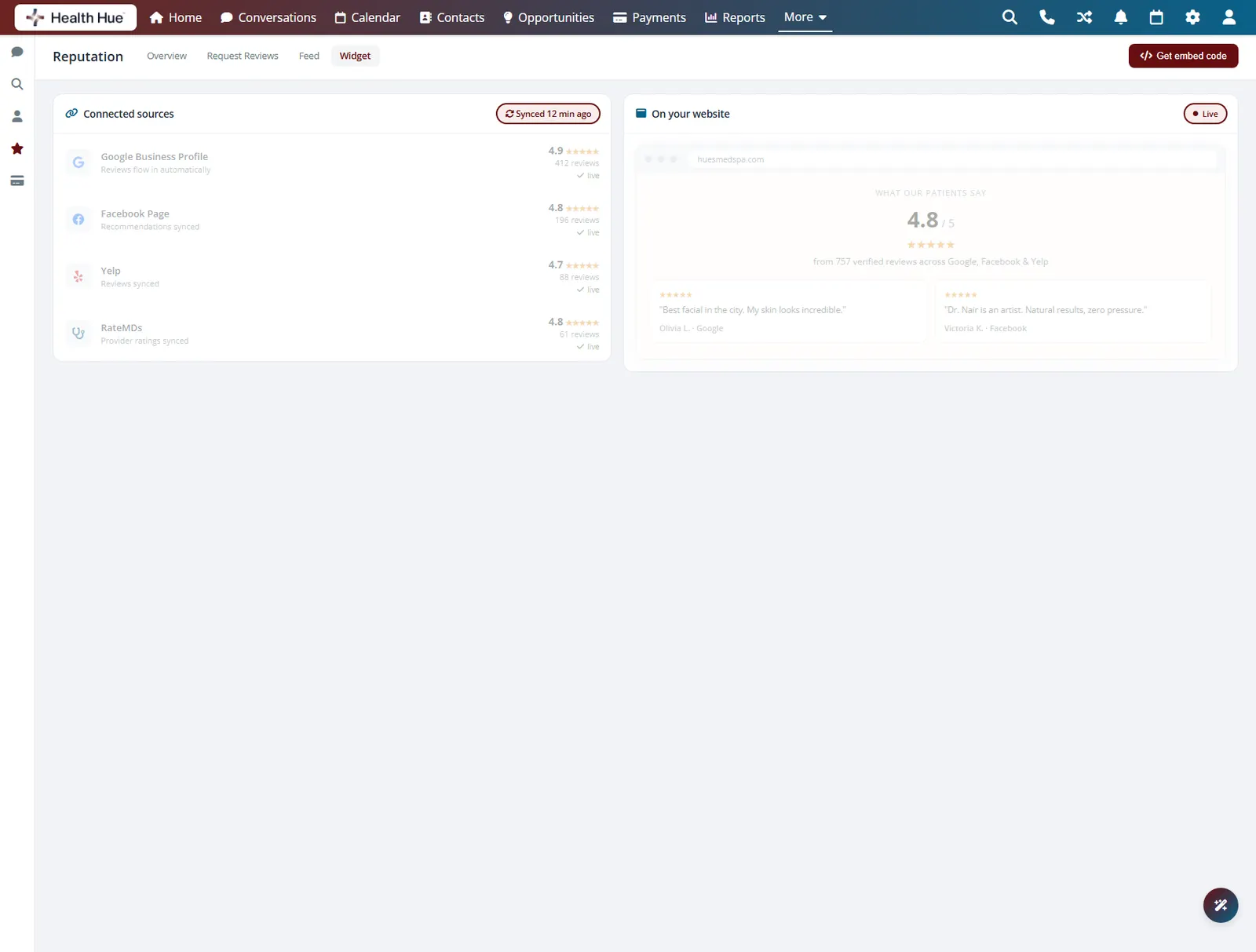
Every review syncs into one inbox and onto your website, so the five-star wall future patients see stays current on its own. Fresh, real feedback on your own pages does more to win a booking than any claim you could make about yourself, and it updates the moment a new review lands.
Google and Facebook reviews collected in a single view.
A live widget shows fresh five-star proof to visitors.
New reviews appear without anyone updating the page.
05 · Before-and-After Asks
Collect result photos with consent.
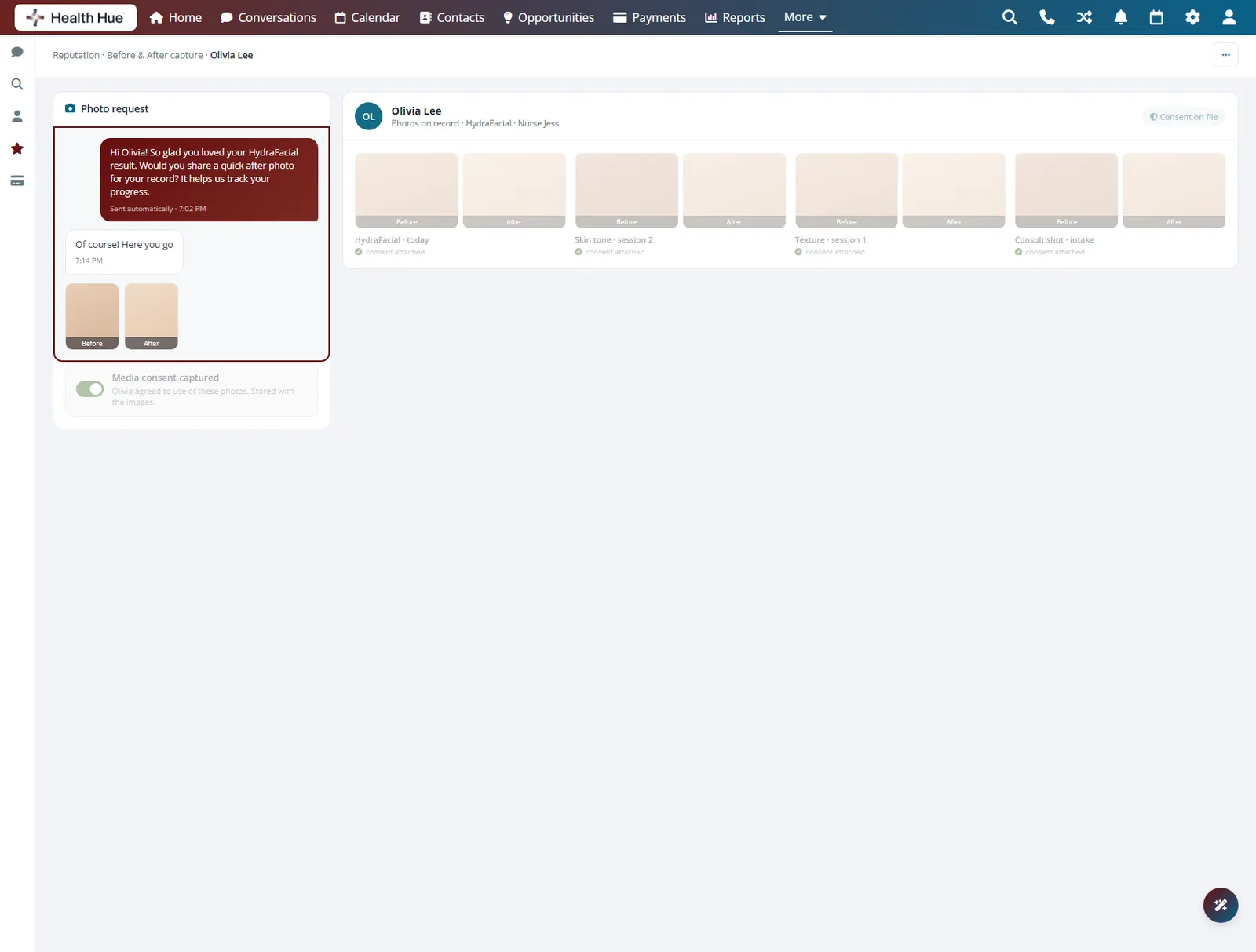
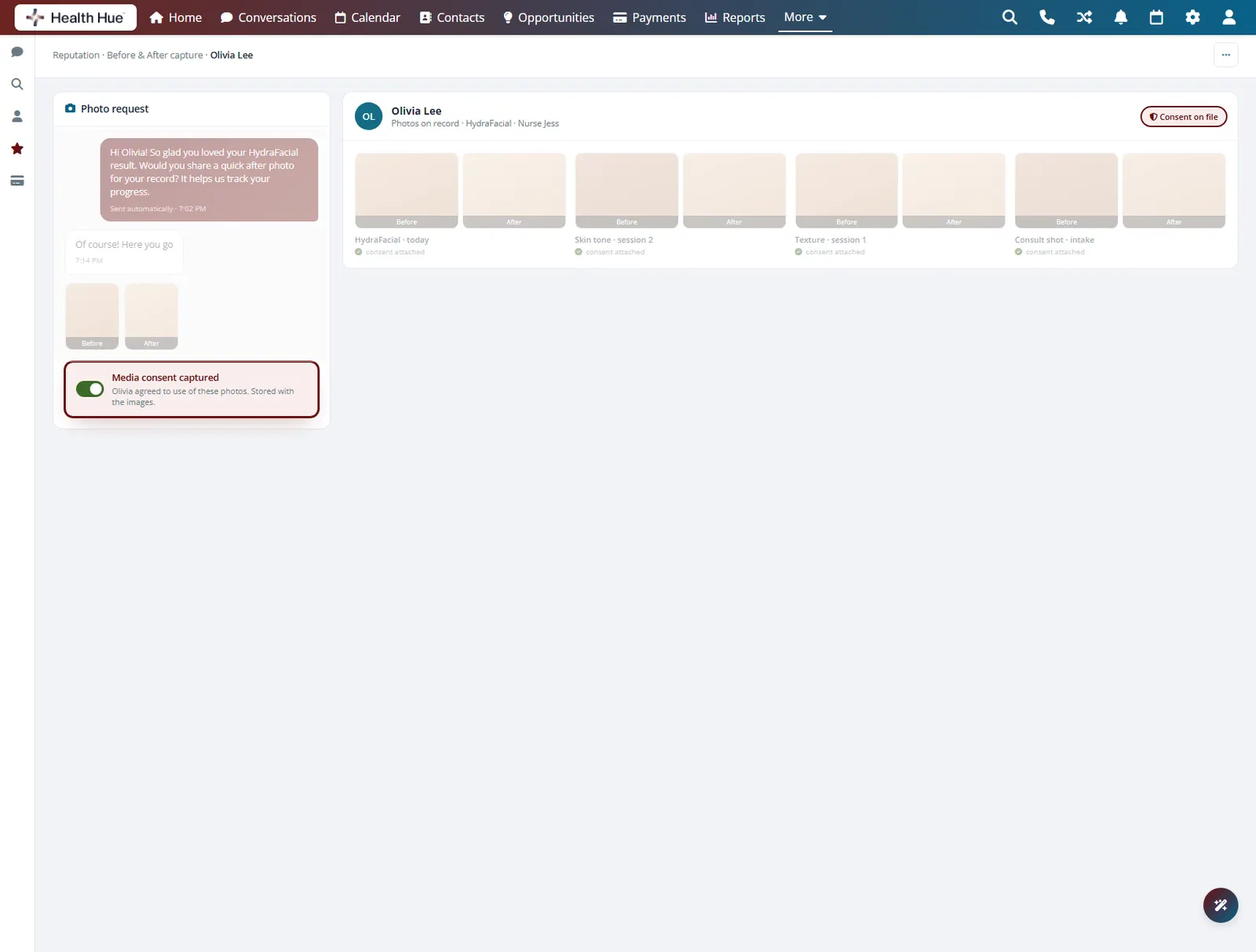
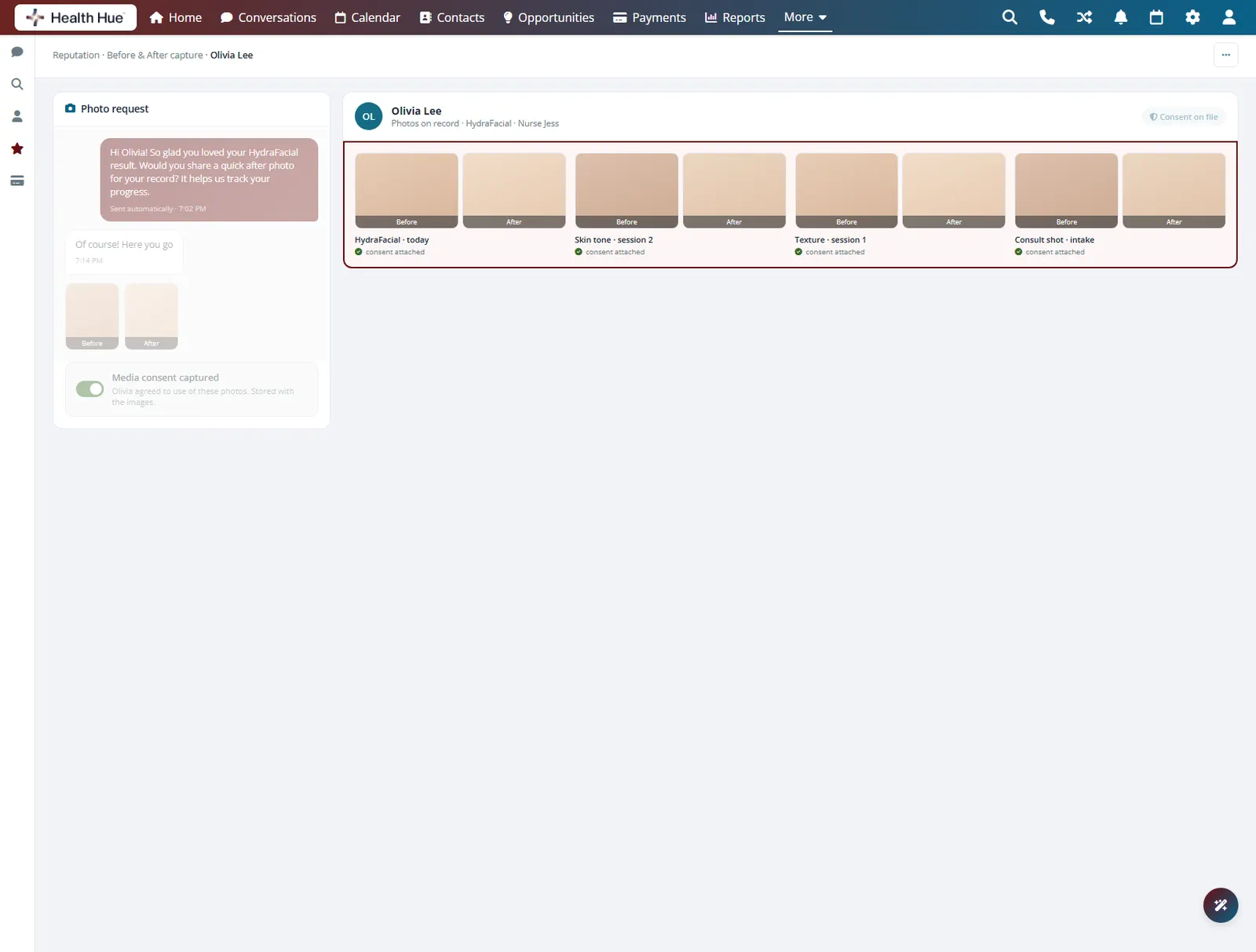
Alongside the review request, the Hub can ask for a before-and-after photo and capture media consent at the same time. The images land on the patient record next to the treatment, ready for a consult or a campaign, so your strongest proof is gathered the moment results look their best.
The photo request rides along with the review ask.
Media consent is captured and stored with each image.
Photos save to the patient profile beside the treatment.
Secure, compliant, and clinic-ready
Every feature lives in a platform built for clinics from the ground up, with charting, consent, and payments native to the patient record.
PHIPA & HIPAA-aware
Patient data is encrypted and handled to Canadian health-privacy standards.
Consent & audit
Consents, signatures, and changes log to the record automatically.
Role-based access
Granular permissions keep charts and contact details on a need-to-know basis.
One source of truth
Scheduling, payments, messages, and records in one place. Nothing siloed.
Explore more of the Hub
Reviews is one part of the Health Hue Hub, your AI-powered clinic operating system.
Conversations
One inbox for SMS, calls, web chat, and DMs.
Patient Records
Every patient in one complete profile.
Calendar & Scheduling
AI booking, reminders, and provider sync.
Payments & POS
Text-to-pay, deposits, and fast checkout.
Memberships
Recurring revenue, packages, and perks.
Automated Flows
Triggers and multi-channel follow-up.
FAQ