Health Hue Hub · Patient Profile
One patient record. Everything in it.
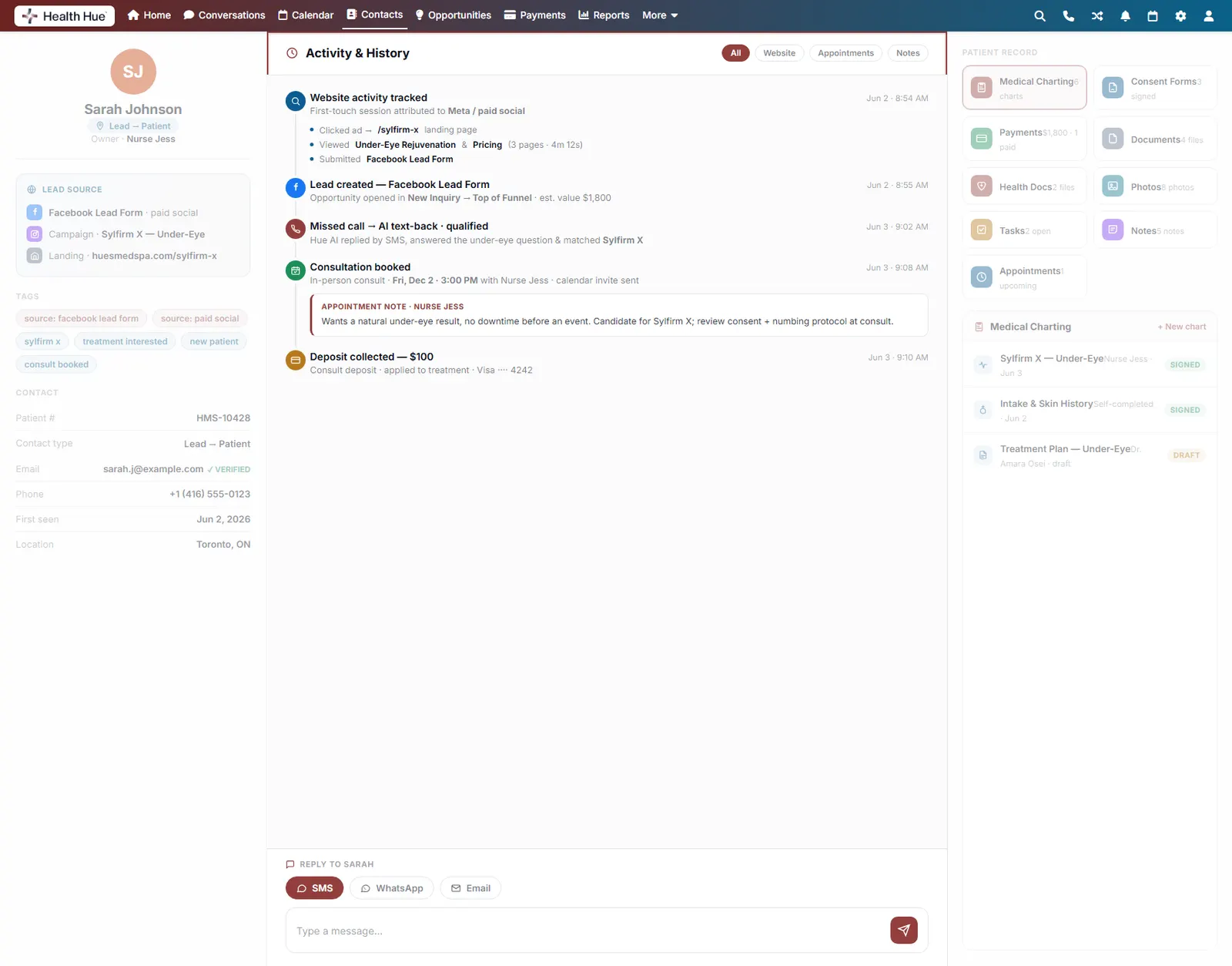
Lead source, website activity, and full appointment history in one record, with medical charting, consent forms, payments, photos, documents, tasks, and notes. Every touch logged automatically, nothing siloed on a spreadsheet or someone’s phone.
01 · One Unified Record
Every patient, in a single profile.
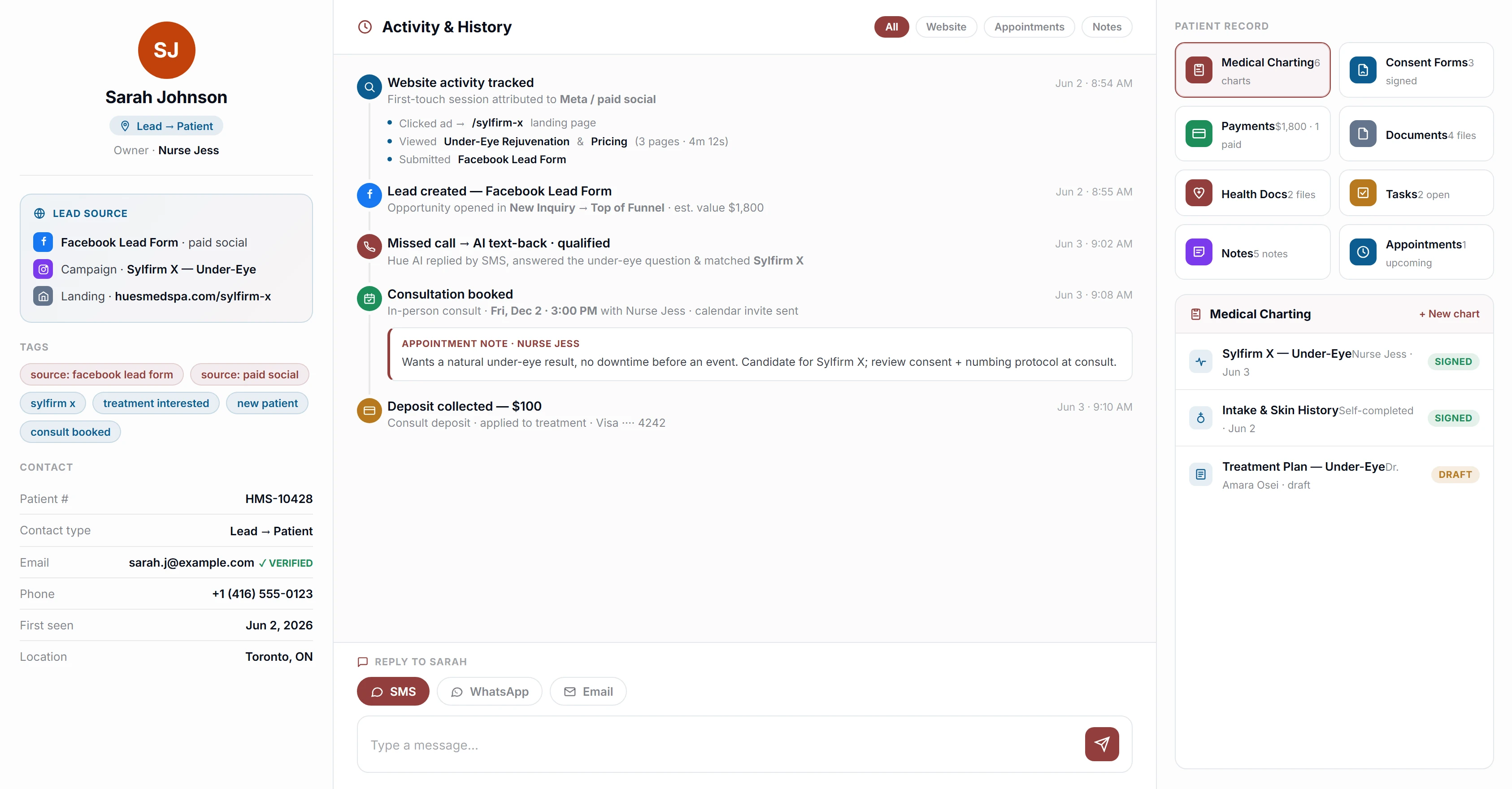
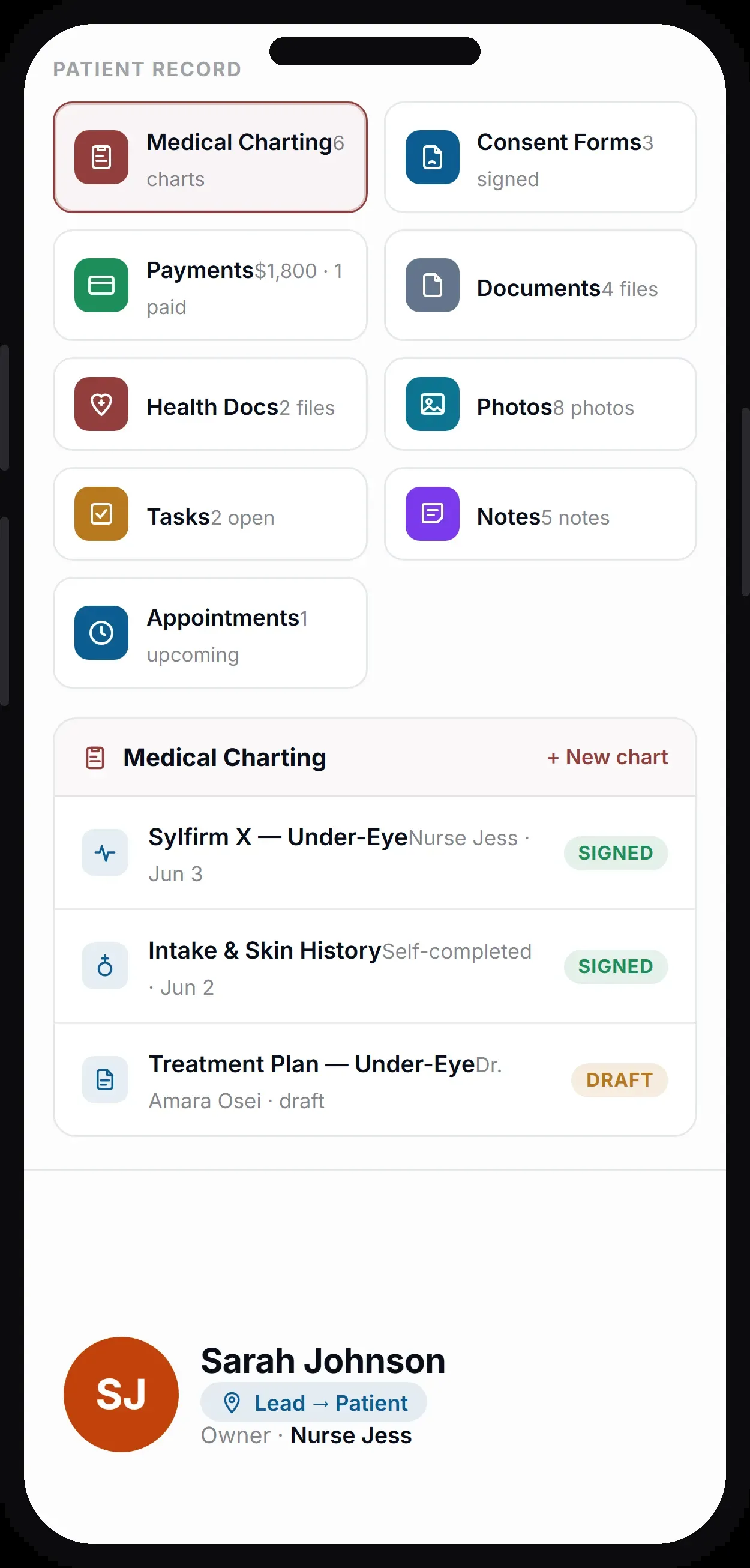
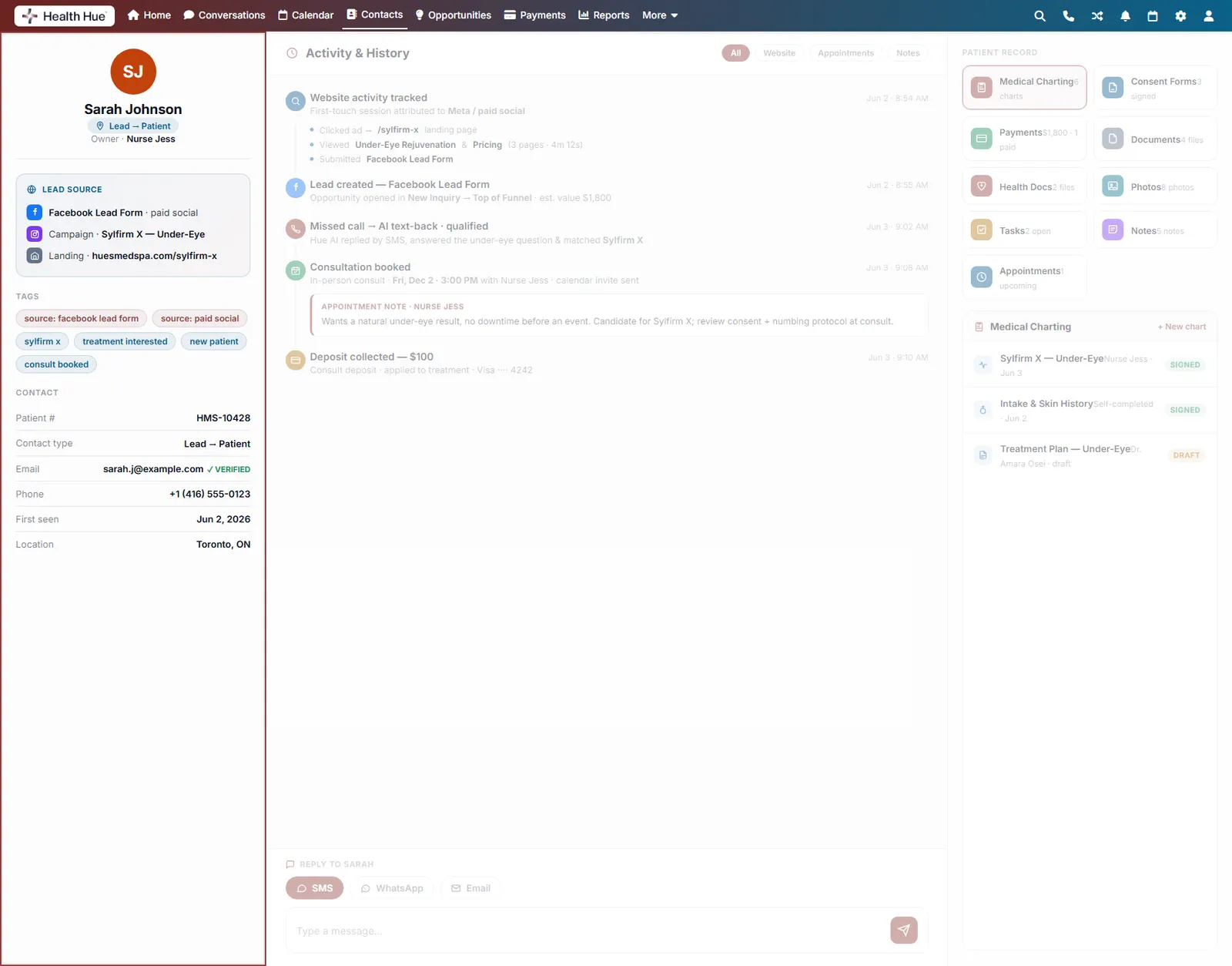
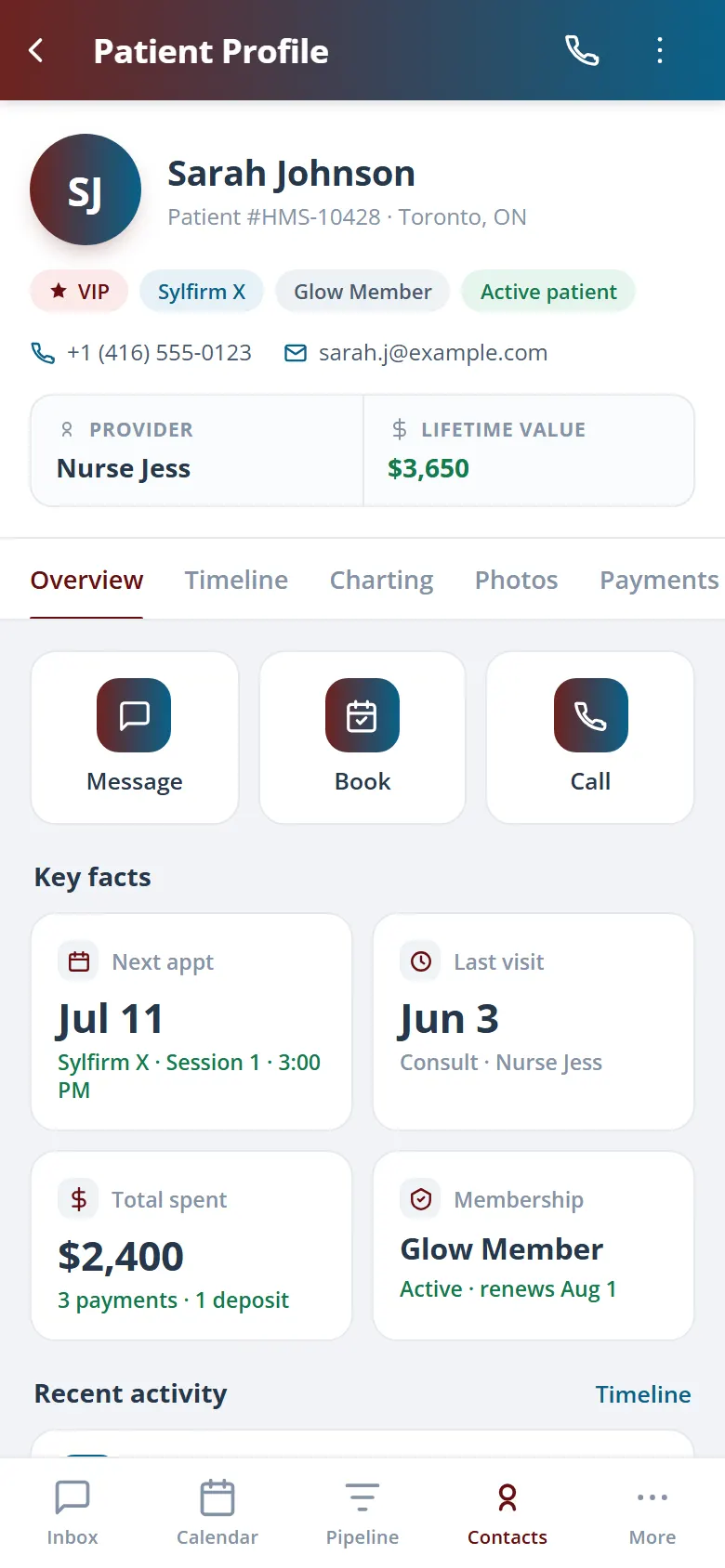
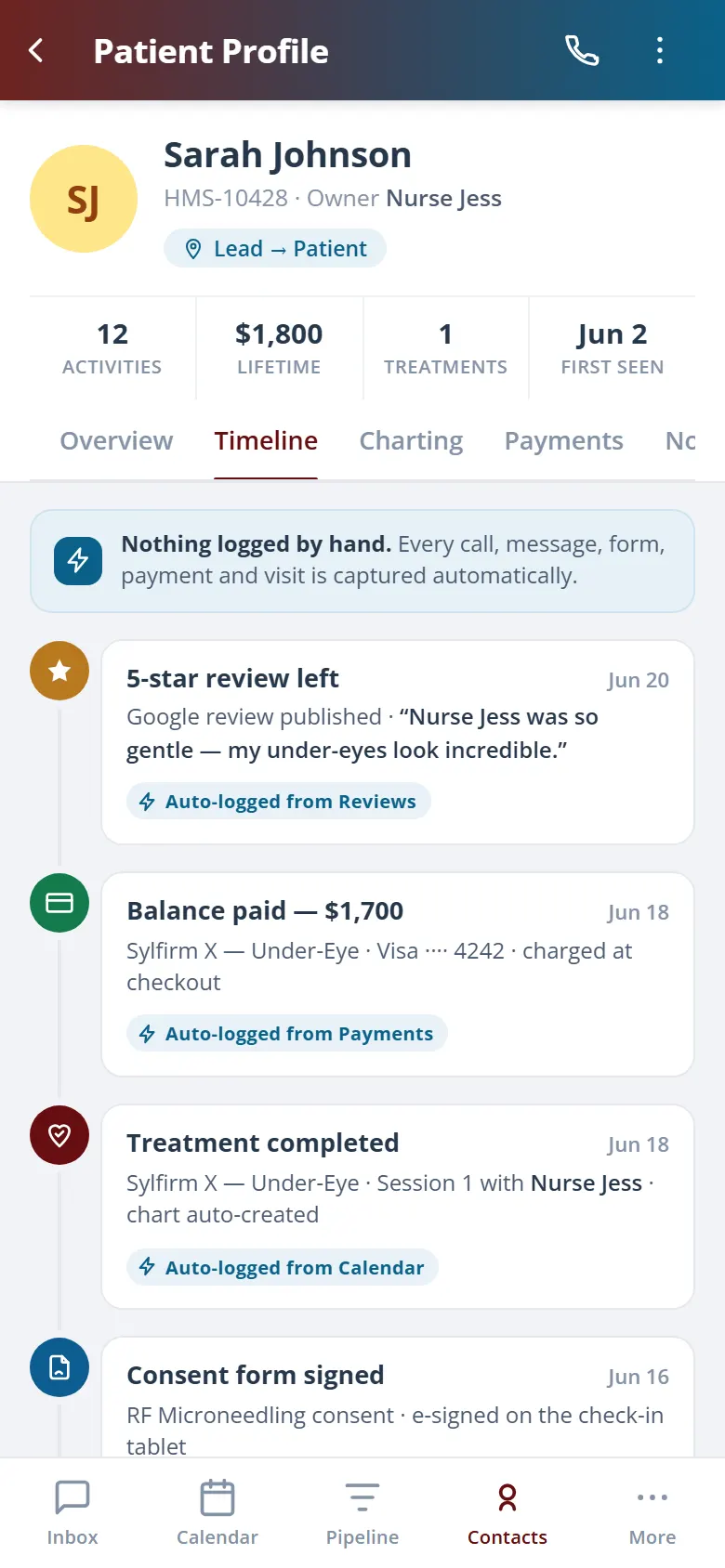
The moment a lead comes in, Health Hue opens a record and never stops adding to it. Front desk, coordinators, and providers all work from the same profile, so anyone can see the full picture without chasing a chart, a spreadsheet, or someone’s phone.
One profile, from first click to repeat visit.
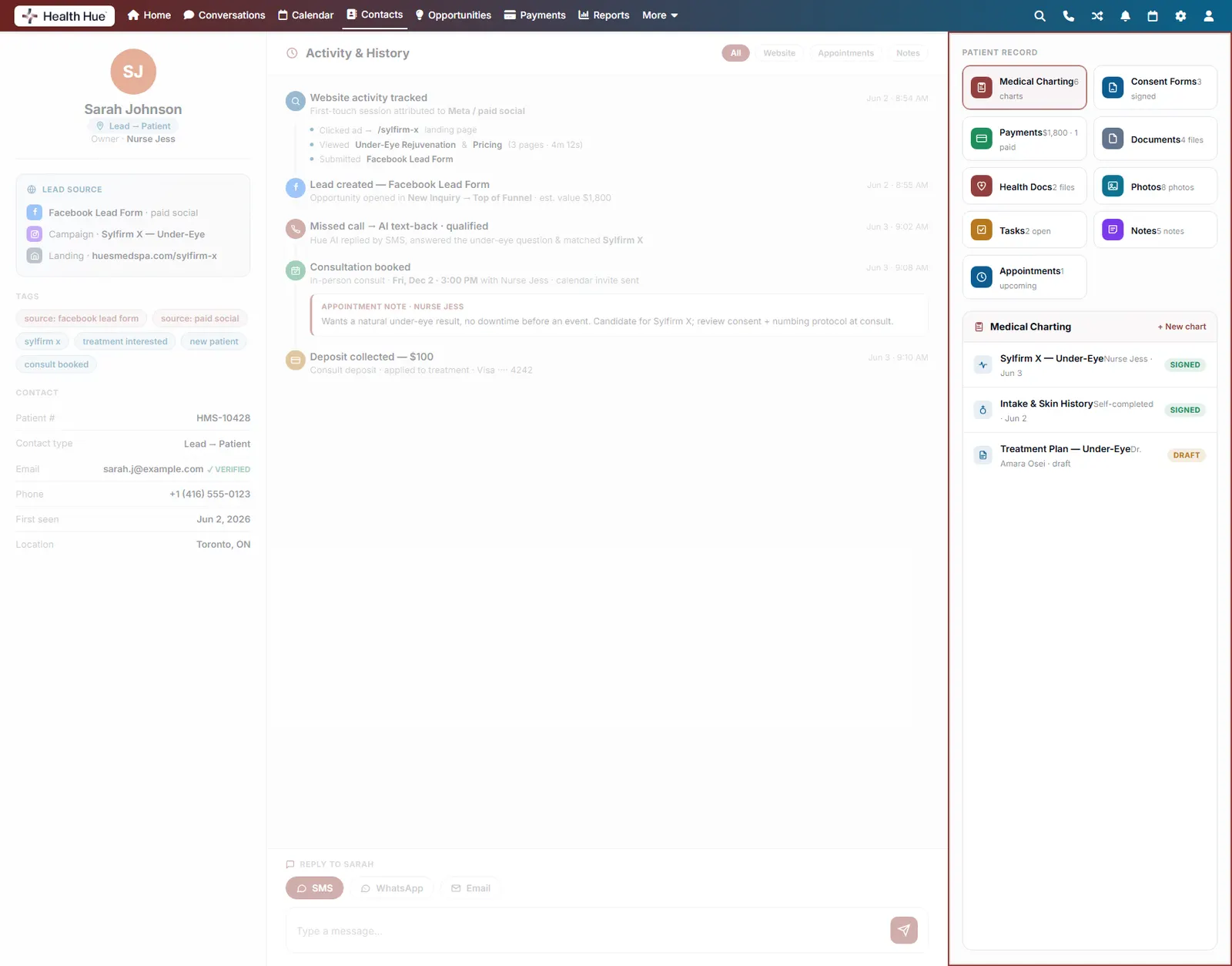
Charting, consent, payments, and photos in one place.
Visible to your whole team, role by role.
02 · Engage From The Record
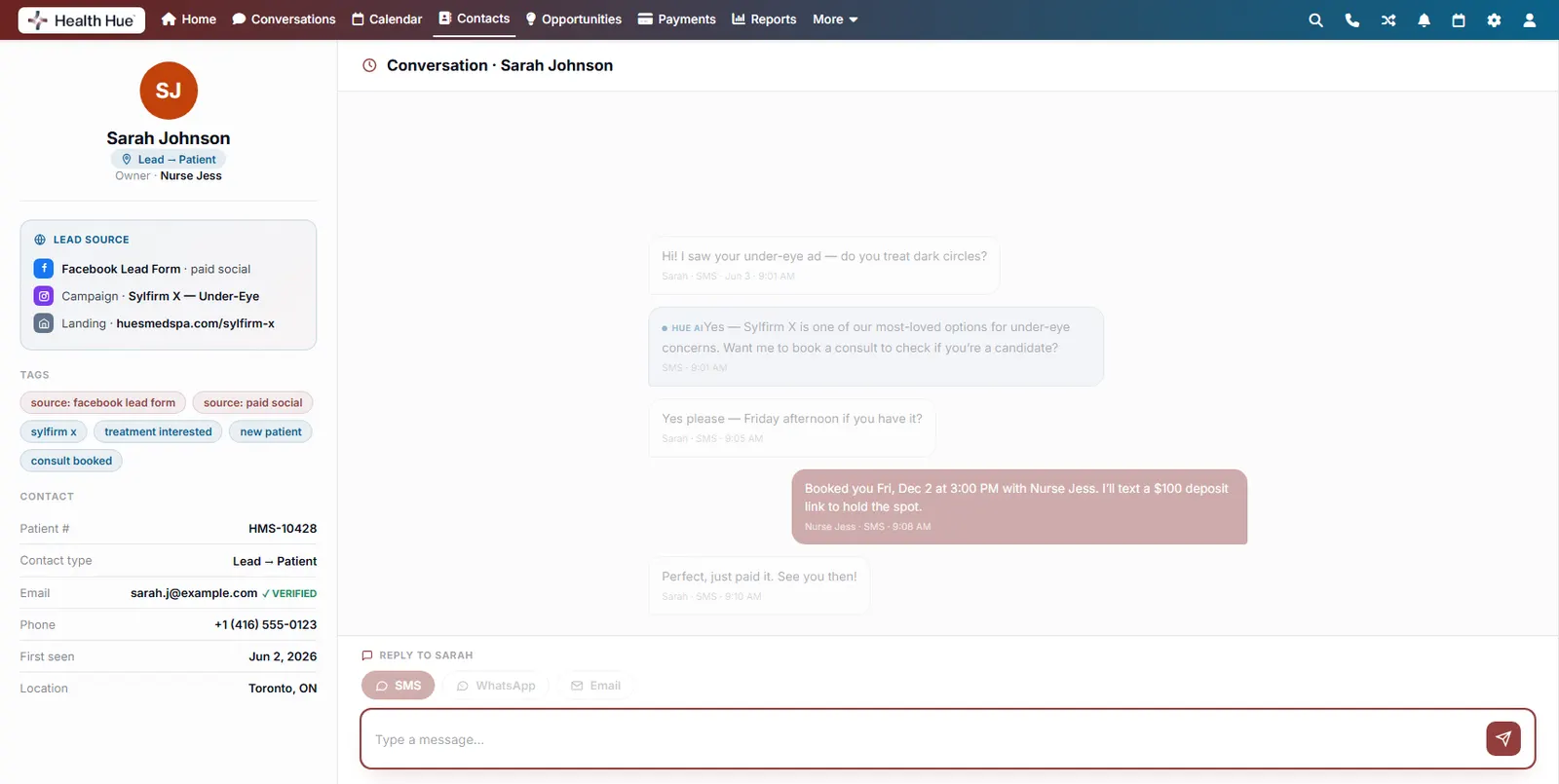
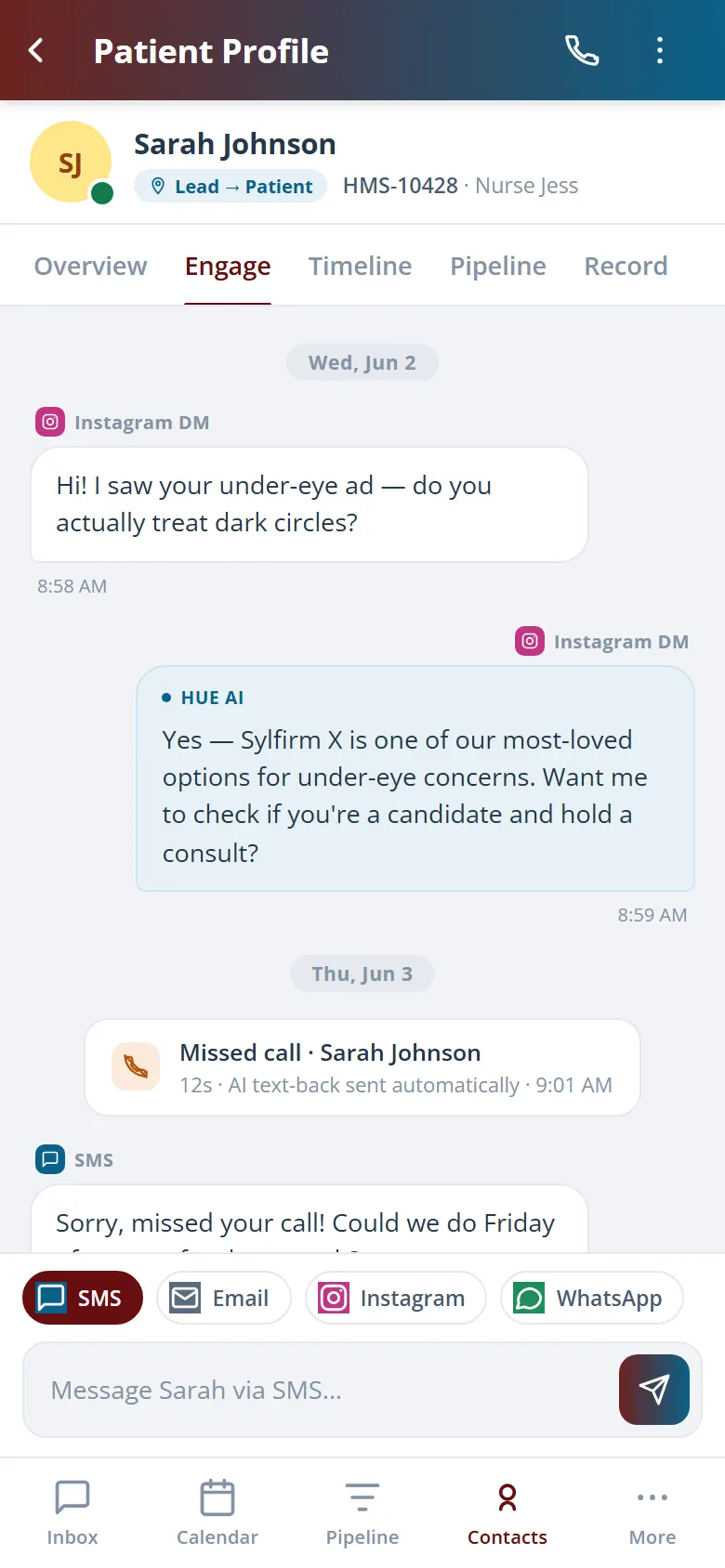
Reply without leaving the profile.
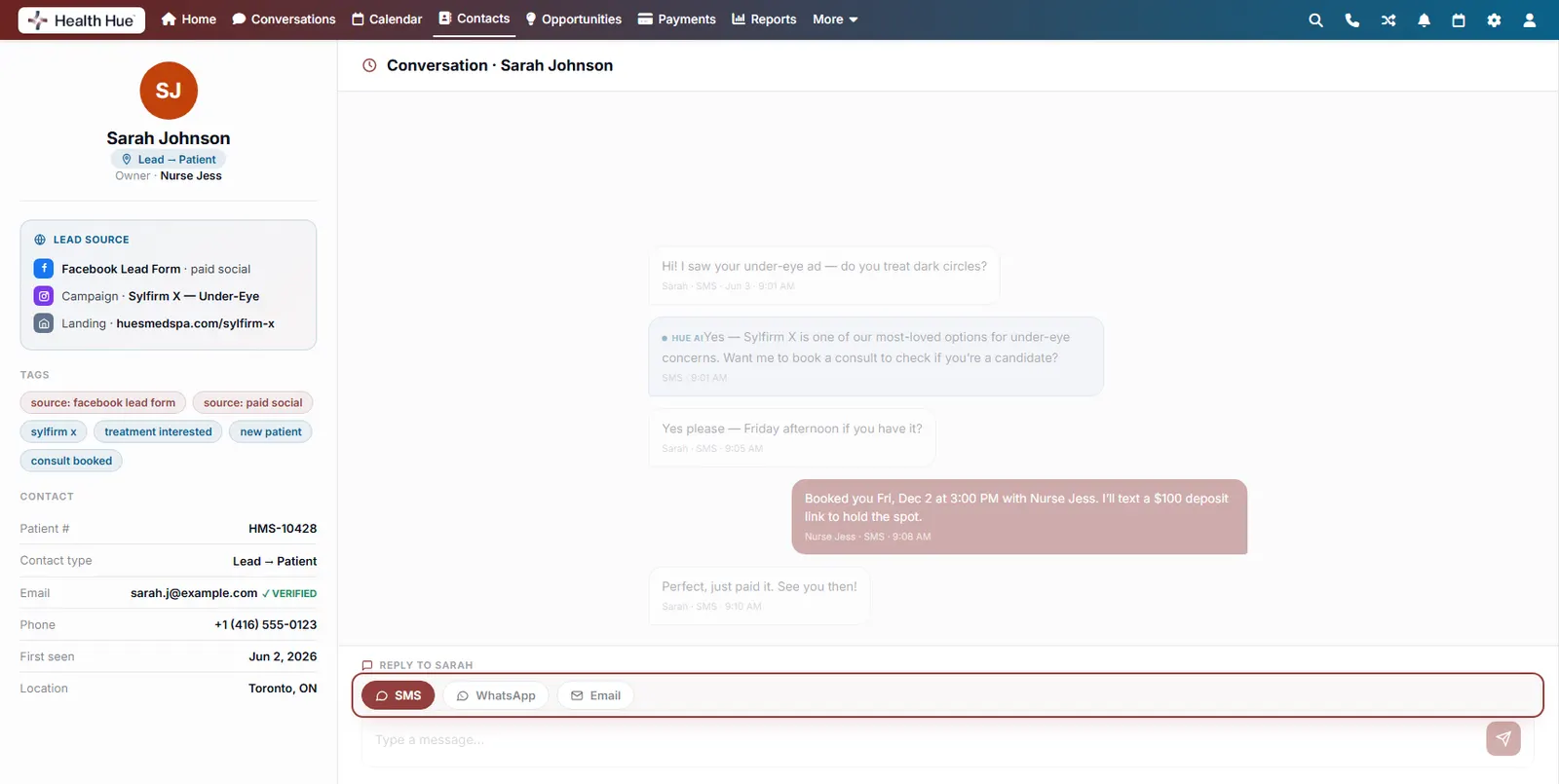
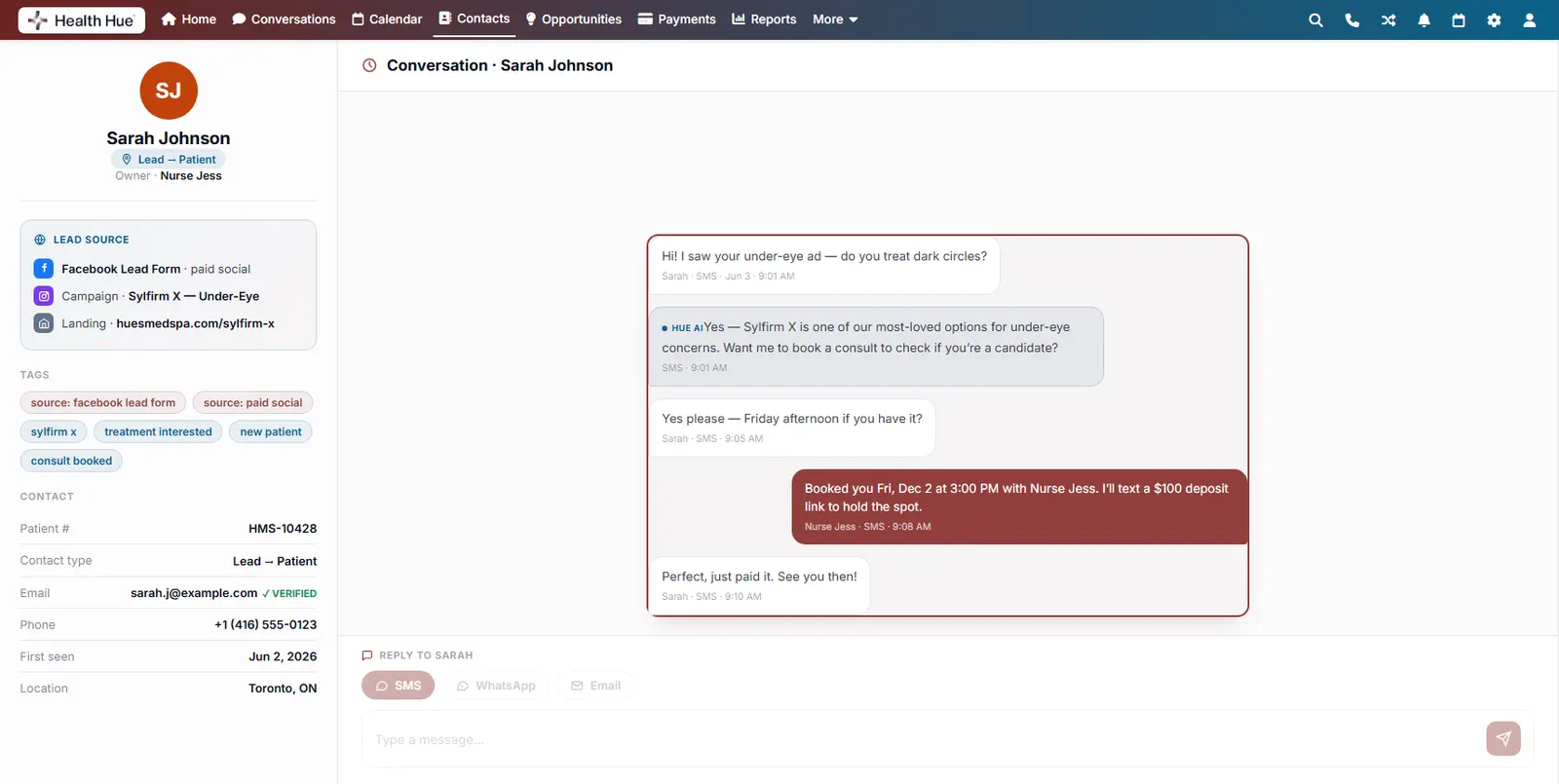
Text, WhatsApp, or email the patient straight from the record, with their whole history in view. It’s the same unified inbox that powers Conversations, attached to every profile, so the front desk never has to switch tools to answer.
SMS, WhatsApp, and email from the record.
The patient’s full history beside every message.
Powered by the same Conversations inbox.
03 · Activity & History
Watch the whole patient journey unfold.
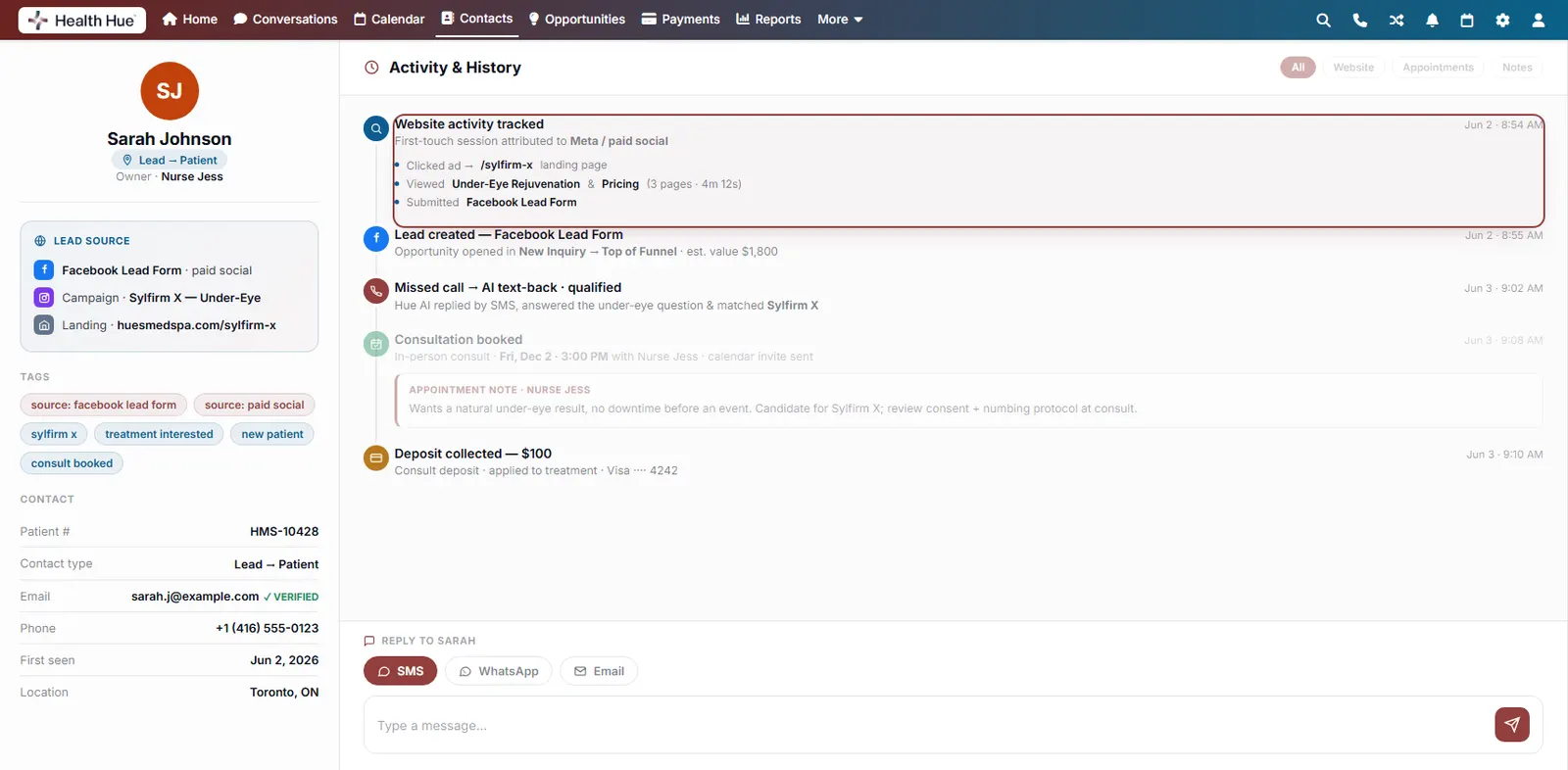
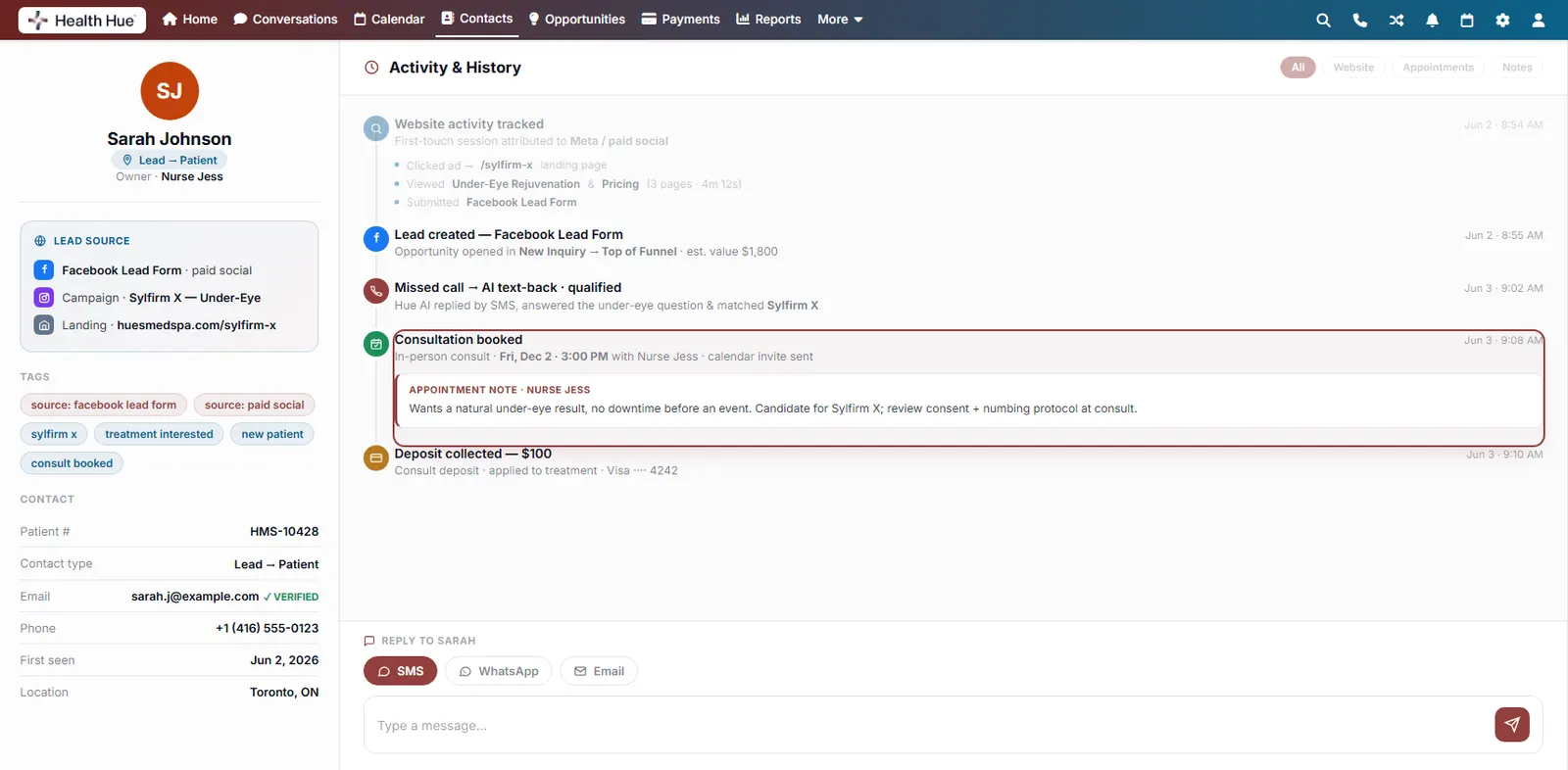
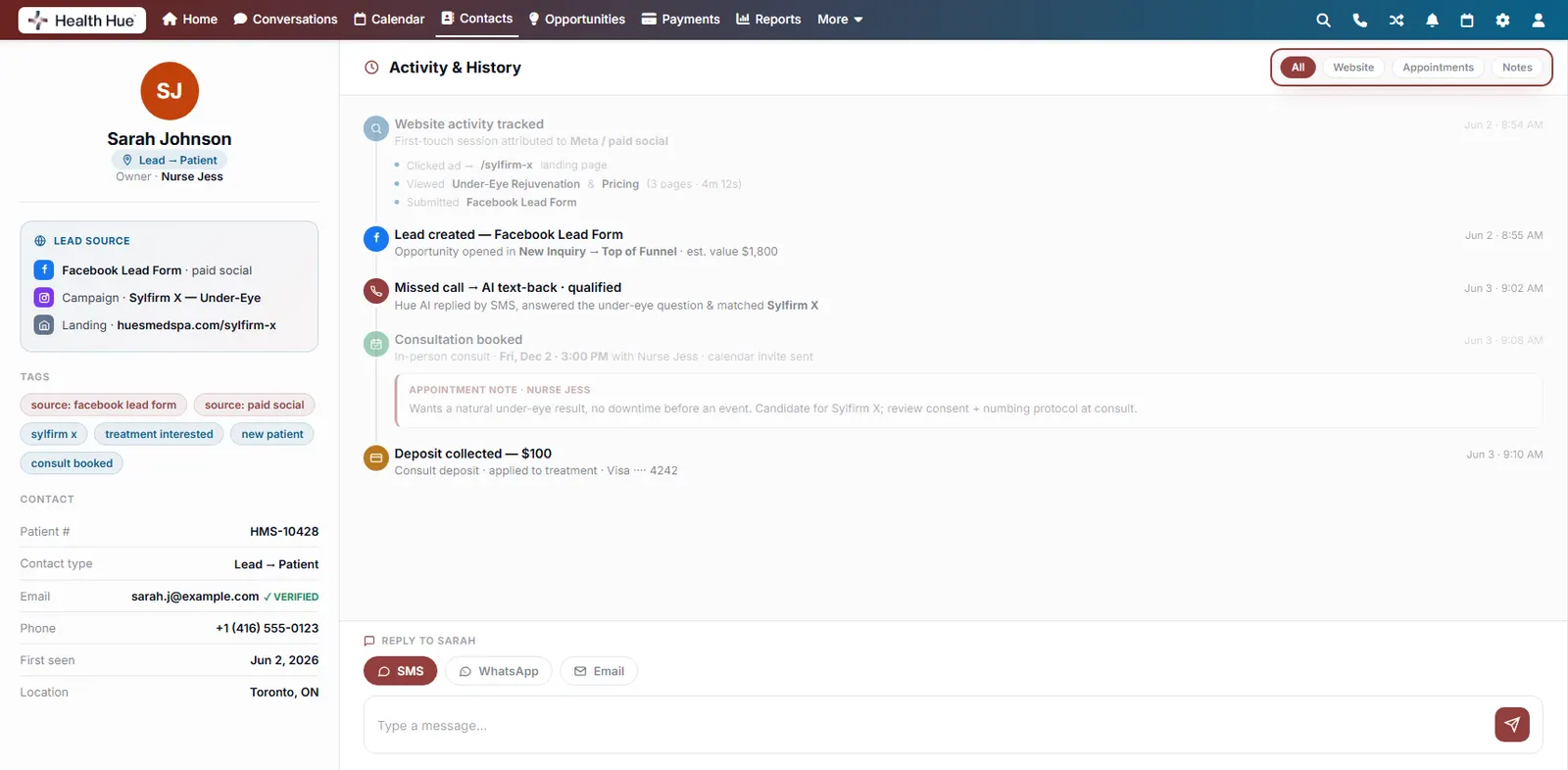
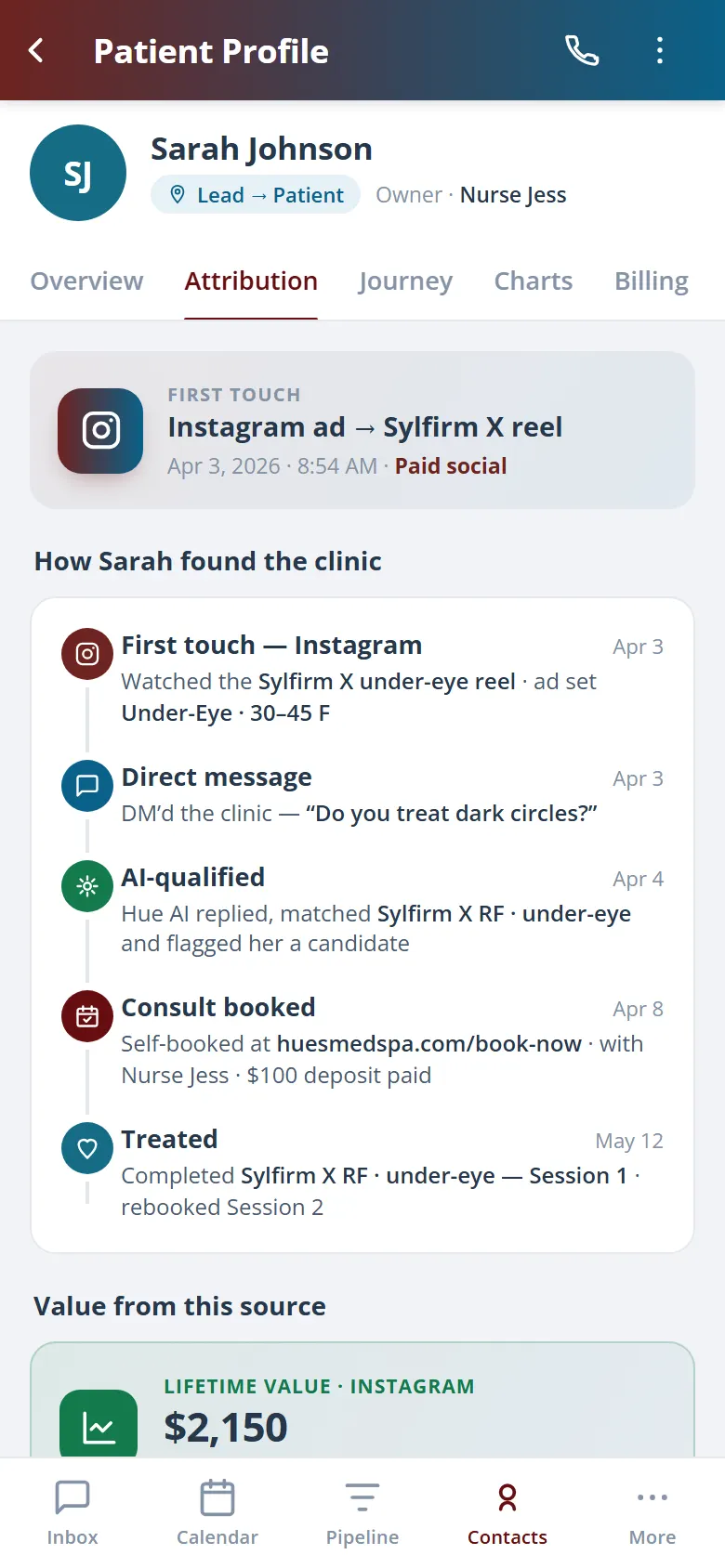
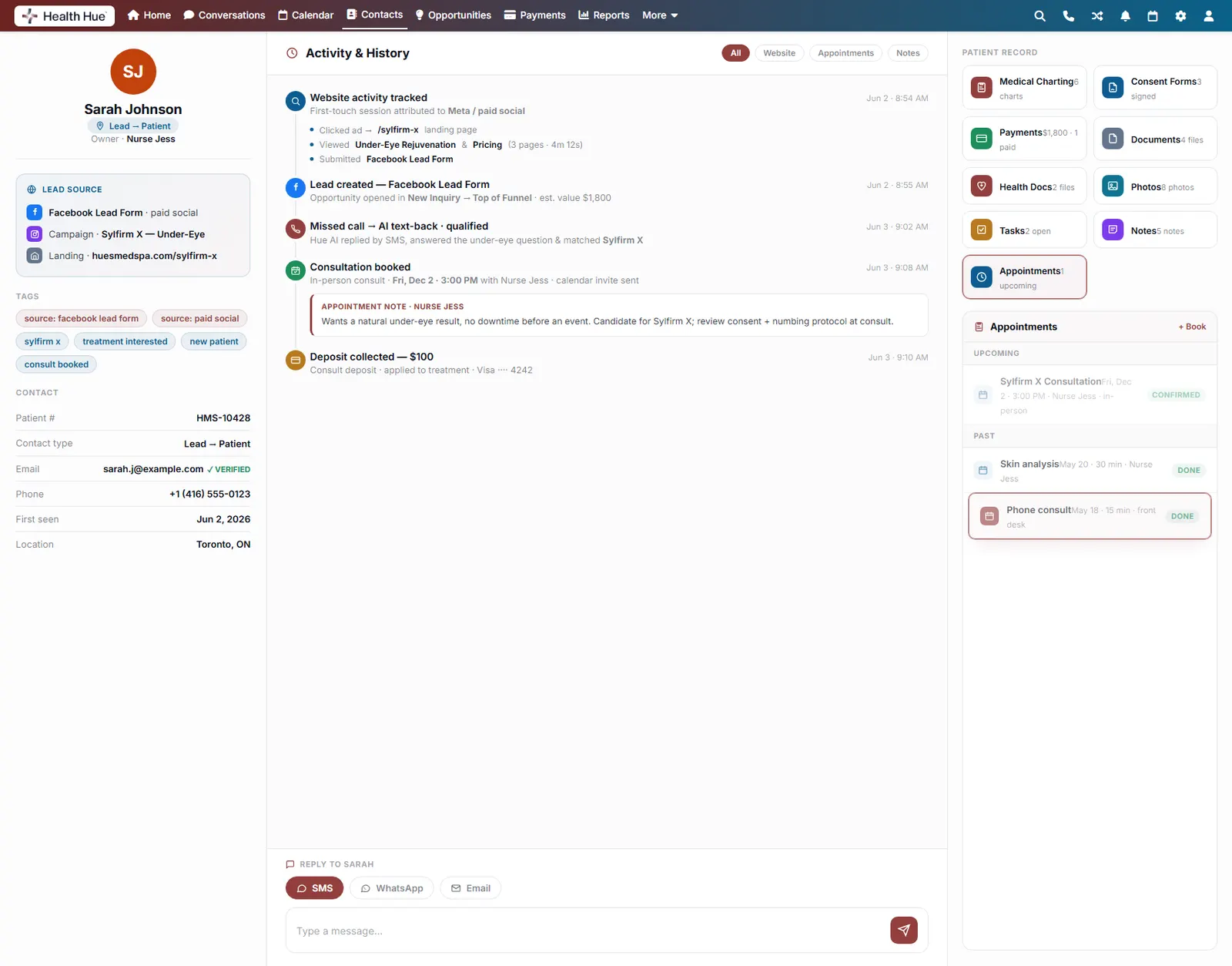
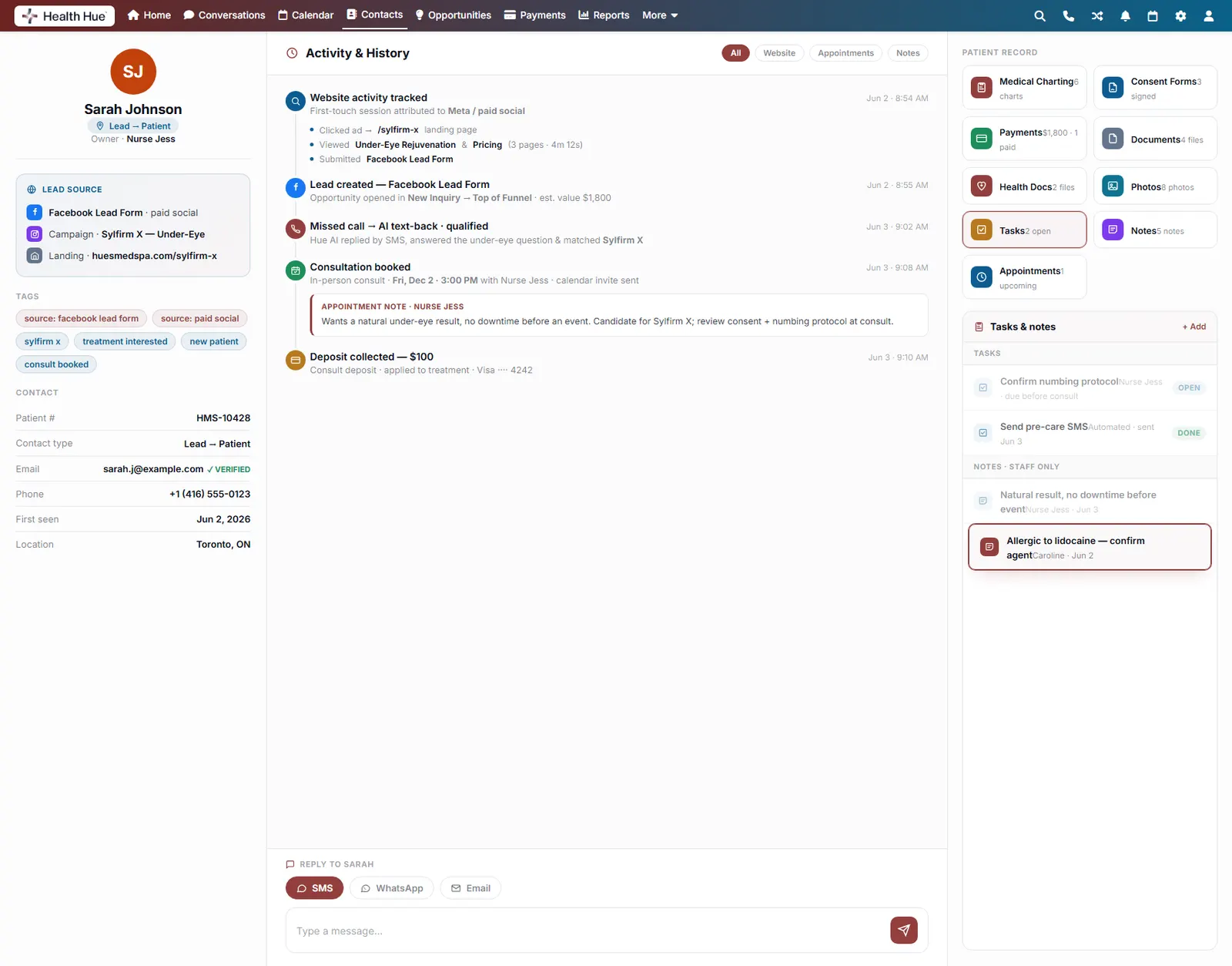
Every appointment, message, call, payment, and note writes itself to a single timeline. No manual data entry. Scroll the record and you see exactly how a patient went from an ad click to a booked, deposited consult.
Website visits, calls, texts, and bookings auto-logged.
Appointment notes and deposits captured right in line.
Filter the timeline by website, appointments, or notes.
04 · Lead Source & Attribution
Know exactly where every patient came from.
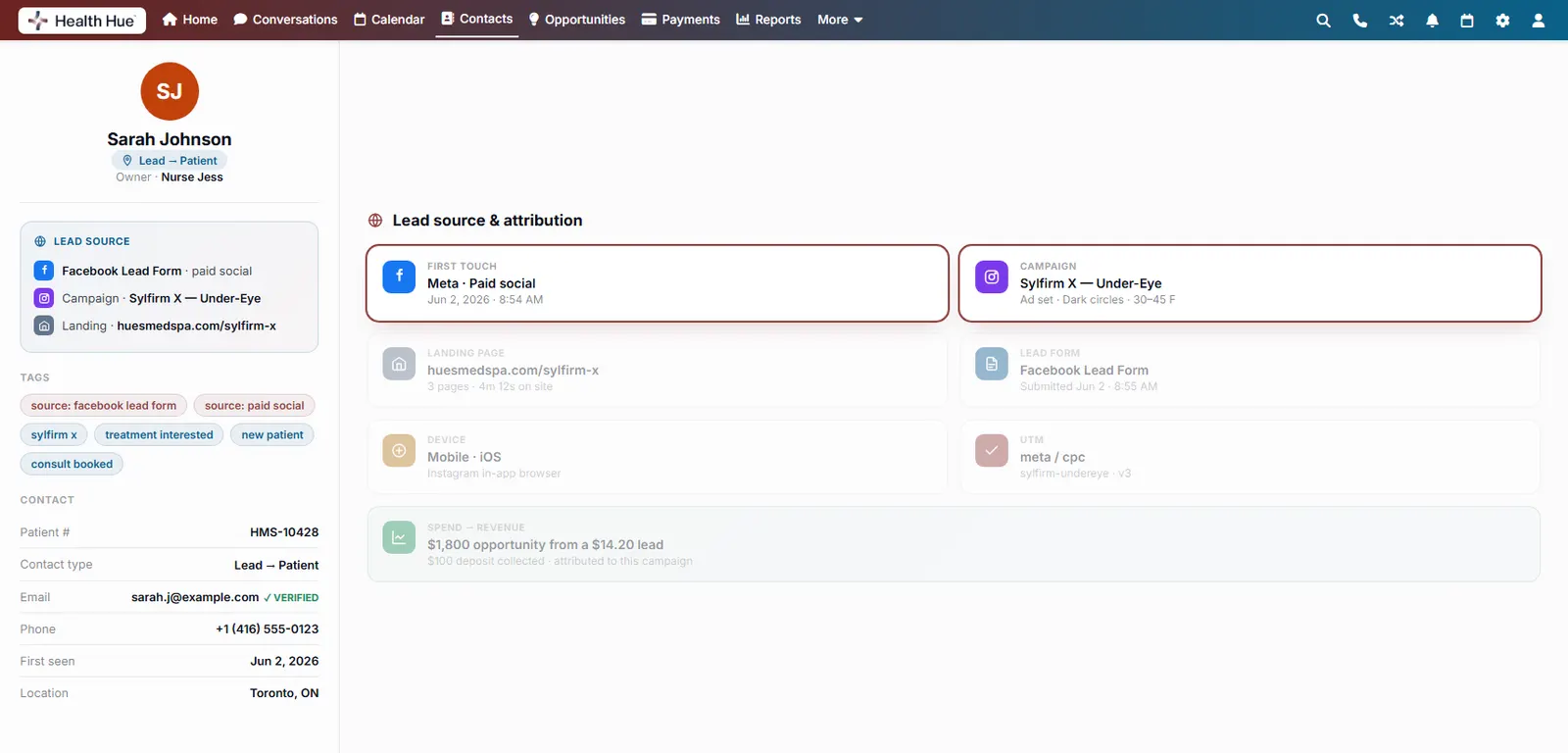
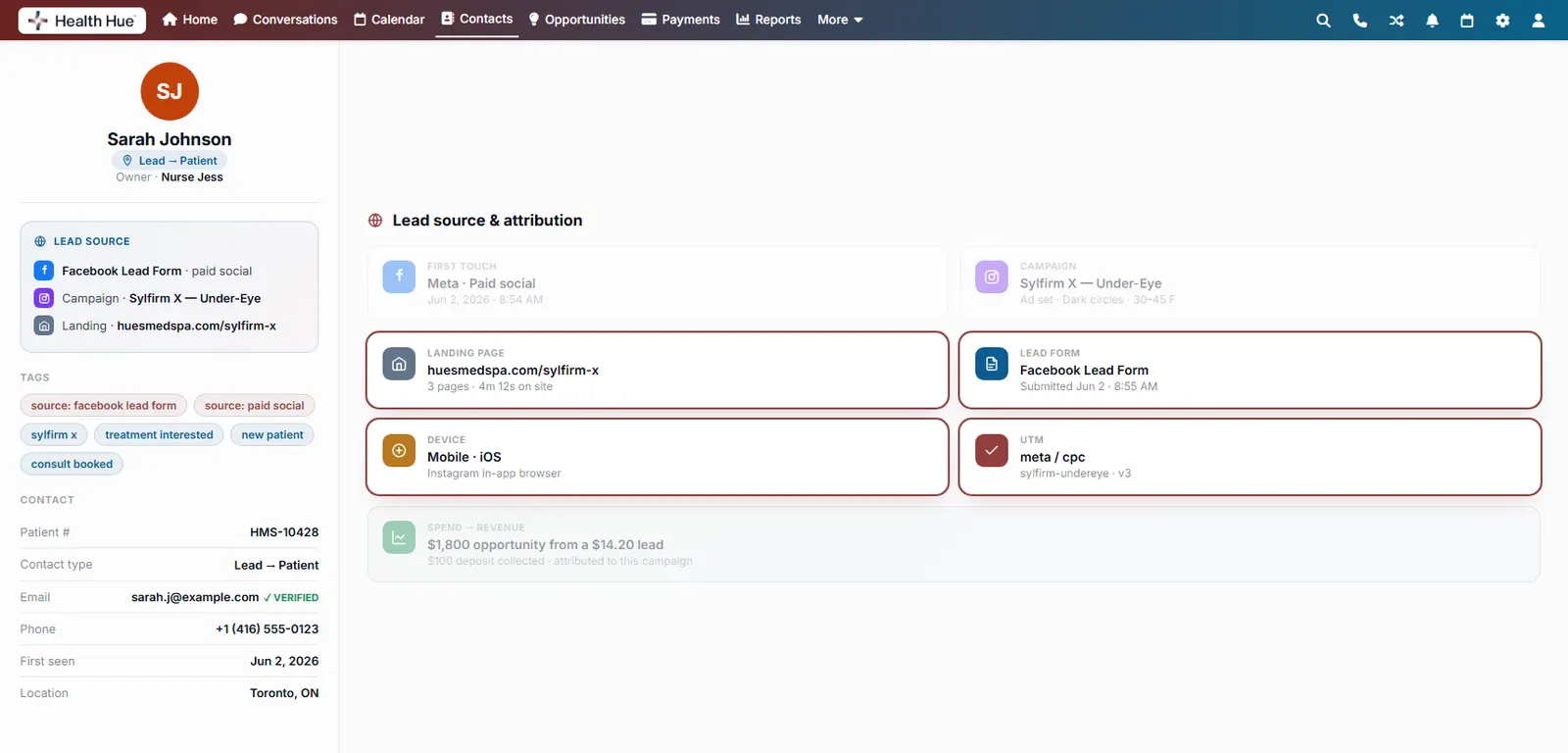
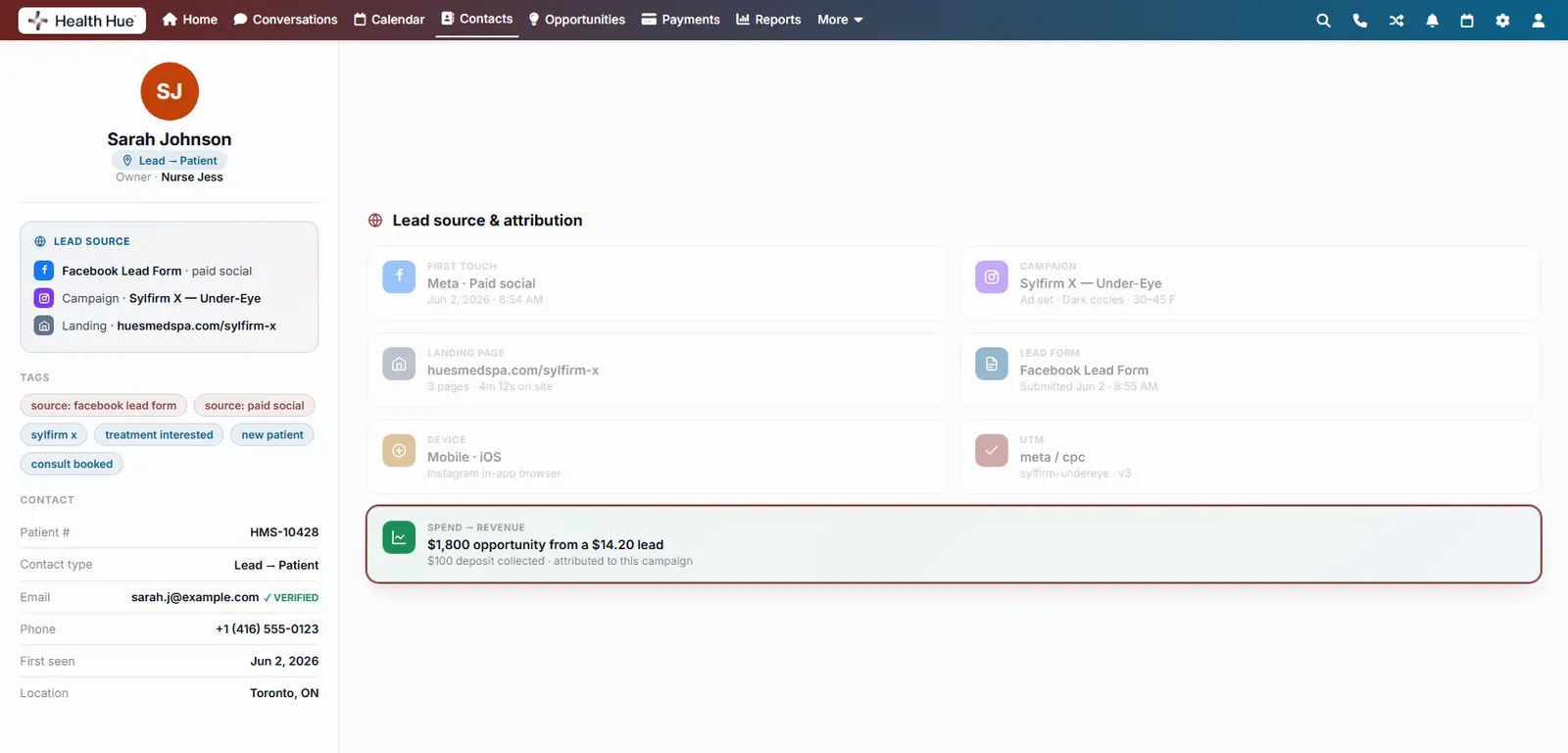
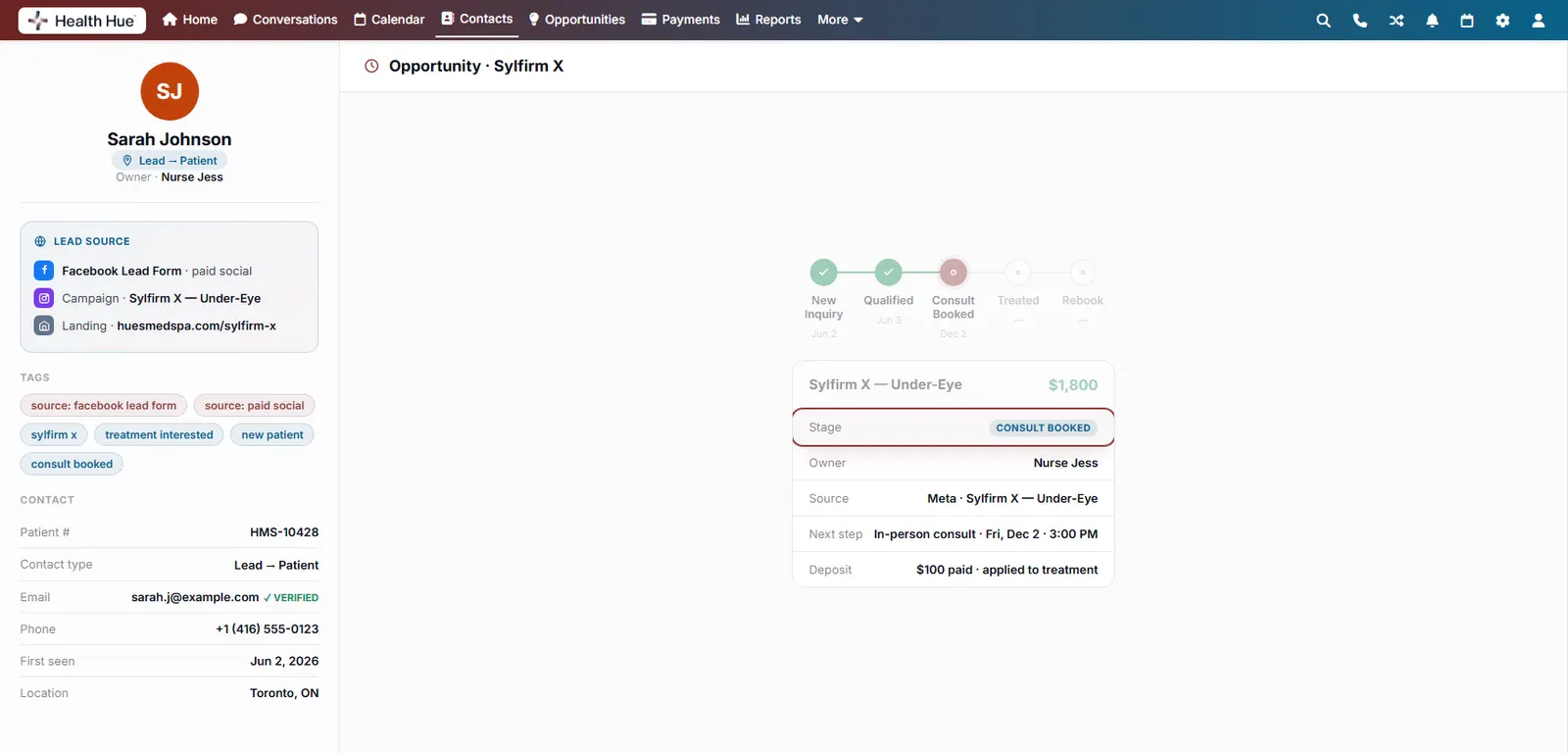
First-touch session, campaign, landing page, and lead form are stamped on the record automatically. You can see that Sarah came from a Meta ad for under-eye treatment instead of guessing. Attribution your reporting can actually trust.
First-touch source and campaign on every record.
The landing page and lead form they came through.
Attribution that ties marketing spend to booked revenue.
05 · Medical Charting
Chart the treatment, sign it, store it.
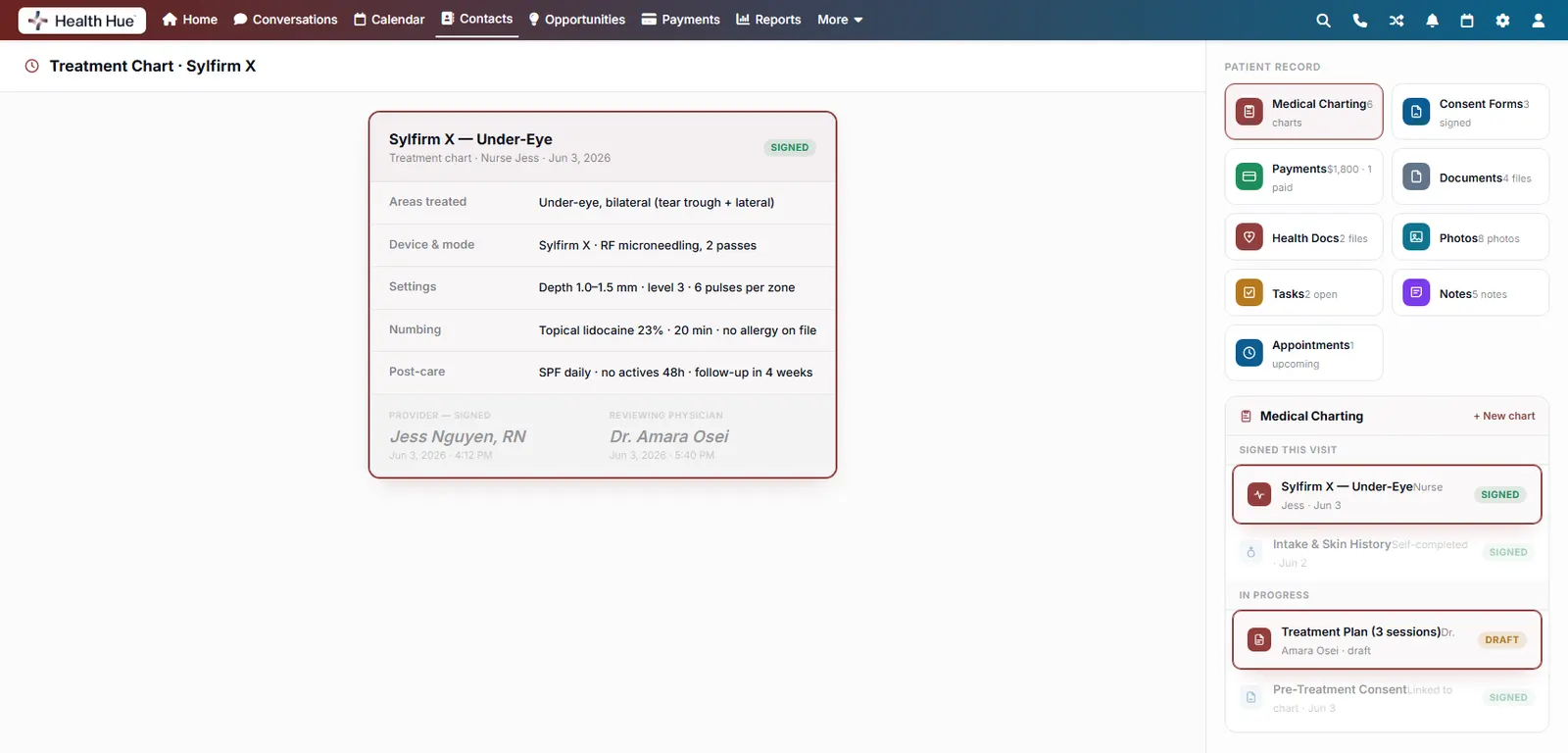
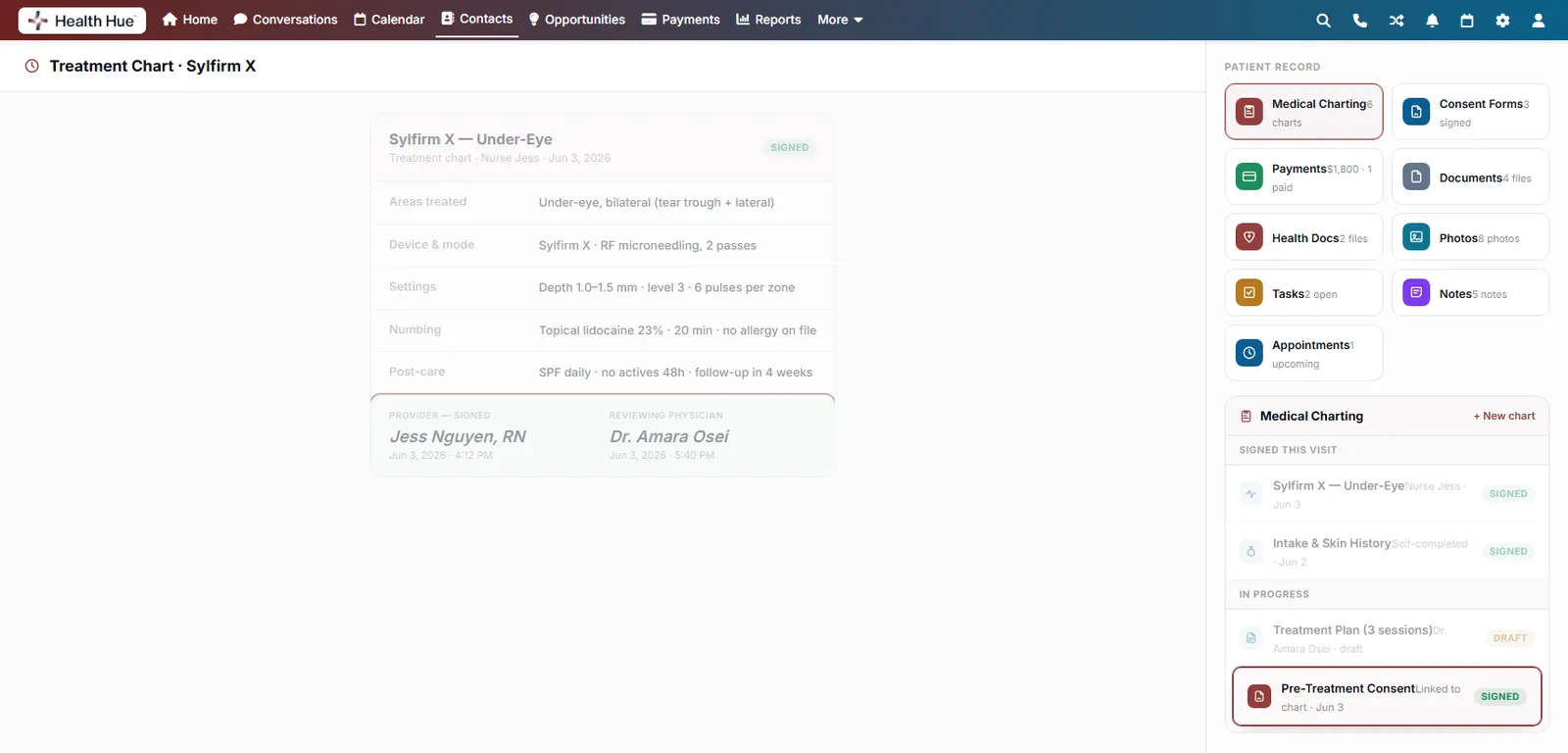
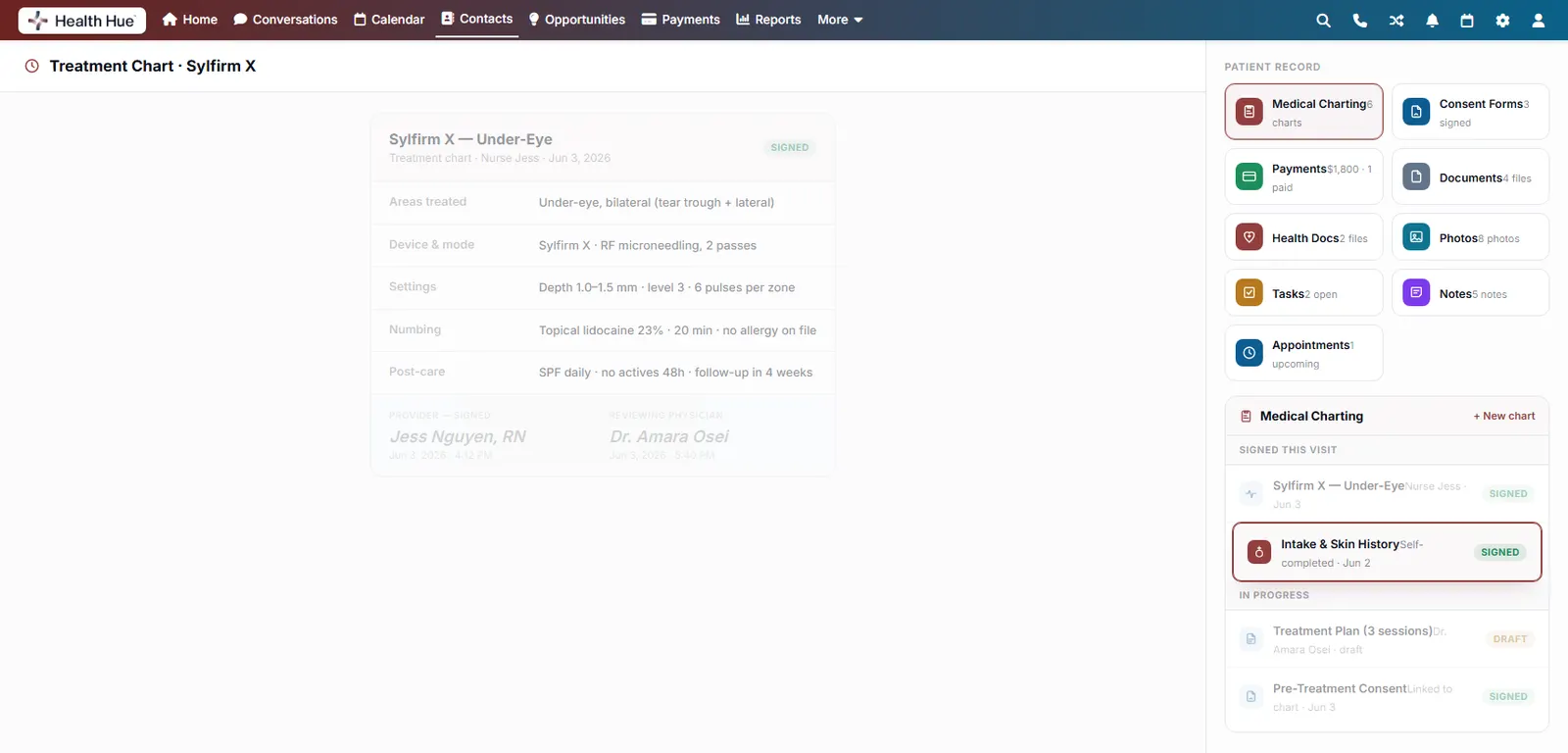
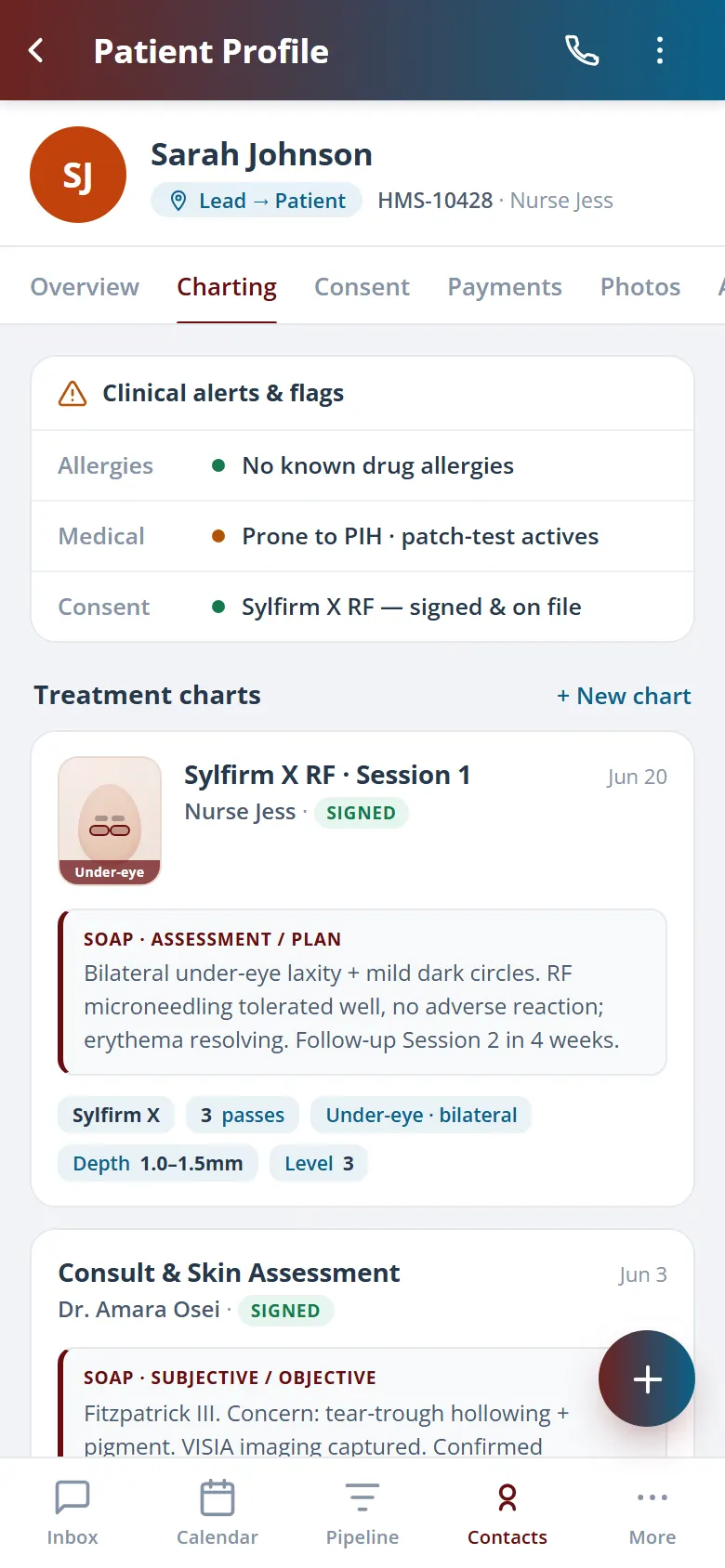
Build treatment plans and clinical charts right on the record, sign them electronically, and keep draft and signed states clear at a glance. Intake and skin history sit beside the charts the provider creates, for one clinical history kept in one place.
Treatment plans and clinical charts per visit.
E-signed and dated, with draft or signed states clear.
Intake and skin history attached to the record.
06 · Consent & Signatures
Consent signed before the needle.
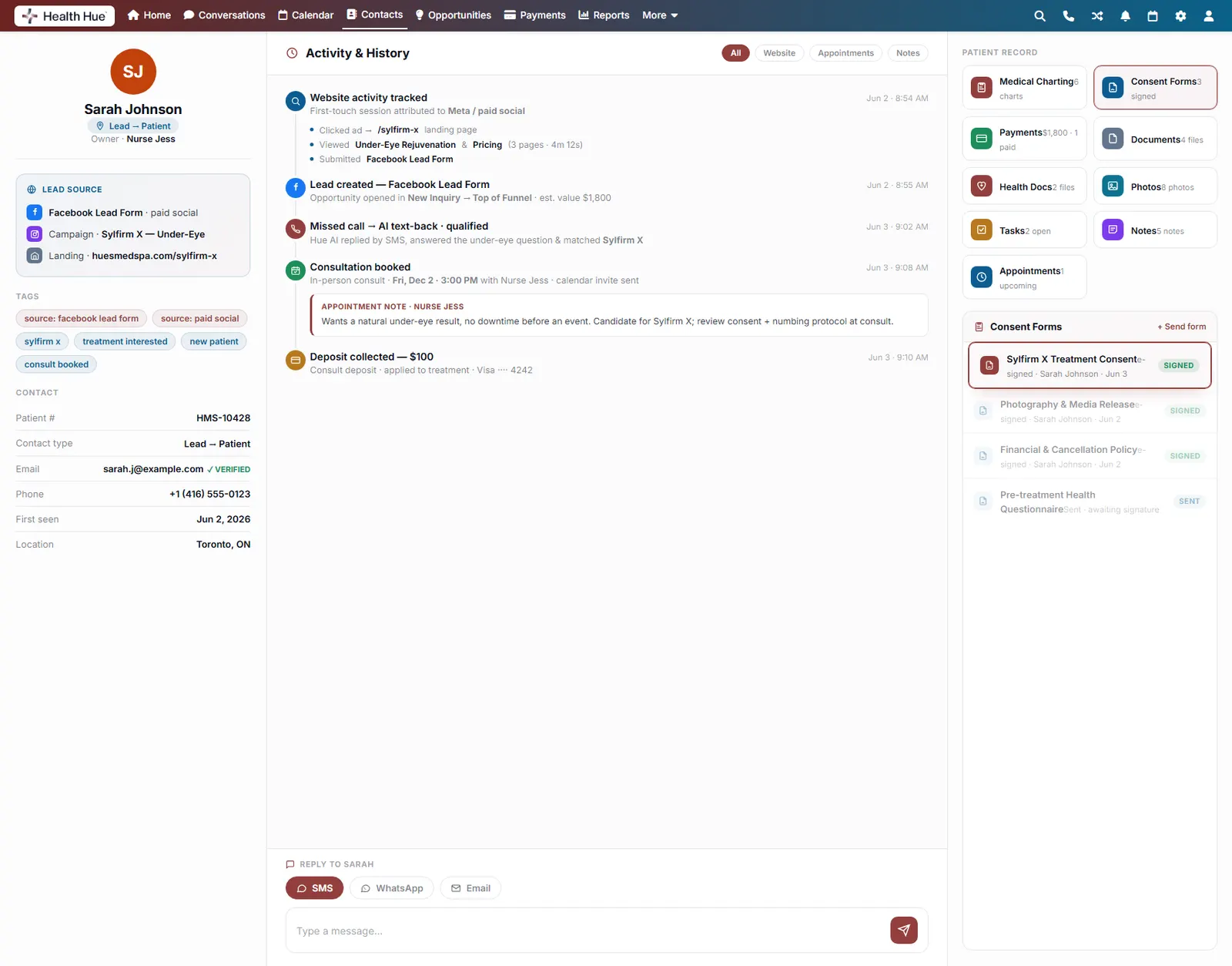
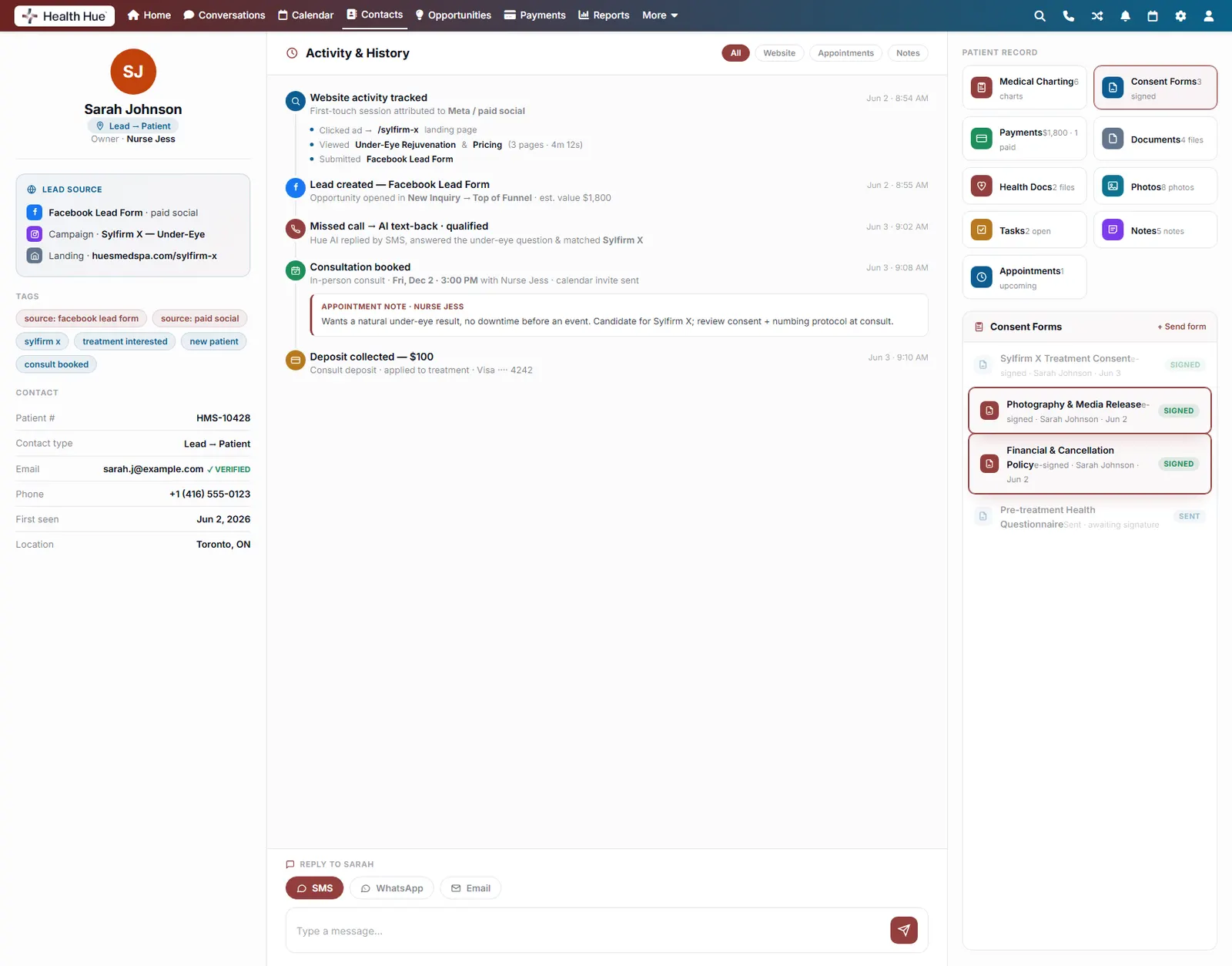
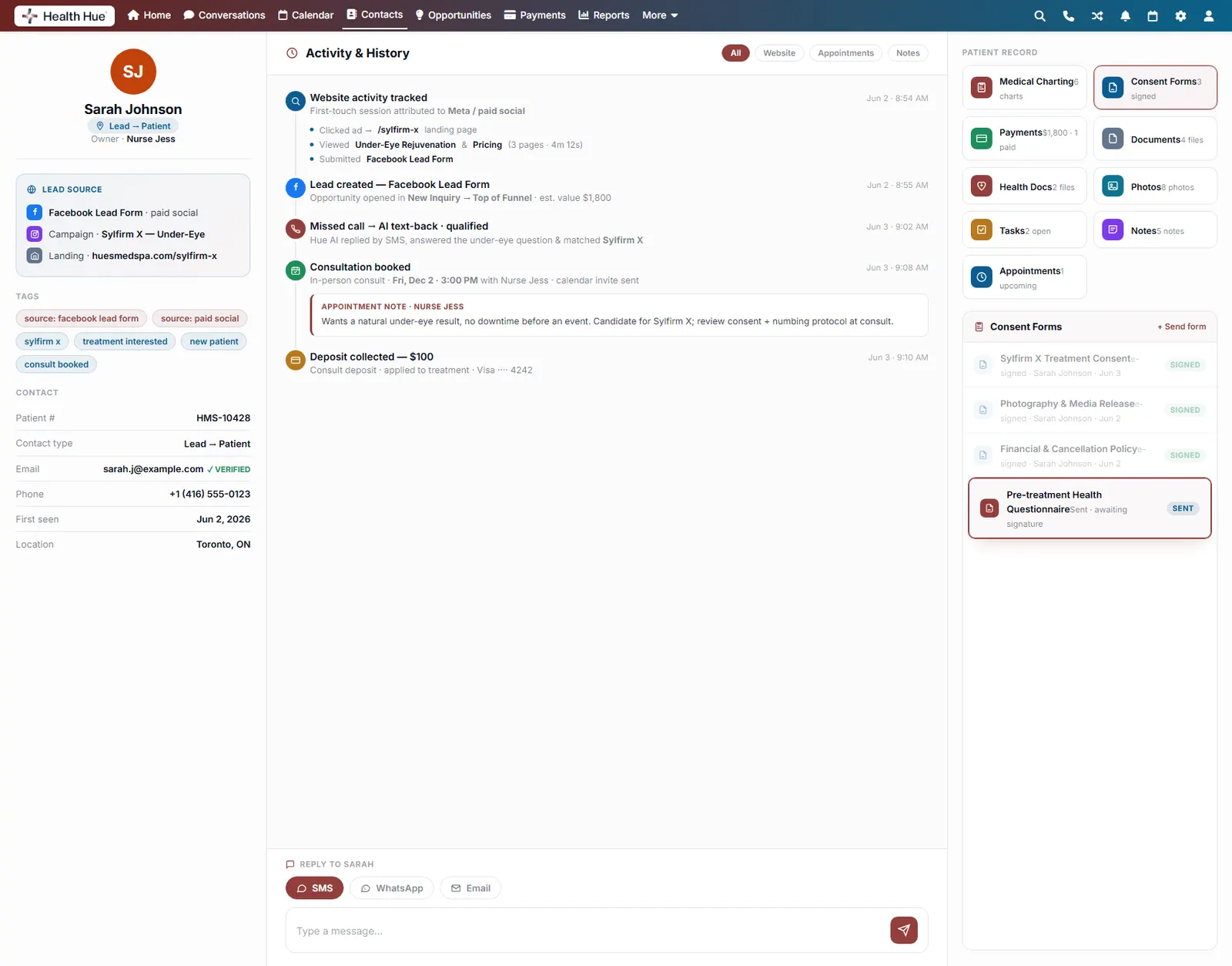
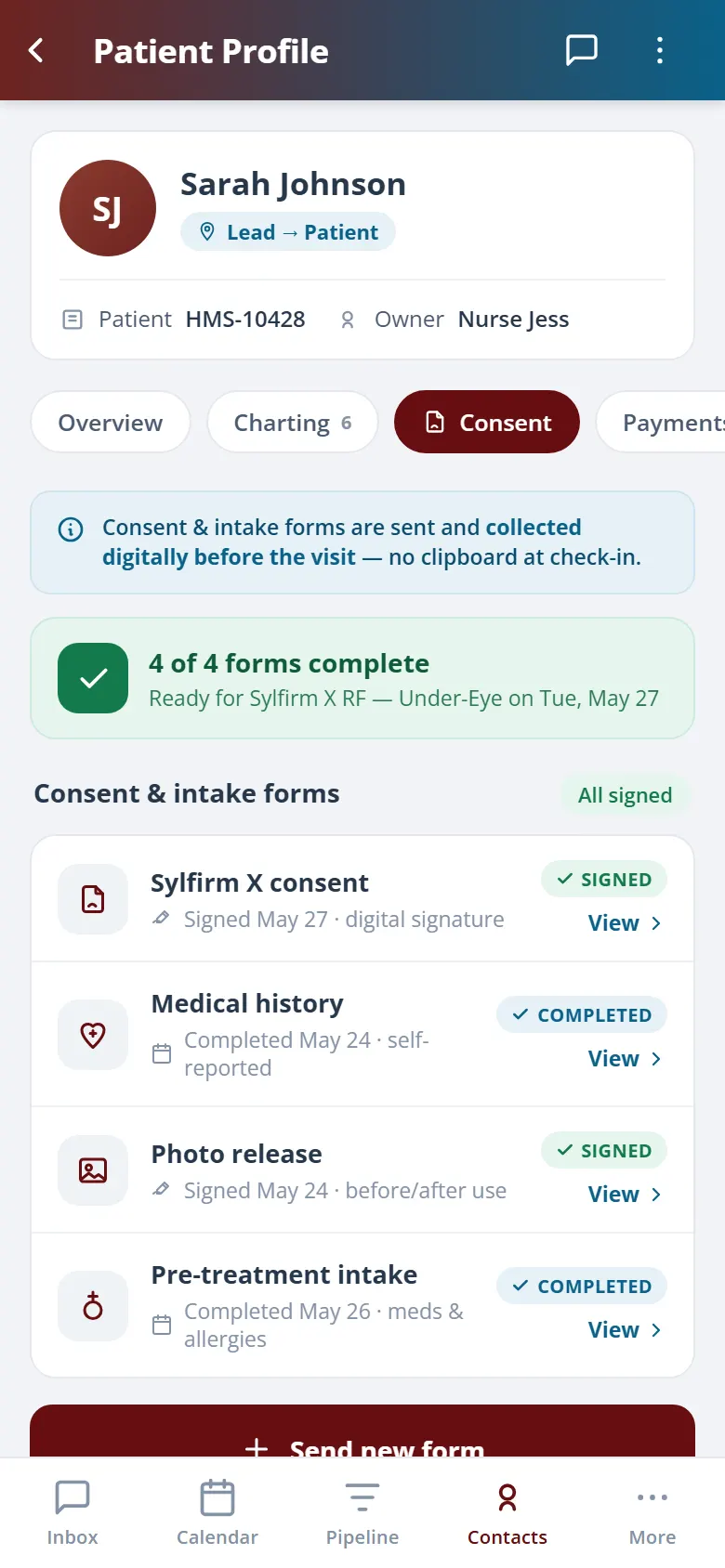
Send treatment consents, media releases, and policies for digital signature, and watch them land back on the record signed and time-stamped. No paper, no “we’ll sign at the front desk,” no missing waiver when you need it most.
Digital consents, waivers, and releases.
E-signed by the patient and time-stamped.
Stored on the record, ready when you’re audited.
07 · Before & After Photos
Clinical photos that tell the result story.
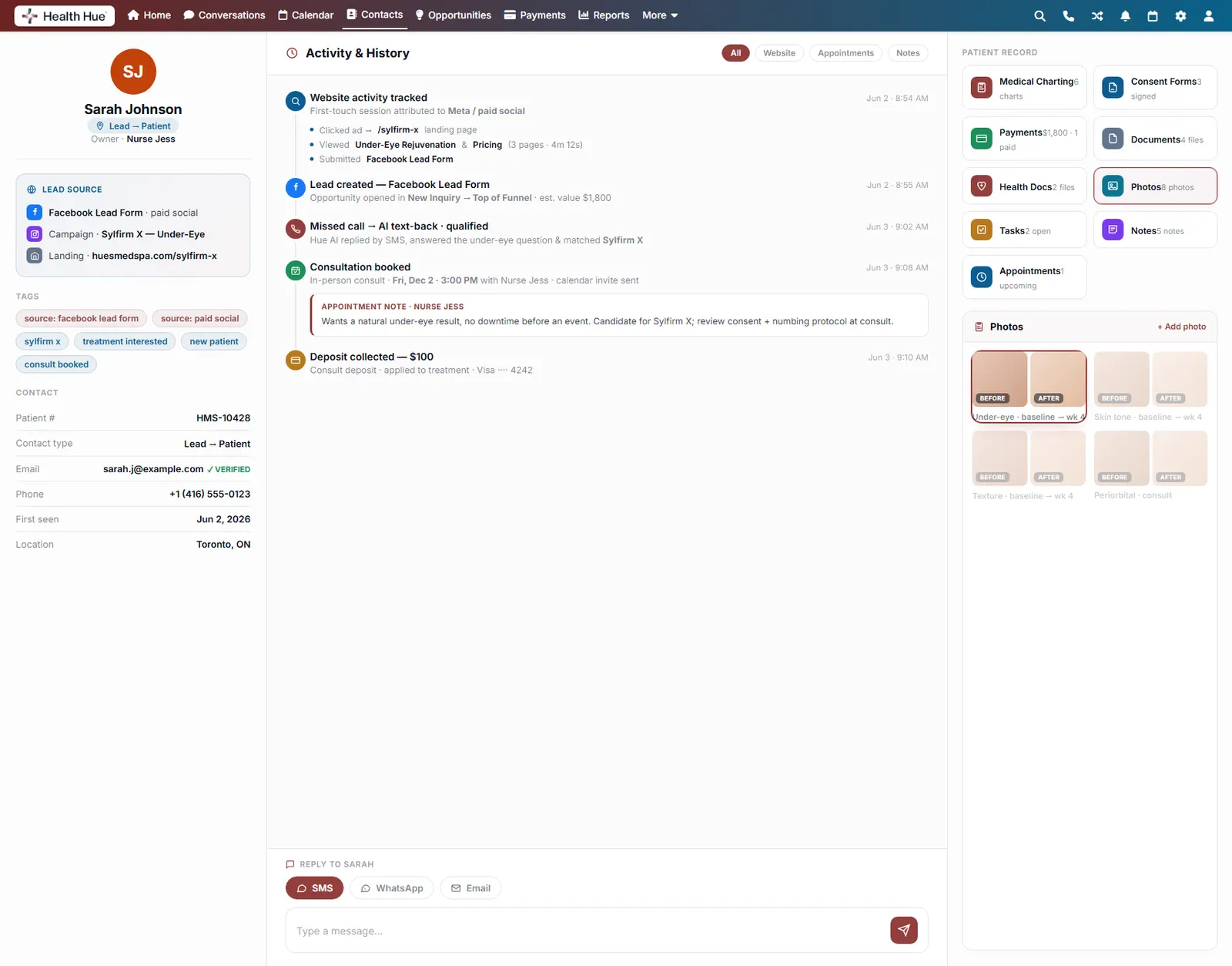
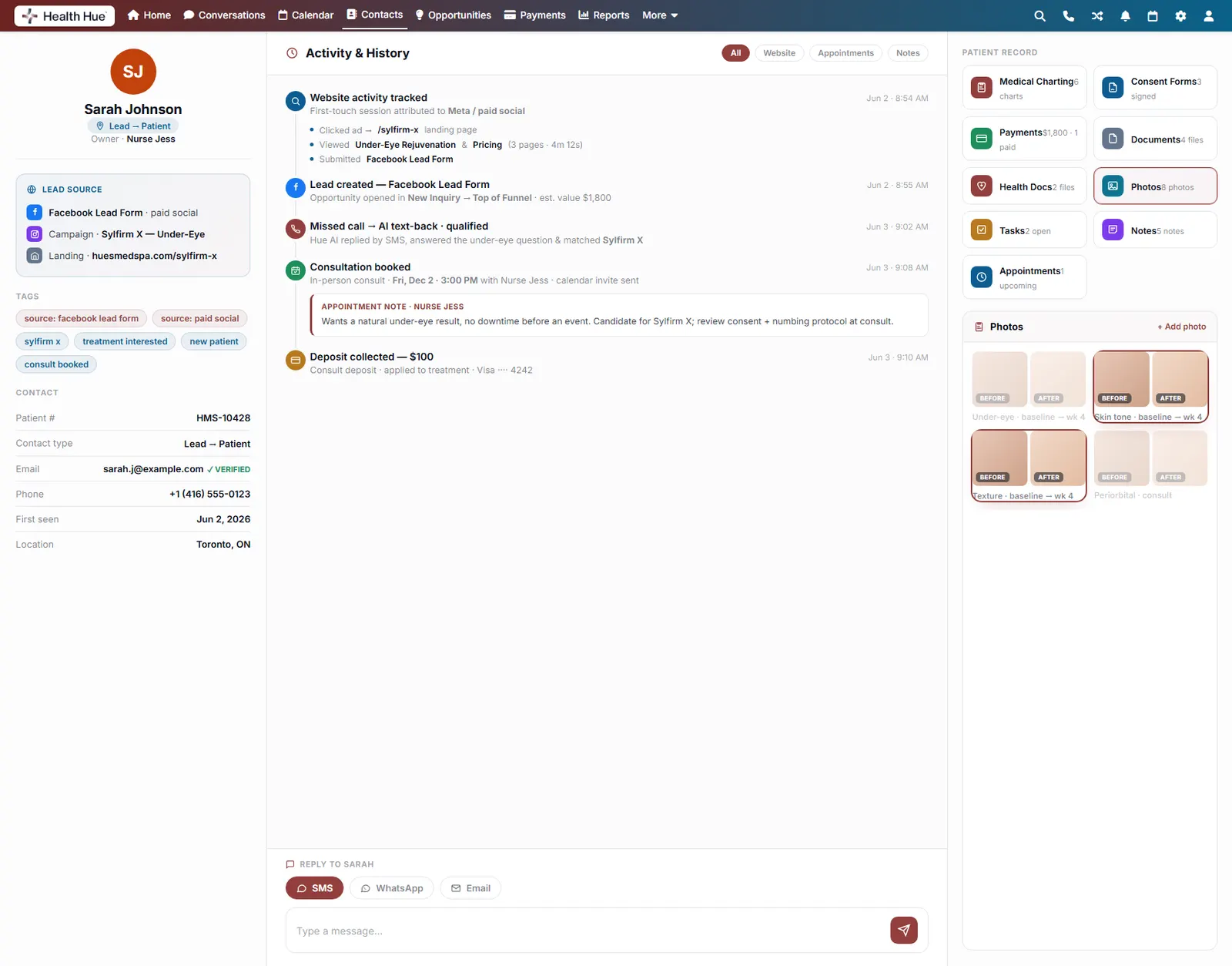
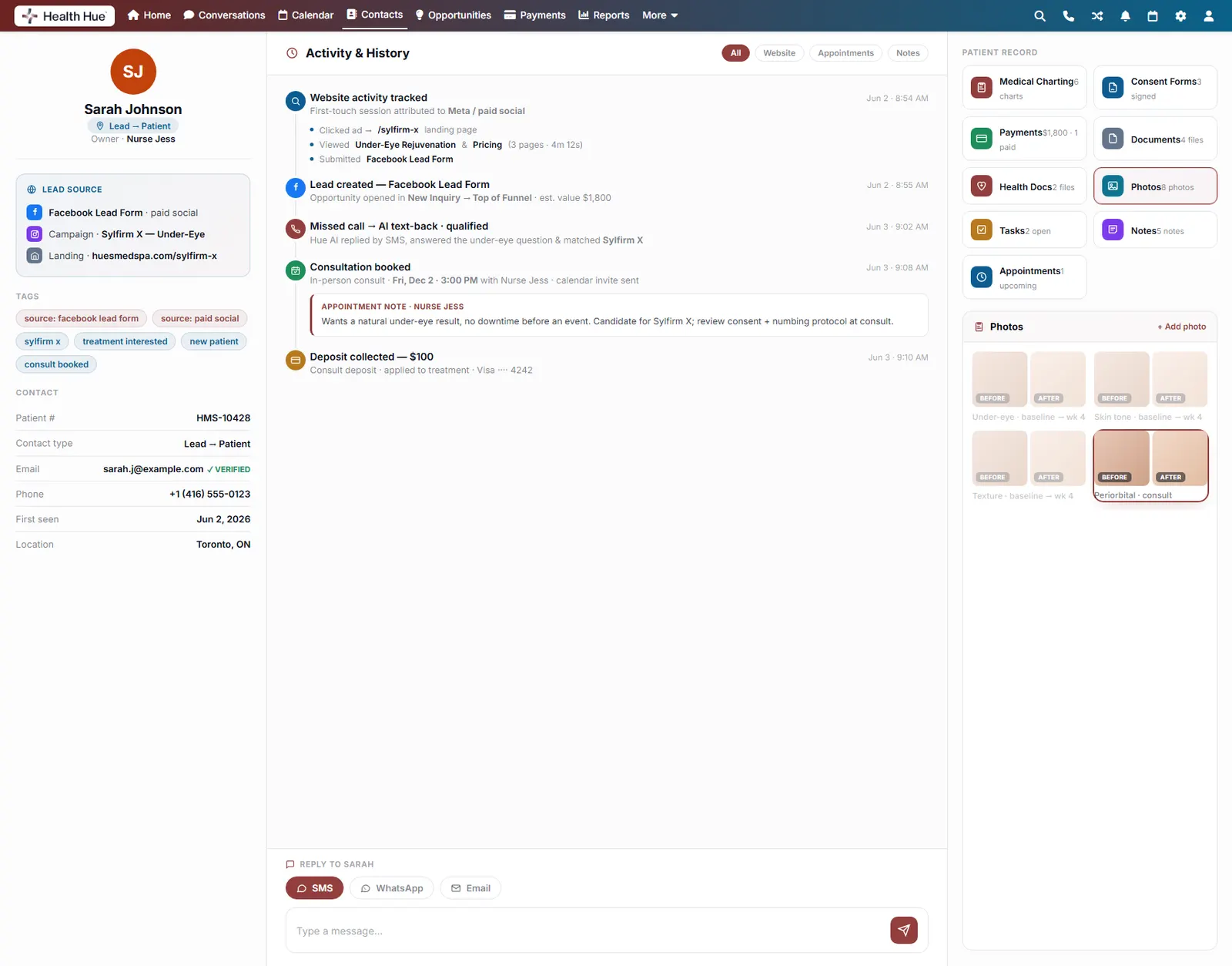
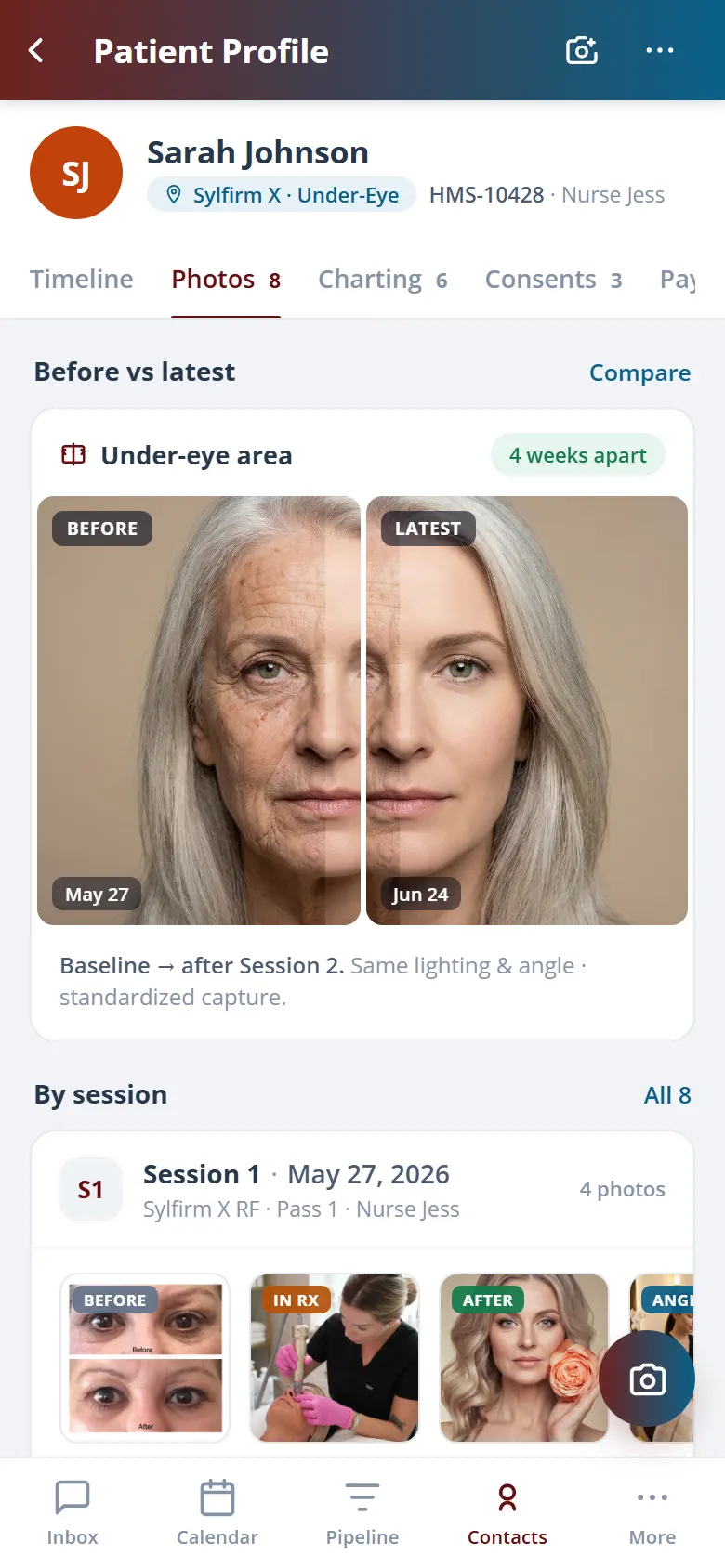
Capture and store before-and-after photos against the record, session by session, so progress is visible at the next visit and ready for a consult, with media consent tracked right alongside the images.
Before-and-after pairs captured per session.
Progress visible across the whole treatment plan.
Media consent tracked with every photo.
08 · Payments On File
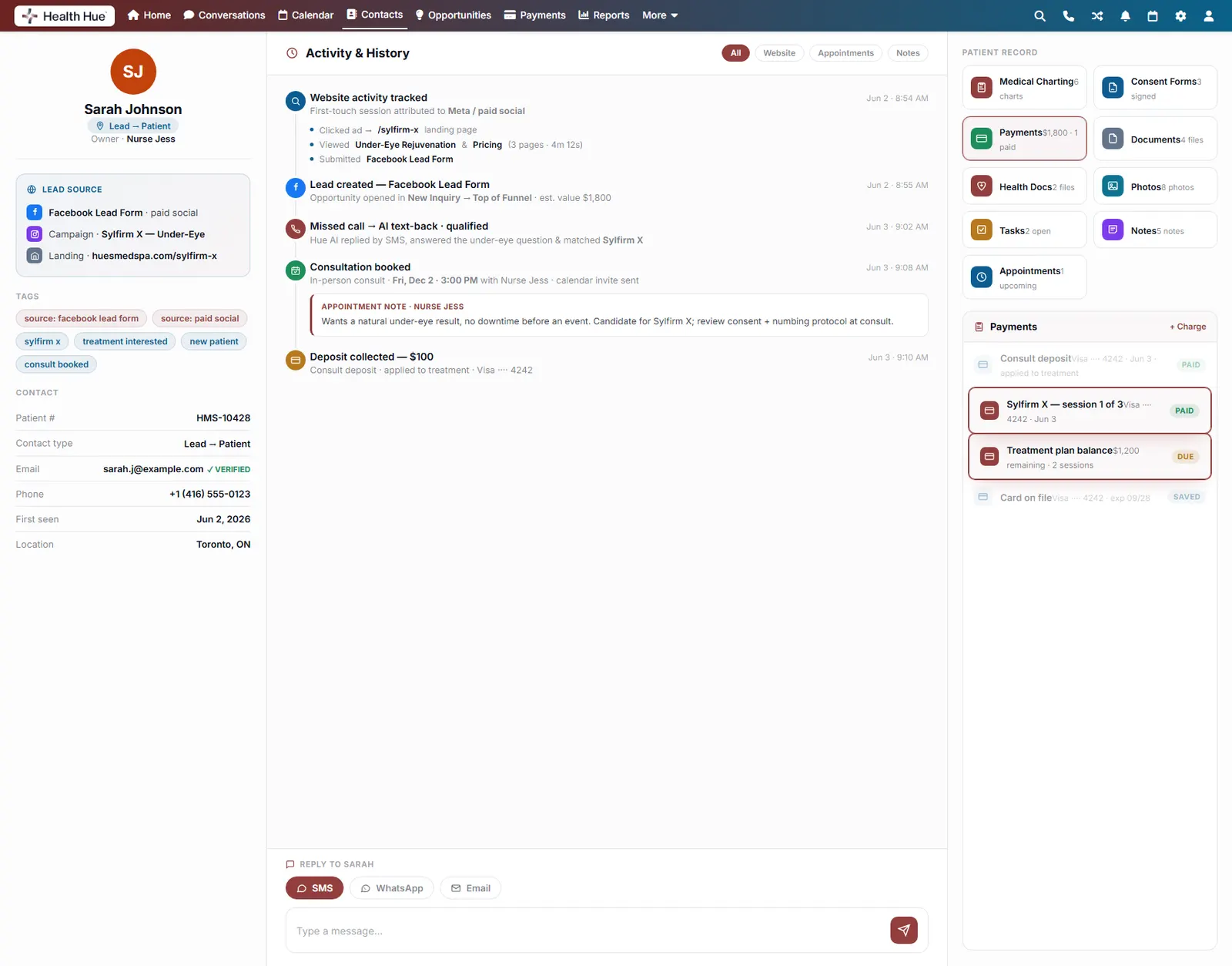
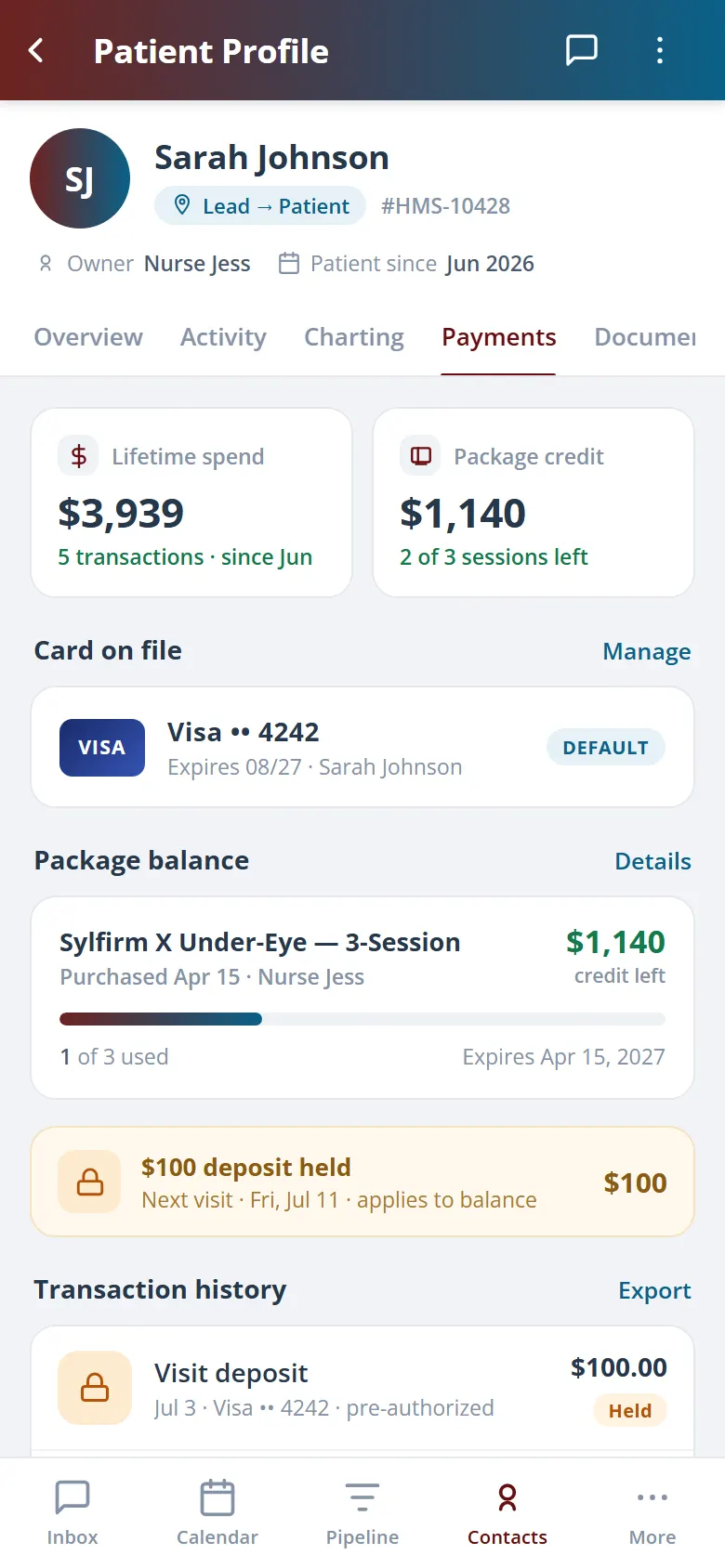
Deposits, cards, and balances on the record.
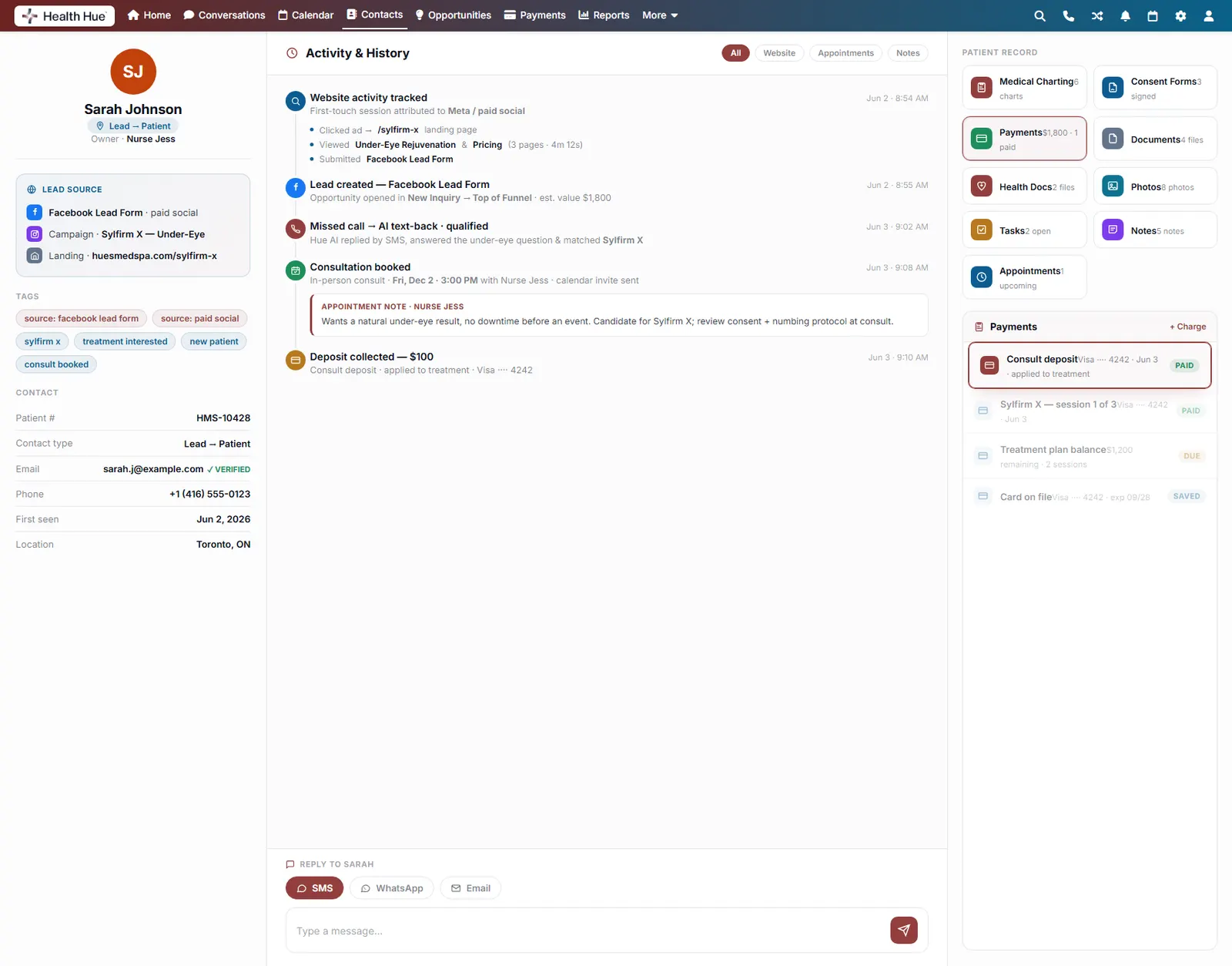
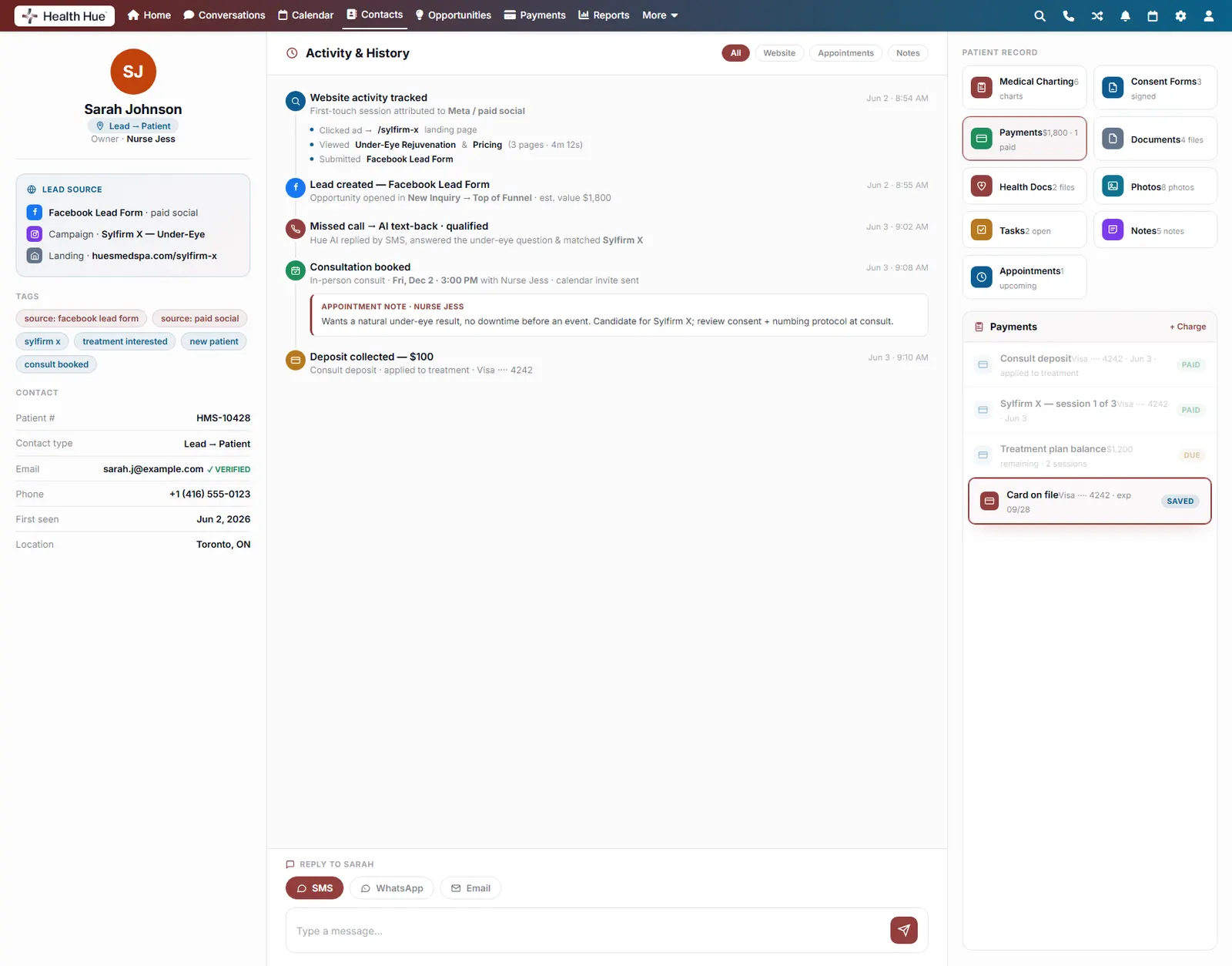
Take a consult deposit, keep a card on file, and see exactly what’s been paid and what’s outstanding without leaving the patient profile. Deposits protect your calendar; saved cards check the next visit out in seconds.
Consult deposits with no-show protection.
A card on file for contactless checkout.
Treatment balances tracked per plan.
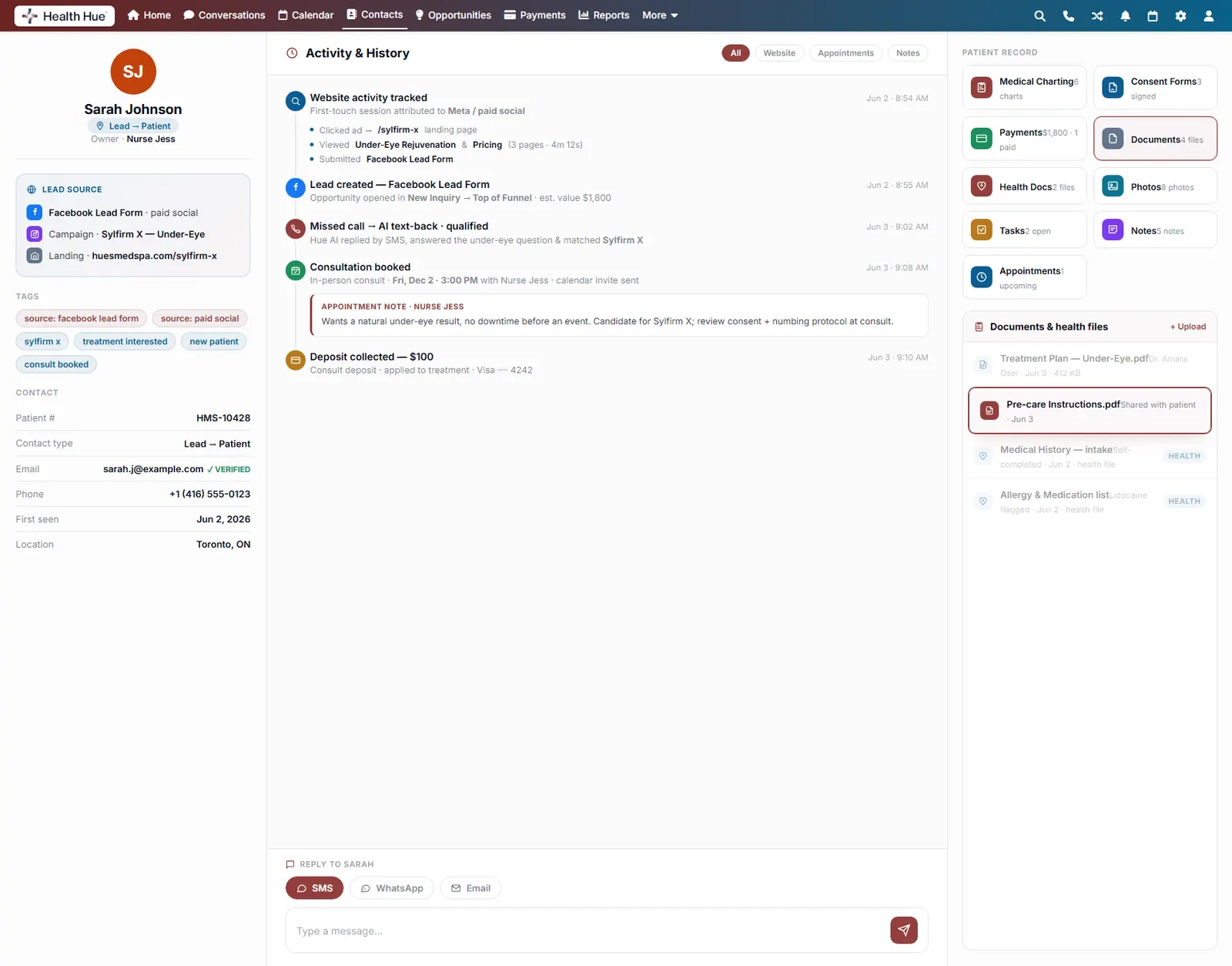
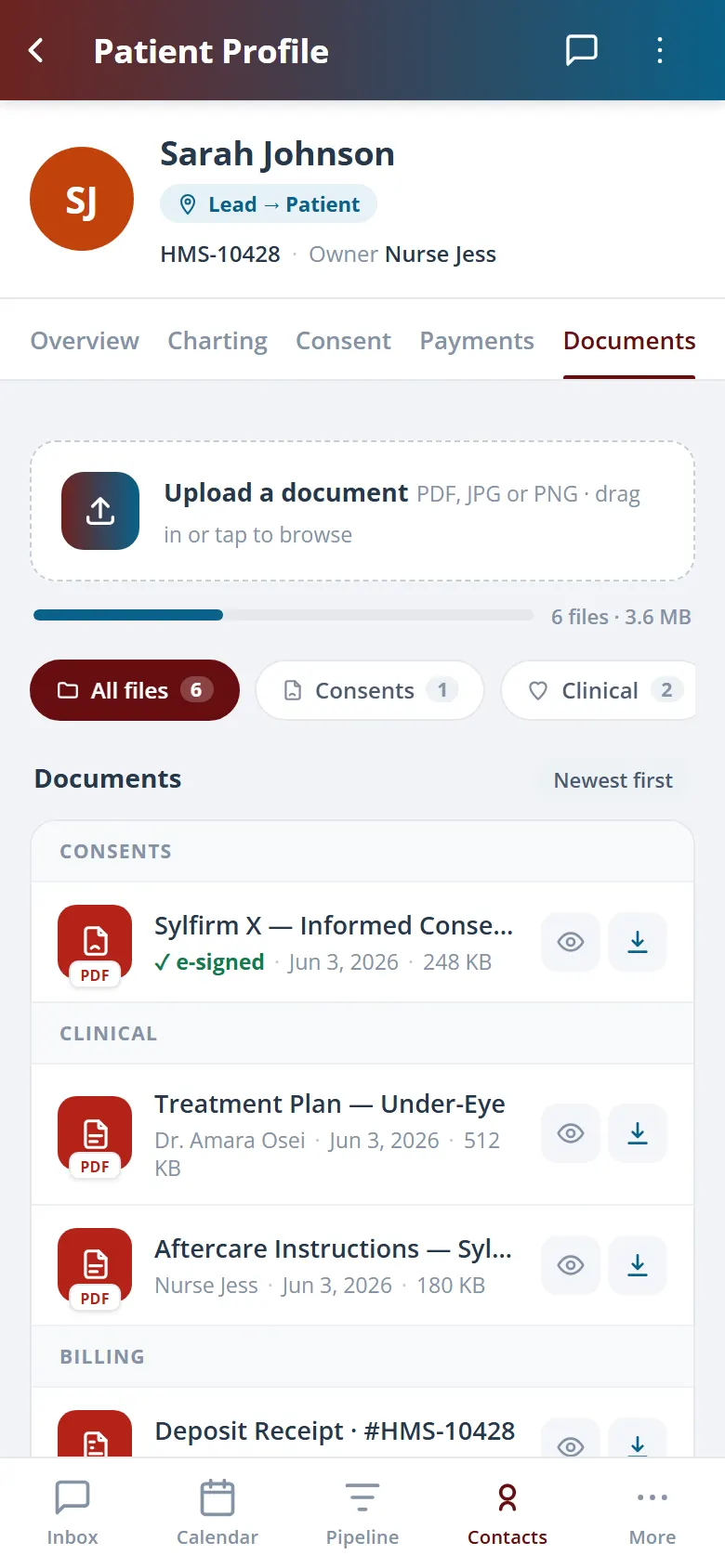
09 · Documents & Health Files
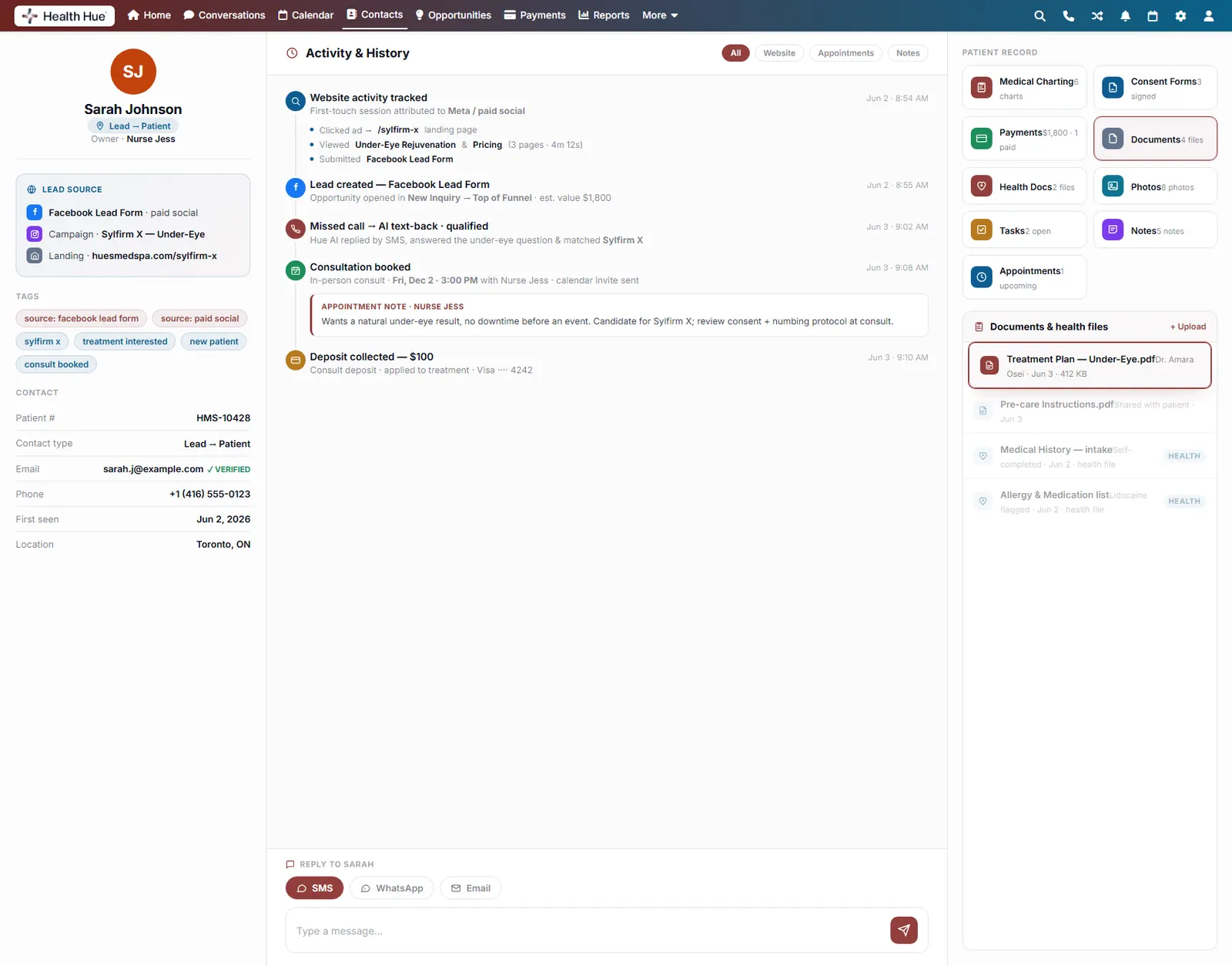
Every file the patient ever gave you.
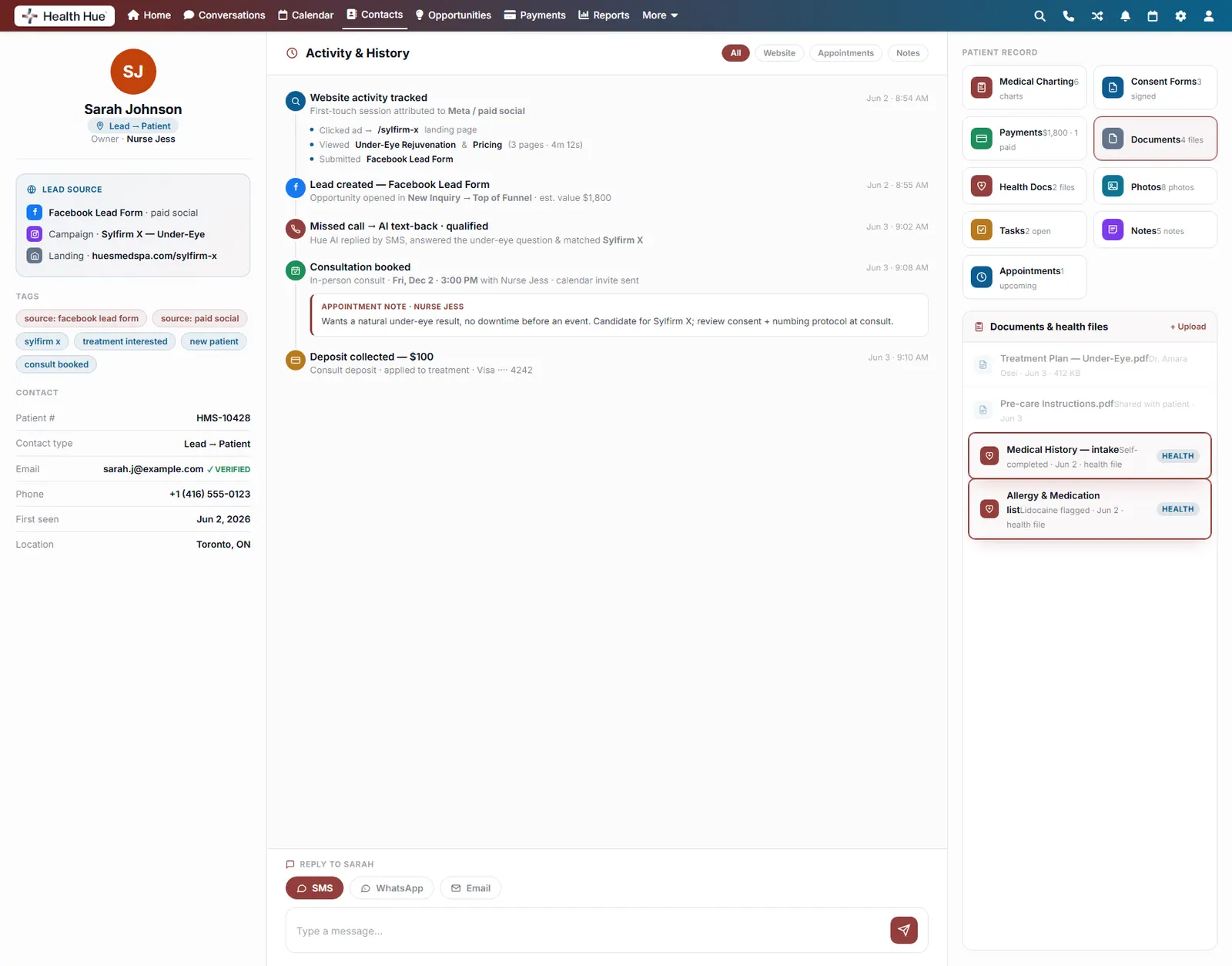
Treatment plans, pre-care instructions, intake forms, and health history are uploaded, organised, and flagged. Medical history and allergy lists are marked as health files, so the lidocaine allergy is one glance away instead of buried in a thread.
Treatment plans, pre-care instructions, and receipts.
Medical history and allergy lists flagged as health files.
Shared with the patient in a tap.
10 · Appointments & History
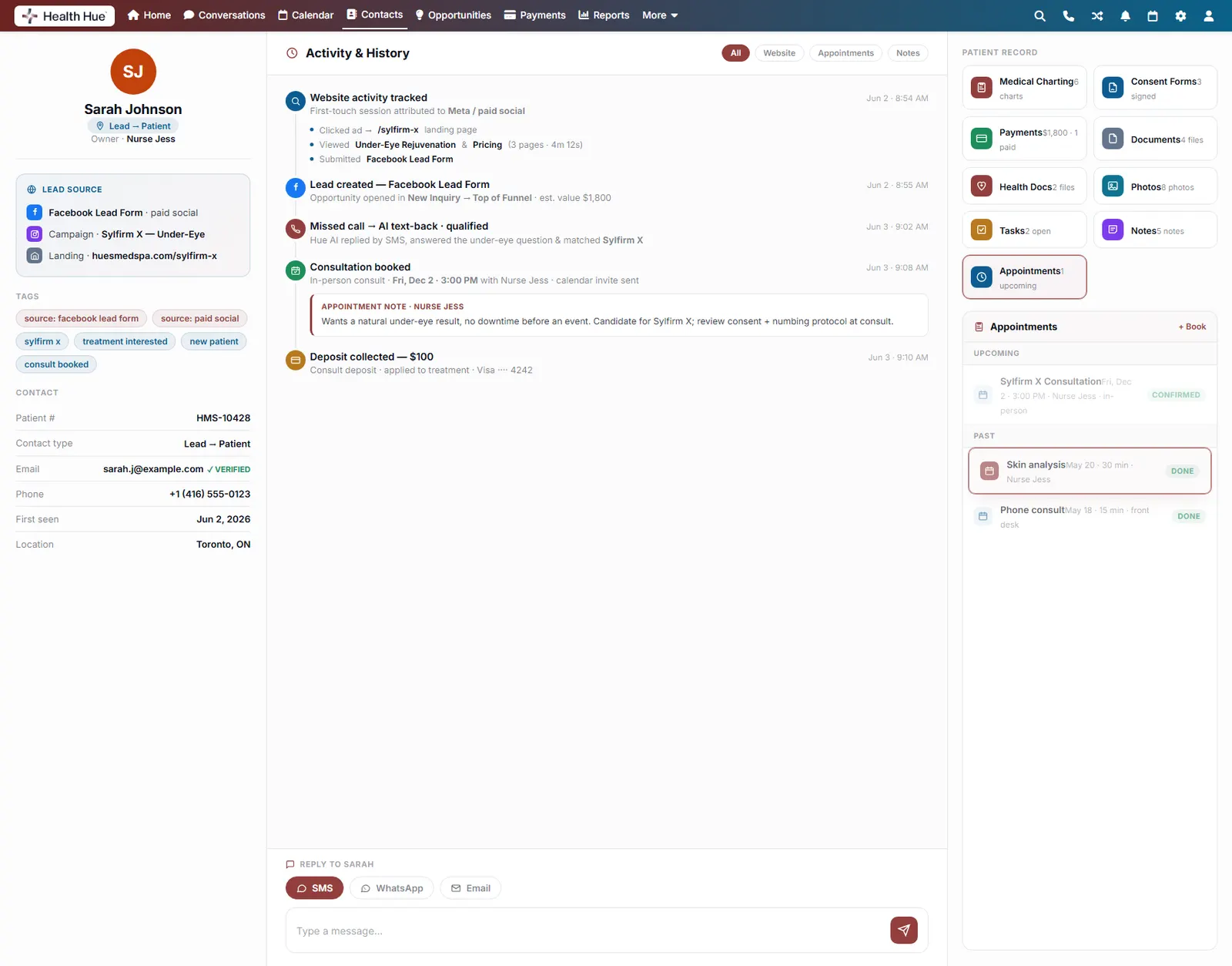
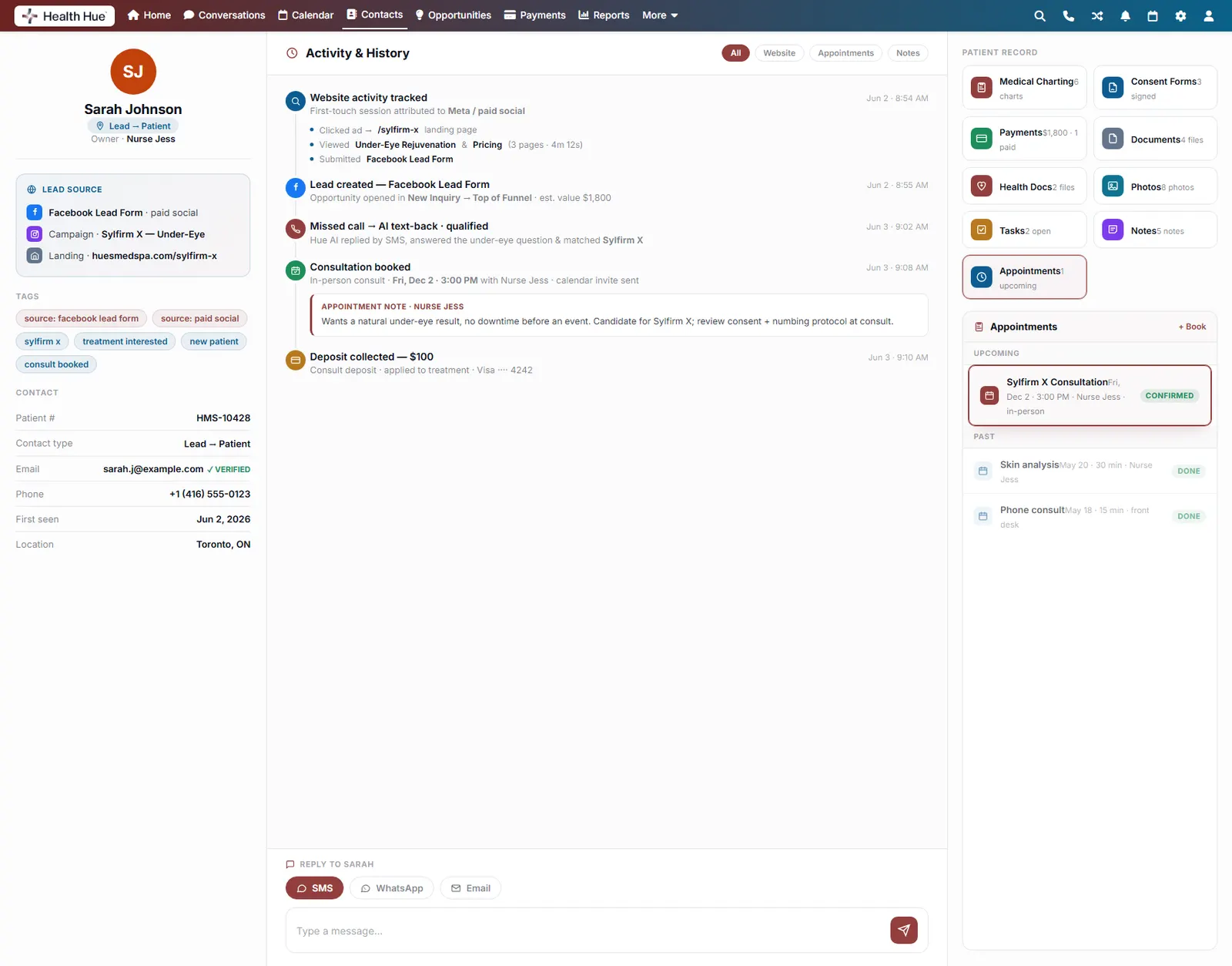
Past and upcoming visits, never re-asked.
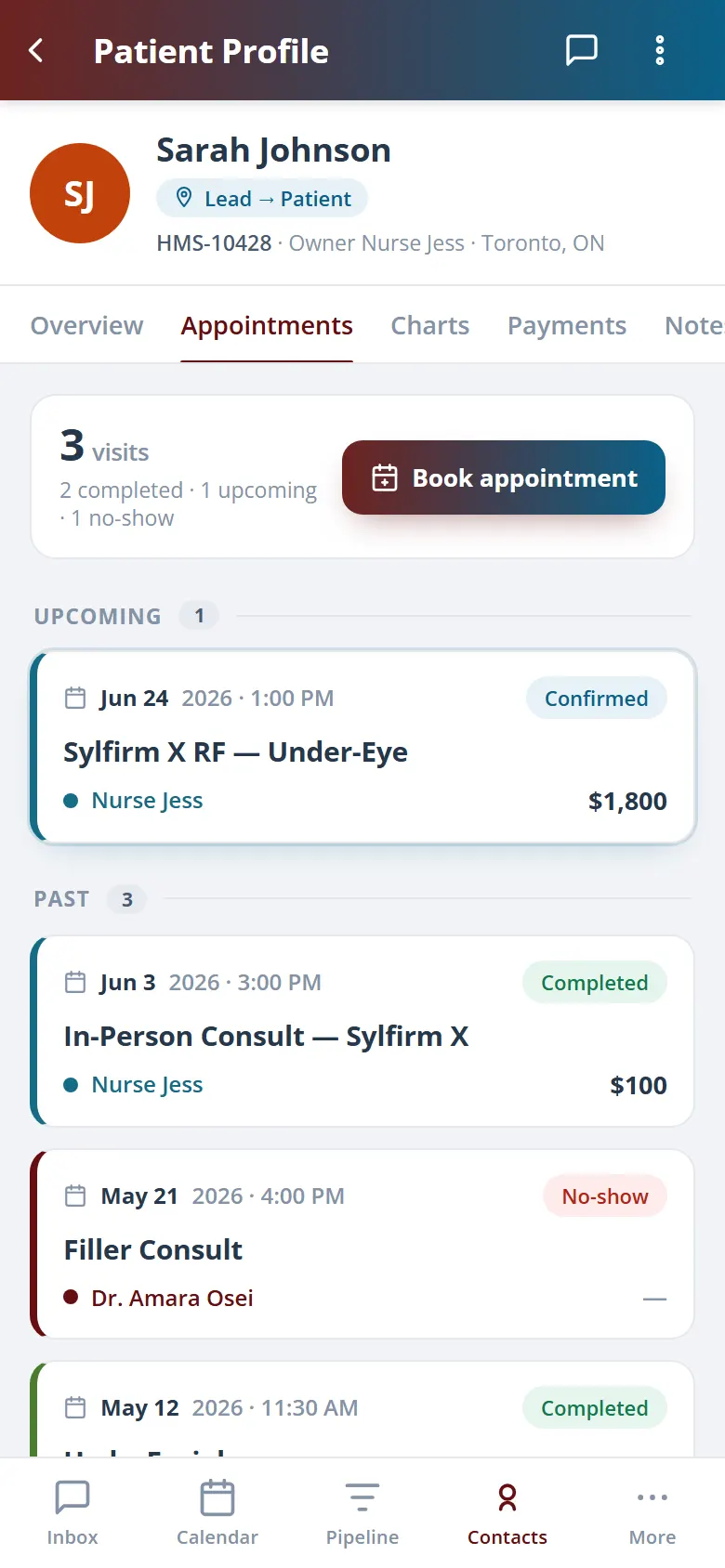
The full appointment history lives on the record: every consult, treatment, and follow-up, with what’s next right at the top. No one has to ask “when were you last in?” because it’s already there.
Upcoming and past visits in one list.
Provider, type, and notes on every appointment.
Calendar invites sent automatically.
11 · Tasks & Notes
Keep the team aligned on every patient.
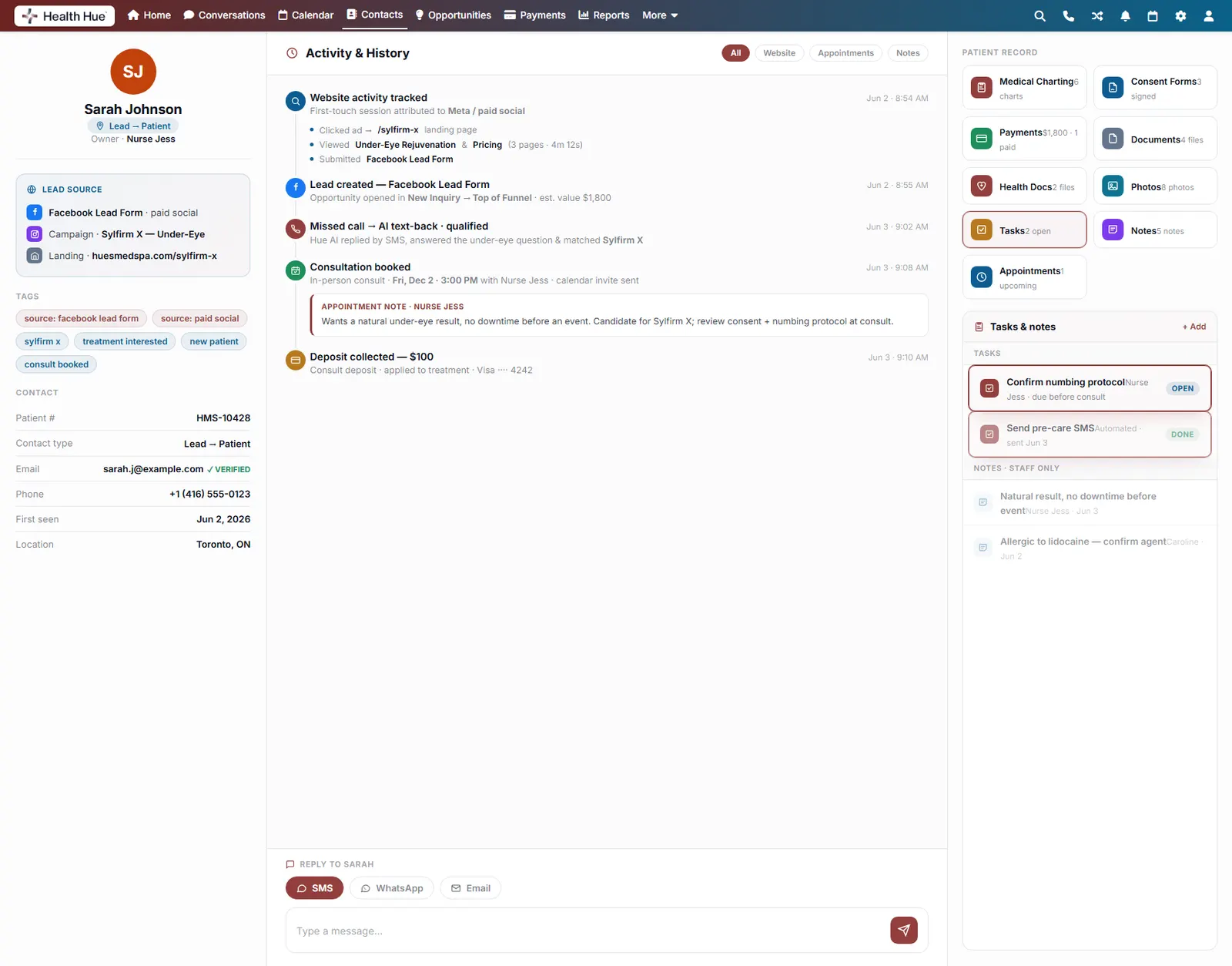
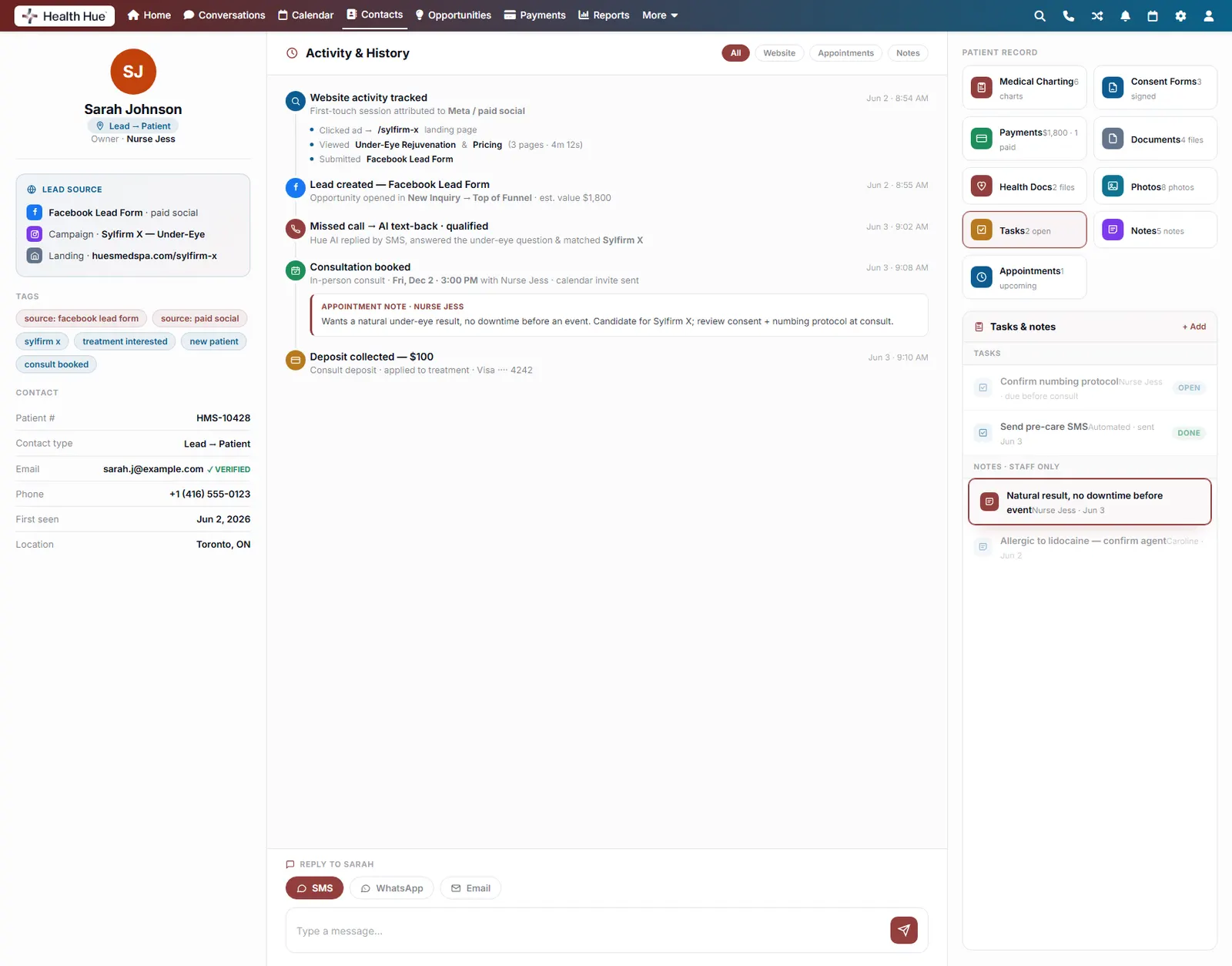
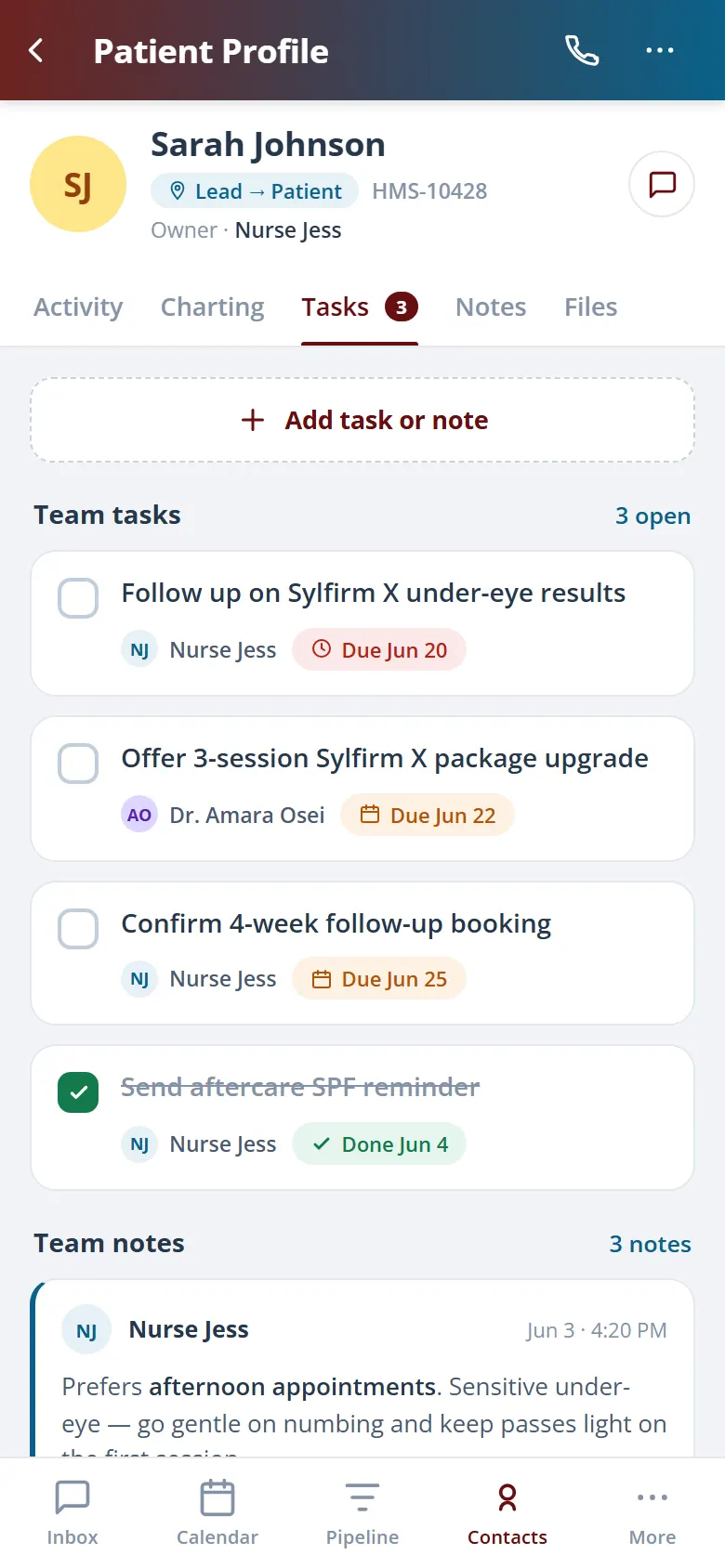
Assign tasks against the record (confirm a numbing protocol, send pre-care) and leave staff-only notes the patient never sees. Every hand-off carries context, so nothing gets re-explained or dropped between the front desk and the provider.
Tasks tied to the patient, assigned and tracked.
Private, staff-only notes the patient never sees.
Clean hand-offs between front desk and providers.
12 · Pipeline & Opportunities
See where every patient sits in your funnel.
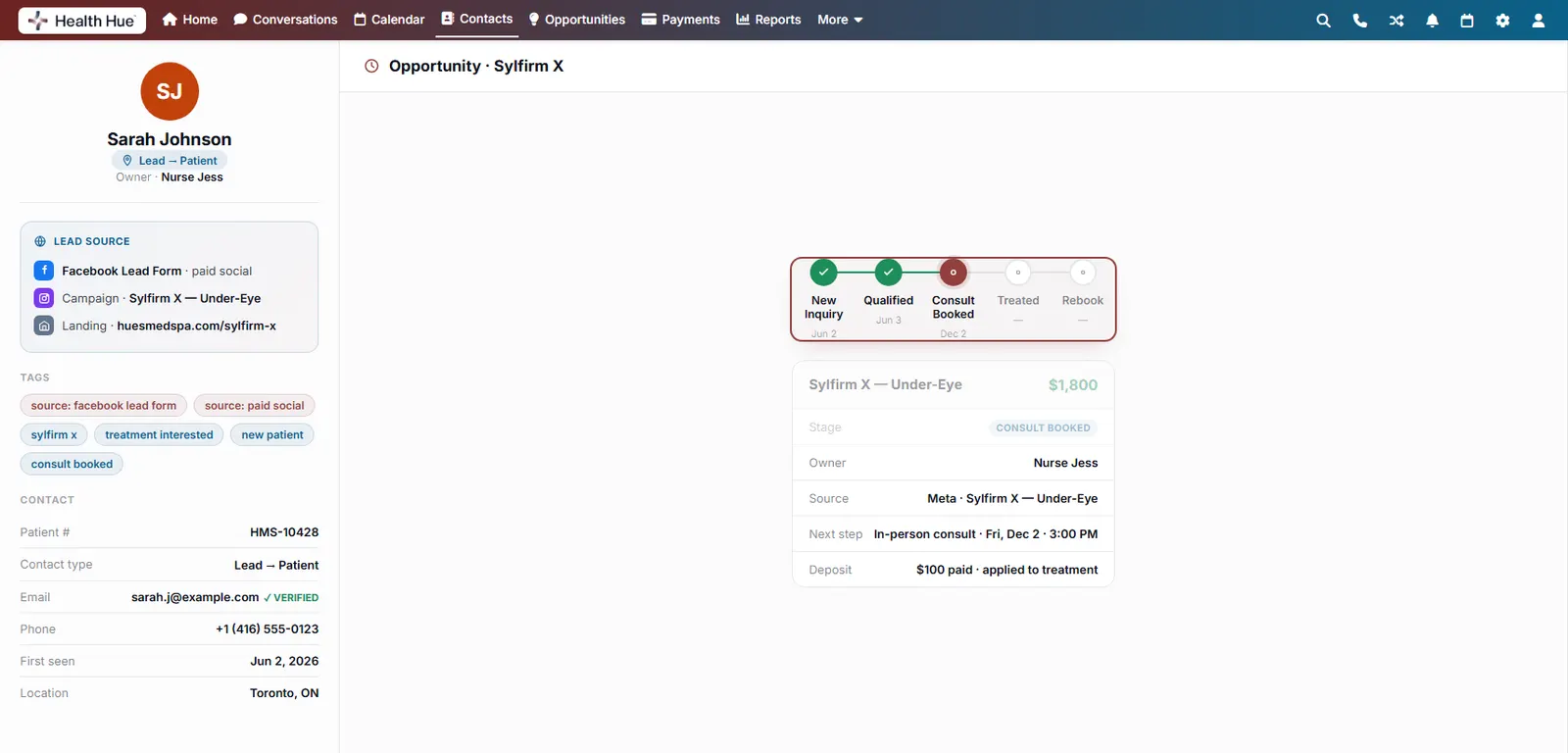
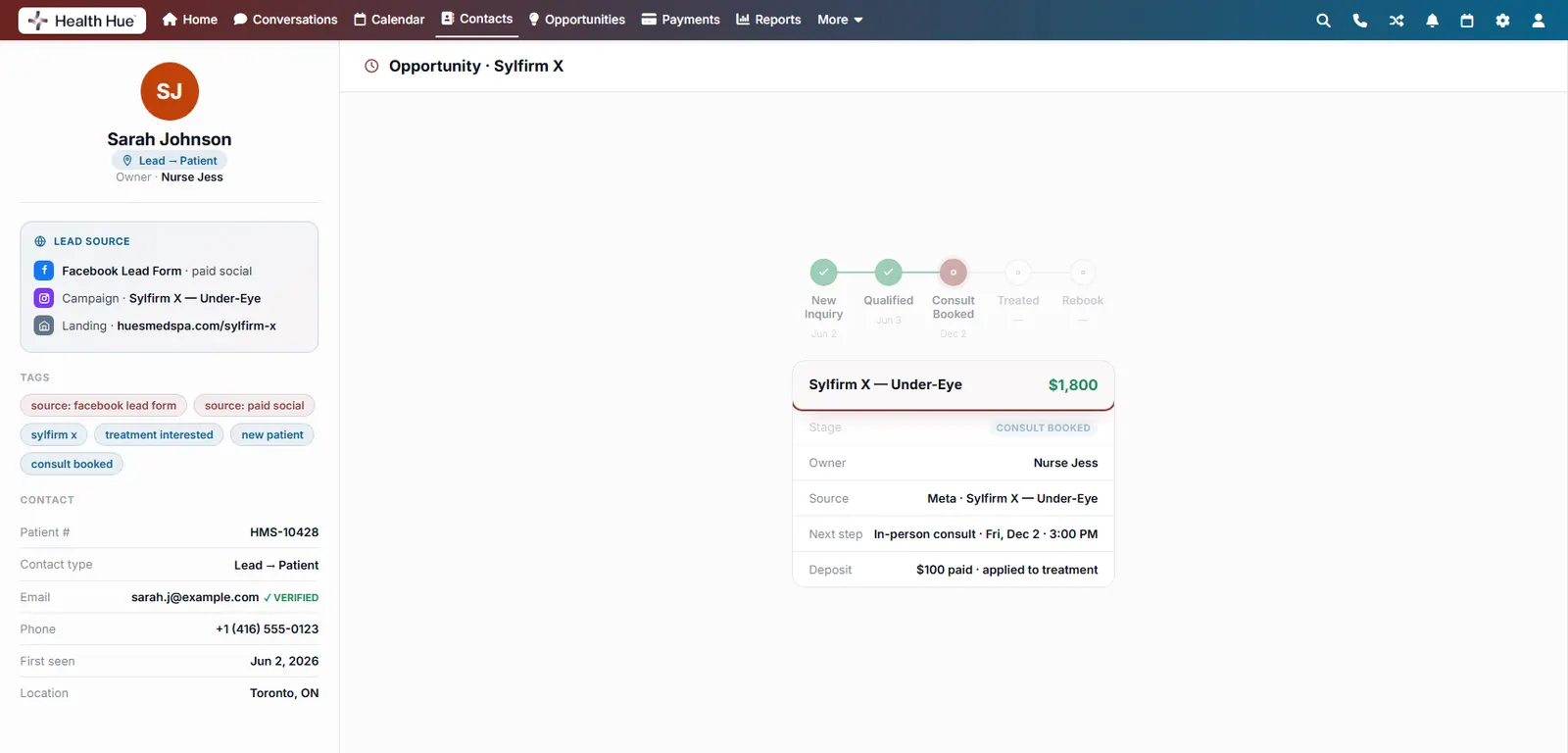
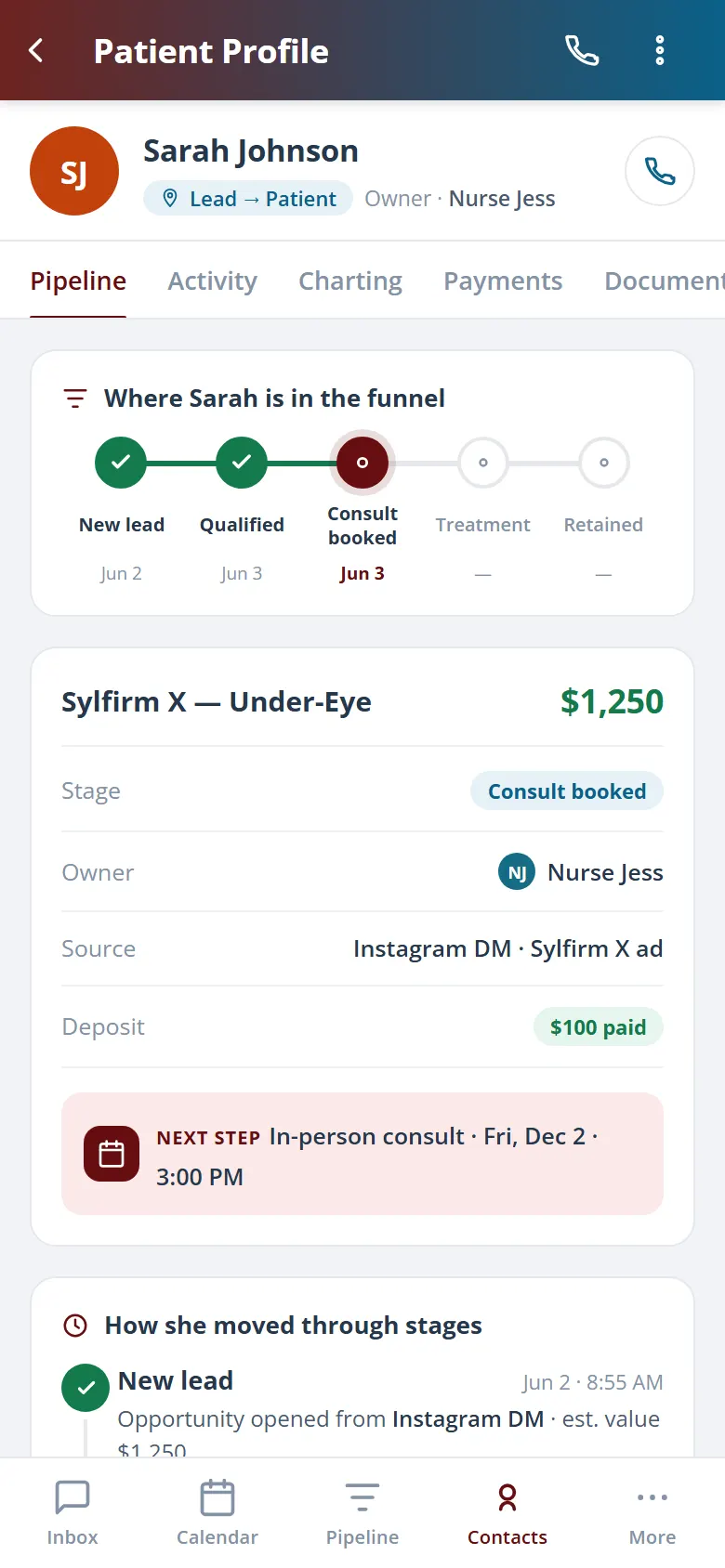
Each record carries an opportunity, new lead, consult booked, treated, or due for a rebook, so you always know where a patient is in your funnel and what moves them to the next stage. Pipeline stage and value update as the record does, with no spreadsheet to reconcile.
New lead, consult booked, treated, or due to rebook.
Opportunity value tracked against the record.
Stage updates automatically as the patient moves.
Secure, compliant, and patient-ready
The patient record lives in a platform built for clinics from the ground up, with charting, consent, and payments native to the record.
PHIPA & HIPAA-aware
Patient records are encrypted and handled to Canadian health-privacy standards.
Consent & audit
Consents, signatures, and changes log to the record automatically.
Role-based access
Granular permissions keep charts and contact details on a need-to-know basis.
One source of truth
Charting, payments, photos, and messages in one record. Nothing siloed.
Explore more of the Hub
The patient profile is one part of the Health Hue Hub, your AI-powered clinic operating system.
Conversations
One inbox for SMS, calls, web chat & DMs.
Scheduling & Calendar
AI booking, reminders, and provider sync.
Payments & Billing
Text-to-pay, deposits, and QuickBooks sync.
Hue AI Concierge
Answers, books & follows up 24/7.
Reputation Engine
Automated reviews, referrals & before/afters.
Reports & Insights
Revenue, ROI, and growth, measured for you.
FAQ