Health Hue Hub · Online Booking
Let patients book themselves. Day or night.
A mobile-first booking widget lives right on your clinic website and takes appointments around the clock. Patients pick a real open slot, add the extras they want, and leave a deposit, all without a single phone call or a back-and-forth text.
01 · 24/7 Self-Booking
Take appointments while you sleep.
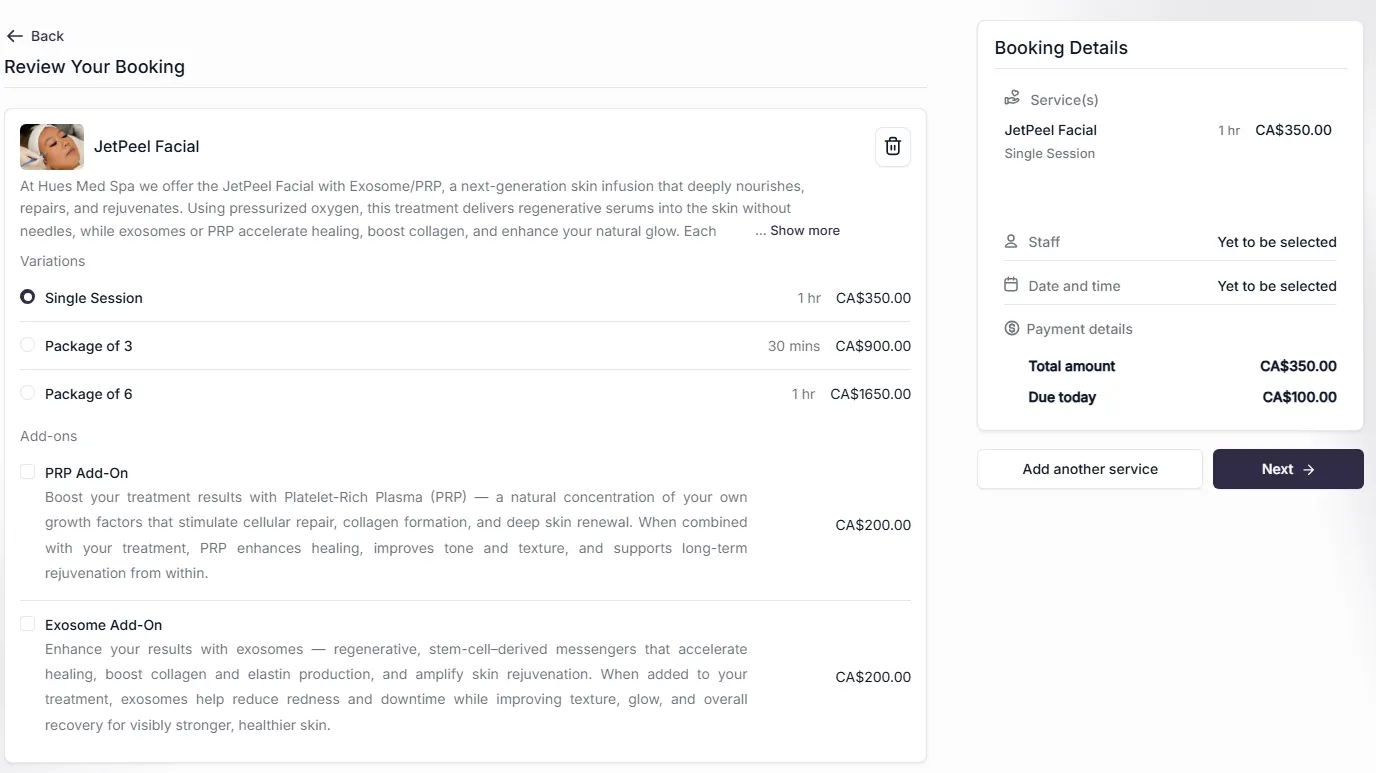
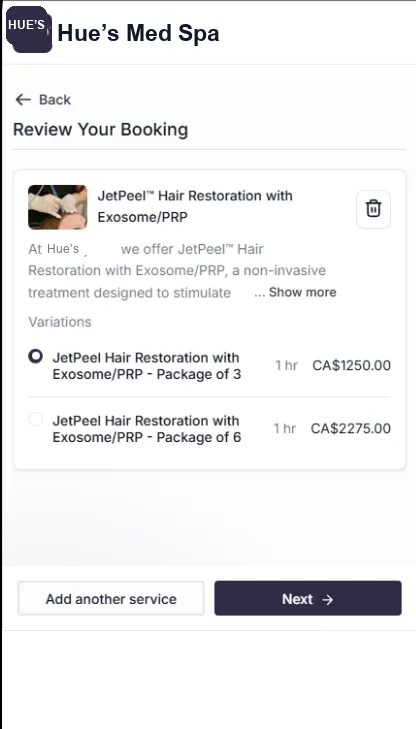
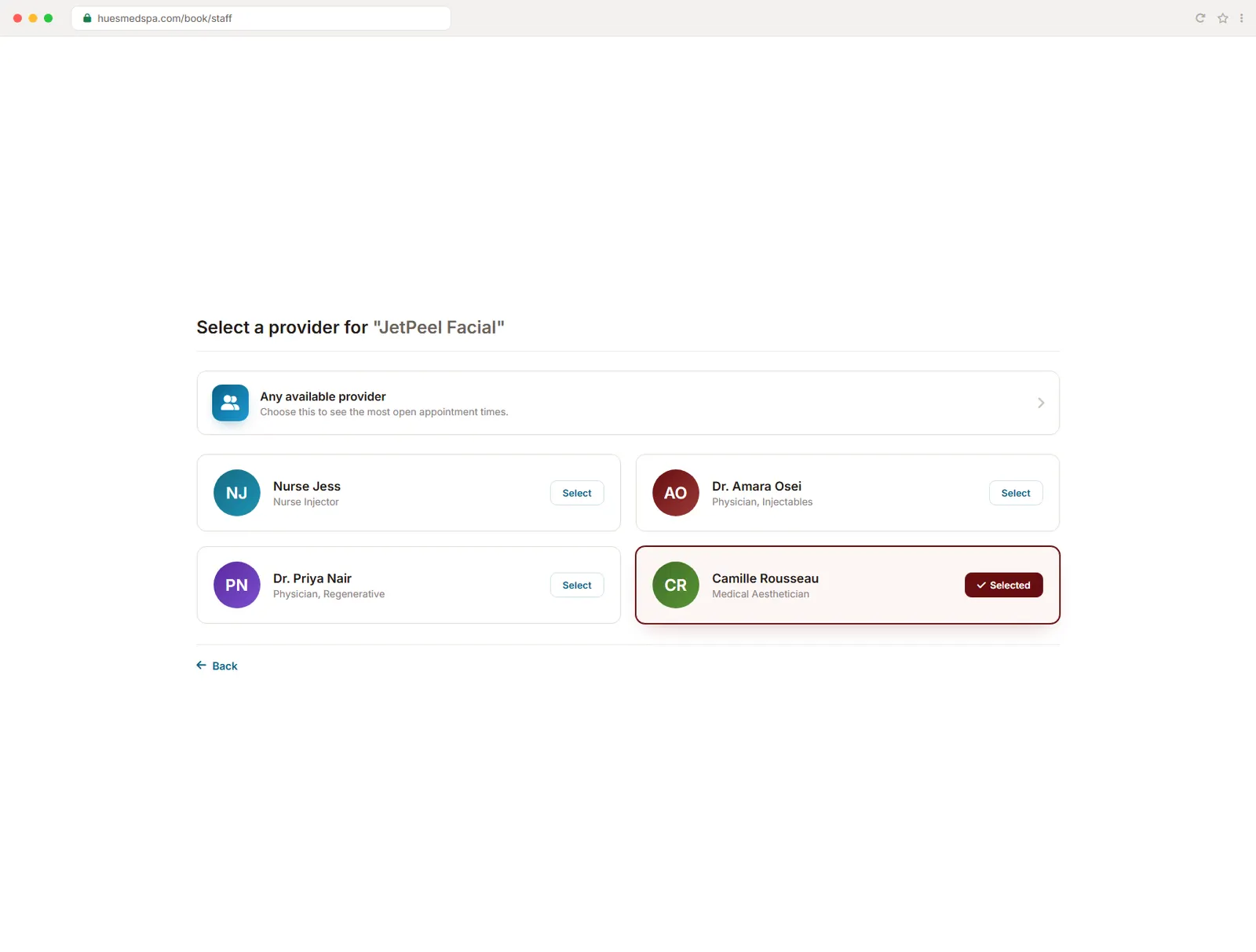
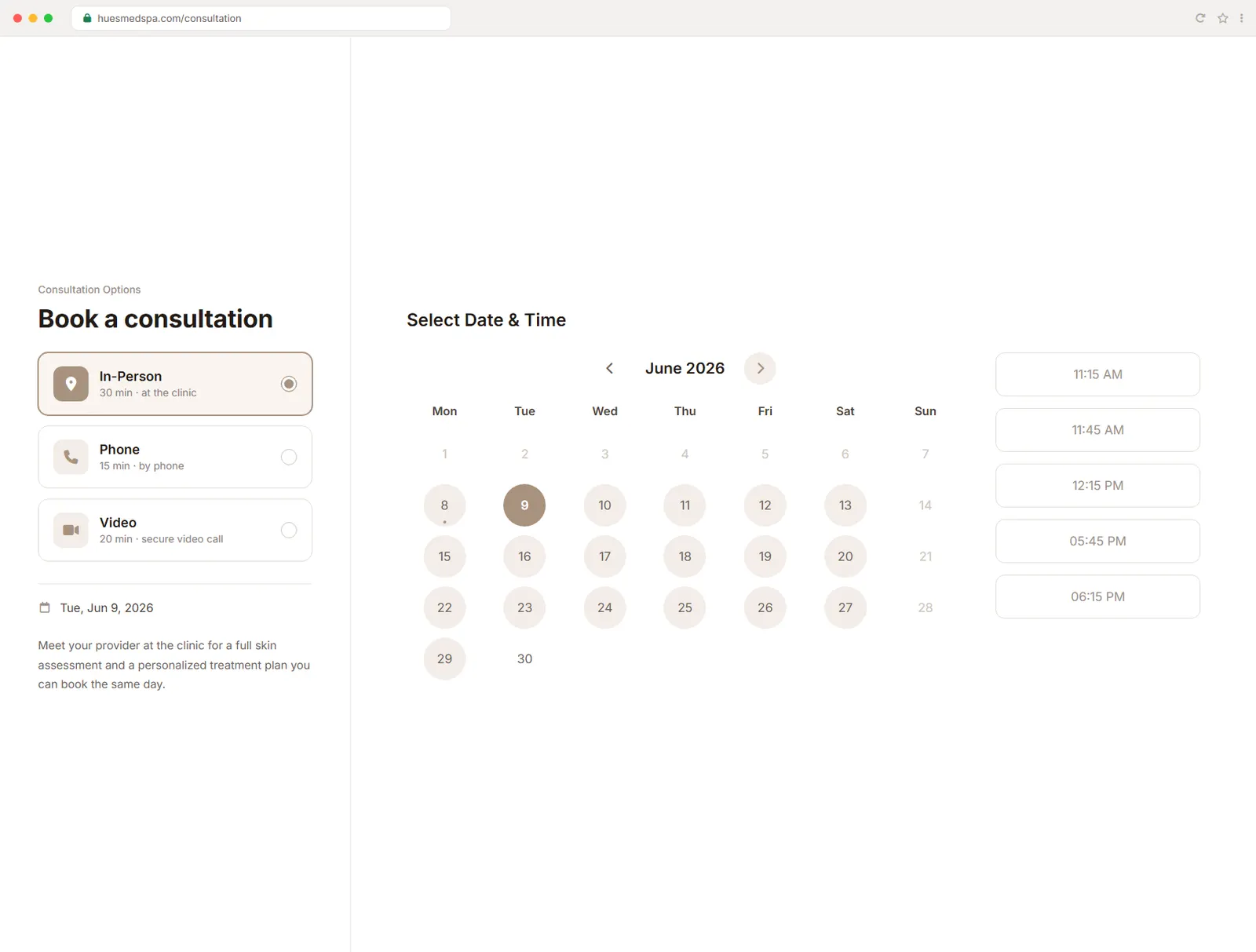
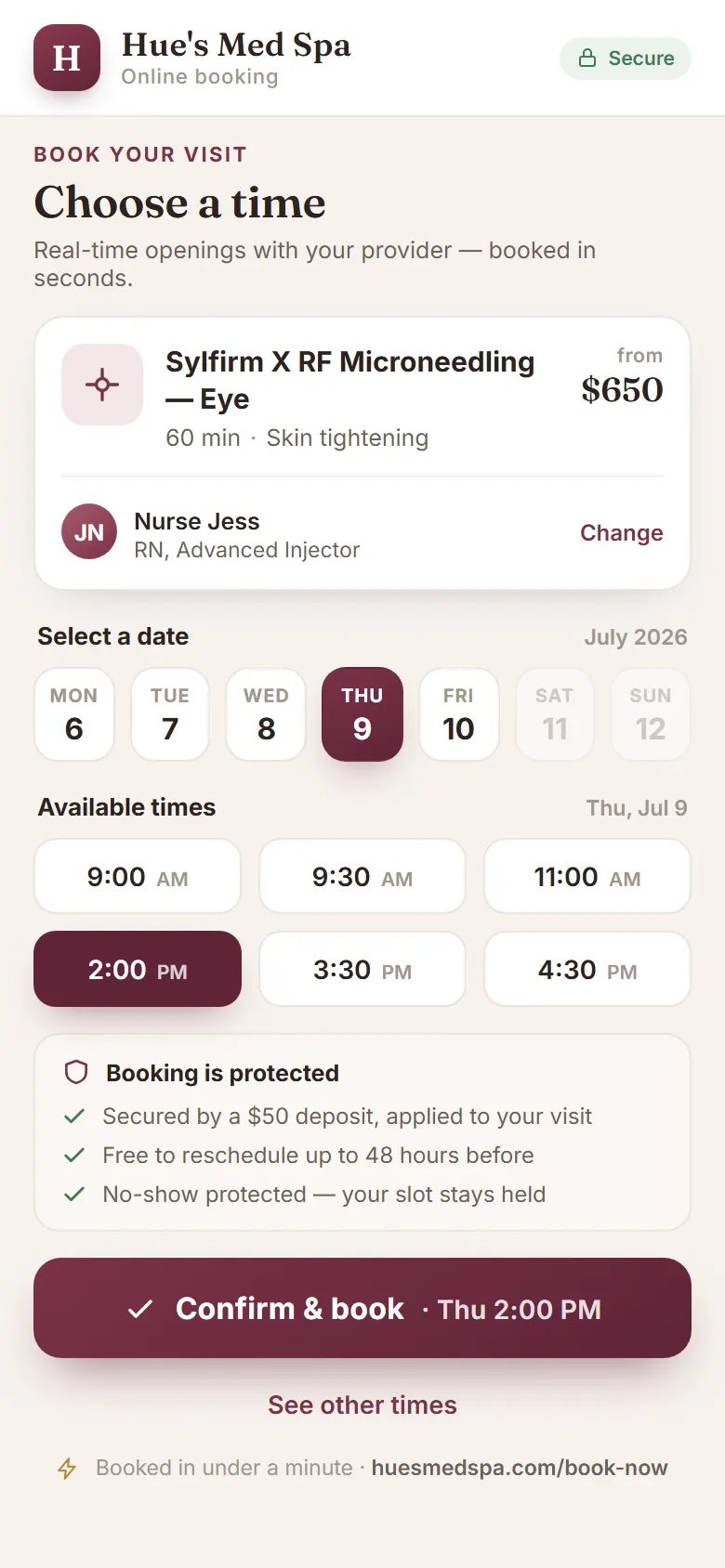
Patients pick a service, choose a provider if they have a favourite, and lock in a time on their own schedule. There is no account to create and no form maze, just a name, a contact, and a confirmed booking. Every appointment lands straight on your calendar.
Patients book with just a name and contact, nothing to set up.
Let patients choose a favourite provider, or any available one.
The widget takes bookings overnight, on weekends, and on holidays.
02 · Real-Time Availability
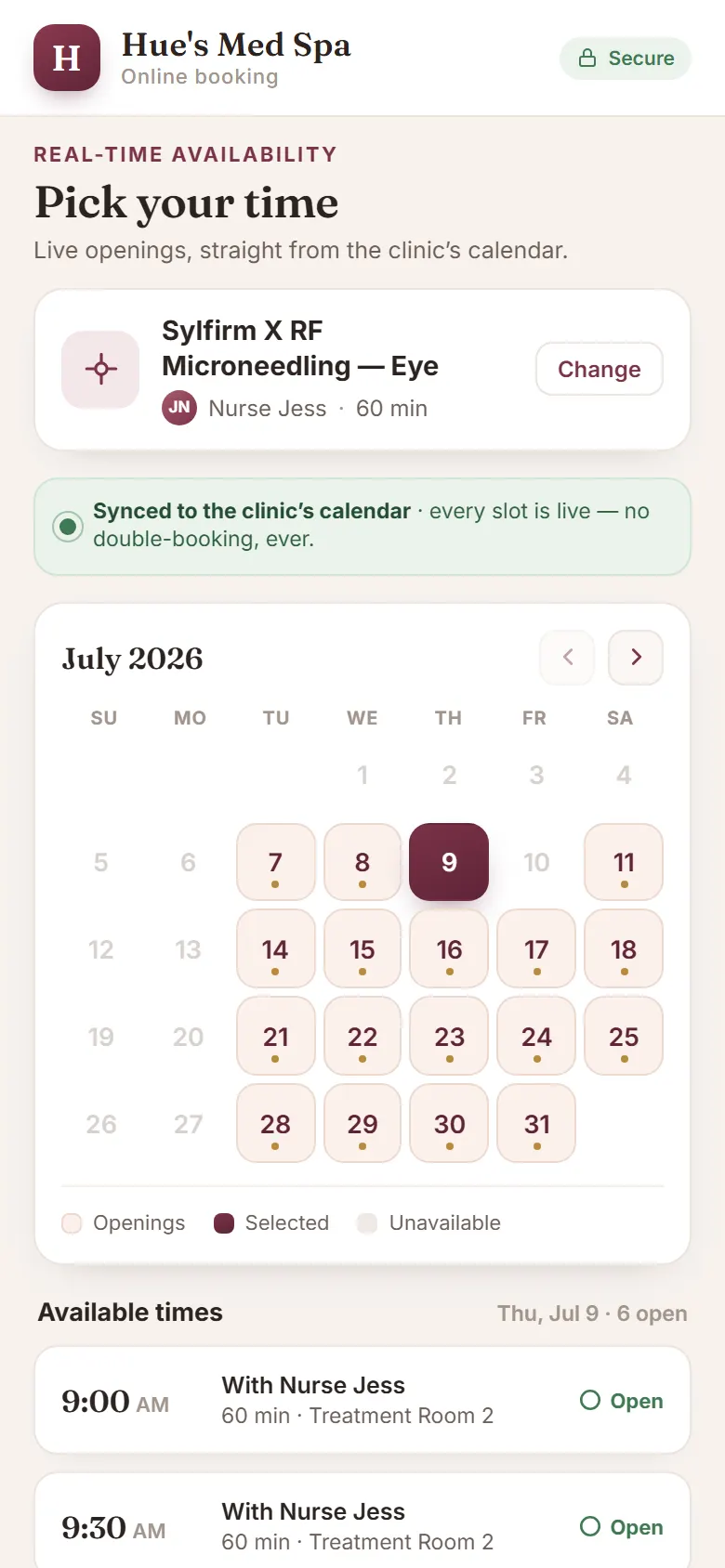
Show only the slots that are truly open.
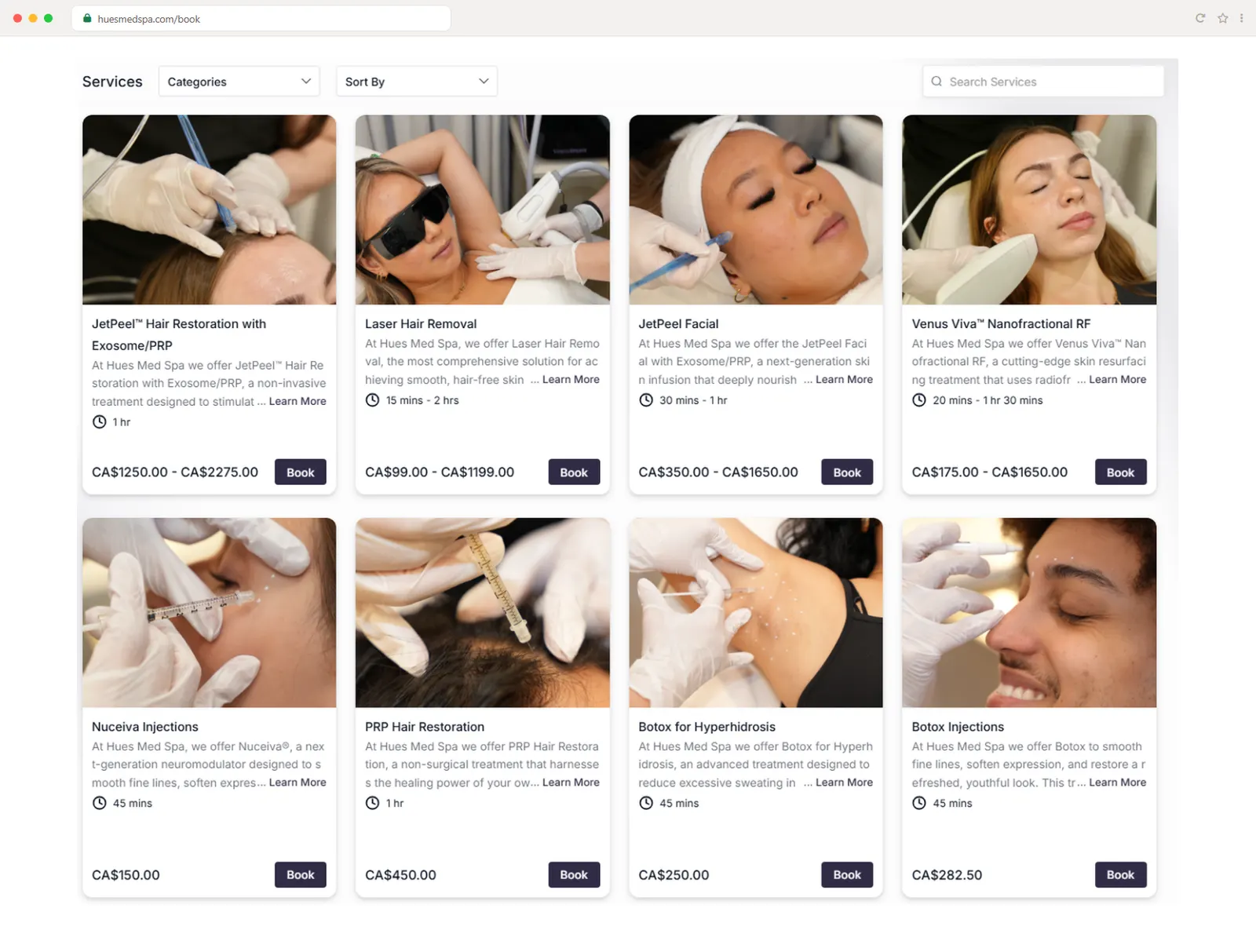
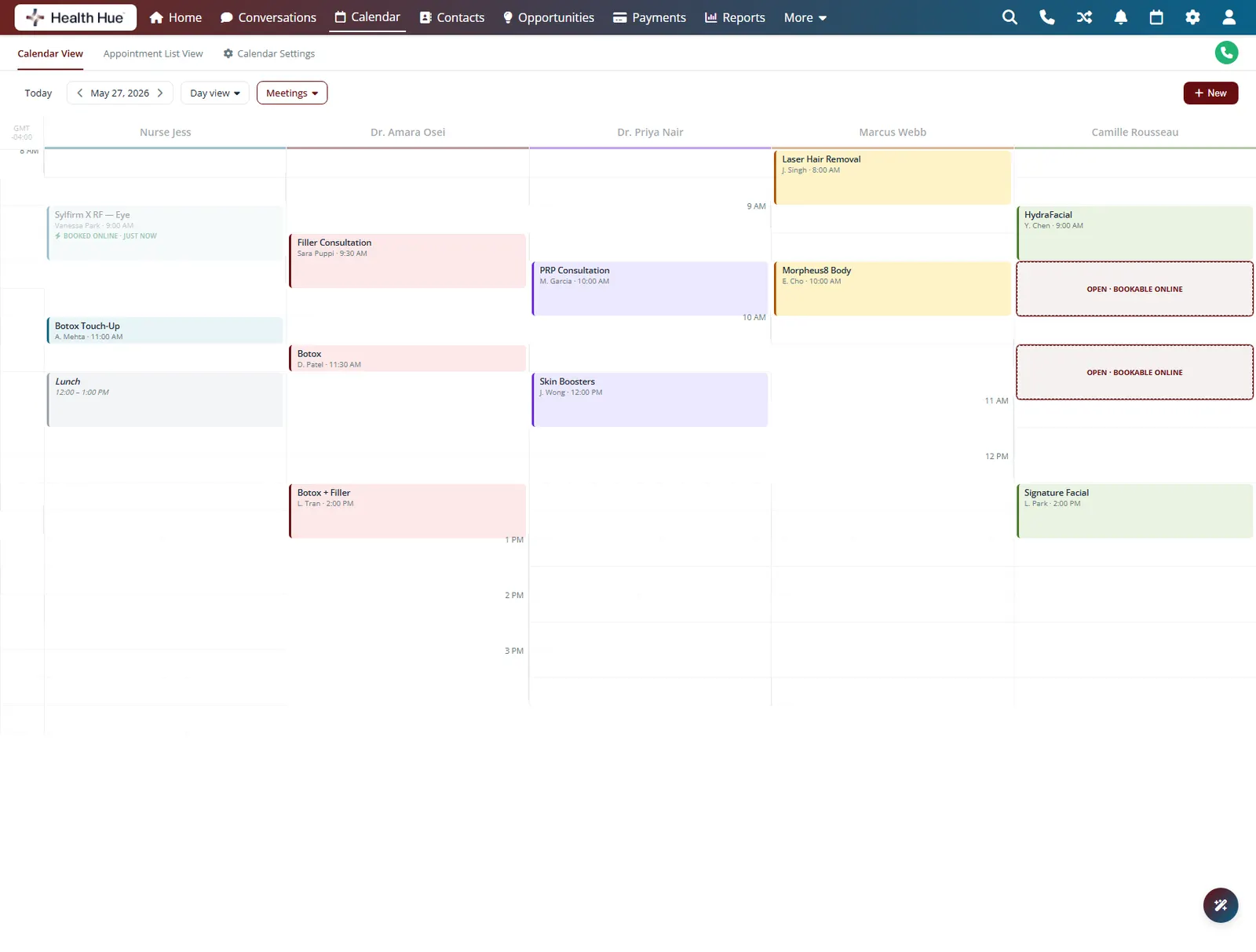
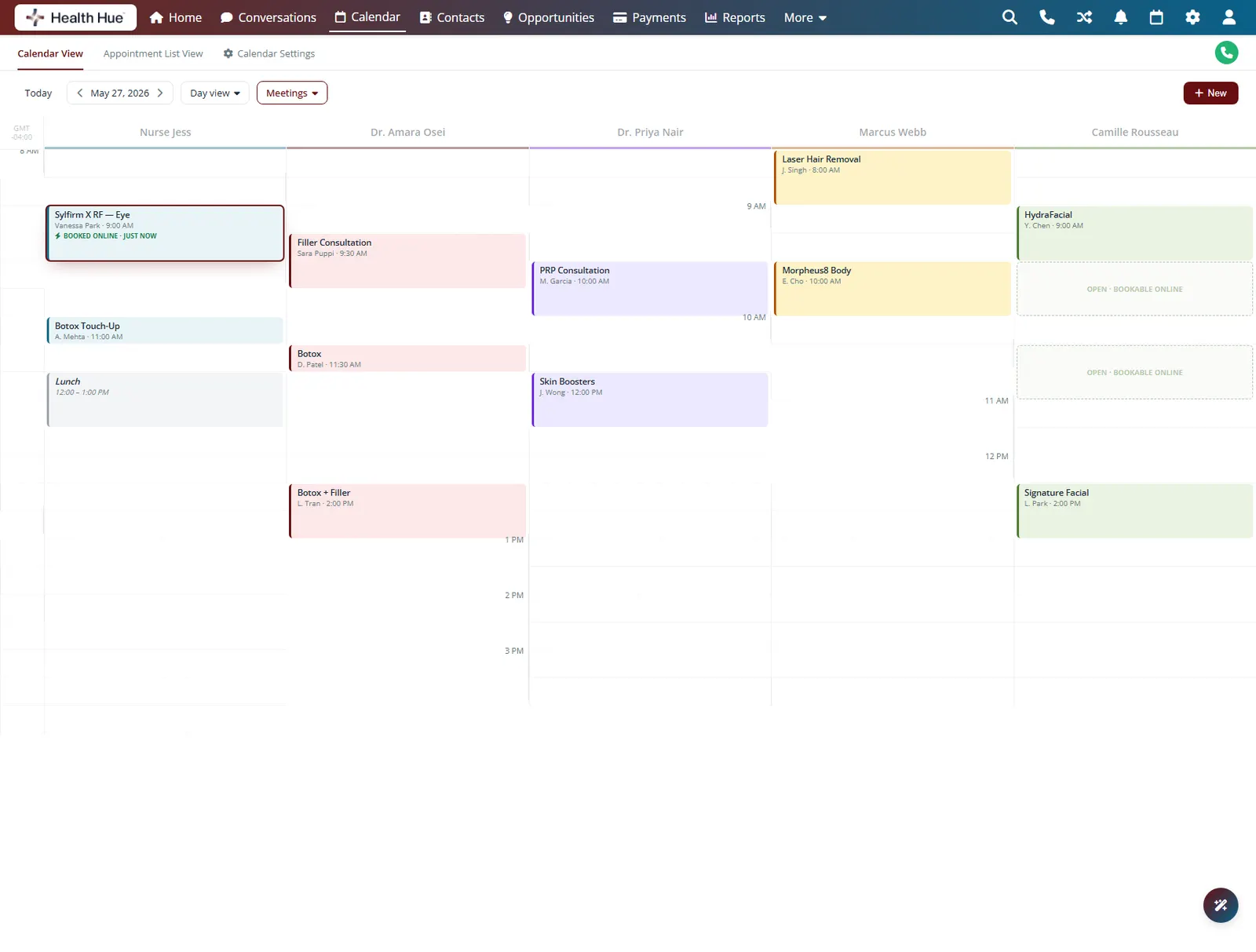
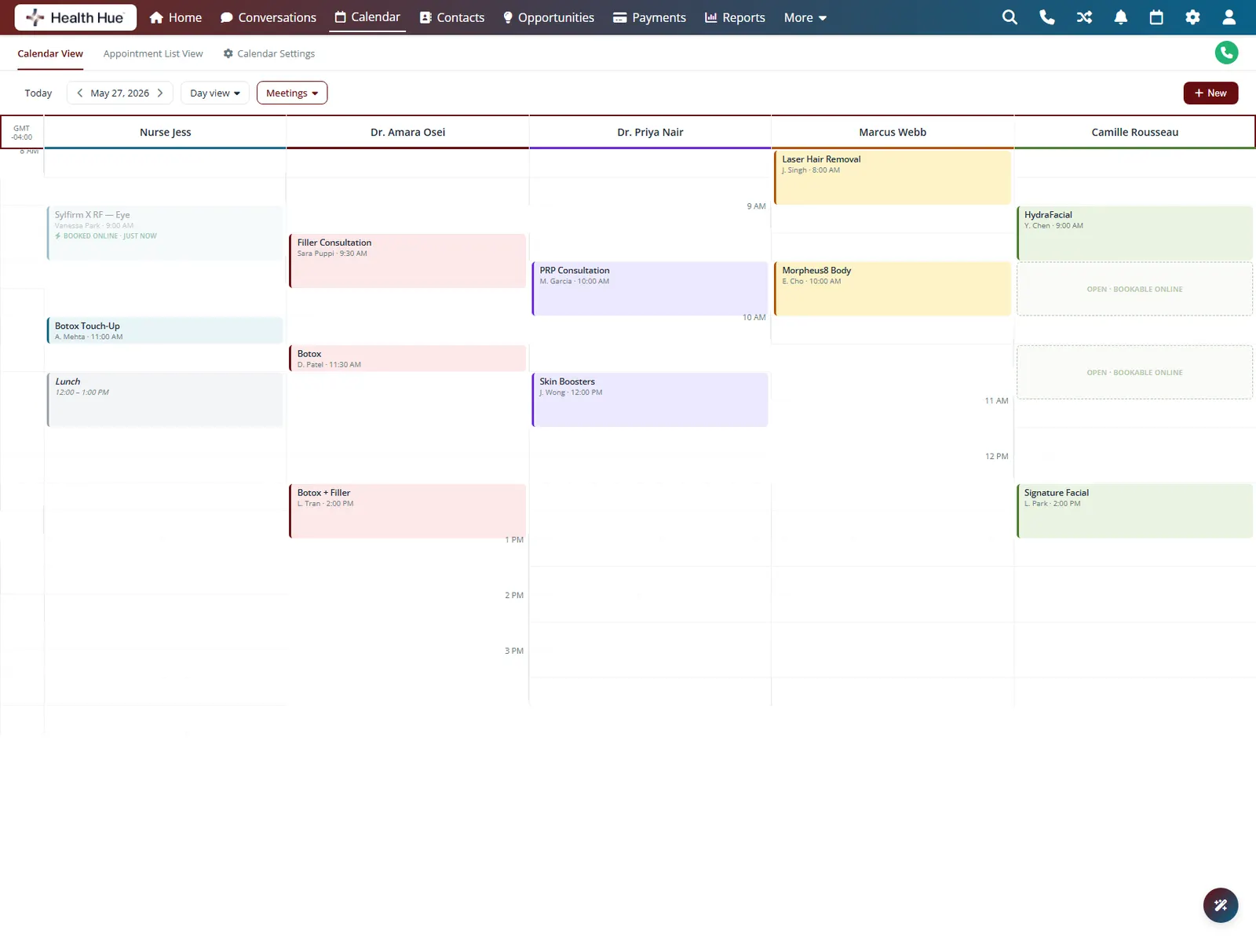
The widget reads your live calendar, so patients only see times that actually exist. The moment a slot is taken it disappears for everyone else, which means no double bookings and no apologetic call-backs. Buffers, room limits, and provider hours are all respected automatically.
Open slots come straight from your real schedule, in real time.
A booked time vanishes instantly for every other patient.
Buffers, room limits, and provider hours are honoured for you.
03 · Deposits at Booking
Collect a deposit before they walk in.
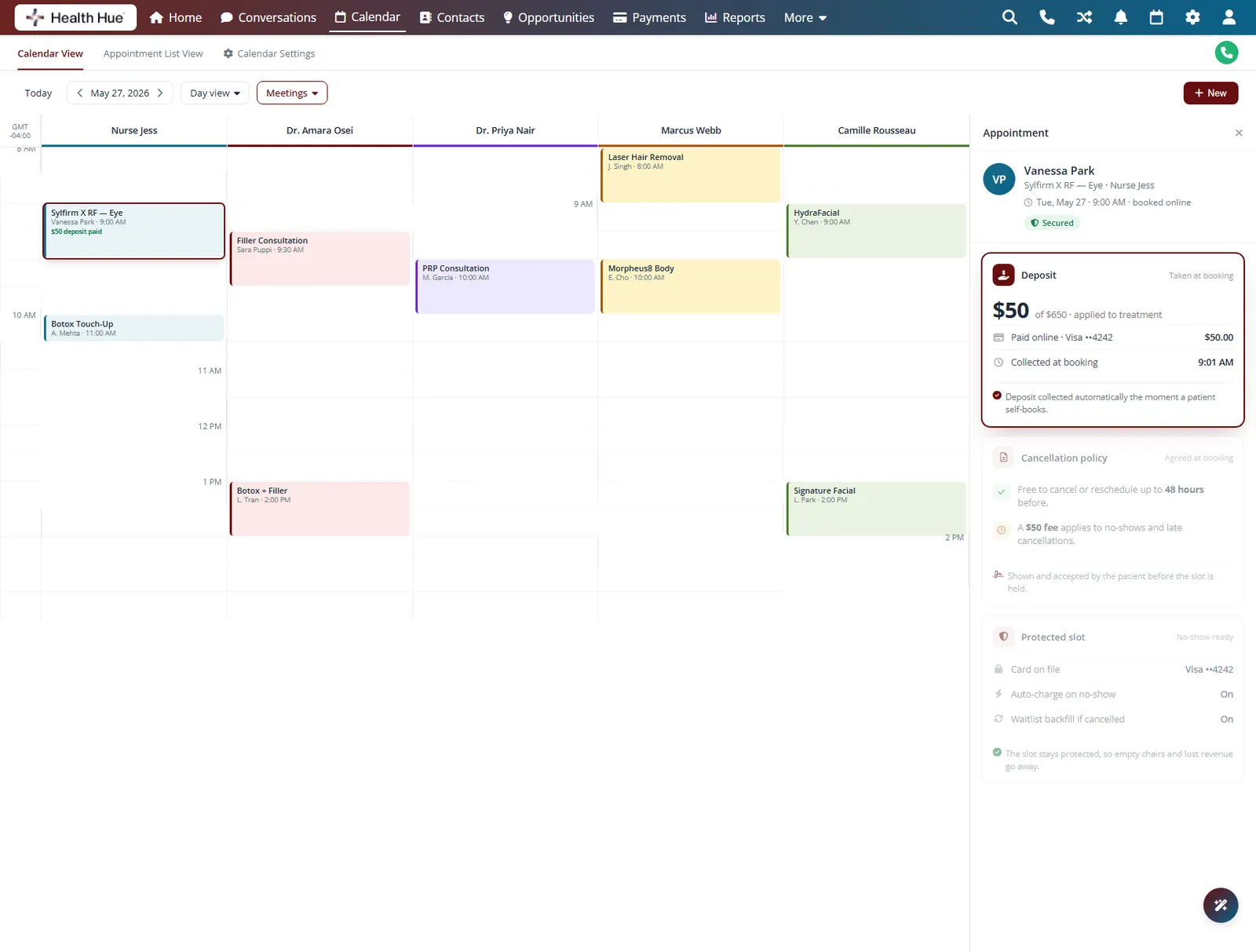
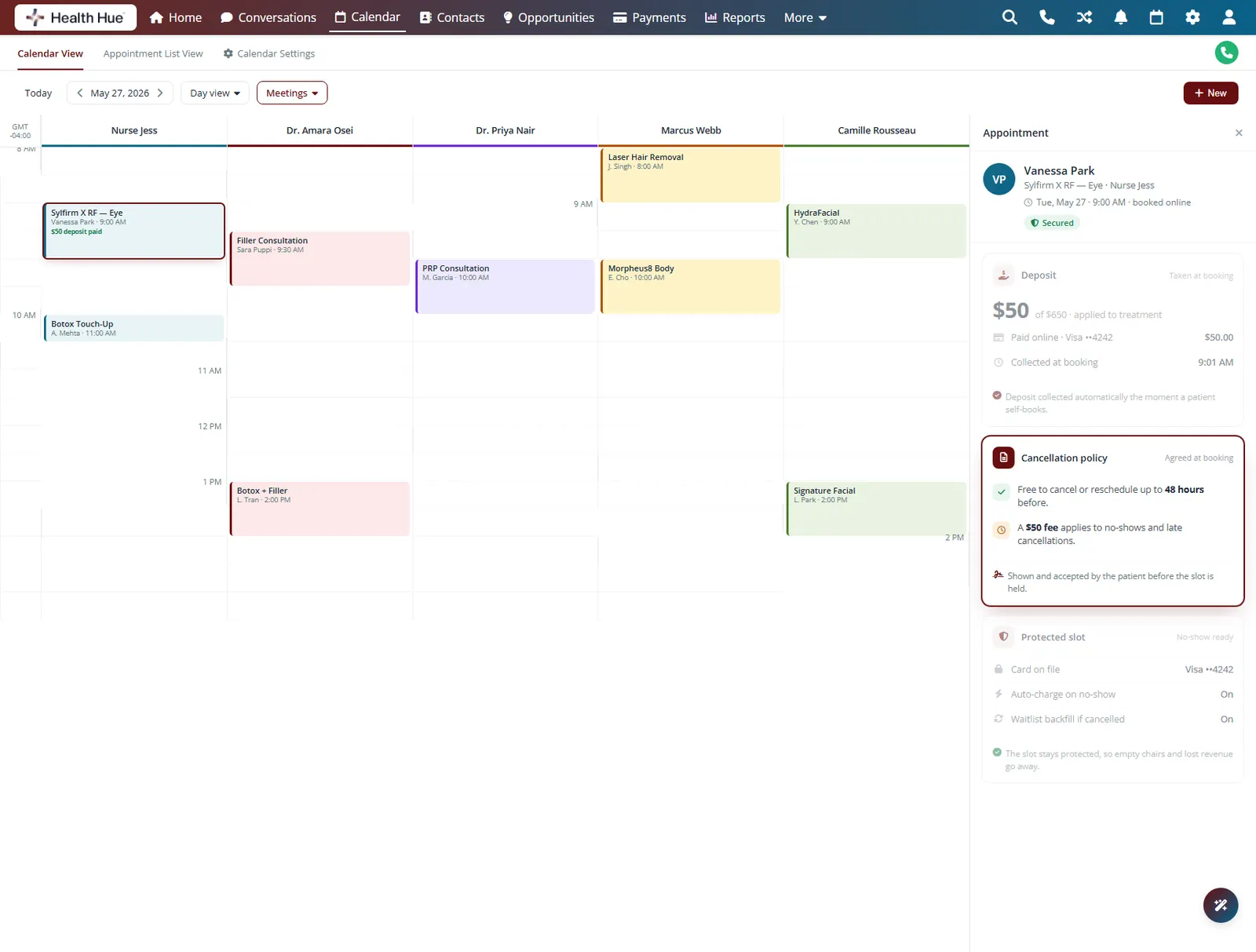
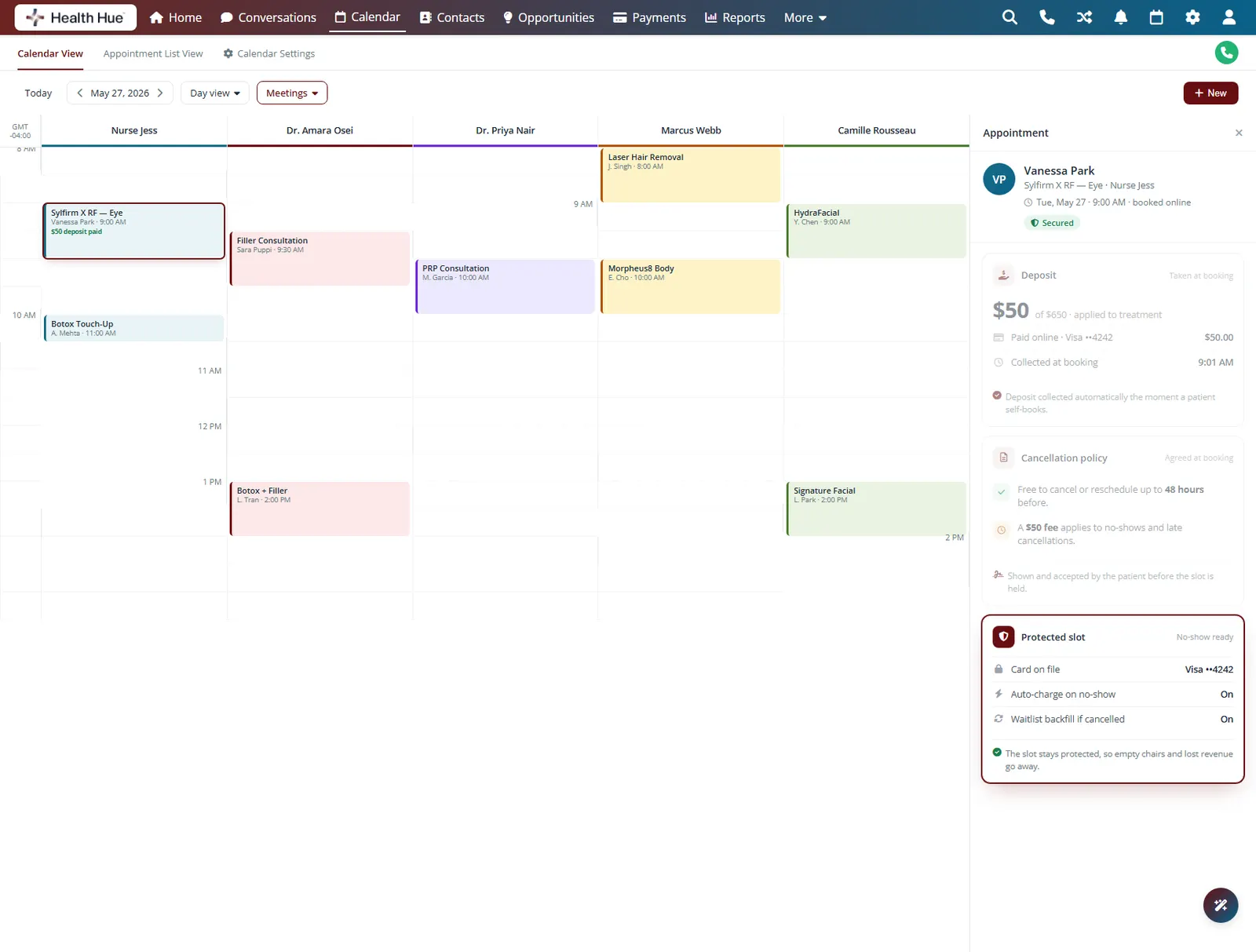
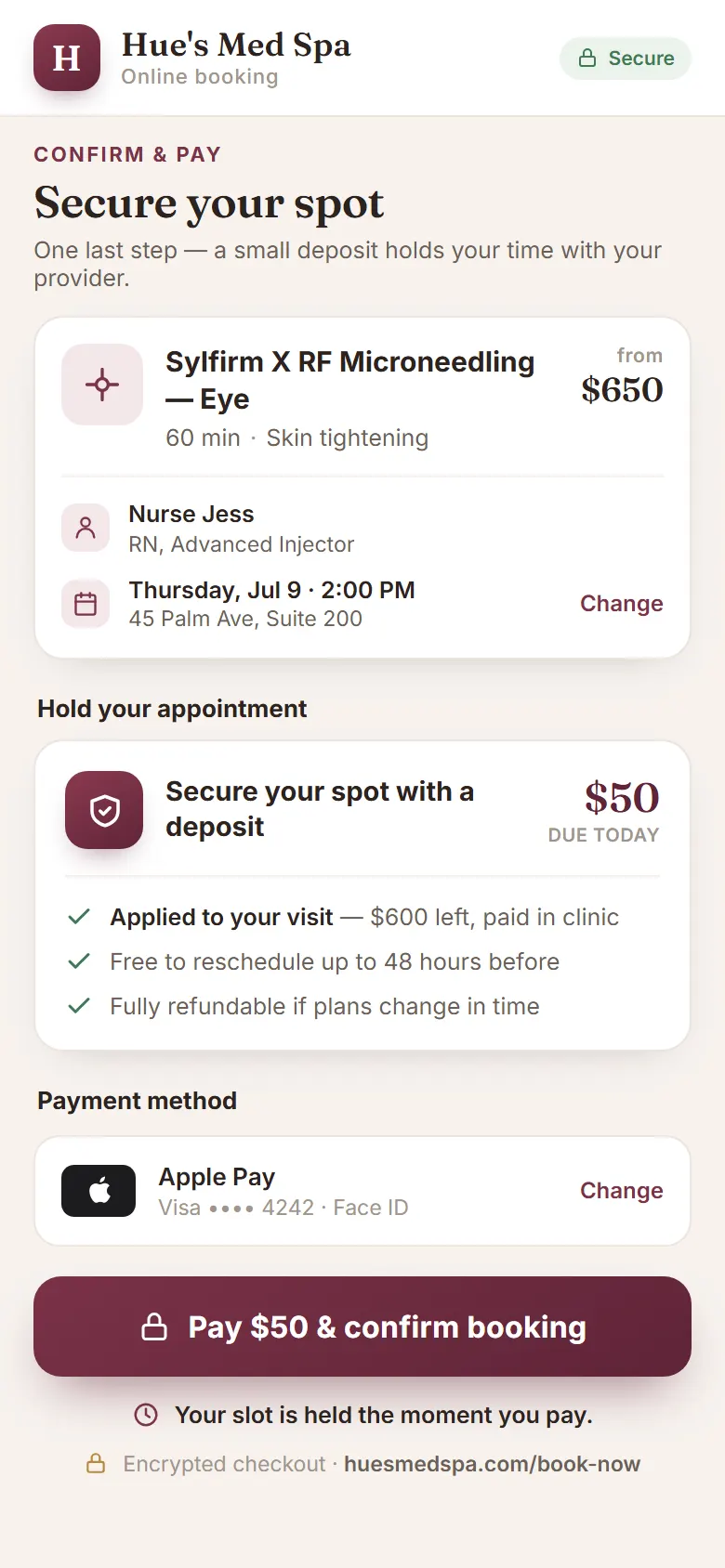
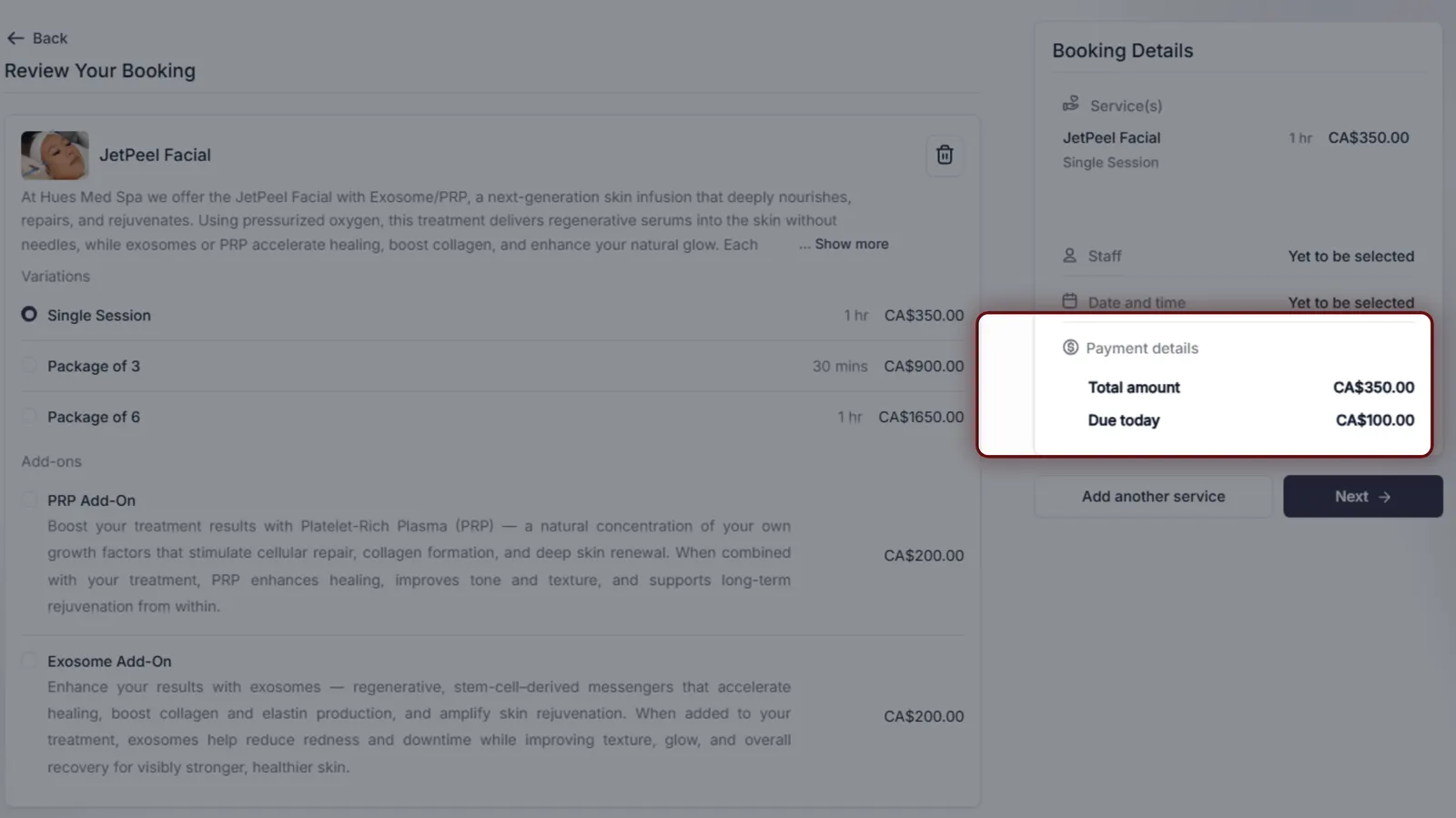
Ask for a card on file and a deposit at the moment of booking, so the people who reserve a chair are the people who show up. Deposit rules can vary by service, with bigger commitments on high-value treatments. No-shows drop, and the revenue is protected before the visit ever happens.
Capture a payment method securely as part of booking.
Set deposit amounts that vary by treatment value.
A deposit filters out the bookings that never arrive.
04 · Add-On Upsells
Grow the ticket before they arrive.
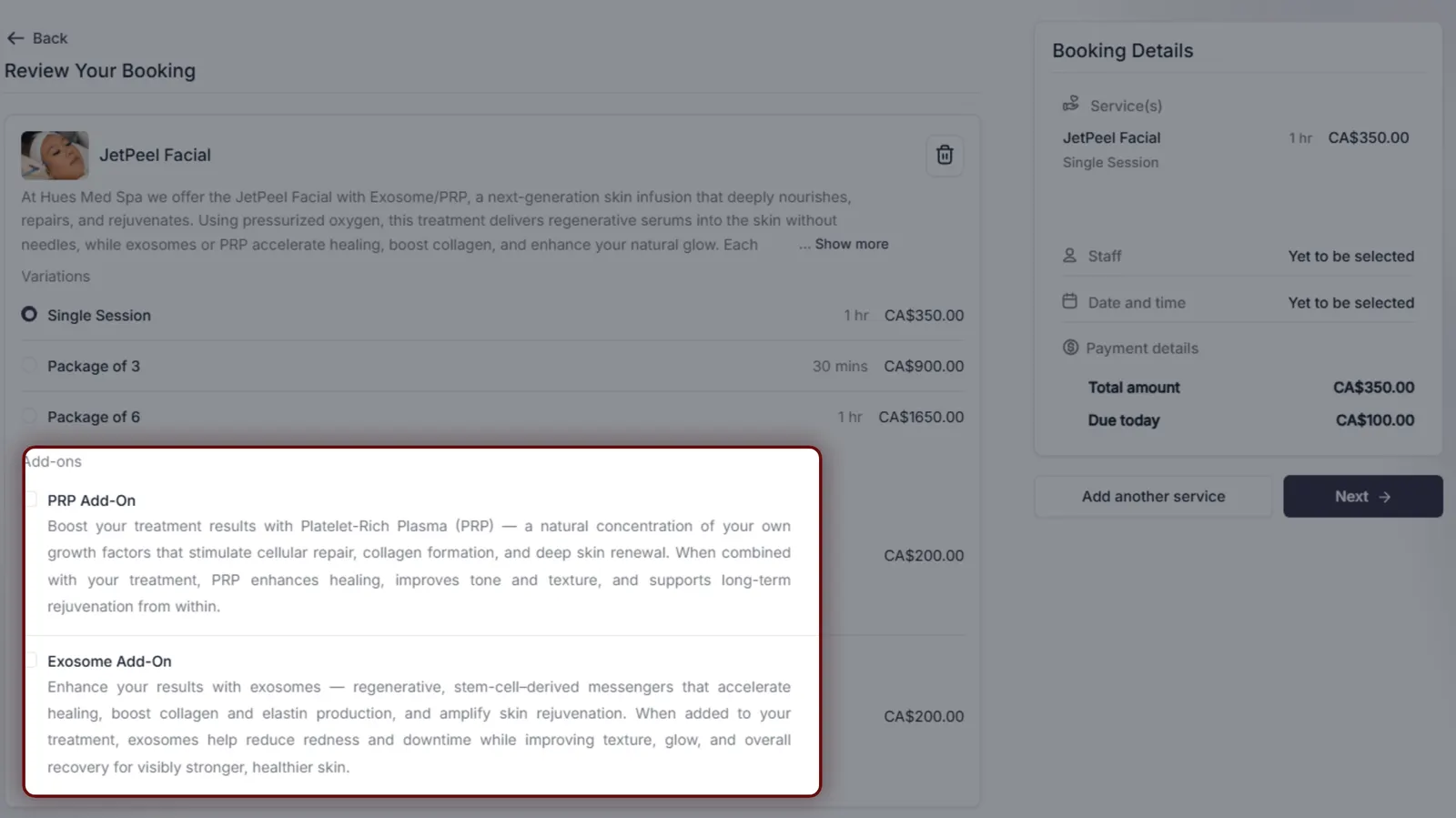
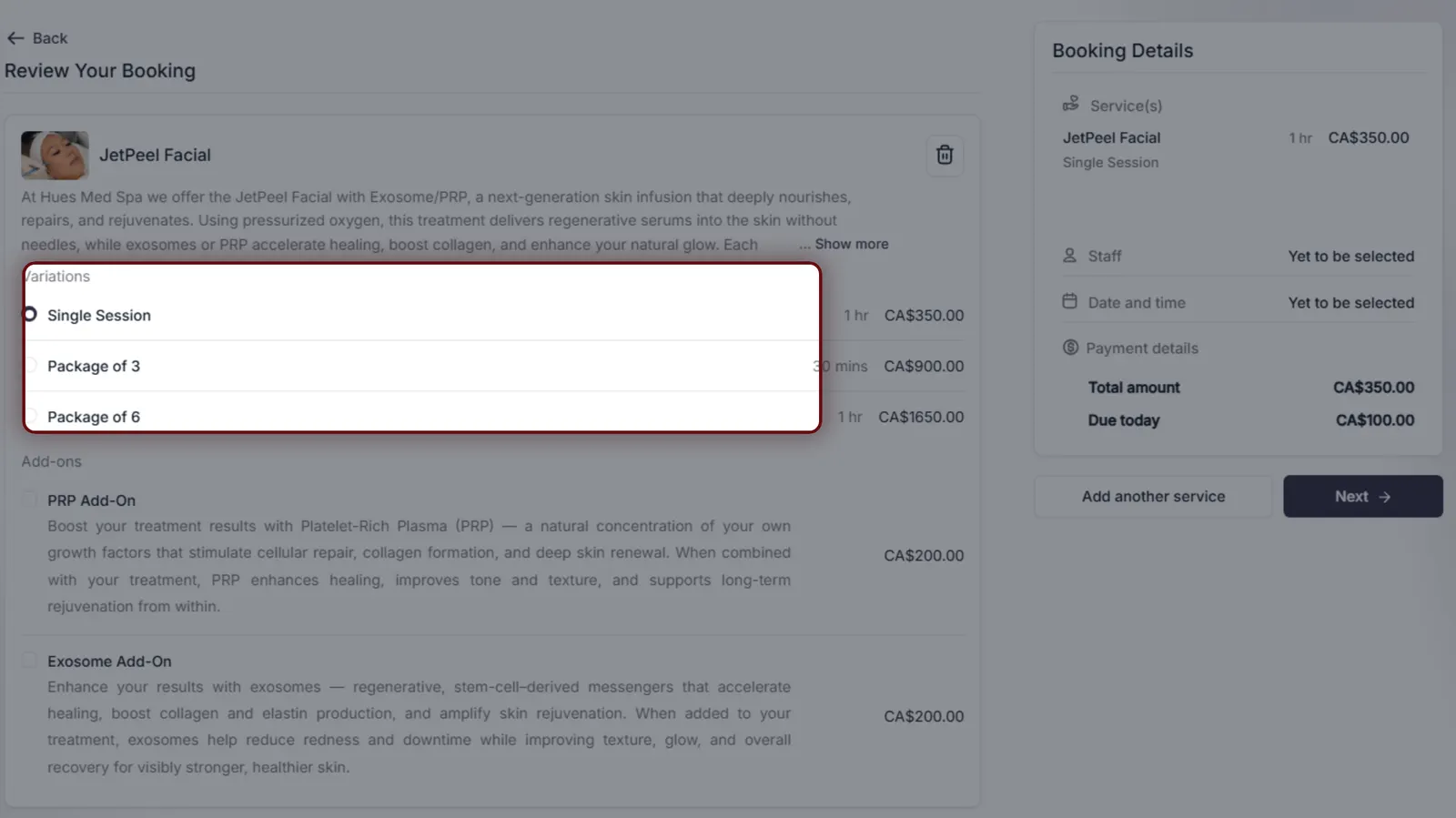
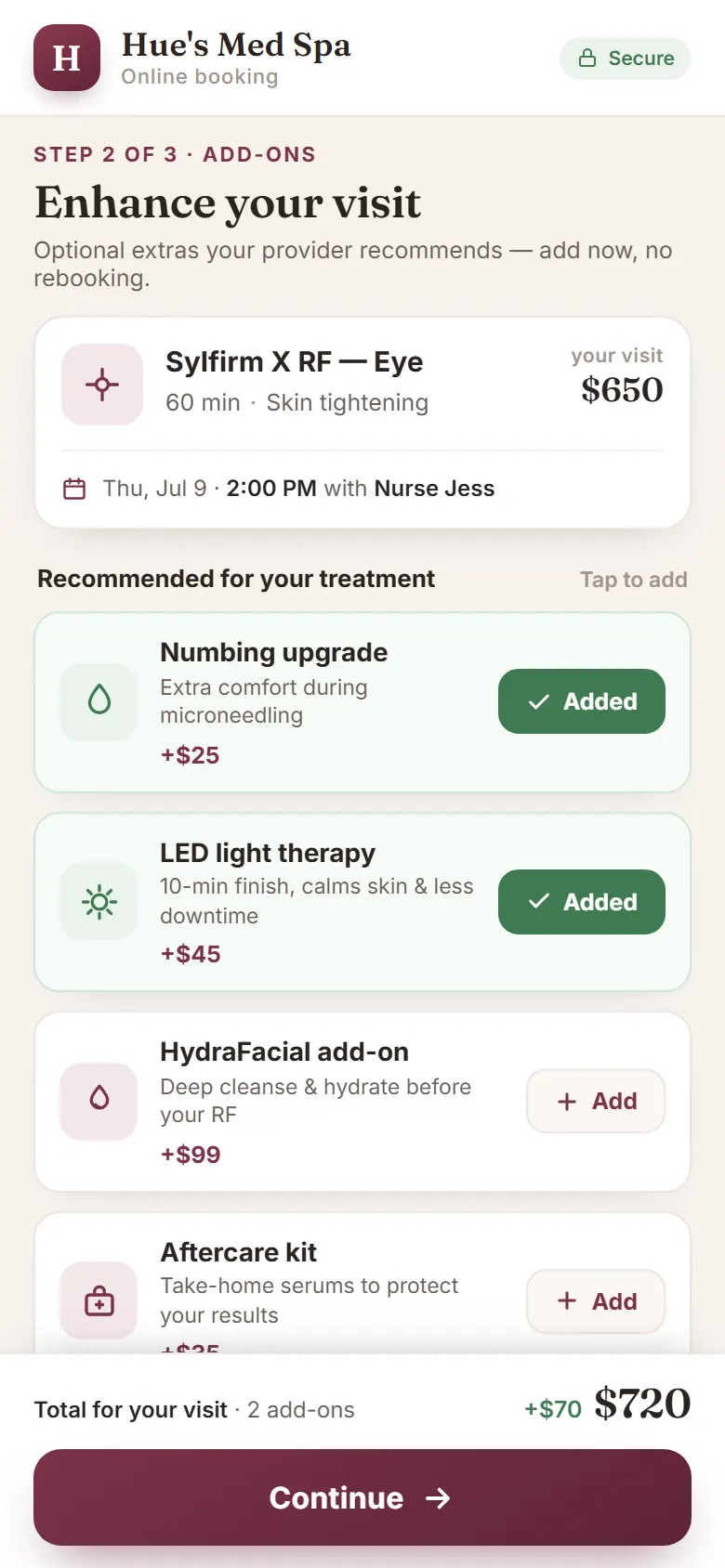
During the booking flow, the widget can offer relevant add-ons next to the main service, like a complementary treatment or an upgrade. Patients choose what they want with a tap, and the average ticket climbs without anyone making a sales pitch. The extras flow onto the appointment and the deposit alike.
Surface add-ons that pair naturally with the chosen service.
Patients add upgrades to the booking with a single tap.
Average visit value rises with no front-desk pressure.
05 · Embed Anywhere
Put booking right on your own site.
The widget embeds directly into your clinic website, so patients never leave your brand for a separate portal. Drop it on the home page, a treatment page, or a campaign landing page, and every booking is tagged with where it came from. The look matches your site, the data lands in one place.
Patients book inside your own pages, not a third-party portal.
Place it on the home page, a treatment page, or a landing page.
Each booking records the page and campaign it came from.
Secure, compliant, and clinic-ready
Every feature lives in a platform built for clinics from the ground up, with charting, consent, and payments native to the patient record.
PHIPA & HIPAA-aware
Patient data is encrypted and handled to Canadian health-privacy standards.
Consent & audit
Consents, signatures, and changes log to the record automatically.
Role-based access
Granular permissions keep charts and contact details on a need-to-know basis.
One source of truth
Scheduling, payments, messages, and records in one place. Nothing siloed.
Explore more of the Hub
Online Booking is one part of the Health Hue Hub, your AI-powered clinic operating system.
Conversations
One inbox for SMS, calls, web chat, and DMs.
Patient Records
Every patient in one complete profile.
Calendar & Scheduling
AI booking, reminders, and provider sync.
Payments & POS
Text-to-pay, deposits, and fast checkout.
Memberships
Recurring revenue, packages, and perks.
Automated Flows
Triggers and multi-channel follow-up.
FAQ