Health Hue Hub · Contacts & Patient Records
Every patient detail, on one record.
Contact information, appointment history, payments, documents, consent, and treatment photos all live on one patient profile your whole team can open. No more digging through three systems to remember who a patient is and what they came in for.
01 · Unified Patient Profile
One profile your whole team can see.
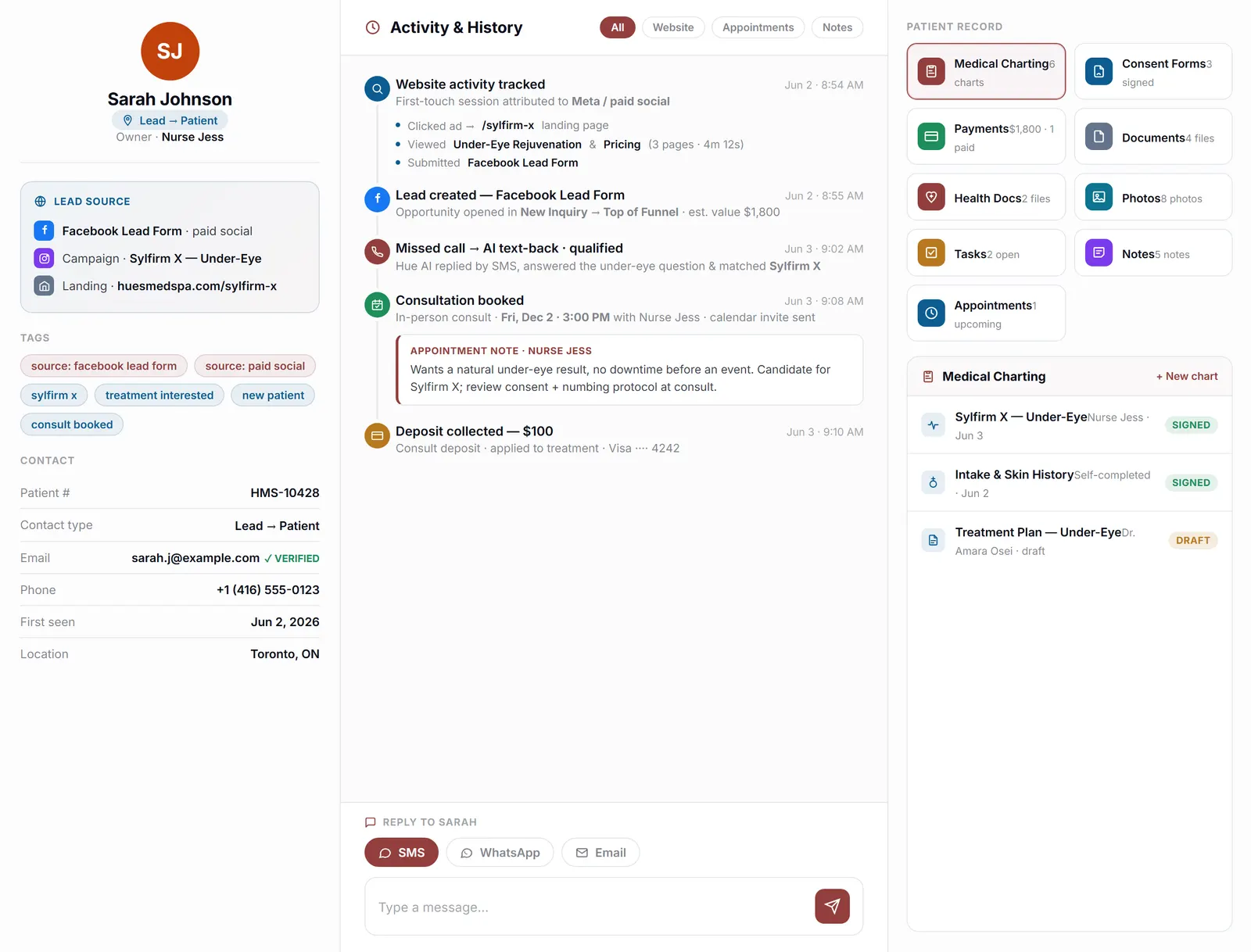
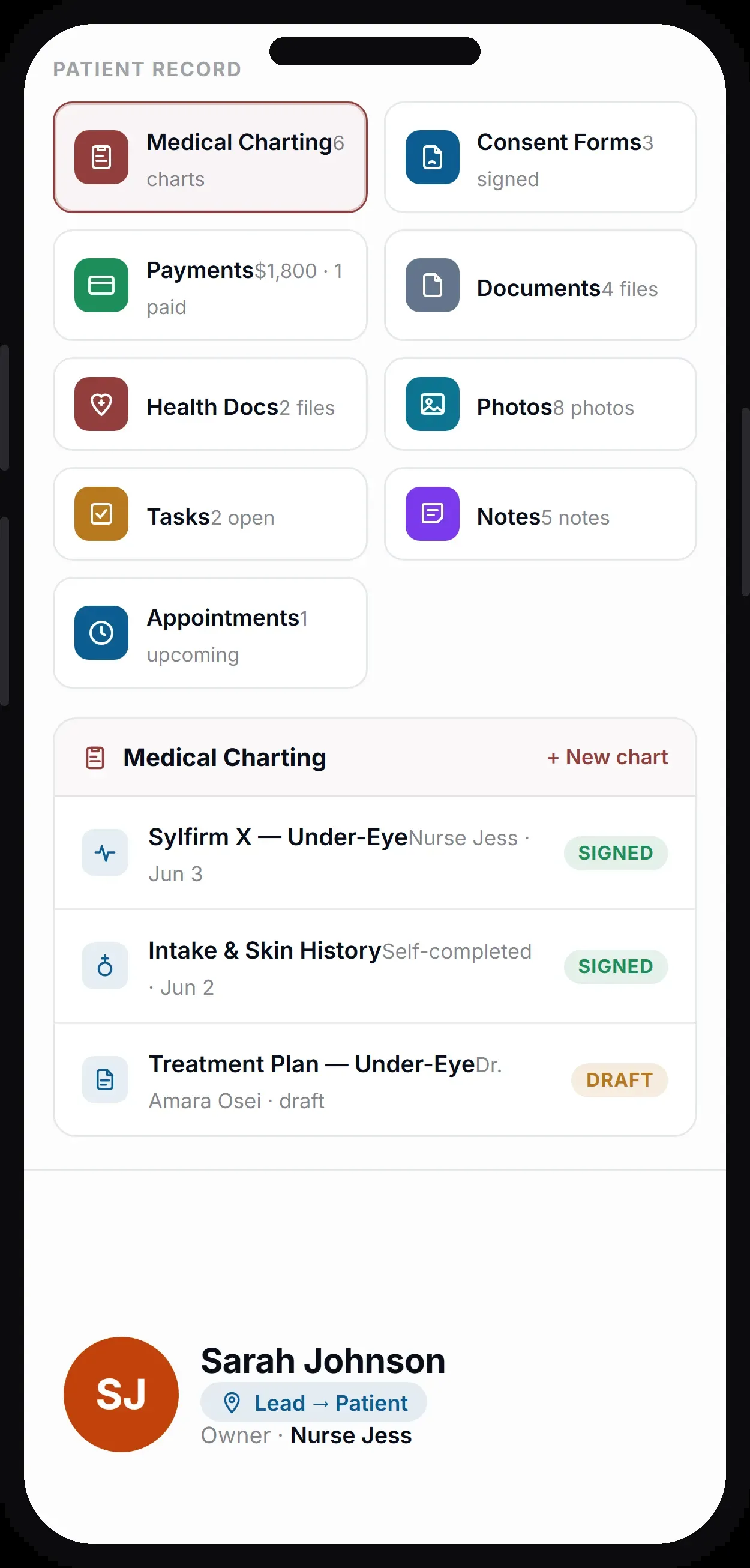
Open a patient and everything is there: contact details, source, tags, owner, and a running activity timeline of every call, text, visit, and payment. Whoever picks up the next message has the full picture instantly, so patients never have to repeat themselves and the front desk always sounds like they know them.
Contact details, tags, owner, and history together in one view.
Every call, text, visit, and payment in date order.
Anyone on the team opens the same complete record.
02 · Appointment History
Every visit, past and upcoming.
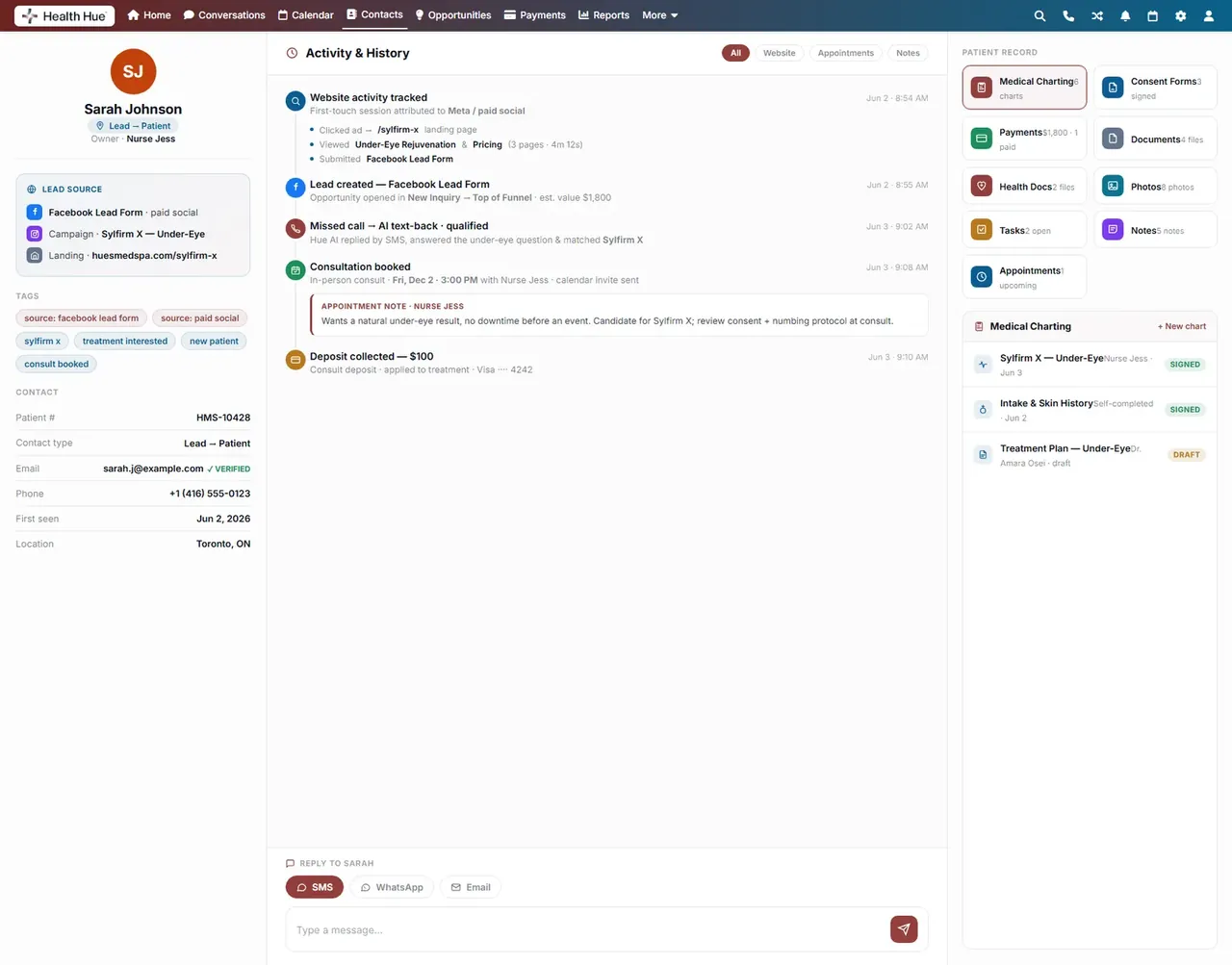
The record keeps each patient’s full appointment history alongside what is booked next, with the provider, service, and status on every line. Front desk and providers can see at a glance how often someone comes in, what they had last, and what is coming up, without leaving the chart.
What is booked next, with provider and service.
The full treatment history in date order.
Confirmed, completed, no-show, and rescheduled markers.
03 · Payments & Billing
Balances and invoices, on the chart.
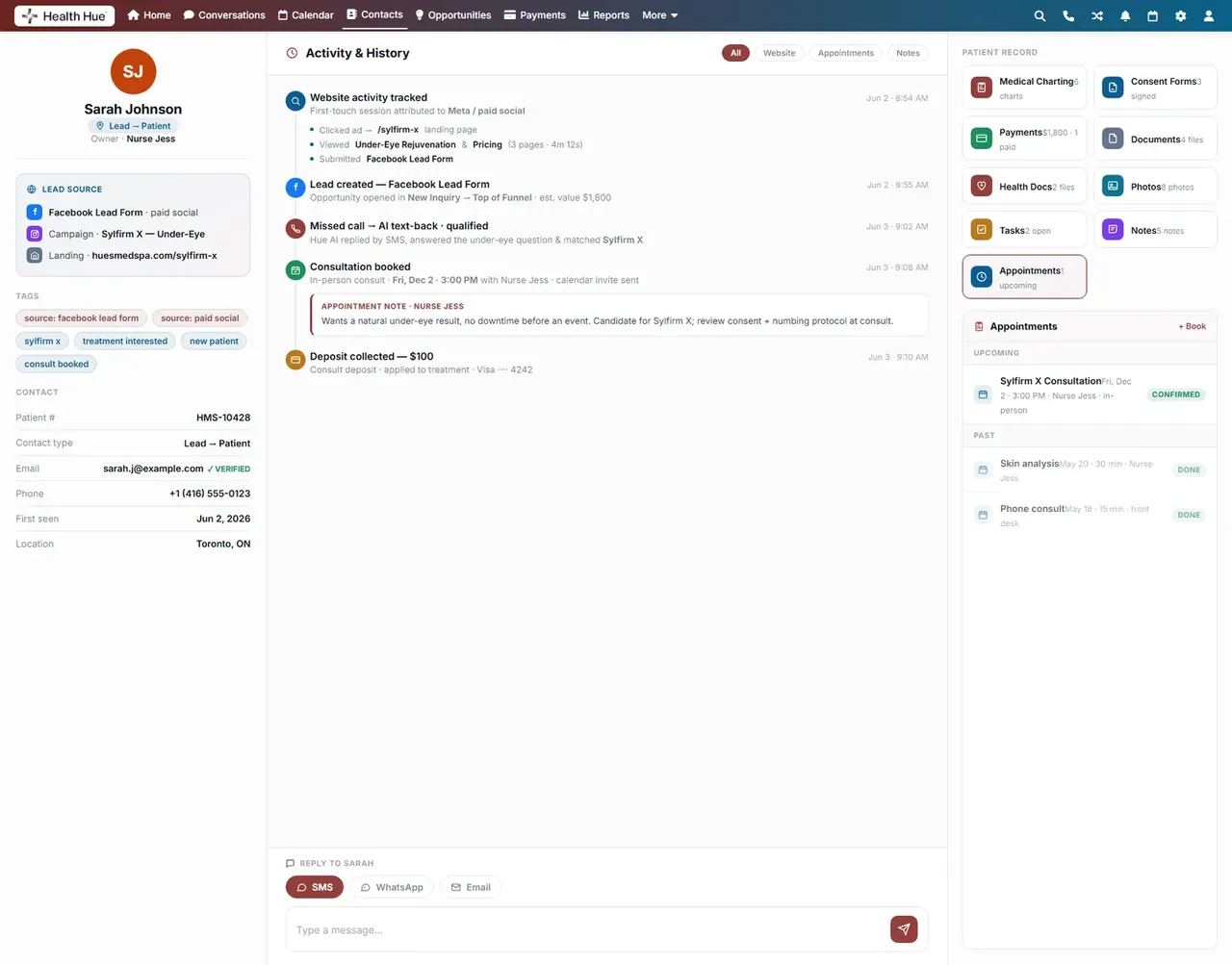
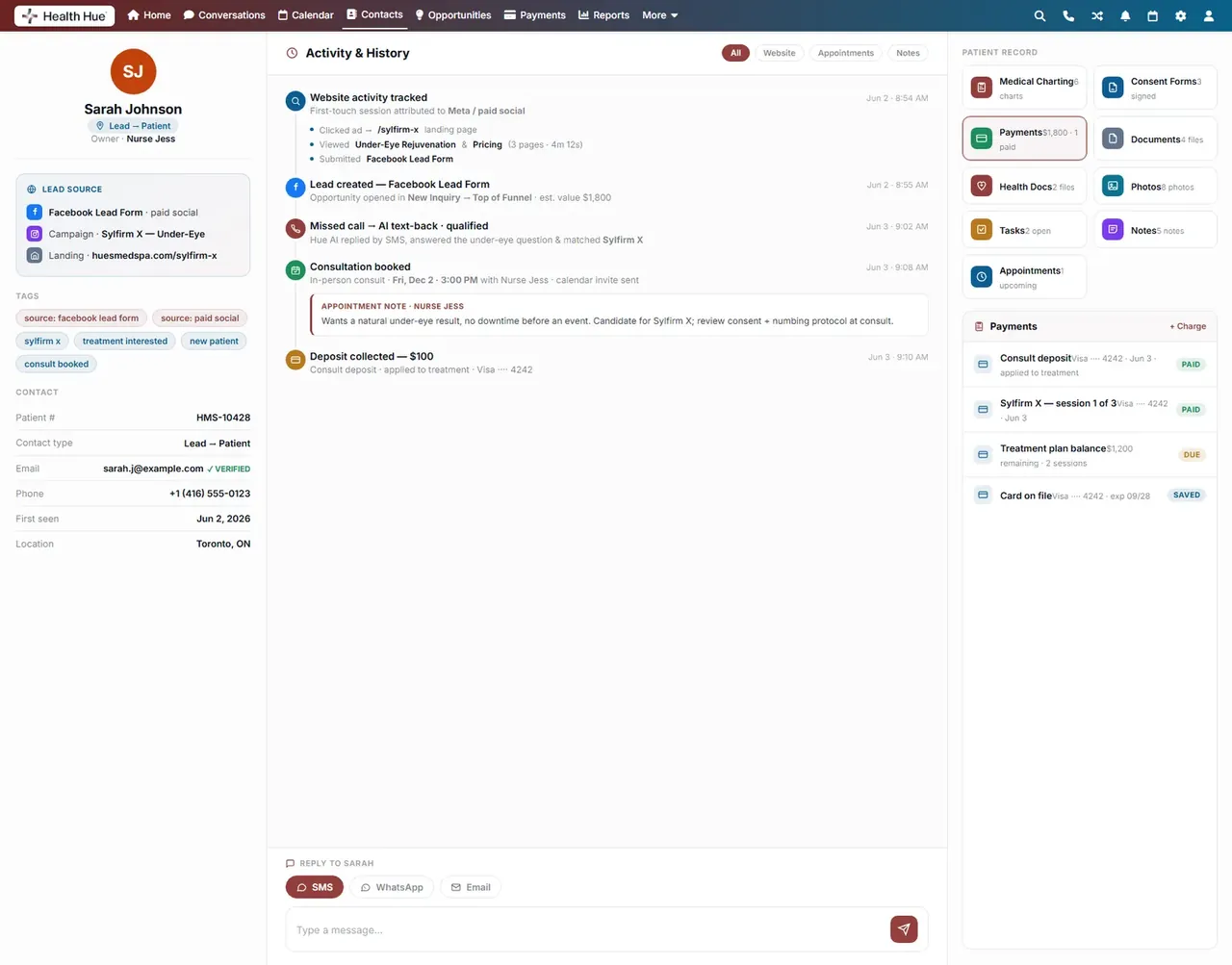
Every invoice, payment, deposit, and outstanding balance sits right on the patient record, so the team can answer billing questions without switching apps. Take a payment, send a receipt, or check what is owed from the same screen where the rest of the patient’s history lives.
Invoices, payments, and deposits in one list.
See what is outstanding at a glance.
Charge or send a receipt without leaving the record.
04 · Documents & Forms
Forms and files, attached to the patient.
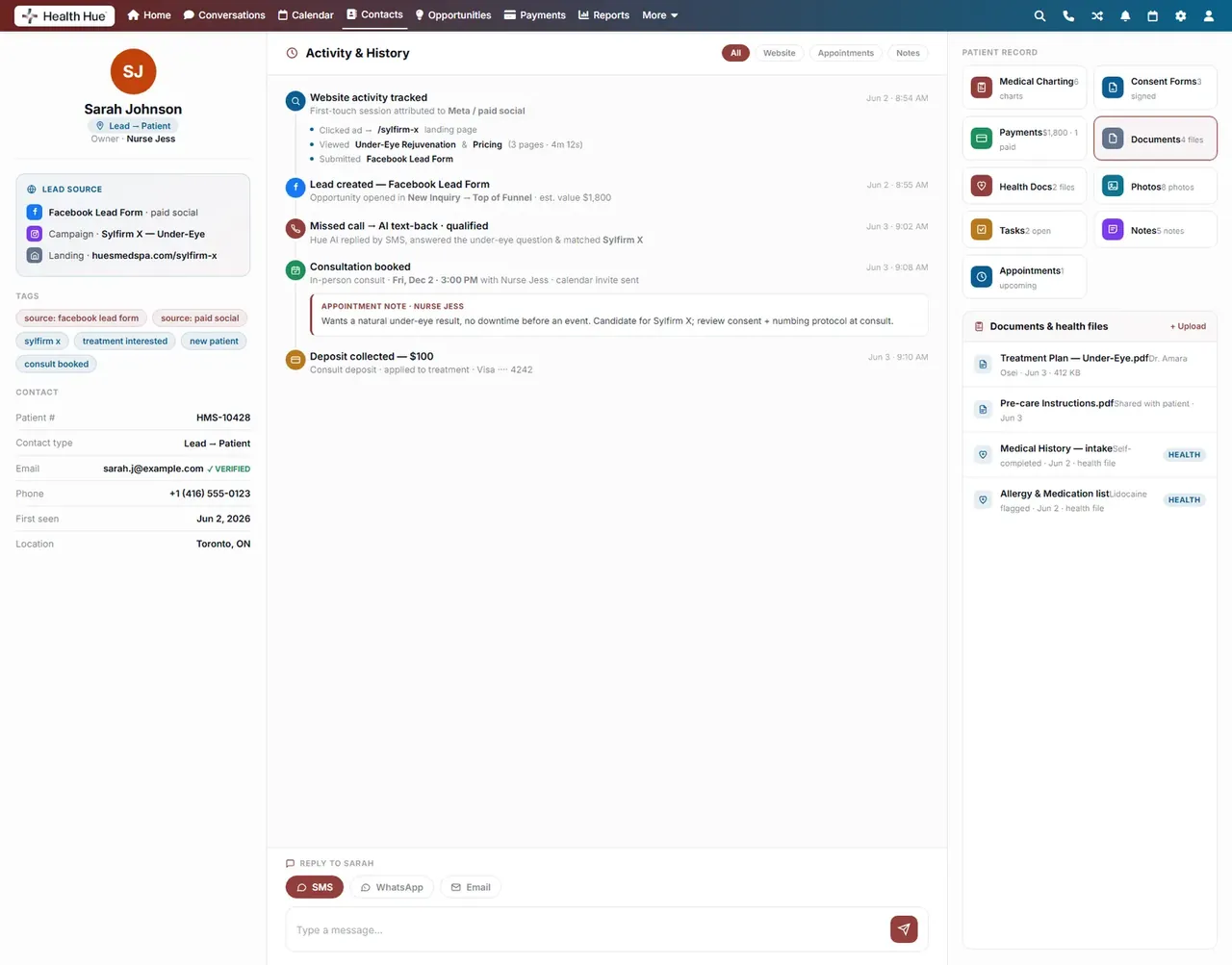
Intake forms, treatment plans, and uploaded files attach straight to the record, so nothing lives in a filing cabinet or a separate inbox. Completed forms flow in automatically and stay with the patient, ready the next time they come in.
Completed forms flow straight onto the record.
Treatment plans and uploads stored on the chart.
Everything stays attached for the next visit.
05 · Consent & Preferences
Consent and preferences, tracked per patient.
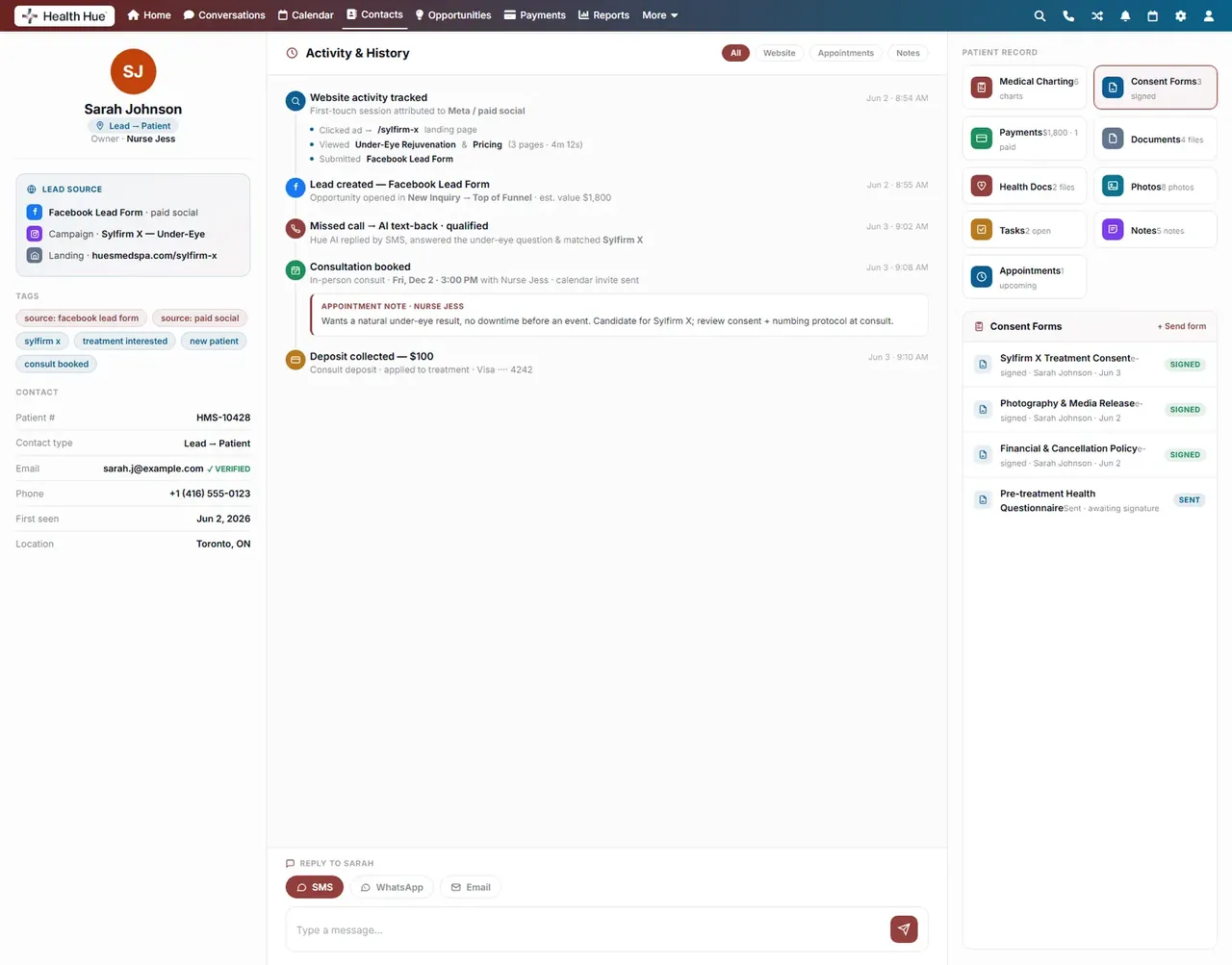
Signed consent forms and per-channel communication preferences are recorded on each patient, so the team always knows what someone has agreed to and how they want to be contacted. Opt-outs are honoured automatically across texts, emails, and calls.
Consent forms recorded and dated on the chart.
How each patient wants to be contacted, per channel.
Unsubscribes apply automatically across channels.
06 · Treatment Photos
A before-and-after gallery, right on the record.
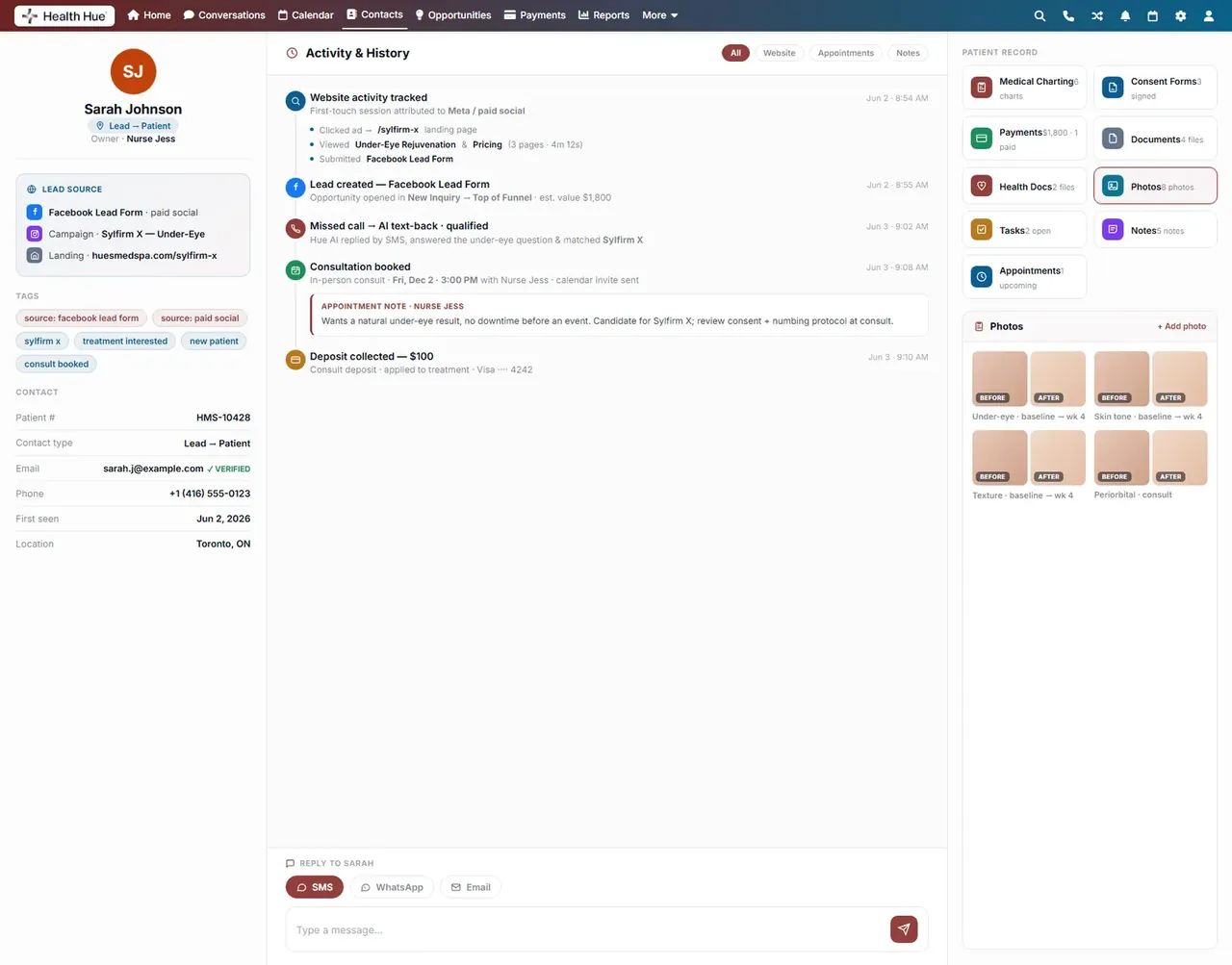
Store treatment photos on the patient’s chart and line up before-and-after results over time. Providers can review progress at the next visit and pull consistent comparison images, all kept on the same protected record as the rest of the patient’s history.
Photos stored on the patient record, not a phone.
Line up results over time for each treatment.
Pull up progress photos the next time they come in.
Secure, compliant, and clinic-ready
Every feature lives in a platform built for clinics from the ground up, with charting, consent, and payments native to the patient record.
PHIPA & HIPAA-aware
Patient data is encrypted and handled to Canadian health-privacy standards.
Consent & audit
Consents, signatures, and changes log to the record automatically.
Role-based access
Granular permissions keep charts and contact details on a need-to-know basis.
One source of truth
Scheduling, payments, messages, and records in one place. Nothing siloed.
Explore more of the Hub
Contacts & Patient Records is one part of the Health Hue Hub, your AI-powered clinic operating system.
Conversations
One inbox for SMS, calls, web chat, and DMs.
Patient Records
Every patient in one complete profile.
Calendar & Scheduling
AI booking, reminders, and provider sync.
Payments & POS
Text-to-pay, deposits, and fast checkout.
Memberships
Recurring revenue, packages, and perks.
Automated Flows
Triggers and multi-channel follow-up.
FAQ